
Einführung
Thank you for choosing the Edifier Hecate GT4 Gaming Earbuds. These true wireless earbuds are designed to provide a low-latency audio experience for gaming across multiple platforms, including PS5, PS4, Nintendo Switch, mobile phones, and PCs. Featuring Bluetooth 5.2 connectivity, an IP55 rating for dust and splash resistance, and customizable RGB lighting, the GT4 earbuds offer both performance and convenience. Please read this manual thoroughly to ensure proper use and optimal performance of your new earbuds.
Packungsinhalt
Bitte überprüfen Sie, ob alle unten aufgeführten Artikel in Ihrem Paket enthalten sind:
- Edifier Hecate GT4 Gaming Earbuds (Left and Right)
- Ladeetui
- USB-C-Ladekabel
- Ohrstöpsel in verschiedenen Größen (Klein, Mittel, Groß)
- Bedienungsanleitung

Image: The Edifier Hecate GT4 earbuds, charging case, USB-C cable, and extra eartips are shown, representing the package contents.
Aufstellen
1. Aufladen der Ohrhörer und des Ladecase
Before first use, fully charge the earbuds and charging case. Place the earbuds into the charging case. Connect the USB-C charging cable to the charging port on the case and the other end to a USB power adapter (not included) or a computer's USB port. The indicator lights on the case will show charging status.
- Ladezeit: Ungefähr 1.5 Stunden für eine vollständige Aufladung.
- Akkulaufzeit: Up to 7 hours of playback on a single charge, with an additional 21 hours provided by the charging case.
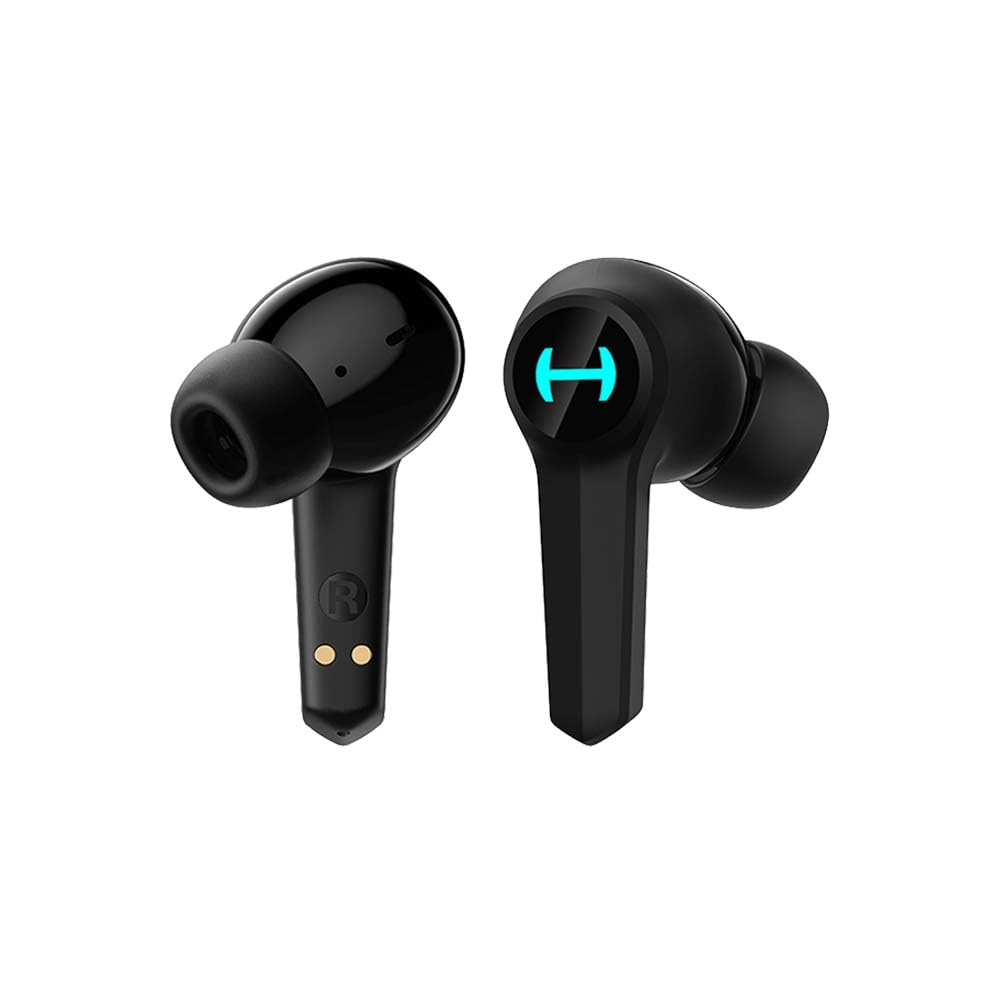
Image: The Edifier Hecate GT4 earbuds are shown inside their open charging case, with the case's RGB lights illuminated.
2. Bluetooth-Kopplung
- Stellen Sie sicher, dass die Ohrhörer aufgeladen sind.
- Öffnen Sie das Ladecase. Die Ohrhörer wechseln automatisch in den Kopplungsmodus, was durch blinkende Lichter angezeigt wird.
- On your device (phone, PC, console), enable Bluetooth and search for new devices.
- Select "EDIFIER HECATE GT4" from the list of available devices to connect.
- Once connected, the earbud lights will stop flashing or show a steady light.
The earbuds support Bluetooth 5.2 for a stable and efficient connection.
Bedienungsanleitung
1. Ein-/Ausschalten
- Einschalten: Öffnen Sie das Ladecase oder nehmen Sie die Ohrhörer heraus. Sie schalten sich automatisch ein.
- Ausschalten: Legen Sie die Ohrhörer zurück in das Ladecase und schließen Sie den Deckel. Sie schalten sich automatisch aus.
2. Tippen Sie auf Steuerung
The Edifier Hecate GT4 earbuds feature touch-sensitive controls on each earbud. Refer to the diagram below for touch panel location.

Image: A finger is shown touching the outer surface of an earbud, indicating the smart touch control area.
| Aktion | Linker Ohrhörer (L) | Rechter Ohrhörer (R) |
|---|---|---|
| Abspielen/Pause | Doppeltippen | Doppeltippen |
| Nächster Titel | Dreifacher Hahn | Dreifacher Hahn |
| Anruf annehmen/beenden | Doppeltippen | Doppeltippen |
| Anruf ablehnen | Langes Drücken (2 Sek.) | Langes Drücken (2 Sek.) |
| Spielmodus aktivieren | Langes Drücken (2 Sek.) | Langes Drücken (2 Sek.) |
| Deactivate Game Mode | Langes Drücken (2 Sek.) | Langes Drücken (2 Sek.) |
Hinweis: Die Lautstärkeregelung muss gegebenenfalls direkt am angeschlossenen Gerät vorgenommen werden.
3. Game Mode (45ms Low-Latency)
The Edifier Hecate GT4 features a dedicated Game Mode to reduce audio latency to as low as 45ms, providing a synchronized audio-visual experience crucial for gaming. To activate or deactivate Game Mode, long press either earbud for 2 seconds. You will hear an audio prompt indicating the mode change.

Image: An illustration depicting the low latency feature of the earbuds, highlighting the 45ms response time.
Video: Ein offizielles Produktvideo präsentiertasing the features of the EDIFIER HECATE GT4 Gaming Earbuds, including low latency and ergonomic design.
4. RGB-Beleuchtung
The charging case and earbuds feature RGB lighting. The lighting indicates various statuses such as charging, pairing, and game mode activation. The specific patterns and colors are pre-set and provide visual feedback on the earbuds' operational status.

Image: The Edifier Hecate GT4 charging case is shown with its red RGB lighting illuminated, indicating its gaming aesthetic.
Wartung
- Reinigung: Use a soft, dry cloth to clean the earbuds and charging case. Do not use liquid cleaners or abrasive materials.
- Wasserbeständigkeit: The earbuds have an IP55 rating, meaning they are protected against dust and low-pressure water jets. Avoid submerging them in water or exposing them to heavy rain. Dry them thoroughly if they get wet.
- Lagerung: Bewahren Sie die Ohrhörer bei Nichtgebrauch im Ladecase auf, um sie zu schützen und geladen zu halten. Lagern Sie sie an einem kühlen, trockenen Ort und schützen Sie sie vor extremen Temperaturen.

Image: An Edifier Hecate GT4 earbud is shown with water splashing around it, illustrating its water-resistant feature.
Fehlerbehebung
| Problem | Mögliche Ursache | Lösung |
|---|---|---|
| Die Ohrhörer lassen sich nicht einschalten. | Schwache Batterie. | Laden Sie die Ohrhörer und das Ladecase vollständig auf. |
| Kopplung mit dem Gerät nicht möglich. | Bluetooth not enabled, earbuds not in pairing mode, or device too far. | Ensure Bluetooth is enabled on your device. Place earbuds in case, close, then open to re-enter pairing mode. Keep devices within 10 meters. |
| Kein Ton oder nur zeitweise auftretende Geräusche. | Earbuds not properly connected, low battery, or interference. | Check Bluetooth connection. Recharge earbuds. Move away from sources of interference (e.g., Wi-Fi routers). |
| Ein Ohrhörer gibt keinen Ton von sich. | Individual earbud connection issue. | Place both earbuds back into the charging case, close the lid, then open it again to reset the connection. Re-pair if necessary. |
| Low latency mode not working. | Game Mode not activated. | Long press either earbud for 2 seconds to activate Game Mode. Listen for the audio prompt. |
| Cannot connect to PS4/PS5/Switch. | Console limitations or specific pairing requirements. | Some consoles may require a separate Bluetooth adapter for full compatibility or specific pairing steps. Refer to your console's manual for Bluetooth audio device connection instructions. |
Technische Daten
| Besonderheit | Detail |
|---|---|
| Modellnummer | GT4-BK |
| Marke | Erbauer |
| Konnektivitätstechnologie | Kabellos (Bluetooth) |
| Bluetooth-Version | 5.2 |
| Platzierung des Ohrs | Im Ohr |
| Audiotreibertyp | Dynamic Driver (10mm Composite Diaphragm Unit) |
| Frequenzbereich | 20 Hz – 20 kHz |
| Geringe Latenz | 45 ms (Spielmodus) |
| Akkulaufzeit (Ohrhörer) | Bis zu 7 Stunden |
| Gesamte Akkulaufzeit (mit Hülle) | Up to 28 hours (7 + 21 hours) |
| Akkuladezeit | Ca. 1.5 Stunden |
| Kontrollmethode | Berühren |
| Wasserbeständigkeit | IP55 (Staub- und spritzwassergeschützt) |
| Kompatible Geräte | PS5, PS4, Nintendo Switch, Phone (Android, iOS), PC |
| Material | Plastik |
| Artikelgewicht | 0.12 Kilogramm |
Garantie und Support
Edifier-Produkte werden nach höchsten Qualitätsstandards entwickelt und gefertigt. Informationen zur Garantie finden Sie auf der Garantiekarte in Ihrer Produktverpackung oder auf der offiziellen Edifier-Website. website. If you encounter any issues or have questions about your Edifier Hecate GT4 Gaming Earbuds, please contact Edifier customer support through their official channels for assistance.
Offizieller Edifier WebWebsite: www.edifier.com