Thank you for choosing the MAXTOP T5 Smartwatch. This device is designed to help you monitor your health and fitness activities, receive notifications, and manage various daily functions. Please read this manual carefully to ensure proper use and optimal performance.
Image: The MAXTOP T5 Smartwatch in use during a run, highlighting its fitness and health tracking capabilities.
2. Packungsinhalt
Stellen Sie sicher, dass alle Artikel im Paket vorhanden sind:
MAXTOP T5 Smartwatch Head
Armband
Magnetisches Ladekabel
Bedienungsanleitung
3. Einrichtung und Erstgebrauch
3.1. Aufladen der Smartwatch
Vor der ersten Benutzung muss die Smartwatch vollständig aufgeladen werden.
Verbinden Sie das magnetische Ladekabel mit den Ladekontakten auf der Rückseite der Smartwatch.
Verbinden Sie das USB-Ende des Kabels mit einem Standard-USB-Netzteil (5V/1A empfohlen) oder einem USB-Anschluss Ihres Computers.
Das Display der Uhr zeigt den Ladestatus an. Eine vollständige Aufladung dauert in der Regel etwa 2 Stunden.
Notiz: The battery life is approximately 3 to 5 days with normal use and up to 7 days in standby mode. Actual battery life may vary based on usage.
3.2. App-Installation und -Kopplung
To access all features and synchronize data, download and install the companion app on your smartphone.
Scan the QR code in the manual or search for "MAXTOP" or "H BAND" in your smartphone's app store (Google Play Store for Android, Apple App Store for iOS).
Laden Sie die App herunter und installieren Sie sie.
Stellen Sie sicher, dass Bluetooth auf Ihrem Smartphone aktiviert ist.
Open the app and follow the on-screen instructions to create an account and pair your MAXTOP T5 Smartwatch.
During pairing, select "T5" from the list of available devices.
Kompatibilität: Requires iOS 9.0 or higher, or Android 6.0 or higher.
4. Bedienung der Smartwatch
4.1. Grundlegende Navigation
Touch-Screen: Durch Wischen nach links/rechts oder nach oben/unten navigieren Sie durch Menüs und Funktionen. Zum Auswählen tippen.
Seitentaste: Drücken Sie diese Taste, um zum Startbildschirm zurückzukehren oder das Gerät zu aktivieren.
Image: The MAXTOP T5 Smartwatch showing its main display with time, steps, distance, and calories.
4.2. Fitness-Tracking
The smartwatch tracks various fitness metrics throughout the day.
Schrittzähler: Zeichnet automatisch Ihre täglichen Schritte auf.
Distanz: Berechnet die zurückgelegte Strecke anhand Ihrer Schritte.
Kalorien verbrannt: Schätzt den Kalorienverbrauch.
Image: A visual representation of the smartwatch's 24-hour tracking feature, showing steps, distance, and calorie data.
4.3. Sportmodi
The smartwatch offers 10 exercise modes to track specific workouts.
Access the "Sports" menu on the watch.
Select your desired activity (e.g., Running, Walking, Cycling).
The watch will record duration, distance, and calories for the selected activity.
Image: A man running, with icons representing the 10 available sports modes on the MAXTOP T5 Smartwatch.
Image: A man exercising with weights, illustrating the 10 sports modes available on the smartwatch.
4.4. Gesundheitsüberwachung
Die Smartwatch ermöglicht die kontinuierliche Überwachung wichtiger Gesundheitsdaten.
Herzfrequenzmesser: Measures your heart rate in real-time. Access this function from the watch menu or view Daten in der App.
Blutdruckmessgerät: Provides blood pressure readings. For medical accuracy, consult a professional medical device.
Schlaf-Tracking: Monitors your sleep patterns, including deep sleep, light sleep, and awake time. View detailed analysis in the app to adjust sleep habits.
Menstruationszyklus-Tracking: Für weibliche Nutzerinnen kann die App den Menstruationszyklus verfolgen und vorhersagen.
Image: A man sleeping, with the smartwatch displaying heart rate and icons indicating deep sleep, light sleep, and awake time tracking.
Image: The smartwatch screen showing sleep data, including duration and quality.
Image: The smartwatch displaying a heart rate reading.
Image: The smartwatch displaying a blood pressure reading.
Image: A woman wearing the smartwatch, with an overlay showing the menstrual period management feature.
4.5. Benachrichtigungen
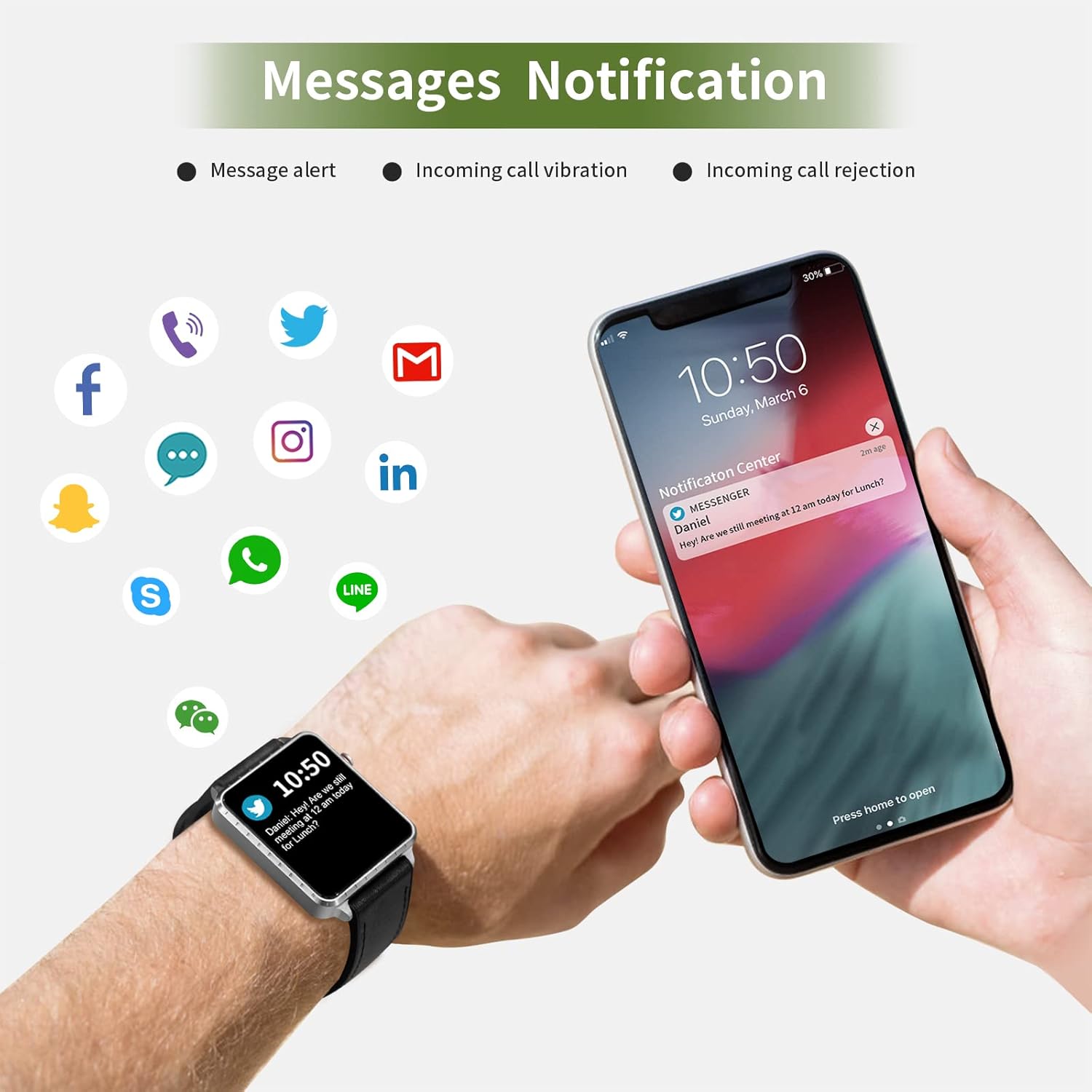
Receive call and message notifications directly on your smartwatch when paired with your phone.
Eingehende Anrufe: The watch will vibrate and display caller ID. You can reject calls from the watch.
Nachrichtenbenachrichtigungen: Receive notifications from SMS, Facebook, WhatsApp, Twitter, Instagram, LinkedIn, etc.
Wichtig: The smartwatch cannot answer calls or reply to messages.
Image: The smartwatch and a smartphone displaying message notifications from social media and communication apps.
Image: The smartwatch screen showing icons for various social media and communication app notifications.
4.6. Zusätzliche Funktionen
Musiksteuerung: Steuern Sie die Musikwiedergabe auf Ihrem Smartphone (Wiedergabe, Pause, Titel überspringen) direkt von der Uhr aus.
Kamera-Fernbedienung: Nutzen Sie die Uhr als Fernauslöser für die Kamera Ihres Smartphones.
Wecker: Set alarms through the app, and the watch will vibrate to alert you.
Telefon finden: Locate your paired smartphone by triggering an alert sound from the watch.
Sitzende Erinnerung: The app can remind you to move if you've been inactive for too long.
Anpassbare Zifferblätter: Choose from various watch faces via the app.
Image: The smartwatch screen showing the camera icon, indicating its remote camera control function.
Image: The smartwatch screen showing music control icons (play, pause, skip).
Image: A collage of different watch faces available for the MAXTOP T5 Smartwatch.
5. Wartung
5.1. Wasserdichtigkeitsklasse (IP68)
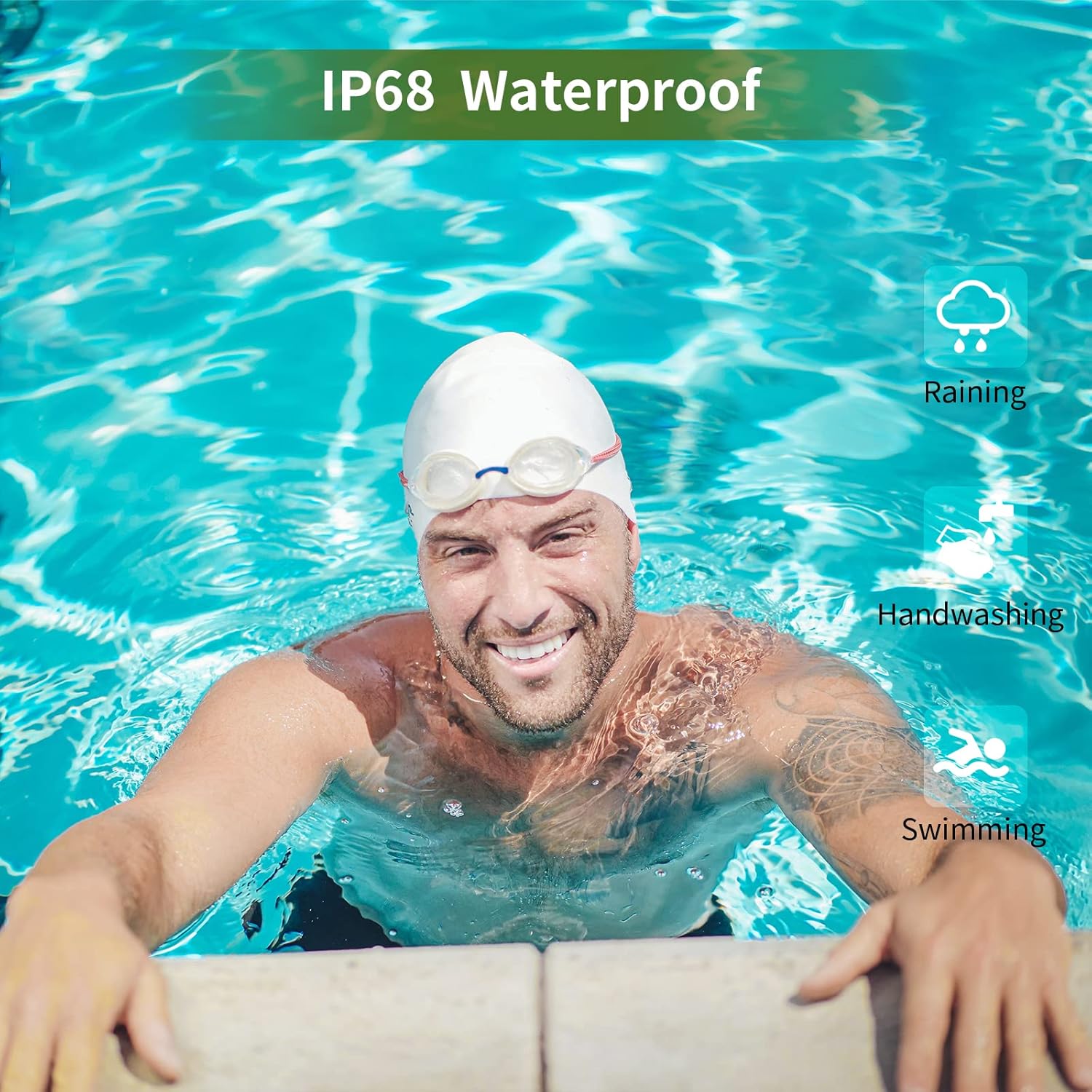
The MAXTOP T5 Smartwatch is IP68 waterproof, meaning it is dust-tight and protected against continuous immersion in water up to 1.5 meters for a maximum of 30 minutes.
You can wear the watch while washing hands, running in the rain, or swimming in shallow water.
Nicht immerse the watch in seawater, hot water, or use it in hot springs or saunas.
Avoid exposing the watch to high-pressure water jets.
Image: A man swimming, demonstrating the IP68 waterproof capability of the MAXTOP T5 Smartwatch.
Image: The smartwatch with water droplets, visually confirming its IP68 waterproof rating.
5.2. Reinigung
Reinigen Sie Uhr und Armband regelmäßig mit einem weichen, trockenen Tuch. Verwenden Sie bei Bedarf ein leicht feuchtes Tuch.amp Mit einem Tuch abwischen und gründlich trocknen. Scharfe Chemikalien vermeiden.
6. Fehlerbehebung
Uhr schaltet sich nicht ein: Stellen Sie sicher, dass die Uhr vollständig aufgeladen ist. Schließen Sie sie für mindestens 10 Minuten an das Ladegerät an.
Kopplung mit Smartphone nicht möglich:
Stellen Sie sicher, dass Bluetooth auf Ihrem Telefon aktiviert ist.
Stellen Sie sicher, dass sich die Uhr in Bluetooth-Reichweite befindet (typischerweise 10 Meter).
Starten Sie sowohl die Uhr als auch Ihr Smartphone neu.
Überprüfen Sie, ob die App auf die neueste Version aktualisiert ist.
Falls die Geräte zuvor gekoppelt waren, versuchen Sie, die Kopplung in den Bluetooth-Einstellungen Ihres Telefons aufzuheben und sie anschließend über die App erneut zu koppeln.
Ungenaue Gesundheitsdaten:
Achten Sie darauf, dass die Uhr eng am Handgelenk sitzt, nicht zu eng und nicht zu locker.
Vermeiden Sie übermäßige Bewegungen während der Messungen.
Environmental factors can affect readings. For medical accuracy, consult a professional medical device.
Benachrichtigungen nicht erhalten:
Check app permissions on your smartphone to ensure the app has access to notifications.
Verify that notification settings are enabled within the MAXTOP/H BAND app.
Stellen Sie sicher, dass die Uhr per Bluetooth verbunden ist.
Kurze Akkulaufzeit:
Die häufige Nutzung von Funktionen wie kontinuierlicher Herzfrequenzmessung, hellem Bildschirm und zahlreichen Benachrichtigungen kann die Akkulaufzeit verkürzen.
Reduce screen brightness and notification frequency if extended battery life is desired.
7. Spezifikationen
Image: Detailed physical dimensions of the MAXTOP T5 Smartwatch, including watch face and strap measurements.
Besonderheit
Detail
Marke
MAXTOP
Modell
T5
Bildschirmgröße
1.54 Zoll
Maße
4.5 x 3.8 x 1 cm
Gewicht
250 g
Wasserdichtigkeit
IP68
Konnektivität
Bluetooth
Betriebssystem
iOS (9.0 and above), Android (6.0 and above)
Akku-Typ
Lithium Polymer
Ladezeit
Ca. 2 Stunden
Akkulaufzeit (typische Nutzung)
3-5 Tage
Akkulaufzeit (Standby)
Bis zu 7 Tage
Im Lieferumfang enthaltene Komponenten
Watch head, strap, magnetic charging cable, manual
8. Garantie und Support
For warranty information and customer support, please refer to the warranty card included in your package or visit the official MAXTOP webWebsite.
Haftungsausschluss: The health monitoring features of this device are for general wellness and fitness purposes only and are not intended for medical diagnosis, treatment, or prevention of any disease. Always consult a medical professional for health-related concerns.
Ask a question about this manual
Ask about setup, troubleshooting, compatibility, parts, safety, or missing instructions. Manuals+ will review the question and use this page’s manual context to help answer it.