
Einführung
The TELE System TS6815 is a DVB-T2 HEVC 10-bit digital terrestrial decoder designed to receive digital television broadcasts. It supports HD, HDR, and HLG technologies, offering enhanced viewing experiences. This manual provides essential information for setting up, operating, and maintaining your decoder.
Lieferumfang
- TELE System TS6815 Decoder
- Fernbedienung
- Externes Netzteil
- Kurzanleitung
Produkt überview
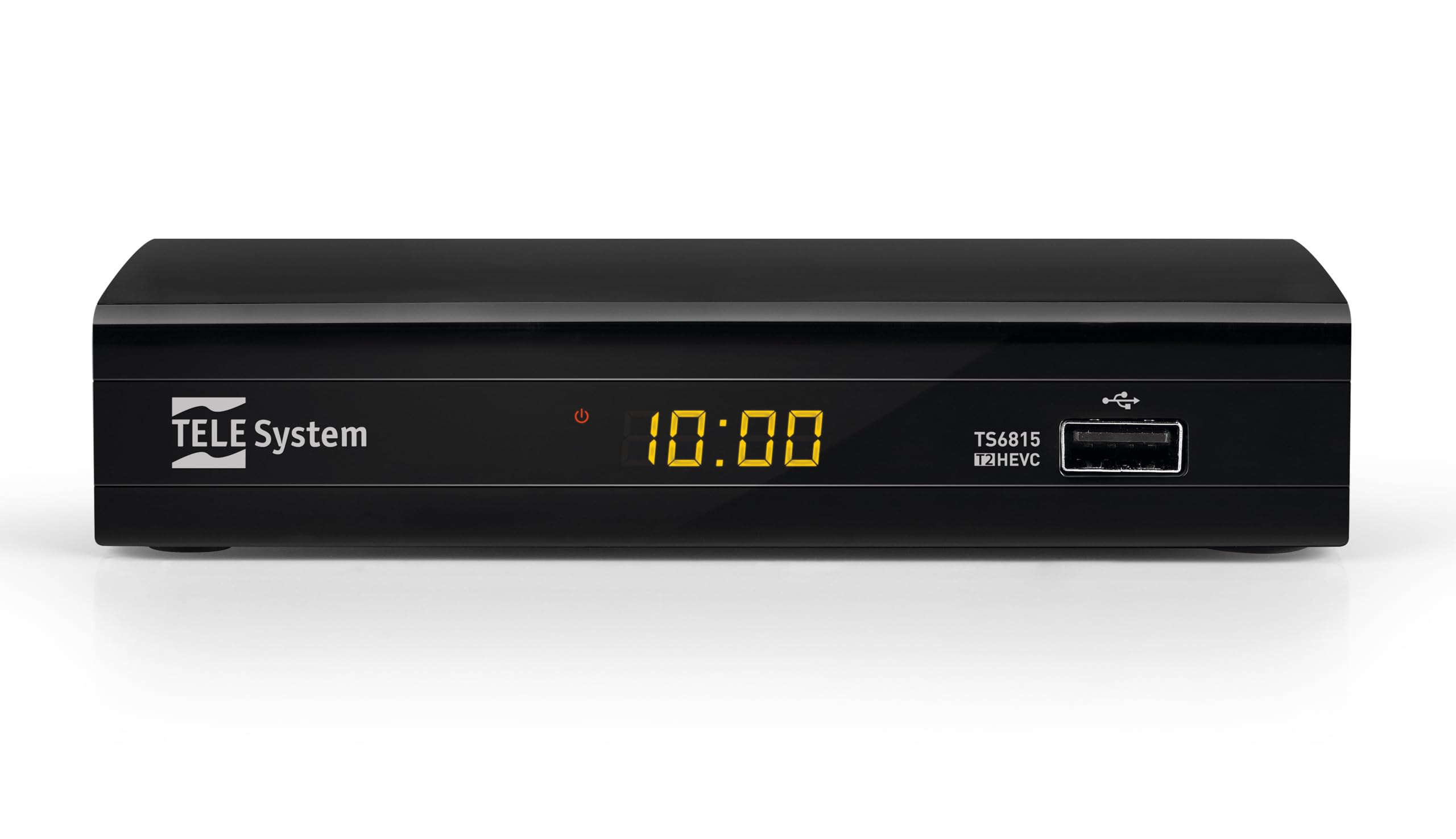
Front View: The front panel features the TELE System logo, model number TS6815, DVB-T2 HEVC branding, and a USB port for media playback and updates.

Hinteren View: The rear panel includes an RF IN port for antenna connection, an HDMI output, a TV SCART connector, and a DC IN port for power.

Fernbedienung: The included remote control allows for full functionality, including power, channel selection, volume adjustment, EPG access, and media playback controls.

Produktetikett: This label provides important information such as the model number (TS6815 T2HEVC/02), power input (DC 5V = 1A), and maximum power consumption (5W Max).
Installationsanweisungen
- Antenne anschließen: Schließen Sie Ihr terrestrisches Antennenkabel an den RF IN-Anschluss auf der Rückseite des Decoders an.
- Anschluss an den Fernseher: Use an HDMI cable to connect the decoder's HDMI OUT port to an HDMI IN port on your television. Alternatively, use a SCART cable to connect the TV SCART port to your TV's SCART input.
- Strom anschließen: Plug the external power supply into the DC IN port on the decoder, then plug the power adapter into a wall outlet.
- Einschalten: Turn on your television and select the correct HDMI or SCART input source. The decoder should power on automatically or can be turned on using the remote control.
- Initial Channel Scan (AUTOSCAN): Upon first use, the decoder will typically initiate an automatic channel scan. Follow the on-screen prompts. The AUTOSCAN feature will find all available channels, and LCN (Logical Channel Numbering) will organize them into a logical order.
- Language and Region Settings: Select your preferred language and region during the initial setup process.
Bedienungsanleitung
Grundlegende Bedienung
- Ein-/Ausschalten: Drücken Sie die LEISTUNG Taste auf der Fernbedienung.
- Kanalauswahl: Verwenden Sie die CH+ / CH- Tasten oder der Ziffernblock zum Umschalten der Kanäle.
- Lautstärkeregelung: Verwenden Sie die Lautstärke+ / vol- Tasten zum Einstellen der Lautstärke.
- Menüzugriff: Drücken Sie die SPEISEKARTE Taste zum Aufrufen des Hauptmenüs für Einstellungen und Funktionen.
- Elektronischer Programmführer (EPG): Drücken Sie die EPG Taste, um view den Programmplan für aktuelle und zukünftige Sendungen.
Medienwiedergabe über USB
The decoder supports media playback from a USB storage device. Insert a USB drive into the front USB port.
- Drücken Sie die MEDIEN button on the remote control to access the media player interface.
- Navigieren Sie durch Ihren files (videos, music, photos) using the arrow keys and press OK zum Auswählen und Abspielen.
Timeshift Function
The Timeshift function allows you to pause live TV and resume watching later. A USB storage device is required for this feature.
- Drücken Sie während des Ansehens einer Sendung die Taste PAUSE button on the remote control to activate Timeshift.
- Drücken SPIELEN um die Wiedergabe fortzusetzen.
Fehlerbehebung
- No Signal / Poor Image Quality:
- Ensure the antenna cable is securely connected to the RF IN port.
- Check your TV's HDCP compatibility.
- Try replacing the HDMI or SCART cable.
- In the decoder's AV settings, try changing the "color-space" option to RGB.
- If experiencing image fluidity issues, navigate to AV SET > Bildschirm > Bildschirmoptionen > Auflösung und wählen Sie ein 50Hz-Format.
- Perform a new channel scan (AUTOSCAN) to refresh the channel list.
- HDMI Signal Issues (e.g., no signal after changing TV source):
- If the signal does not return after switching TV sources, try powering off and on both the TV and the decoder.
- Ensure the HDMI cable is not faulty.
- Fernbedienung reagiert nicht:
- Prüfen Sie, ob die Batterien richtig eingelegt und nicht leer sind. Tauschen Sie sie gegebenenfalls aus.
- Ensure there are no obstructions between the remote control and the decoder's IR sensor.
- Decoder Not Compatible with UHD Channels:
- The TS6815 is an HD decoder, not a 4K (UHD) decoder. It is not designed to receive or display UHD channels.
Technische Daten
| Besonderheit | Beschreibung |
|---|---|
| Modell | TS6815 |
| Tunertyp | DVB-T/T2 |
| Videodekodierung | MPEG-2, MPEG-4 H264/AVC, H.265/HEVC Main10 |
| Videoauflösung | Max. 1080p@50/60Hz |
| Besondere Merkmale | HD, HDR, HLG, AUTOSCAN, LCN, EPG, Timeshift, Media Player |
| Konnektivität | 1x HDMI, 1x SCART, 1x USB, Ethernet |
| Audioausgabemodus | Surround (5.1 channels) |
| Leistungsaufnahme | Gleichstrom 5V = 1A |
| Energieaufnahme | 5W max |
| Farbe | Schwarz |
Garantie und Support
The TELE System TS6815 decoder comes with a 2-year manufacturer's warranty. For technical support, further assistance, or to access detailed instruction manuals in various languages, please refer to the official TELE System webWebsite oder wenden Sie sich an den Kundendienst.
Weitere Informationen und Unterstützungsangebote finden Sie unter TELE System Brand Store.


