
1. Einleitung
Thank you for choosing the Severin HV 7152 Cordless 2-in-1 Stick Vacuum Cleaner. This manual provides important information regarding the safe and efficient use, maintenance, and troubleshooting of your appliance. Please read it thoroughly before first use and keep it for future reference.
The Severin HV 7152 is a versatile 2-in-1 cordless vacuum cleaner designed for general floor cleaning, quick clean-ups, car interior cleaning, and above-floor tasks like furniture and ceiling cobweb removal. It features a high-speed rotating brush with LED lighting and offers up to 40 minutes of runtime.
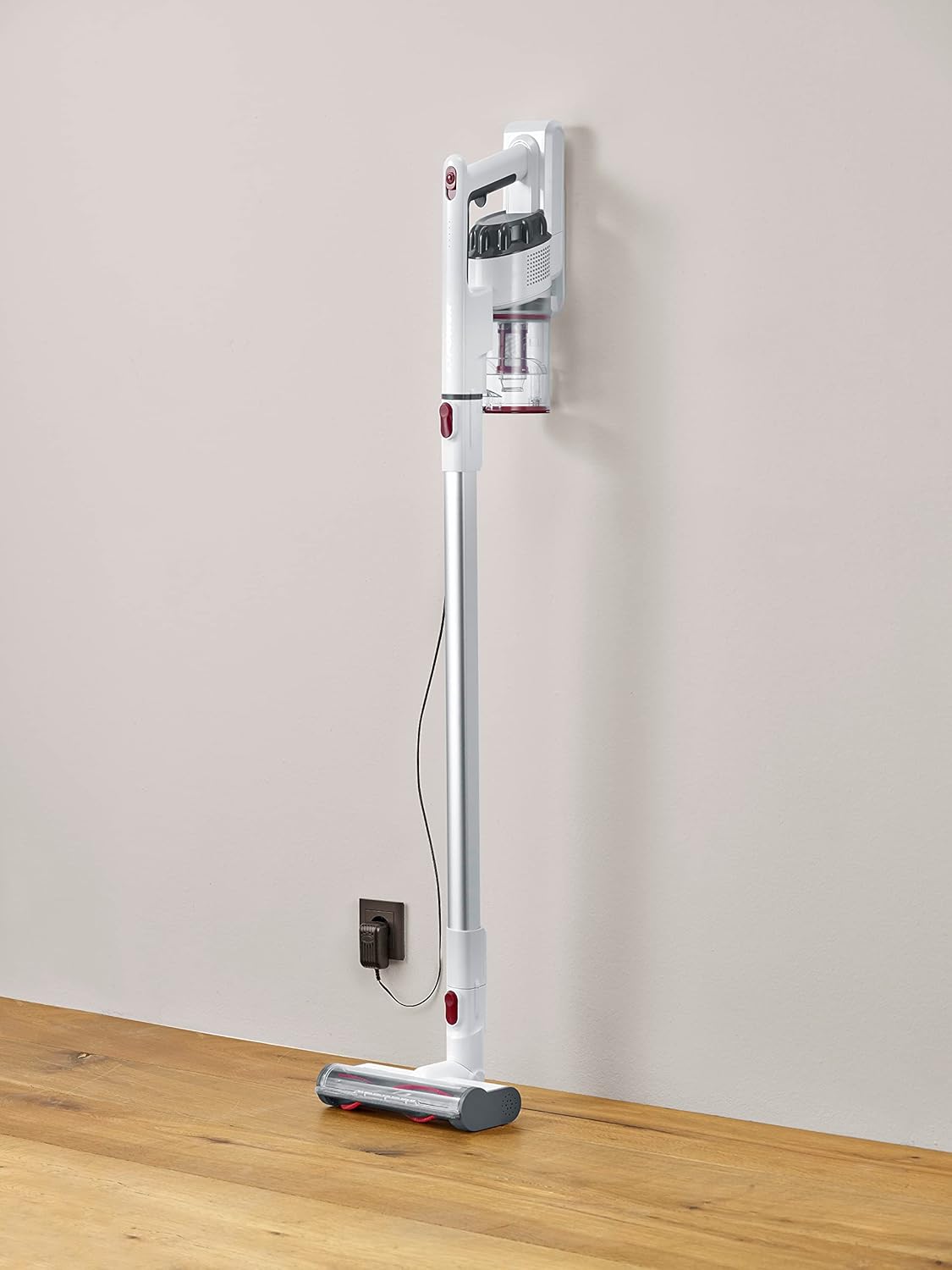
Image 1.1: The Severin HV 7152 Cordless 2-in-1 Stick Vacuum Cleaner in its upright position, charging.
2. Sicherheitshinweise
- Lesen Sie vor der Verwendung des Geräts alle Anweisungen.
- Benutzen Sie den Staubsauger nicht im Freien oder auf nassen Oberflächen.
- Kinder dürfen das Gerät nicht bedienen. Bei Verwendung in der Nähe von Kindern ist eine enge Aufsicht erforderlich.
- Nehmen Sie keine entflammbaren oder brennbaren Flüssigkeiten wie Benzin auf und verwenden Sie sie nicht in Bereichen, in denen sie vorhanden sein könnten.
- Heben Sie keine brennenden oder rauchenden Gegenstände auf, z. B. Zigaretten, Streichhölzer oder heiße Asche.
- Nicht ohne eingesetzten Staubbecher und/oder Filter verwenden.
- Schalten Sie das Gerät aus, bevor Sie das Ladegerät anschließen oder abziehen.
- Verwenden Sie nur das vom Hersteller gelieferte Ladegerät.
- Lagern Sie das Gerät drinnen an einem kühlen, trockenen Ort.
3. Aufbau und Montage
The Severin HV 7152 is designed for easy assembly. Follow these steps to prepare your vacuum cleaner for first use:
3.1 Auspacken und Komponentenidentifizierung
Nehmen Sie alle Komponenten vorsichtig aus der Verpackung. Stellen Sie sicher, dass alle unten aufgeführten Teile vorhanden sind:
- Main unit (motor and dust container)
- Verlängerungsrohr
- Motorisierte Bodenbürste mit LED-Beleuchtung
- Fugendüse
- Upholstery brush / 2-in-1 brush
- Wall mount (if included)
- Ladeadapter

Image 3.1: Included accessories: crevice tool and upholstery brush.
3.2 Erstaufladung
Before first use, fully charge the battery. Connect the charging adapter to the main unit and plug it into a power outlet. The battery indicator lights will show the charging status. A full charge takes approximately 5 hours.
3.3 Zusammenbau des Stielstaubsaugers
- Attach the extension tube to the main unit until it clicks into place.
- Attach the motorized floor brush to the other end of the extension tube until it clicks into place.
Your stick vacuum is now assembled. For handheld use, detach the extension tube and attach desired accessories directly to the main unit.
Video 3.2: Ein überview of the cordless vacuum cleaner, demonstrating its features and assembly.
4. Bedienungsanleitung
The Severin HV 7152 offers flexible cleaning options with its 2-in-1 design and multiple power levels.
4.1 Power On/Off and Suction Levels
Press the power button on the main unit to turn the vacuum cleaner on. The appliance has 3 power levels. Press the power button repeatedly to cycle through the suction levels (low, medium, high). The battery level indicators will show the remaining charge.
4.2 Verwendung als Stielstaubsauger
For floor cleaning, use the assembled stick vacuum with the motorized floor brush. The brush features 3 LED lights to illuminate dark areas, making dirt more visible.

Image 4.1: The motorized floor brush with LED lights in action.
4.3 Verwendung als Handstaubsauger
To convert to a handheld vacuum, press the release button to detach the extension tube from the main unit. Attach the desired accessory (crevice tool or upholstery brush) directly to the main unit.

Image 4.2: Using the handheld vacuum with the crevice tool for hard-to-reach areas.
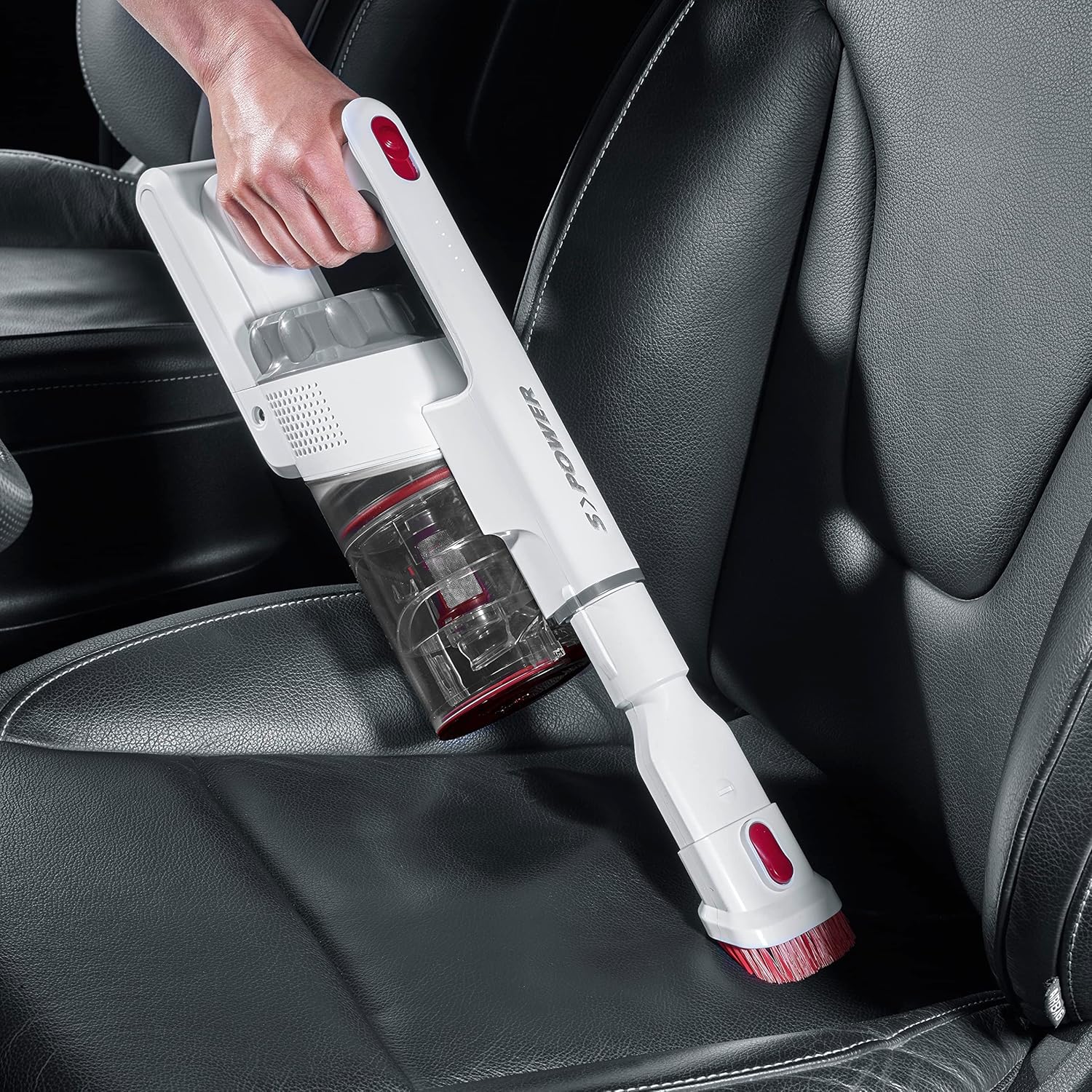
Image 4.3: Cleaning a car interior with the handheld vacuum and upholstery brush.
Video 4.4: Practical product illustration showing various uses and features of the vacuum cleaner.
5. Wartung
Regular maintenance ensures optimal performance and extends the lifespan of your Severin HV 7152.
5.1 Entleeren des Staubbehälters
The dust container has a capacity of 500 ml. Empty it regularly to maintain suction power.
- Stellen Sie sicher, dass der Staubsauger ausgeschaltet ist.
- Press the release button on the dust container to open the bottom flap and empty contents into a waste bin.

Image 5.1: Emptying the dust container.
5.2 Reinigung der Filter
The vacuum cleaner uses a cartridge filter. Clean the filters regularly to prevent clogging and maintain suction.
- Stellen Sie sicher, dass der Staubsauger ausgeschaltet ist.
- Entfernen Sie den Staubbehälter vom Hauptgerät.
- Twist and pull out the filter assembly from the dust container.
- Die einzelnen Filterkomponenten trennen.
- Tap the filters to remove loose dust. If heavily soiled, rinse them under running water. Ensure they are completely dry before reassembling and placing back into the vacuum cleaner.

Image 5.2: Removing the filter from the dust container.
5.3 Reinigung der rotierenden Bürste
Überprüfen Sie die motorisierte Bodenbürste regelmäßig auf verhedderte Haare oder Schmutz.
- Ensure the vacuum cleaner is turned off and disconnected from the extension tube.
- Suchen Sie den Entriegelungsmechanismus an der Seite des Bürstenkopfes.
- Entfernen Sie die Bürstenrolle.
- Verwenden Sie eine Schere oder eine Bürste, um verfilzte Haare oder Fasern zu entfernen.
- Setzen Sie die Bürstenwalze wieder ein, bis sie einrastet.

Image 5.3: Underside of the motorized floor brush, showing the brush roller.
Video 5.4: Detailliert view of product features, including maintenance aspects like filter cleaning.
6. Fehlerbehebung
If you encounter issues with your Severin HV 7152, refer to the following table for common problems and solutions.
| Problem | Mögliche Ursache | Lösung |
|---|---|---|
| Staubsauger schaltet sich nicht ein. | Batterie ist entladen. | Laden Sie den Akku vollständig auf. |
| Geringe Saugleistung. | Staubbehälter ist voll. | Leeren Sie den Staubbehälter. |
| Geringe Saugleistung. | Filter sind verstopft. | Reinigen oder ersetzen Sie die Filter. |
| Geringe Saugleistung. | Die Bürstenwalze ist verheddert. | Bürstenwalze reinigen. |
| Motorized brush does not rotate. | Brush roller is jammed or tangled. | Clean the brush roller and check for obstructions. |
| Akku lädt nicht. | Ladegerät nicht richtig angeschlossen. | Ensure charger is securely connected to both the vacuum and the power outlet. |
| Akku lädt nicht. | Defektes Ladegerät oder defekter Akku. | Wenden Sie sich für Hilfe an den Kundendienst. |
7. Spezifikationen
| Besonderheit | Detail |
|---|---|
| Marke | Severin |
| Modellname | HV7152 |
| Modellnummer | HV 7152 |
| Besonderheit | Beutellos |
| Filtertyp | Patrone |
| Empfohlene Oberflächen | Upholstery, General floor cleaning, Quick cleaning, Car interiors, Above-floor cleaning (furniture, cobwebs) |
| Stromquelle | Batteriebetrieben |
| Kapazität | 500 Milliliter |
| Farbe | Weiß |
| Geräuschpegel | 75 Dezibel |
| Anzahl der Geschwindigkeiten/Leistungsstufen | 3 |
| Tragbar | Ja |
| Innen-/Außenbereich | Innenbereich |
| Ausführung | Glänzend |
| Kabellos | Ja |
| Artikelgewicht | 1.42 Kilogramm |
| Artikelabmessungen (L x B x H) | 28 L x 15 B x 68 H cm |
| Steuerungstyp | Manual Control, Touch |
| Formfaktor | Stabvakuum |
| Im Lieferumfang enthaltene Komponenten | Spaltdüse |
| Bandtage | 22.2 Volt |
| Wastage | 120 Watt |
| Akkuladezeit | 5 Stunden |
| Akkulaufzeit/Laufzeit | Bis zu 40 Minuten |
| Konnektivitätstechnologie | USB |
8. Garantie und Support
8.1 Garantieinformationen
This Severin appliance comes with a standard manufacturer's warranty. Please refer to the warranty card included in your product packaging for specific terms, conditions, and duration. Keep your proof of purchase for any warranty claims.
8.2 Kundendienst
For technical assistance, spare parts, or any questions regarding your Severin HV 7152, please contact Severin customer support. Contact details can typically be found on the official Severin webauf der Website oder auf der Produktverpackung.


