
Einführung
This manual provides detailed instructions for the installation, operation, and maintenance of your Real HD 5MP Eyeball Dome 4-in-1 Security Camera (Model HD-5EB28WA). Please read this manual thoroughly before using the product to ensure proper setup and functionality. This camera is designed for surveillance applications, offering high-definition video output compatible with various DVR systems.
Sicherheitshinweise
- Ensure the power supply used is DC12V and meets the camera's specifications (1000mA). Incorrect voltagDies kann zu Schäden am Gerät führen.
- Versuchen Sie nicht, die Kamera zu zerlegen oder zu verändern. Dies kann zum Erlöschen der Garantie und zu Schäden führen.
- Keep the camera away from extreme temperatures, humidity, and direct sunlight to prevent malfunction.
- Gehen Sie vorsichtig mit der Kamera um, um physische Schäden zu vermeiden.
- Die Installation sollte von qualifiziertem Personal durchgeführt werden, wenn Sie sich bezüglich des Ablaufs unsicher sind.
Packungsinhalt
Überprüfen Sie, ob alle Artikel im Paket vorhanden sind:
- 1 x Real HD 5MP Eyeball Dome Camera
- 1 x Beutel mit Befestigungsschrauben
- 1 x Installing Template
- 1 x Benutzerhandbuch (dieses Dokument)
Note: Power adapter and DVR are sold separately and are required for camera operation and recording.
Produkt überview
The Real HD 5MP Eyeball Dome Camera is a versatile surveillance solution featuring a 2.8mm fixed lens with a 100-degree wide field of view. It supports multiple video formats (TVI, CVI, AHD, 960H) and offers 65ft (20 meters) IR night vision. Its full metal housing provides IP66 weather resistance for both indoor and outdoor use.
Kamerakomponenten
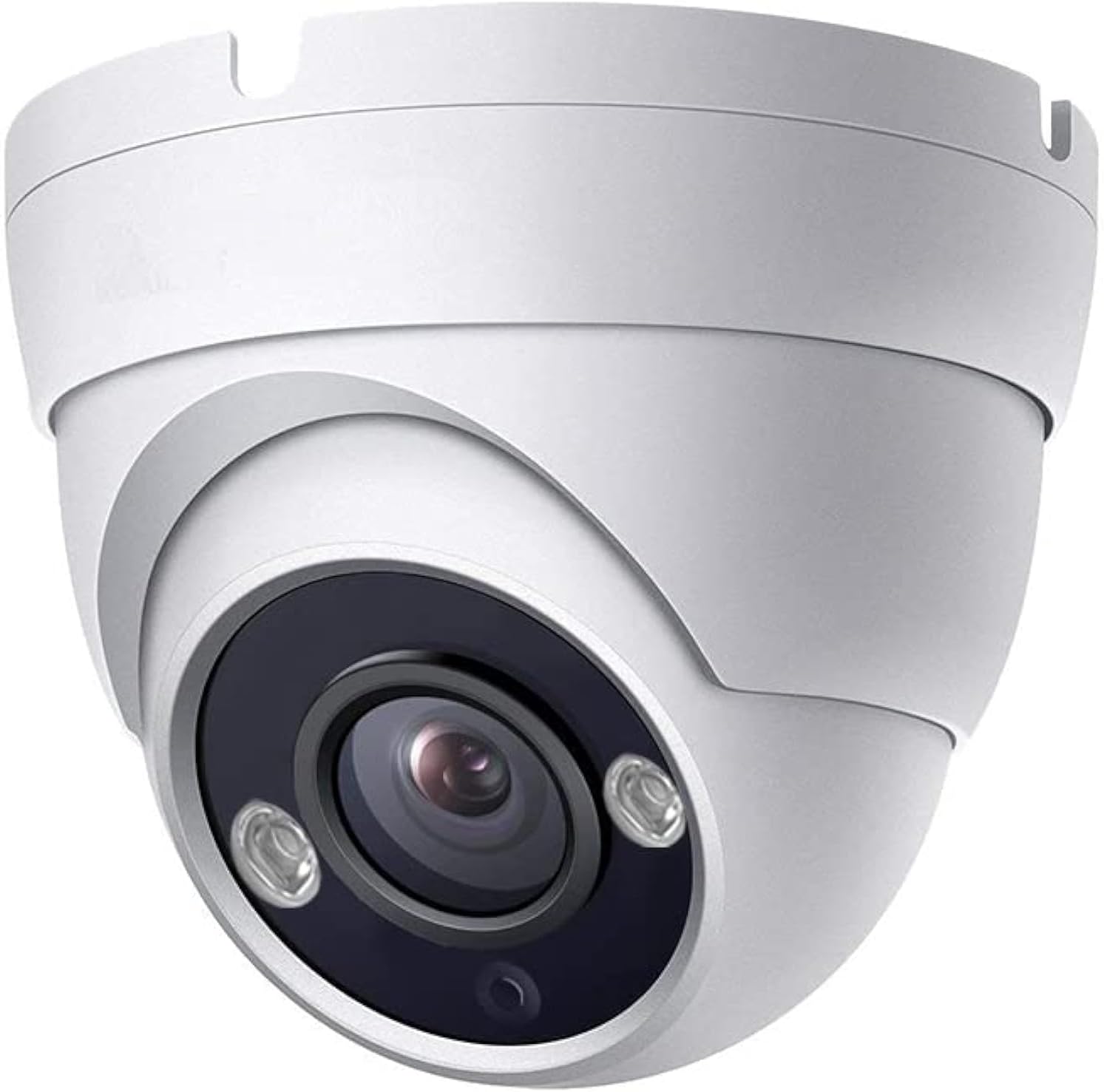
Bild: Front view of the Real HD 5MP Eyeball Dome Camera, showing the lens and IR LEDs.
Maße

Bild: Technical drawing illustrating the dimensions of the Eyeball Dome Camera, approximately 3.6 inches wide and 3.0 inches high.
Setup und Installation
Kompatibilitätsanforderungen
This camera is specifically designed to work with 5MP or 8MP (4K) TVI, CVI, or AHD DVRs. It is also compatible with 960H DVRs in CVBS mode (resolution will be 1000TVL). The camera will nicht work with 4MP or lower resolution DVRs in HD modes. It does not support IP NVRs.
Verkabeln der Kamera
The camera requires a DC12V power supply and a coaxial cable for video transmission to a compatible DVR. Power adapters and DVRs are sold separately.

Bild: Diagram showing how to connect the camera. The camera has a power input and a video output. The video output connects to the DVR via a coaxial cable. A separate power adapter (DC12V) is required for the camera.
- Connect a DC12V power adapter (sold separately) to the camera's power input.
- Connect the camera's video output to your DVR using a coaxial cable.
- Stellen Sie sicher, dass alle Verbindungen sicher sind.
Switching Video Output Format (DIP Switch)
The camera supports HD-TVI, HD-CVI, AHD, and 960H (CVBS) video formats. The default mode is typically AHD. If your DVR uses a different format, you must switch the camera's video output using the DIP switch located on the camera's cable or body (refer to the wiring diagram image for typical location).
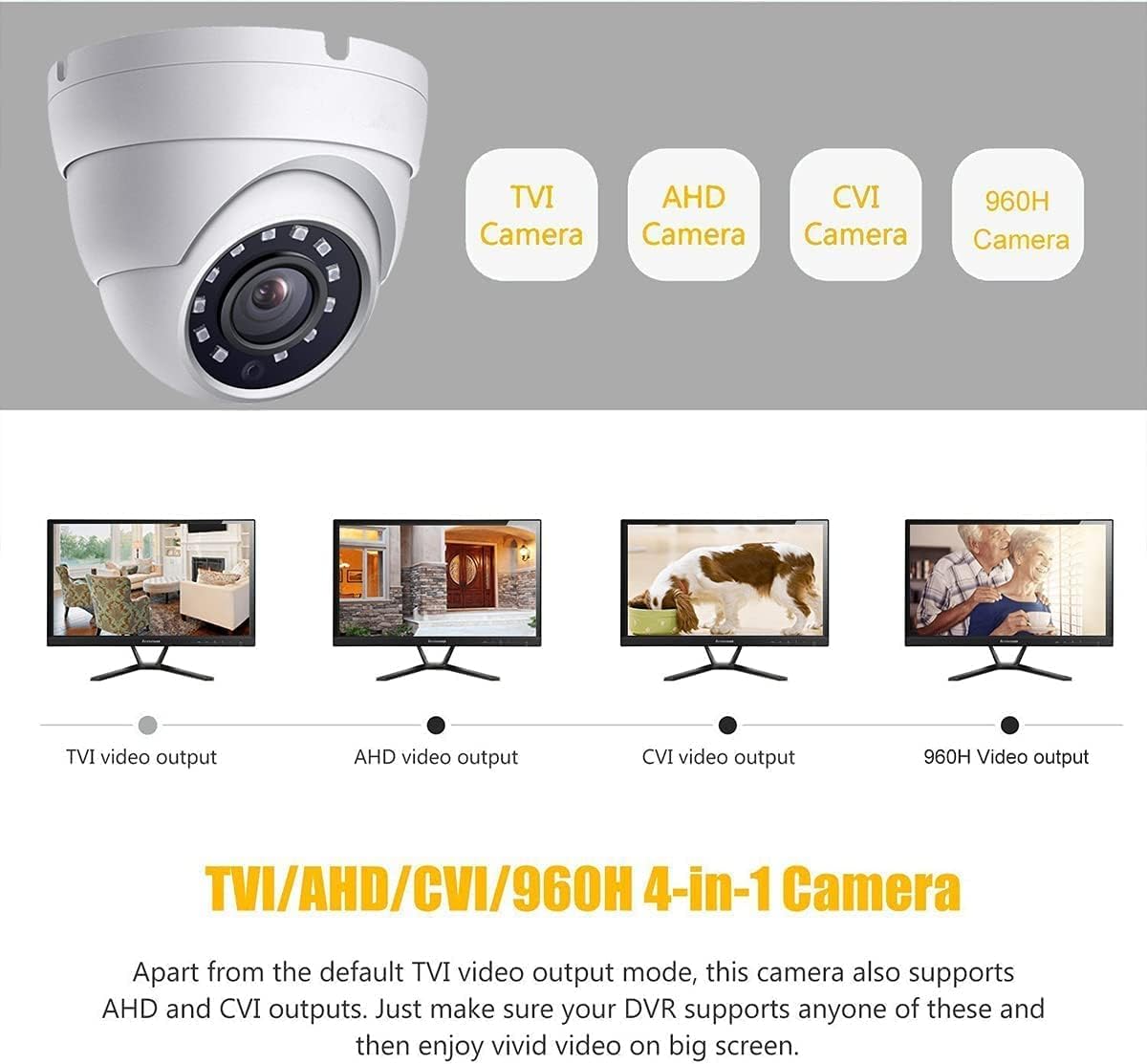
Bild: Illustration showing the four video output modes (TVI, AHD, CVI, 960H) and how they appear on a monitor. A DIP switch on the camera's cable allows selection between these modes.
Consult your DVR's manual to determine the required video input format. Adjust the DIP switch settings accordingly. Incorrect settings will result in no video signal or a distorted image.
Anbringen der Kamera
The camera is designed for surface mounting and can be installed indoors or outdoors due to its IP66 weatherproof rating. Use the provided mounting screws and template for secure installation.

Bild: Ein Example of the Eyeball Dome Camera mounted under an outdoor overhang, demonstrating its suitability for outdoor installation.
- Wählen Sie einen geeigneten Montageort, der die gewünschte viewDer Winkel ist optimal und die Strom- und Videokabel sind in Reichweite.
- Use the provided drilling template to mark the screw holes on the mounting surface.
- Bohren Sie bei Bedarf Führungslöcher.
- Befestigen Sie die Kamerabasis mithilfe der Befestigungsschrauben an der Oberfläche.
- Adjust the camera's angle as needed (refer to Camera Adjustment section).
Bedienungsanleitung
Grundlegende Bedienung
This camera functions as a video input device for a compatible DVR system. It does not have built-in recording capabilities, nor does it support direct remote viewing or mobile access. All recording, playback, motion detection, and remote viewing features are managed by the connected DVR. Refer to your DVR's instruction manual for details on these functions.
Nachtsicht
The camera is equipped with Smart IR LEDs, providing up to 65 feet (20 meters) of infrared night vision. In low-light conditions, the camera automatically switches to black and white night vision mode to ensure continuous surveillance.

Bild: A night-time view captured by the camera, demonstrating the effectiveness of the Smart IR LEDs for clear visibility up to 65 feet in dark conditions.
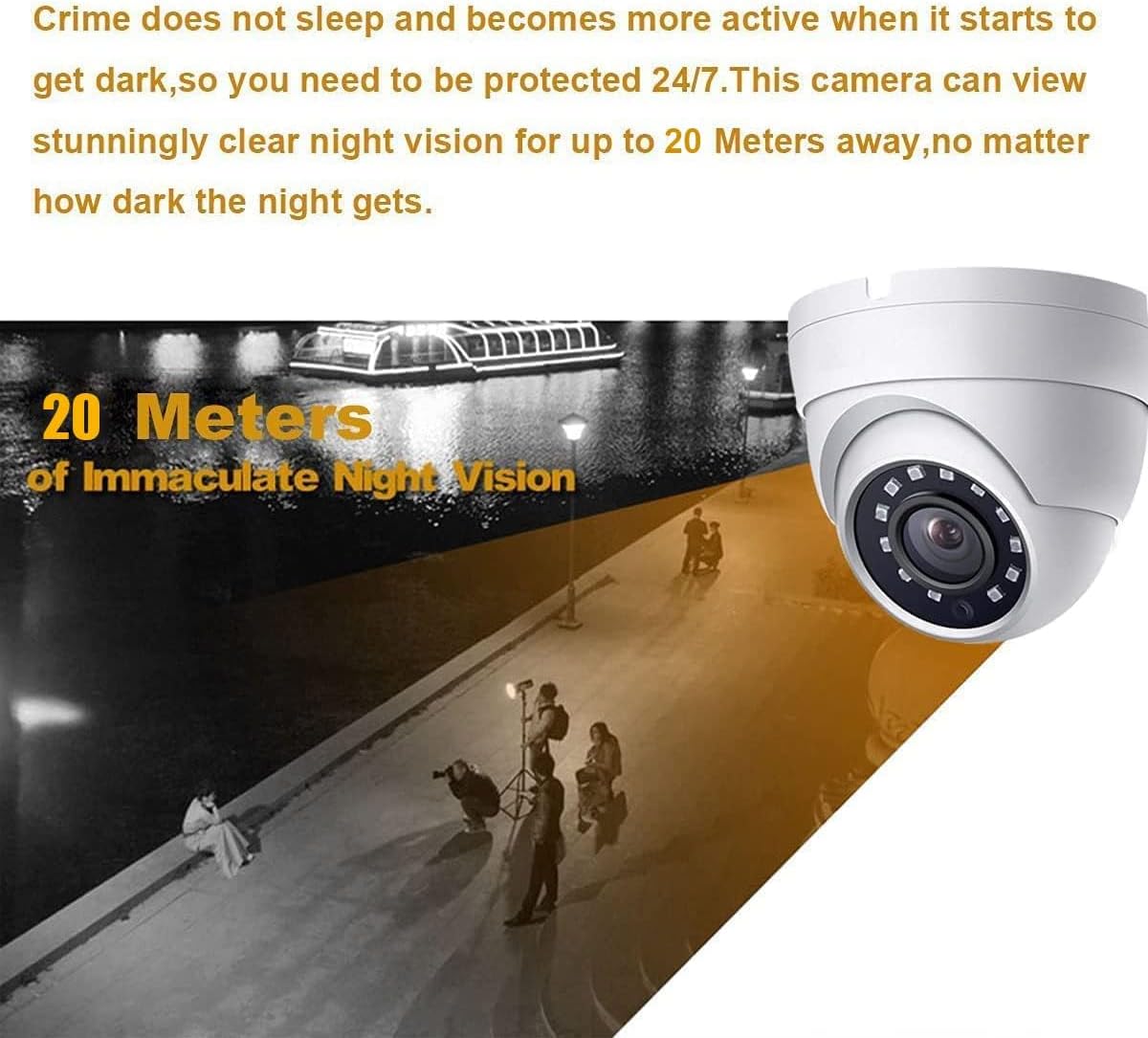
Bild: An illustration depicting the camera's night vision capability, showing clear visibility up to 20 meters (65 feet) in dark environments.
Kameraeinstellung
The eyeball dome design allows for flexible adjustment of the camera's viewing angle after installation. You can rotate the camera module within its housing to achieve the desired coverage.

Bild: Diagram illustrating the camera's adjustable features, including 180-degree tile rotation, 180-degree pan rotation, and 360-degree horizontal rotation for flexible positioning.
- 180° Tile Rotation: Adjust the vertical tilt of the lens.
- 180° Pan Rotation: Adjust the horizontal pan of the lens.
- 360° horizontale Drehung: Rotate the entire camera module around its axis.
Loosen the adjustment screws (if present) or gently rotate the camera module to position it correctly, then tighten to secure.
Wartung
- Reinigung: Use a soft, dry cloth to clean the camera lens and housing. For stubborn dirt, a slightly damp Ein Tuch kann verwendet werden, aber vermeiden Sie aggressive Chemikalien oder Scheuermittel.
- Umweltschutz: While the camera is weatherproof (IP66), regularly check for any debris or obstructions that might accumulate on the lens or housing, especially in outdoor installations.
- Kabelinspektion: Periodically inspect all cables for signs of wear, damage, or loose connections.
Fehlerbehebung
No Video Signal / Black Screen
- Überprüfen Sie die Leistung: Ensure the camera is receiving power (DC12V). Verify the power adapter is functioning and connected securely.
- Videokabel prüfen: Ensure the coaxial cable is securely connected at both the camera and the DVR. Try a different cable if possible.
- Verify DVR Compatibility: Confirm your DVR is a 5MP or 8MP (4K) TVI/CVI/AHD DVR. This camera will not work with 4MP or lower resolution DVRs in HD modes.
- Videoformat prüfen: Ensure the camera's video output format (TVI/CVI/AHD/CVBS) matches the input setting on your DVR. Adjust the DIP switch on the camera if necessary.
Poor Image Quality / Distorted Video
- Linse reinigen: Ensure the camera lens is clean and free from dust, smudges, or obstructions.
- Kabelqualität: Use high-quality coaxial cables. Long or poor-quality cables can degrade signal strength.
- Stromversorgung: An unstable or insufficient power supply can affect image quality. Ensure the power adapter meets specifications.
- DVR-Auflösung: If connected to a 960H DVR, the resolution will be 1000TVL, not 5MP. Ensure your DVR supports 5MP input for full resolution.
Nachtsicht funktioniert nicht
- Auf Hindernisse prüfen: Ensure nothing is blocking the IR LEDs or the camera's view.
- Stromversorgung: Insufficient power can affect IR functionality.
- Umgebungslicht: Ensure the area is dark enough for the IR to activate automatically.
Technische Daten
| Modellname | HD-5EB28WA |
| Bildsensor | 1/2.9"-Farb-CMOS-Sensor |
| Videoauflösung | 5 MP (2592 x 1944) |
| Effektive Standbildauflösung | 8 MP (Note: This refers to the sensor's capability, actual video output is 5MP) |
| Linse | 2.8mm Feste Linse |
| Viewing-Winkel | 100 Degrees (FOV) |
| Nachtsichtbereich | 65ft (20 meters) IR Night Vision |
| Videoausgabeformate | HD-TVI, HD-CVI, AHD, 960H (CVBS) |
| TV-Anlage | NTSC |
| Bildfrequenz | 25fps (50Hz), 30fps (60Hz) |
| Mindestbeleuchtung | 0.1lux (LED ON), 0.01lux (0-3 lux LED) |
| Stromversorgung | DC12V 1000mA (Power adapter sold separately) |
| Energieaufnahme | 7 Watt |
| Material | Vollmetallgehäuse |
| Wetterfeste Bewertung | IP66 |
| Betriebstemperatur | -40 ° F ~ 140 ° F (-40 ° C ~ 60 ° C) |
| Maße | 4.41 x 4.41 x 3.7 Zoll (Verpackungsmaße) |
| Artikelgewicht | 14 Unzen |
Garantie und Support
For warranty information and technical support, please refer to the official Real HD webBesuchen Sie die Website oder kontaktieren Sie den Verkäufer direkt. Bewahren Sie Ihren Kaufbeleg als Kaufnachweis für Garantieansprüche auf.
Real HD is committed to providing reliable products and customer support. If you encounter any issues not covered in this manual, please reach out to their support team for assistance.
- Hersteller: Real HD
- Markenshop: Visit the Real HD Store on Amazon