
BACKWIN B870
BACKWIN Wired Earbuds User Manual
Modell: B870
Einführung
This manual provides detailed instructions for the use, setup, and maintenance of your BACKWIN Wired Earbuds, Model B870. Please read this manual thoroughly before using the product to ensure optimal performance and longevity.
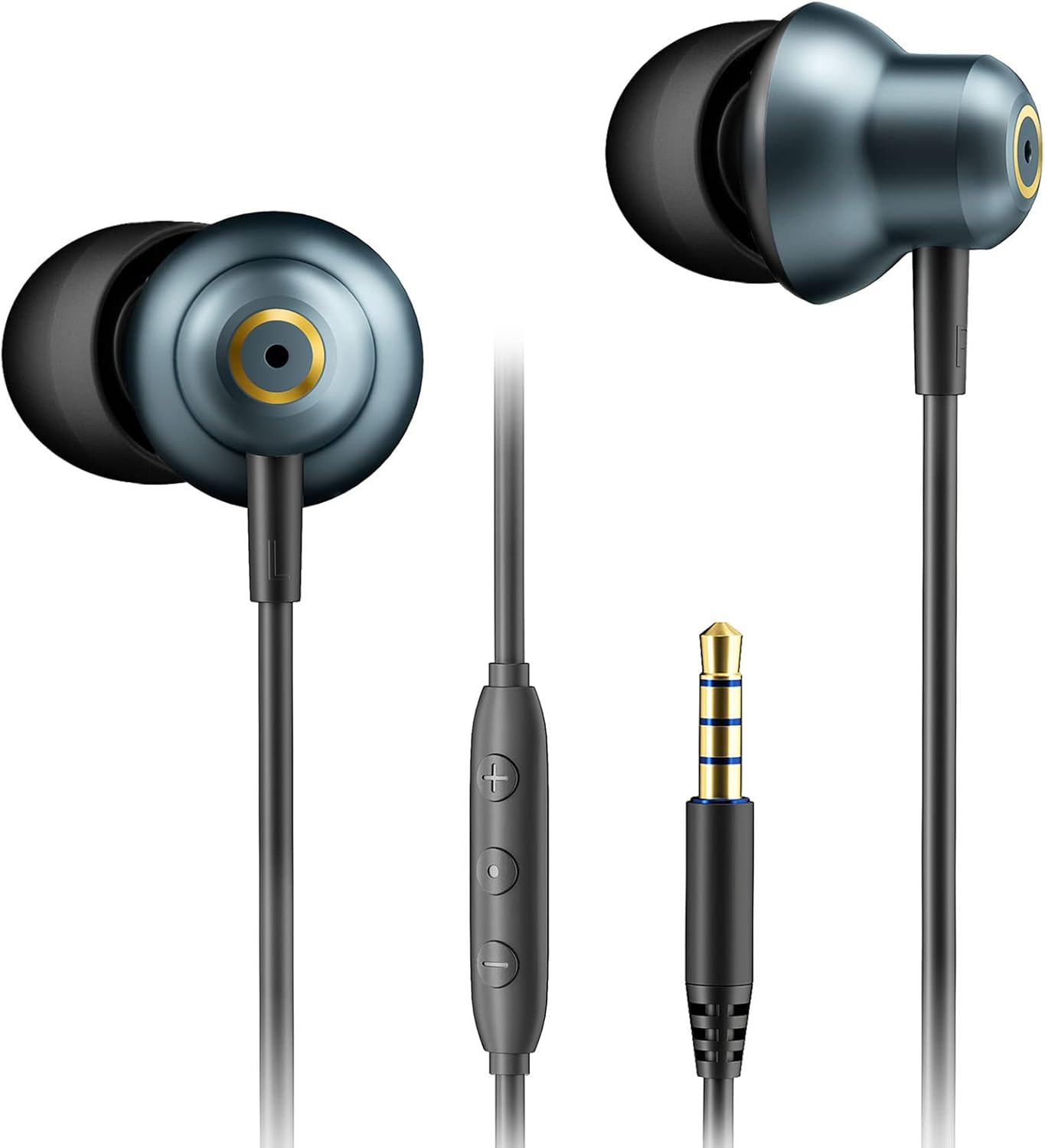
The BACKWIN Wired Earbuds, featuring a 3.5mm jack and in-line controls, are designed for a wide range of audio devices.
Packungsinhalt
Überprüfen Sie, ob alle Artikel im Paket vorhanden sind:
- BACKWIN Wired Earbuds (Model B870)
- Ear Cushions (3 pairs: Small, Medium, Large)
- Schutzhülle
- Bedienungsanleitung (dieses Dokument)

Image showing the BACKWIN Wired Earbuds along with the included ear tips in various sizes and a protective pouch.
Aufstellen
1. Auswahl der richtigen Ohrstöpsel
Proper ear tip selection is crucial for comfort, sound quality, and noise isolation. Experiment with the included Small (S), Medium (M), and Large (L) ear tips to find the best fit for your ears.
- Die vorinstallierten Ohrstöpsel vorsichtig abziehen.
- Select a pair of ear tips that feel comfortable and create a good seal in your ear canal.
- Drücken Sie die neuen Ohrstöpsel fest auf die Ohrhörerdüsen, bis sie sicher befestigt sind.

Illustration demonstrating the ergonomic design of the earbuds and the three included ear tip sizes (S, M, L) for optimal fit.
2. Verbindung mit Ihrem Gerät herstellen
The BACKWIN Wired Earbuds feature a standard 3.5mm audio jack for broad compatibility.
- Locate the 3.5mm audio jack on your smartphone, tablet, laptop, desktop PC, MP3 player, or game console.
- Insert the earbud's 3.5mm plug firmly into the device's audio jack until it clicks into place.
- Stellen Sie sicher, dass die Verbindung sicher ist, um Audiounterbrechungen zu vermeiden.
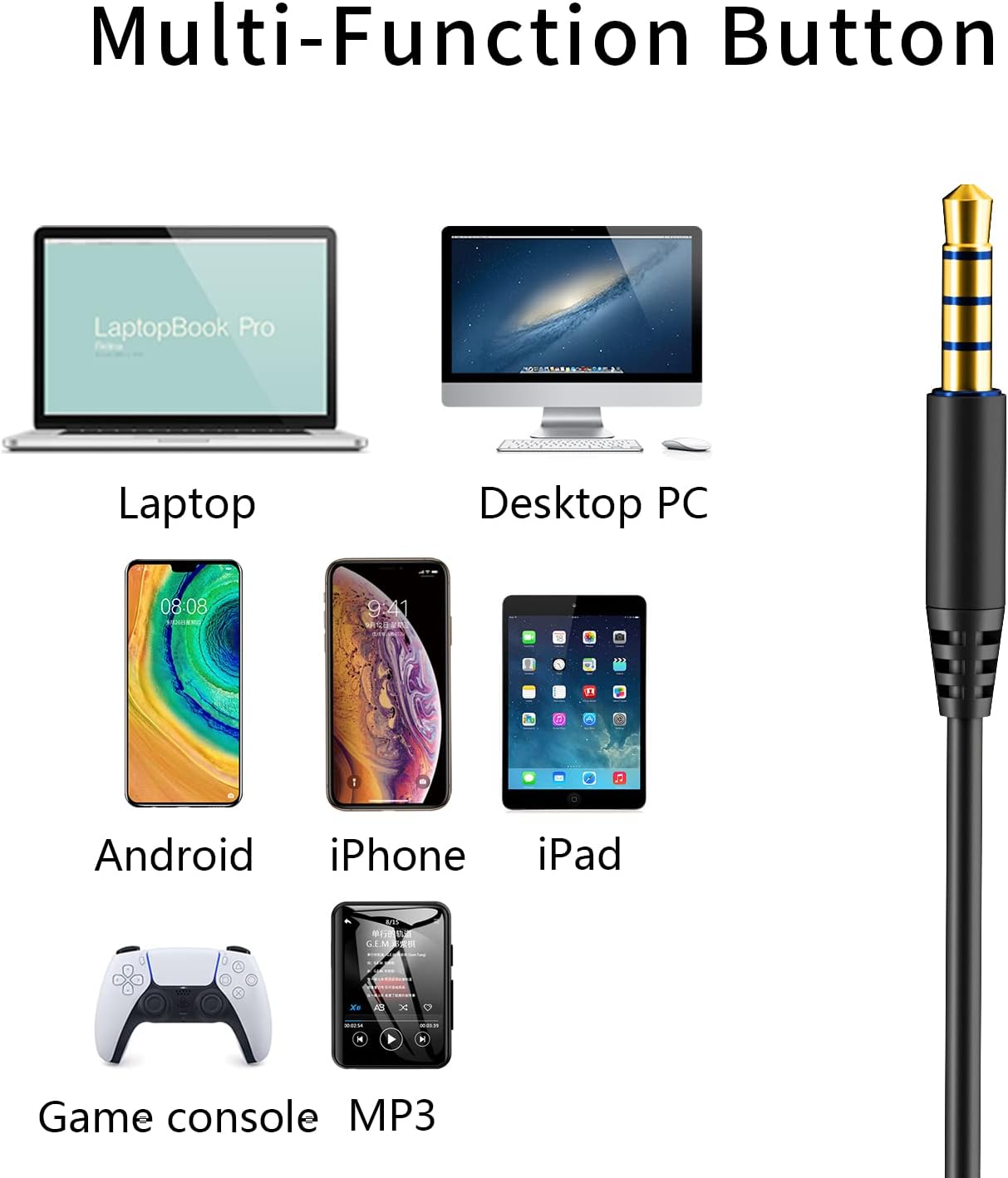
The 3.5mm audio jack ensures wide compatibility with various devices including laptops, desktop PCs, smartphones (Android, iPhone), tablets (iPad), game consoles, and MP3 players.
Bedienungsanleitung
In-line Remote Control Functions
The in-line remote allows for easy control of audio playback and calls without needing to access your device.
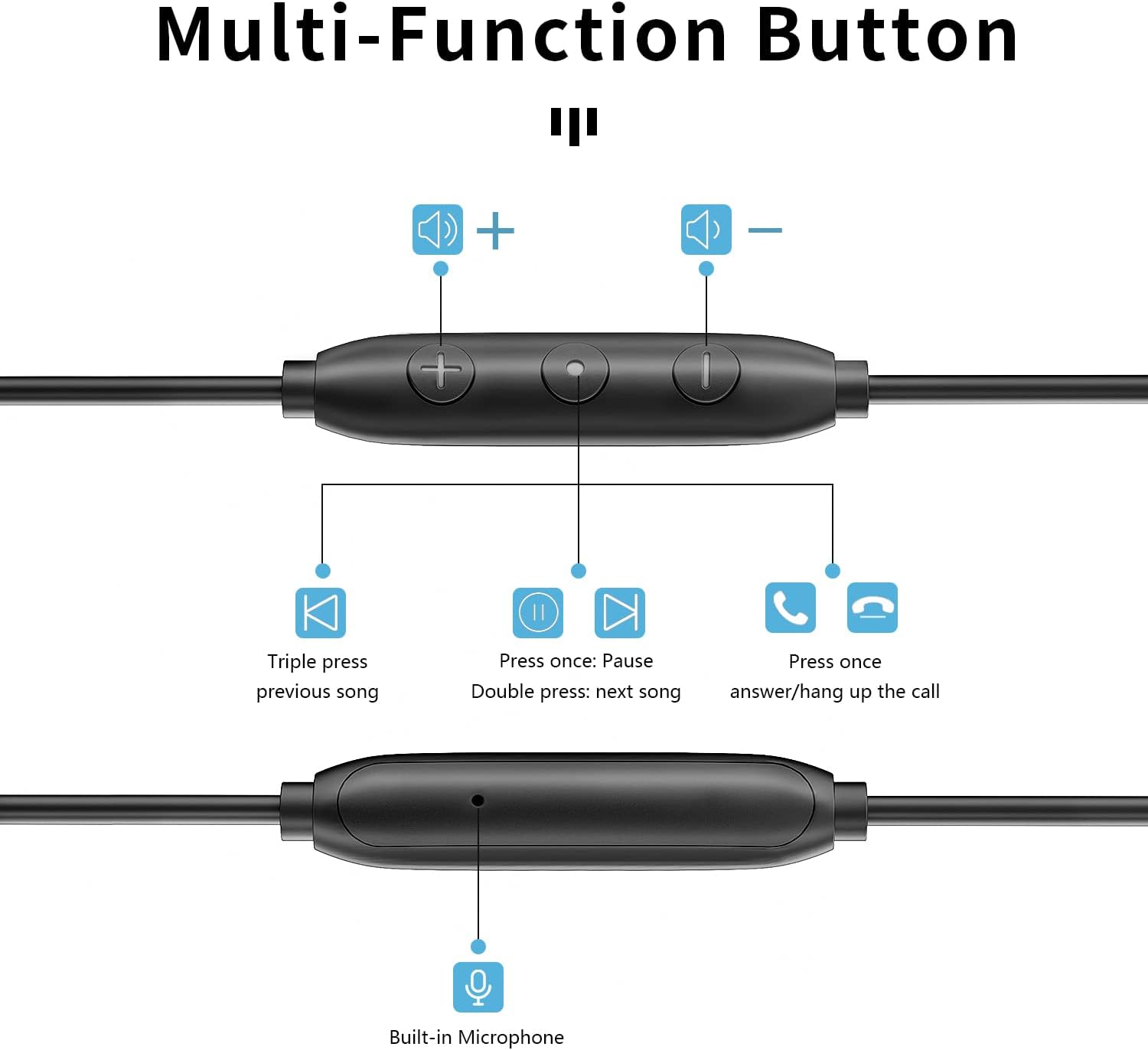
Detaillierte view of the multi-function in-line remote control, illustrating button functions for volume adjustment, track navigation, and call management.
- Lauter (+): Drücken Sie, um die Lautstärke zu erhöhen.
- Lautstärke runter (-): Drücken Sie , um die Lautstärke zu verringern.
- Multifunktionstaste (Mitte):
- Einmal drücken: Play/Pause audio; Answer/End call.
- Doppelt drücken: Nächster Titel.
- Dreifache Presse: Vorheriger Titel.
- Eingebautes Mikrofon: Located on the remote, allows for hands-free calling. Position the microphone near your mouth for clear communication.
Features and Technology
Four-Speaker Sound System
Each earbud is equipped with two speakers: a moving coil speaker for powerful bass and an iron ring speaker for clear highs and noise reduction. This dual-driver design delivers a balanced and immersive audio experience.

Anatomy of the earbud's internal structure, highlighting the dynamic coil for bass and moving iron for treble, contributing to HiFi stereo sound.
Anti-Tangle Cable Design
The earbud cable is constructed from soft and elastic aerospace TPE hollow material, reinforced with copper wire and fiber. This design provides excellent durability, abrasion resistance, and significantly reduces tangling, ensuring a smooth user experience, especially during gaming with 0 latency.
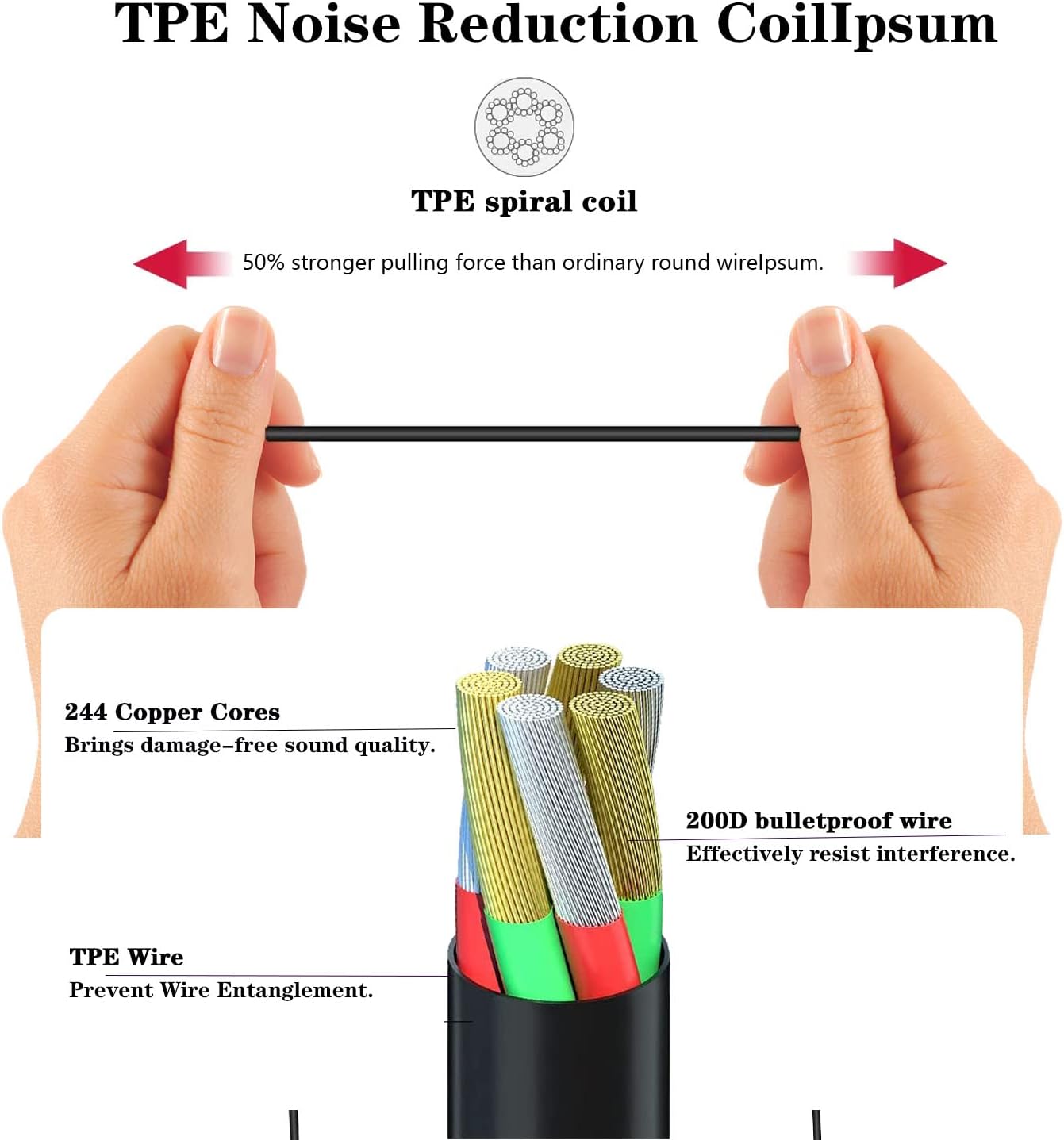
Detailed cross-section of the TPE noise reduction cable, showing its robust construction with 244 copper cores and 200D bulletproof wire for durability and tangle prevention.
IP67 Staub- und Wasserdichtigkeitsklasse
The earbuds are rated IP67, offering protection against dust ingress and immersion in water up to 1 meter for 30 minutes. This makes them suitable for use during workouts or in light rain, but they are not intended for swimming or prolonged submersion.
Wartung und Pflege
- Reinigung: Reinigen Sie die Ohrstöpsel regelmäßig mit einem weichen, fusselfreien Tuch.amp cloth. For the earbud nozzles, gently wipe away any earwax or debris using a dry cotton swab. Do not use harsh chemicals or abrasive materials.
- Lagerung: Bewahren Sie die Ohrhörer bei Nichtgebrauch im mitgelieferten Etui auf, um Verheddern und Beschädigungen zu vermeiden.
- Wassereinwirkung: While IP67 rated, avoid unnecessary exposure to water. If they get wet, dry them thoroughly before storing or using again. Do not charge or connect to a device if the jack is wet.
- Kabelpflege: Avoid sharp bends or excessive pulling on the cable to maintain its integrity.
Fehlerbehebung
| Problem | Mögliche Ursache | Lösung |
|---|---|---|
| Kein Ton oder geringe Lautstärke |
|
|
| Tonverzerrung oder Knistern |
|
|
| Mikrofon funktioniert nicht |
|
|
Technische Daten
| Modellname | B870 |
| Konnektivitätstechnologie | Kabelgebunden (3.5-mm-Klinkenstecker) |
| Lautsprecherkonfiguration | Four-speaker system (Moving Coil + Iron Ring per earbud) |
| Kabelmaterial | Aerospace TPE hollow material with copper wire and fiber |
| Wasserbeständigkeit | IP67 (staubdicht und wasserdicht) |
| Steuerungstyp | In-line Volume Control, Multi-function Button |
| Mikrofon | Eingebaut |
| Platzierung des Ohrs | Im Ohr |
| Lärmschutz | Schallisolierung |
| Artikelgewicht | 1.13 Unzen |
Garantie und Support
The BACKWIN Wired Earbuds (Model B870) come with a 2 Jahr Garantie Ab Kaufdatum. Diese Garantie deckt Herstellungsfehler und Verarbeitungsfehler bei normalem Gebrauch ab.
Von der Garantie ausgeschlossen sind:
- Schäden, die durch Missbrauch, unsachgemäße Verwendung, Unfälle oder Fahrlässigkeit verursacht wurden.
- Normale Abnutzung.
- Unbefugte Reparaturen oder Änderungen.
- Damage from improper storage or extreme environmental conditions.
For warranty claims or technical support, please contact BACKWIN customer service through the retailer where the product was purchased or visit the official BACKWIN webWebsite für Kontaktinformationen.
Bitte bewahren Sie Ihren Kaufbeleg zur Überprüfung der Garantie auf.
Ask a question about this manual
Ask about setup, troubleshooting, compatibility, parts, safety, or missing instructions. Manuals+ will review the question and use this page’s manual context to help answer it.