
1. Einleitung
Thank you for choosing the ILIFE V3s Max Robot Vacuum and Mop Combo. This device is designed to provide efficient and convenient cleaning for your home, combining powerful vacuuming with intelligent mopping capabilities. This manual provides essential information for the safe operation, maintenance, and troubleshooting of your robot vacuum. Please read it thoroughly before use and retain it for future reference.
2. Sicherheitshinweise
To reduce the risk of injury or damage, read and follow all safety precautions. This appliance is for household use only.
- Do not operate the robot near open flames or fragile objects.
- Halten Sie Haare, lose Kleidung, Finger und alle Körperteile von Öffnungen und beweglichen Teilen fern.
- Erlauben Sie Kindern nicht, den Roboter zu bedienen. Beaufsichtigen Sie Kinder und Haustiere, wenn der Roboter in Betrieb ist.
- Verwenden Sie ausschließlich das vom Hersteller mitgelieferte Original-Netzteil und die Original-Ladestation.
- Stellen Sie sicher, dass der Roboter vor dem ersten Gebrauch vollständig aufgeladen ist.
- Verwenden Sie den Roboter nicht zum Aufsammeln von großen Trümmerteilen, Flüssigkeiten oder brennenden Gegenständen.
- Remove power cords, small objects, and curtains from the cleaning path to prevent entanglement.
- Do not use the mopping function on carpets or rugs.
3. Packungsinhalt
Prüfen Sie, ob alle Komponenten vorhanden und in einwandfreiem Zustand sind:
- 1x ILIFE V3s Max Robot Vacuum
- 1x Fernbedienung
- 1x Filter (vorinstalliert)
- 1x Netzteil
- 1x Ladestation
- 1x Reinigungsbürste
- 2x Side Brushes (spare)
- 1x Wischmopp
- 1x Wassertank
- 1x Benutzerhandbuch
- 3x Dust Bags
4. Produktüberschreitungview
Familiarize yourself with the main components of your ILIFE V3s Max.

Abbildung 4.1: Spitze view of the ILIFE V3s Max robot vacuum, illustrating its 2000Pa suction, path planning, large dustbin, vacuum with mop function, app control, and Alexa support.

Abbildung 4.2: Unterseite view of the robot vacuum, highlighting the deep edge cleaning brush, powerful suction inlet, and the mop attachment for combined cleaning.
Hauptbestandteile:
- Hauptteil: Enthält den Motor, den Abfallbehälter, den Wassertank und die Navigationssensoren.
- Seitenbürsten: Fegen Sie den Schmutz in den Saugkanal.
- Antriebsräder: Ermöglichen Sie dem Roboter, sich über verschiedene Oberflächen zu bewegen.
- Universalrad: Provides directional movement.
- Ladekontakte: Verbindet sich mit der Ladestation.
- Mülltonne: Sammelt trockenen Schutt.
- Wassertank: Hält Wasser zum Wischen.
- Wischmopp: Wird zur Nassreinigung am Wassertank befestigt.
- Netzschalter: Turns the robot on/off and starts/pauses cleaning.
- Sensoren: Anti-drop, anti-collision, and wall-following sensors.
5. Einrichtung
5.1 Erstaufladung
- Platzieren Sie die Ladestation an einer Wand in einem offenen Bereich und achten Sie darauf, dass sich im Umkreis von 1 Meter zu den Seiten und 2 Metern nach vorne keine Hindernisse befinden.
- Connect the AC adapter to the charging dock and plug it into a power outlet.
- Place the robot onto the charging dock, ensuring the charging contacts align. The indicator light will show charging status.
- Lassen Sie den Roboter vor der ersten Benutzung vollständig aufladen (ca. 5-6 Stunden).
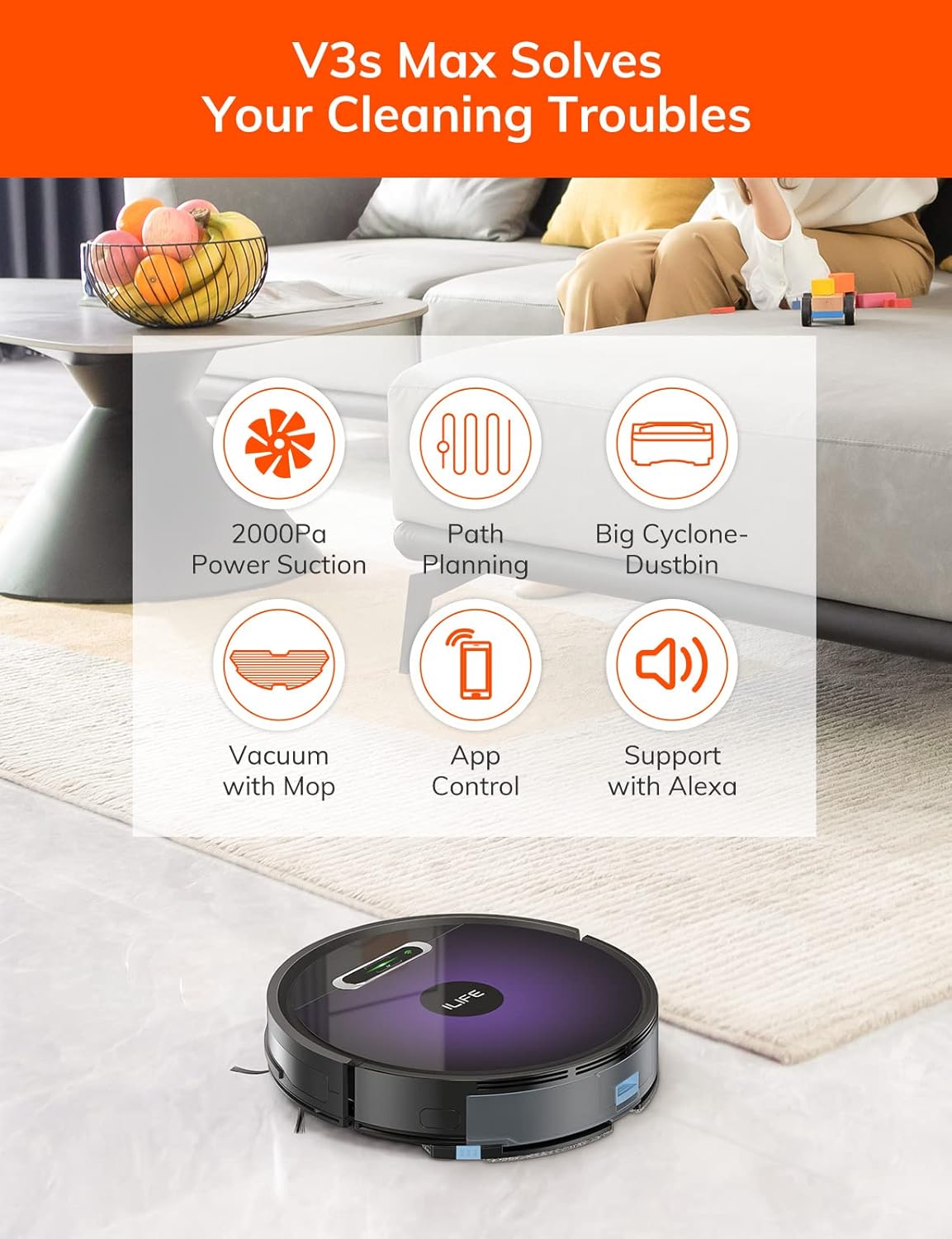
Abbildung 5.1: The robot vacuum returning to its charging dock. Ensure the dock is placed in an accessible area.
5.2 App- und WLAN-Verbindung
The ILIFE V3s Max supports app control via 2.4G Wi-Fi (5G Wi-Fi is not supported).
- Laden Sie die App „ILIFEHOME“ aus dem App Store Ihres Smartphones (iOS oder Android) herunter.
- Registrieren Sie ein Konto und melden Sie sich an.
- Ensure your phone is connected to a 2.4G Wi-Fi network.
- Follow the in-app instructions to add your device. This typically involves pressing and holding the robot's power button until it enters pairing mode, then entering your Wi-Fi password in the app.

Abbildung 5.2: The ILIFEHOME app interface, demonstrating features like scheduling, cleaning history, suction settings, and cleaning modes. The robot also supports Amazon Alexa integration.
6. Bedienungsanleitung
6.1 Starten/Pausieren der Reinigung
- Vom Roboter: Drücken Sie den Netzschalter einmal, um die Reinigung zu starten oder zu pausieren.
- Aus der Fernbedienung: Press the "Clean" button.
- Aus der App: Tap "Start" or "Pause" in the ILIFEHOME app.
6.2 Reinigungsmodi
The V3s Max offers multiple cleaning modes for different needs:

Abbildung 6.1: Illustration of the robot's multiple cleaning modes: Random, Spot, Edge, and Path (zigzag) cleaning.
- Path Cleaning (Zigzag): The robot cleans in an efficient zigzag pattern, covering the entire area systematically. This is the default mode for general cleaning.
- Fleckenreinigung: The robot focuses on a specific dirty area, cleaning in a spiral pattern. Activate this mode for concentrated cleaning of spills or heavily soiled spots.
- Kantenreinigung: Der Roboter reinigt entlang von Wänden und Möbelkanten. Ideal für die gründliche Reinigung der Raumgrenzen.
- Zufällige Reinigung: The robot cleans randomly, suitable for small, uncluttered spaces.
6.3 Staubsaugen und Wischen
The V3s Max can vacuum and mop simultaneously or separately.

Abbildung 6.2: The robot vacuum demonstrating its 2000Pa suction power, effectively picking up food crumbs and pet hair from hard floors.

Abbildung 6.3: The robot vacuum illustrating three types of water adjustment for mopping, catering to various floor cleaning needs.
- Staubsaugen: Ensure the dustbin is installed. The robot will use its 2000Pa suction to clean dry debris.
- Wischen: Fill the 200ml water tank with clean water and attach the mop cloth. Insert the water tank into the robot. The robot will then perform wet mopping. Do not use cleaning solutions other than water in the tank.
- Kombinierte Reinigung: With both the dustbin and water tank installed, the robot will vacuum and mop simultaneously.
6.4 Terminplanung
Use the ILIFEHOME app to set cleaning schedules for automated cleaning sessions.
- Open the ILIFEHOME app.
- Navigate to the scheduling section.
- Gewünschte Reinigungszeiten und -tage einstellen.
- Bestätigen Sie den Zeitplan. Der Roboter beginnt die Reinigung automatisch zu den programmierten Zeiten.
7. Wartung
Regelmäßige Wartung gewährleistet optimale Leistung und verlängert die Lebensdauer Ihres Saugroboters.
7.1 Reinigung von Staubbehälter und Filter
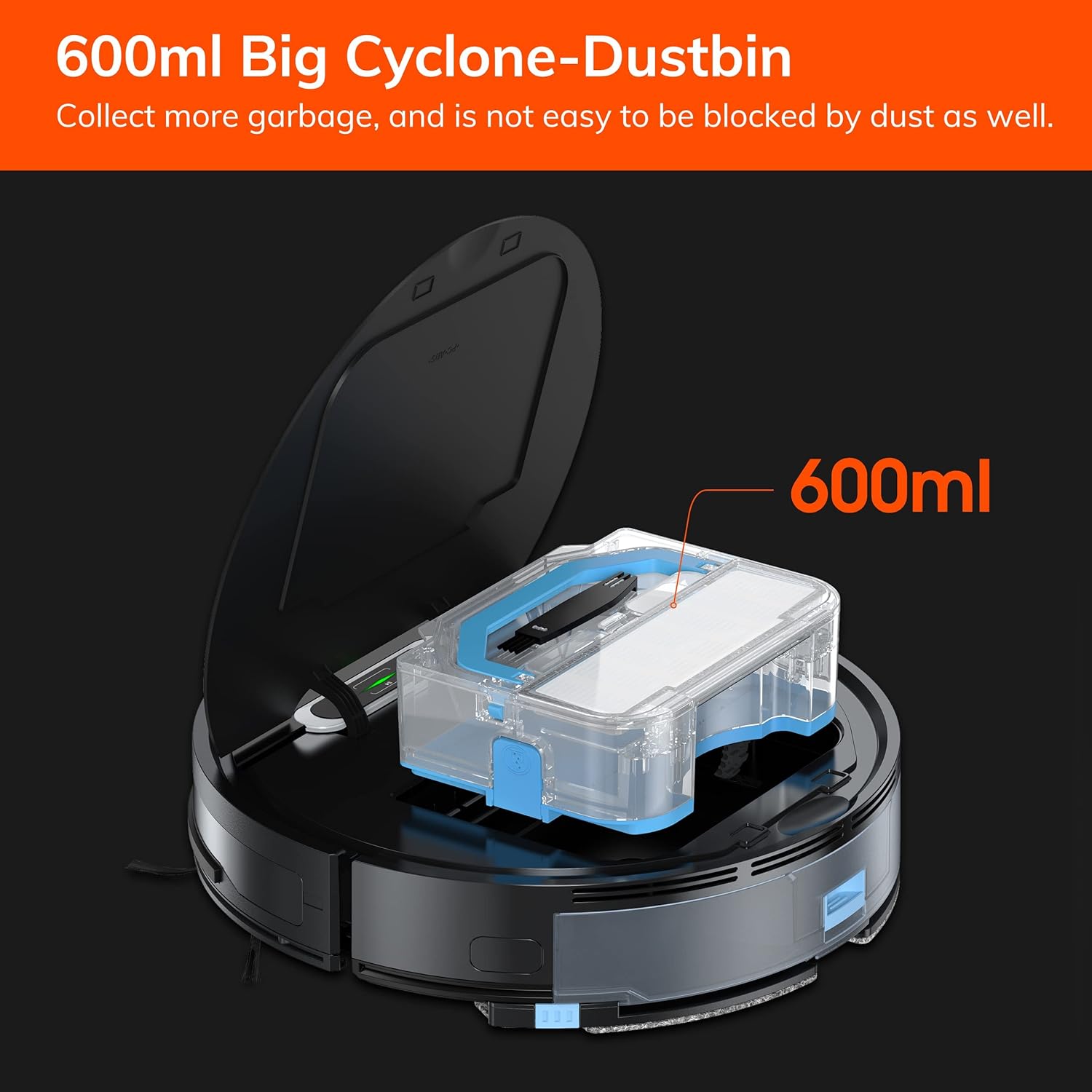
Abbildung 7.1: The 600ml cyclone dustbin, designed to collect more debris and resist clogging.
- Press the "PUSH" button on the robot's top cover to open it.
- Den Mülleimer durch Hochziehen herausnehmen.
- Öffnen Sie den Deckel des Abfalleimers und leeren Sie den Inhalt in einen Mülleimer.
- Remove the filter assembly (pre-filter, sponge filter, high-performance filter).
- Clean the filters with the provided cleaning brush. Do not wash the high-performance filter with water.
- Spülen Sie den Abfalleimer gegebenenfalls mit Wasser aus und stellen Sie sicher, dass er vor dem Wiedereinbau vollständig trocken ist.
- Setzen Sie die Filter und den Staubbehälter wieder zusammen und setzen Sie diese anschließend wieder in den Roboter ein.
7.2 Reinigung der Seitenbürste
- Überprüfen Sie die Seitenbürsten regelmäßig auf verhedderte Haare oder Ablagerungen.
- Die Seitenbürsten vorsichtig nach oben ziehen, um sie zu entfernen.
- Use the cleaning brush or scissors to remove any tangled hair or debris.
- Setzen Sie die Seitenbürsten wieder ein und achten Sie darauf, dass sie hörbar einrasten.
7.3 Wartung des Wassertanks und des Wischmopps
- After each mopping session, remove the water tank.
- Leeren Sie das restliche Wasser aus dem Tank.
- Den Moppbezug abnehmen und von Hand oder in der Maschine waschen. Anschließend vollständig an der Luft trocknen lassen.
- Spülen Sie den Wassertank mit sauberem Wasser aus und lassen Sie ihn an der Luft trocknen.
7.4 Sensorreinigung
- Use a clean, dry cloth to wipe the anti-drop sensors (located on the bottom of the robot) and the anti-collision sensors (located on the front bumper).
- Clean the charging contacts on both the robot and the charging dock.
8. Fehlerbehebung
If you encounter issues with your ILIFE V3s Max, refer to the following common problems and solutions:
| Problem | Mögliche Ursache | Lösung |
|---|---|---|
| Der Roboter startet nicht und reagiert nicht. | Niedriger Batteriestand; Netzschalter ausgeschaltet; Roboter blockiert. | Laden Sie den Roboter auf; Schalten Sie den Netzschalter ein; Beseitigen Sie Hindernisse. |
| Der Roboter kann nicht zur Ladestation zurückkehren. | Charging dock obstructed; Robot too far from dock; Dock not powered. | Ensure clear path to dock; Manually place robot near dock; Check power connection. |
| Mangelhafte Reinigungsleistung. | Dustbin full; Filters clogged; Side brushes worn or tangled. | Mülleimer leeren; Filter reinigen/austauschen; Seitenbürsten reinigen/austauschen. |
| Der Roboter bleibt häufig stecken. | Hindernisse (Kabel, Teppiche); Klippensensoren verschmutzt. | Reinigungsbereich freimachen; Klippensensoren reinigen. |
| Probleme mit der App-Verbindung. | Incorrect Wi-Fi (5G); Incorrect password; Router issues. | Ensure 2.4G Wi-Fi; Re-enter password; Restart router and robot. |
If the problem persists, please contact ILIFE customer support.
9. Spezifikationen
| Besonderheit | Detail |
|---|---|
| Marke | Ich lebe |
| Modellname | V3s max |
| Saugleistung | Bis zu 2000 Pa (Punktmodus) |
| Fassungsvermögen des Staubbehälters | 600 ml |
| Fassungsvermögen des Wassertanks | 200 ml |
| Akkulaufzeit | Bis zu 100 Minuten |
| Akku-Typ | Lithium Ion (14.4 Volts) |
| Navigation | Gyroscopic Path Planning |
| Kontrollmethoden | App Control, Remote Control, Amazon Alexa |
| Wi-Fi-Unterstützung | 2.4G Wi-Fi only |
| Technische Daten | 12.4 Zoll L x 11.81 Zoll B x 2.99 Zoll H |
| Artikelgewicht | 5.4 Pfund |
| Geräuschpegel | 65 Dezibel |
| Oberflächenempfehlung | Hard Floor, Low-Pile Carpet |
10. Garantie und Support
ILIFE provides a limited warranty for this product. For detailed warranty information, please refer to the warranty card included in your package or visit the official ILIFE website. For technical support, troubleshooting assistance, or replacement parts, please contact ILIFE customer service through the contact information provided on their website or within the ILIFEHOME app.
Online-Hilfe: www.iliferobot.com/support