1. Produktüberschreitungview
The IWECOLOR 1.75mm PLA Dual Color Filament is a high-quality 3D printing material designed for FDM (Fused Deposition Modeling) printers. This filament features a unique silk metallic finish with a captivating blue and green color shift, offering an amazing visual effect from different angles. It is engineered for reliable performance, ensuring smooth printing with excellent dimensional accuracy.
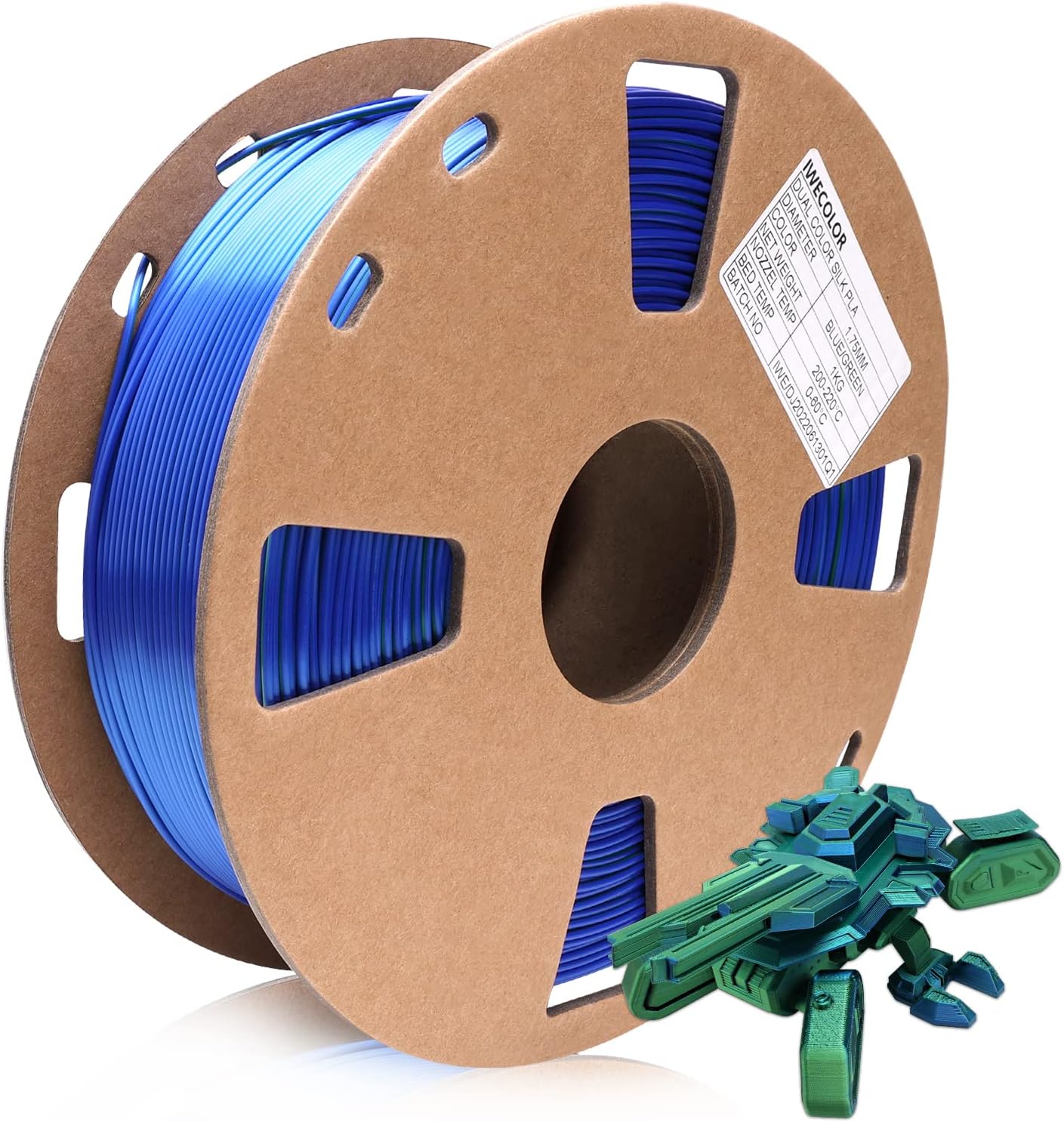
Image: A spool of IWECOLOR blue and green dual-color PLA filament, showcasing its unique color blend, alongside a small 3D printed model.
2. Einrichtung und Vorbereitung
Proper setup and preparation are crucial for successful 3D printing. Follow these guidelines to ensure optimal results with your IWECOLOR PLA filament.
2.1 Unpackaging the Filament
The filament is vacuum-sealed with desiccant to prevent moisture absorption. Carefully open the packaging just before use. It undergoes a 24-hour drying process before vacuum packaging to ensure it is bubble-free.
2.2 Loading the Filament
- Ensure your 3D printer's hot end is preheated to the recommended temperature for PLA.
- Feed the filament into the extruder mechanism according to your printer's instructions. The filament is designed to be tangle-free due to automatic winding and strict manual inspection.
- Push the filament through until it extrudes smoothly from the nozzle, free of air bubbles or inconsistencies.

Image: A close-up of the filament spool highlighting key features such as bubble-free, clog-free, and tangle-free properties, ensuring ease of use.
3. Betriebsparameter
For optimal printing results, adhere to the following recommended operating temperatures and settings.
3.1 Temperatureinstellungen
- Düsentemperatur: 200-220°C. Start with 210°C and adjust based on your printer and specific print requirements.
- Betttemperatur: 0-60°C. A heated bed is not strictly necessary for PLA but can improve adhesion. If using a heated bed, 50-60°C is generally sufficient.
3.2 Printing Speed
Typical printing speeds for PLA range from 40-80 mm/s. Experiment to find the best speed for your printer and desired print quality. Slower speeds generally yield higher detail and better surface finish.
3.3 Haftung
Ensure your print bed is clean and level. Adhesion aids like glue stick, painter's tape, or specialized print surfaces can be used to prevent warping and improve first layer adhesion.

Bild: Eine detaillierte view of the filament spool, emphasizing its perfect size for FDM 3D printers and displaying recommended nozzle and bed temperatures for optimal printing.
4. Wartung und Lagerung
Proper maintenance and storage of your filament will extend its lifespan and ensure consistent print quality.
4.1 Speicherung
PLA filament is hygroscopic, meaning it absorbs moisture from the air. Store unused filament in a cool, dry place, preferably in its original vacuum-sealed bag or an airtight container with desiccant packets. This prevents moisture absorption, which can lead to printing issues like bubbling, stringing, and reduced print quality.
4.2 Drying Filament
If your filament has absorbed moisture, you may notice popping sounds during printing, excessive stringing, or poor layer adhesion. You can dry PLA filament by baking it in a conventional oven at 40-45°C (104-113°F) for 4-6 hours, or by using a dedicated filament dryer.
5. Fehlerbehebung
Here are some common issues you might encounter and their potential solutions.
- Poor Layer Adhesion:
- Increase nozzle temperature slightly.
- Reduce print speed.
- Ensure proper bed adhesion and leveling. - Fadenbildung/Auslaufen:
- Increase retraction distance and speed in your slicer settings.
- Decrease nozzle temperature slightly.
- Ensure filament is dry. - Verstopfung:
- Check for debris in the nozzle. Perform a cold pull or clean the nozzle.
- Ensure filament is dry and free of contaminants. The filament has a higher soft point to help prevent clogs.
- Verify correct printing temperature. - Verziehen:
- Improve bed adhesion (e.g., use glue stick, increase bed temperature if applicable).
- Ensure consistent ambient temperature around the printer, avoiding drafts.
- The filament is designed for less warping. - Bubbles/Popping Sounds During Printing:
- This indicates moisture in the filament. Dry the filament as described in the Maintenance section.

Image: An infographic illustrating the reliability of IWECOLOR filaments, highlighting features such as ISO 9001 certification, consistent color, reduced warping, less stringing, no bubbles, and smooth printing.
6. Spezifikationen
| Attribut | Wert |
|---|---|
| Material | Polymilchsäure (PLA) |
| Farbe | Blue & Green (Dual Color, Silk Metallic) |
| Durchmesser | 1.75 mm |
| Dimensional Accuracy | +/- 0.02 mm |
| Nettogewicht | 1 KG (2.2 Pfund) |
| Recommended Nozzle Temp. | 200-220°C |
| Recommended Bed Temp. | 0-60°C |
| Spool Dimensions (approx.) | 7.9 x 2.3 x 7.9 Zoll |

Image: A collage displaying various spools of IWECOLOR dual-color filament in different shades, alongside examples of intricate 3D printed objects such as astronauts, owls, and boats, demonstrating the filament's versatility.
7. Garantie und Support
Information regarding product warranty and customer support for IWECOLOR 3D Printer Filament is not available in the provided product data. Please refer to the seller's or manufacturer's official webAuf dieser Website finden Sie die aktuellsten Garantiebedingungen und Kontaktinformationen zum Kundendienst.

Image: A collage showing various individuals engaged in 3D printing activities, illustrating the practical application of filament in different settings.
8. Produktionsprozess
IWECOLOR filaments are produced with a focus on quality and consistency, from raw materials to final packaging.
- Premium Raw Materials: Only high-quality raw materials are selected for filament production.
- Filament Extrusion: The raw materials are extruded into filament form.
- Precise Diameter and Circularity: Advanced measuring systems ensure strict tolerances and consistent diameter (+/- 0.02 mm).
- Automatic Spooling: Filaments are automatically spooled to prevent tangles.
- Vacuumed with Desiccants: Each spool is vacuum-sealed with desiccant to protect against moisture.
- Packaging and Batch No.: Products are carefully packaged with batch numbers for quality control.

Image: An infographic illustrating the meticulous production process of IWECOLOR filament, from premium raw materials to precise extrusion, automatic spooling, and final vacuum packaging.