
Kuephom PM10-Black
Kuephom Tragbarer Bluetooth-CD-Walkman – Benutzerhandbuch
Model: PM10-Black
Einführung
This manual provides detailed instructions for the operation and maintenance of your Kuephom Portable Bluetooth CD Walkman. Designed for versatility, this device supports CD, Bluetooth, USB, and AUX playback, featuring anti-skip protection and a built-in speaker. Please read this manual thoroughly before use to ensure proper functionality and longevity of your device.
Packungsinhalt
Bitte überprüfen Sie, ob alle unten aufgeführten Artikel in Ihrem Paket enthalten sind:
- CD-Player x 1
- Ohrstöpsel X 1
- Audiokabel X 1
- Ladekabel X 1
- Beutel x 1
Produkt überview

Figure 1: Kuephom Portable Bluetooth CD Walkman and its accessories, including earbuds, audio cable, charging cable, and pouch.

Figure 2: Detailed diagram illustrating the various buttons and ports on the Kuephom Portable CD Walkman, including volume controls, playback buttons, mode selection, Bluetooth transmit, USB slot, AUX in jack, earphone jack, and speaker.
Aufstellen
Aufladen des Geräts
The CD player has a built-in rechargeable lithium battery. Before first use, fully charge the device.
- Connect the provided USB charging cable to the charging port (DC 5V) on the device.
- Connect the other end of the USB cable to a compatible USB power source (e.g., wall charger, power bank, car charger, or computer USB port).
- Die Ladeanzeige leuchtet während des Ladevorgangs und erlischt, sobald der Akku vollständig geladen ist. Eine vollständige Ladung dauert etwa 4 Stunden.

Figure 3: The portable CD player connected to a power source via its USB charging cable, demonstrating various charging options.
Ein-/Ausschalten
Schieben Sie den EIN/AUS switch located on the side of the device to turn it on or off.
Einlegen einer CD
- Schieben Sie den OFFEN switch to open the CD compartment cover.
- Carefully place a CD (CD, CD-R, CD-RW, MP3, WMA, WAV formats supported) onto the spindle with the label side facing up.
- Gently press the center of the CD until it clicks into place.
- Close the CD compartment cover firmly until it latches.
Video 1: Demonstration of inserting a CD into the Kuephom Portable CD Player and closing the compartment. This video also shows the supported disc formats.
Connecting Headphones or External Speakers (AUX)
For private listening or connecting to non-Bluetooth devices:
- Insert the 3.5mm jack of your headphones into the Kopfhöreranschluss.
- To connect to external speakers or a car audio system, use the provided 3.5mm audio cable. Insert one end into the AUX-Eingangsbuchse on the CD player and the other end into the AUX input of your external device.

Figure 4: The portable CD player connected to a car's audio system via an AUX cable, demonstrating its use in a vehicle with anti-shock protection for uninterrupted playback.
Bedienungsanleitung
Einfache Wiedergabe
- Drücken Sie die Abspielen/Pause button (►▮▮) to start or pause playback.
- Drücken Sie die Nächste button (►►) to skip to the next track.
- Drücken Sie die Vorherige button (◄◄) to go to the beginning of the current track or the previous track.
- Drücken Sie die Stoppen Drücken Sie die Taste (■), um die Wiedergabe zu stoppen.
- Stellen Sie die Lautstärke mit ein Lautstärke+ Und Vol- Schaltflächen.
Bluetooth-Funktionalität
The device supports two-way Bluetooth connection:
Bluetooth Transmitting (Connecting to Bluetooth Headphones/Speakers)
- Ensure the CD player is powered on and a CD is inserted.
- Drücken Sie die Bluetooth-Übertragung button (labeled "TRANSMIT" or "BT" on some models) to enter Bluetooth transmitting mode. The Bluetooth icon on the display will flash.
- Versetzen Sie Ihre Bluetooth-Kopfhörer oder Ihren Lautsprecher in den Kopplungsmodus.
- The CD player will automatically search for and connect to nearby Bluetooth devices. Once connected, the Bluetooth icon will stop flashing.

Figure 5: The portable CD player actively transmitting audio via Bluetooth to both headphones and a separate Bluetooth speaker, illustrating its wireless output capability.
Bluetooth Receiving (Connecting to Smartphone/Laptop)
- Drücken Sie die BT-Modus button (labeled "BT" or "MODE" on some models) to switch the CD player into Bluetooth receiving mode.
- Aktivieren Sie Bluetooth auf Ihrem Smartphone, Tablet oder Laptop und suchen Sie nach verfügbaren Geräten.
- Select "Kuephom CD Player" (or similar name) from the list of devices to pair.
- Once connected, you can play audio from your smart device through the CD player's built-in speaker.
Video 2: This video demonstrates the Bluetooth playback feature, showing the CD player connecting to a smartphone to stream audio, highlighting its versatility as a Bluetooth speaker.
Andere Wiedergabemodi
- USB-Wiedergabe: Stecken Sie einen USB-Speicherstick in das USB-Steckplatz. The player will automatically switch to USB mode and begin playing compatible audio files.
- Wiederholungsfunktion: Drücken Sie die Wiederholen Taste zum Durchschalten der Wiederholungsmodi (z. B. einmal wiederholen, alle wiederholen).
- A-B Repeating: Drücken Sie die AB button to set a starting point (A) and an ending point (B) for a section of audio to repeat. Press again to clear.
- Geschwindigkeitsanpassung: Verwenden Sie die Geschwindigkeitseinstellung buttons (labeled "SPEED" or "SPEED +/-") to increase or decrease the playback speed. This feature is particularly useful for language learning.
- Programmwiedergabe: Refer to the detailed product diagram (Figure 2) for the "PROG." button if available on your model for custom track sequencing.
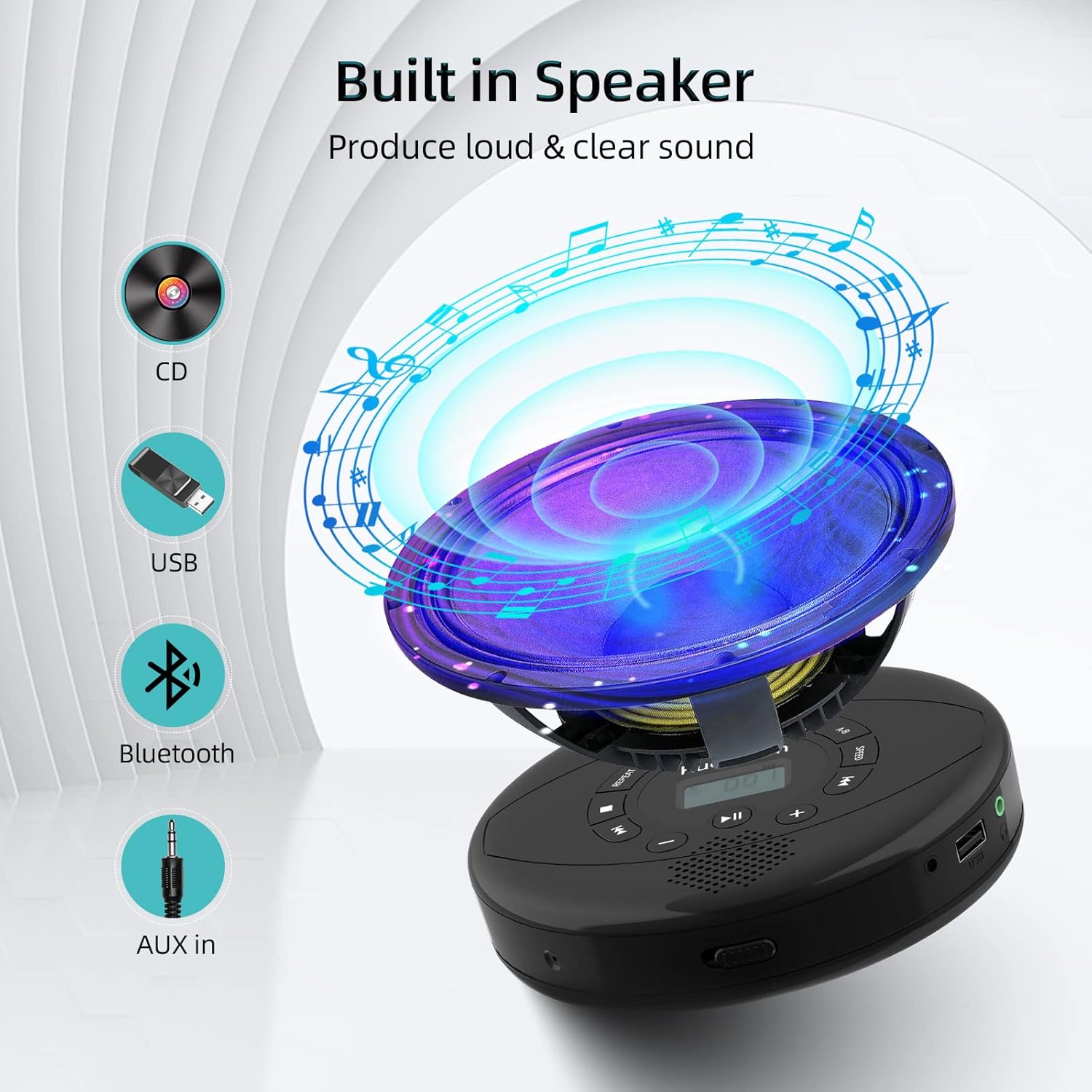
Figure 6: Illustration of the built-in speaker and the various audio input options supported by the device, including CD, USB, Bluetooth, and AUX in.
Wartung
- Reinigen Sie das Gerät regelmäßig mit einem weichen, trockenen Tuch. Vermeiden Sie die Verwendung von Scheuermitteln oder Lösungsmitteln.
- Setzen Sie das Gerät keinen extremen Temperaturen, direkter Sonneneinstrahlung oder hoher Luftfeuchtigkeit aus.
- Handle CDs by their edges to prevent scratches and smudges. Clean CDs with a soft, lint-free cloth, wiping from the center outwards.
- Wenn Sie das Gerät längere Zeit nicht verwenden, lagern Sie es an einem kühlen, trockenen Ort.
Fehlerbehebung
| Problem | Mögliche Ursache | Lösung |
|---|---|---|
| Gerät lässt sich nicht einschalten. | Der Akku ist schwach oder leer. Der Netzschalter ist ausgeschaltet. | Laden Sie das Gerät vollständig auf. Stellen Sie sicher, dass sich der Ein-/Ausschalter in der Position „EIN“ befindet. |
| Die CD springt oder spielt nicht ab. | CD is dirty, scratched, or damaged. Device is unstable. | Clean the CD. Try another CD. Ensure the device is on a stable surface or utilize its anti-skip protection during movement. |
| Kein Ton aus Kopfhörern/Lautsprechern. | Volume is too low. Headphones/speakers not properly connected. Incorrect mode selected. | Increase volume. Re-insert headphone/AUX cable firmly. Ensure correct mode (CD, Bluetooth, USB, AUX) is selected. |
| Die Bluetooth-Kopplung schlägt fehl. | Device not in pairing mode. Bluetooth device too far. Interference. | Ensure the CD player is in Bluetooth transmitting/receiving mode. Move devices closer. Turn off other Bluetooth devices to reduce interference. |
Technische Daten
| Besonderheit | Detail |
|---|---|
| Technische Daten | 5.7 x 5.7 x 1.2 Zoll |
| Artikelgewicht | 1.21 Pfund |
| Modellnummer | PM10-Black |
| Batterie | 1 Lithium-Polymer-Akku (im Lieferumfang enthalten) |
| Marke | Kuephom |
| Konnektivitätstechnologie | Bluetooth, AUX, USB |
| Unterstützte Formate | CD, CD-R, CD-RW, MP3, WMA, WAV |
| Besonderheit | Portable, Anti-Skip, Built-in Speakers |
Garantie und Support
For warranty information or technical support, please refer to the contact details provided with your purchase or visit the official Kuephom webBewahren Sie Ihren Kaufbeleg als Kaufnachweis für eventuelle Garantieansprüche auf.
Ask a question about this manual
Ask about setup, troubleshooting, compatibility, parts, safety, or missing instructions. Manuals+ will review the question and use this page’s manual context to help answer it.