
Acctim Digital Bedside Mini Alarm Clock
Modell: 16231 - Bedienungsanleitung
Einführung
Thank you for choosing the Acctim Digital Bedside Mini Alarm Clock. This compact and functional alarm clock is designed for convenience and reliability. Please read this manual carefully to ensure proper setup and operation of your device.
Hauptmerkmale:
- Clear LCD Screen with White Backlight
- Crescendo Alarm
- Einstellbare Lautstärkeregelung
- Kompaktes und tragbares Design

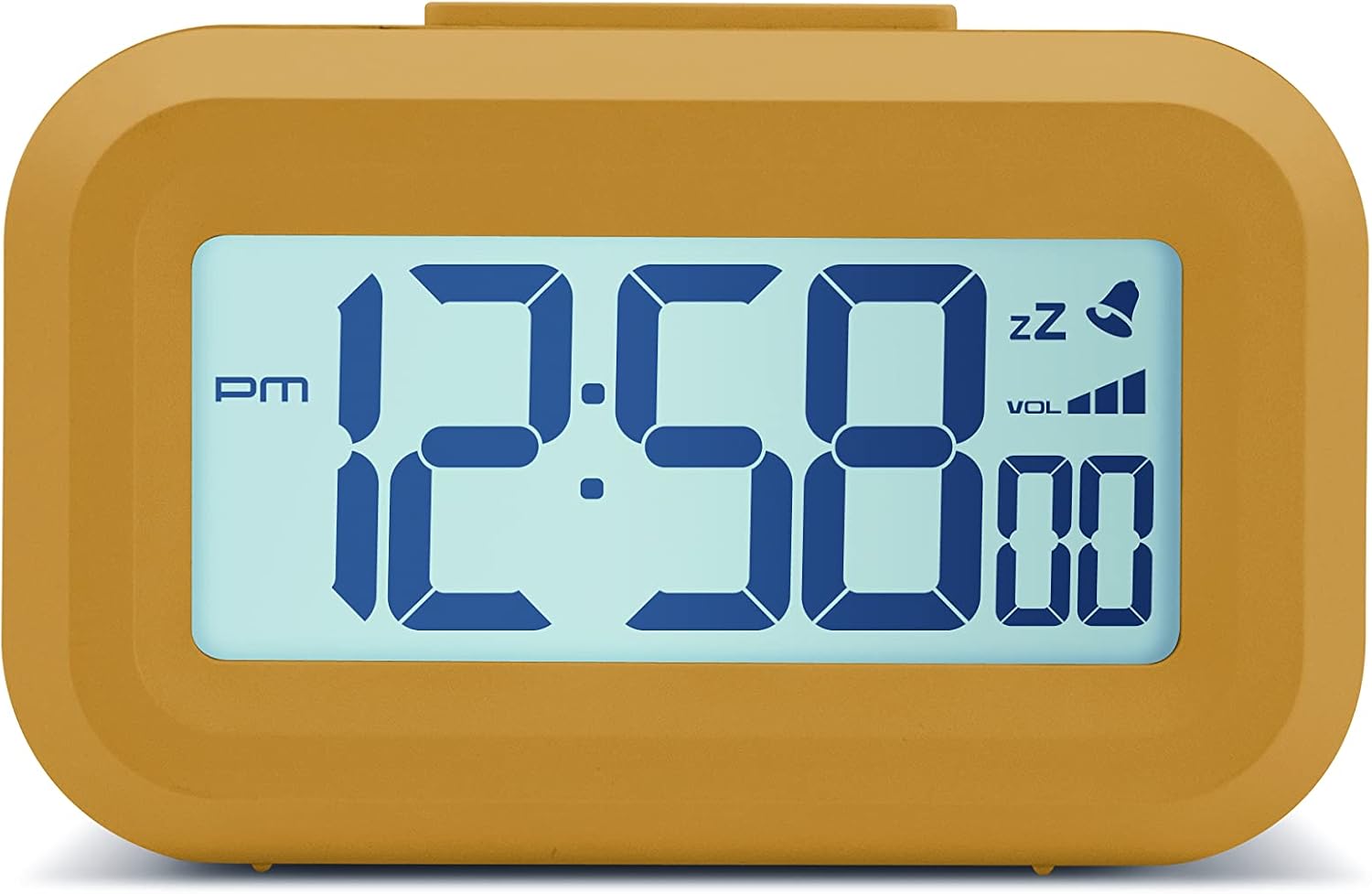
Front view of the Acctim Digital Bedside Mini Alarm Clock, displaying the time.
Aufstellen
1. Einlegen der Batterie
The alarm clock requires 2 x AAA batteries (not included). To install the batteries:
- Suchen Sie den Batteriefachdeckel auf der Rückseite der Uhr.
- Schieben Sie den Deckel nach unten, um ihn zu öffnen.
- Legen Sie zwei AAA-Batterien ein und achten Sie dabei auf die richtige Polarität (+ und -), wie im Batteriefach angegeben.
- Setzen Sie die Abdeckung des Batteriefachs wieder ein, indem Sie sie nach oben schieben, bis sie einrastet.
Zurück view des Weckers, wobei das Batteriefach und die Bedienknöpfe hervorgehoben werden.
2. Erstes Einschalten
Once batteries are correctly installed, the LCD display should activate, showing a default time or flashing digits. The clock is now ready for time and alarm settings.
Bedienungsanleitung
Tastenfunktionen:
- EINSTELLEN: Used to enter time/alarm setting modes and confirm selections.
- UP (▲): Wird verwendet, um Werte während der Einstellung zu erhöhen.
- UNTEN (▼): Wird verwendet, um Werte während der Einstellung zu verringern.
- VOL (■): Used to adjust alarm volume.
- Oberer Knopf: Activates backlight and snooze function.
1. Uhrzeit einstellen
- Drücken Sie die SATZ Drücken Sie die Taste einmal. Die Stundenziffern beginnen zu blinken.
- Verwenden Sie die UP or RUNTER Tasten zum Einstellen der Stunde. Beachten Sie die AM/PM-Anzeige.
- Drücken SATZ Und wieder. Die Minutenziffern blinken.
- Verwenden Sie die UP or RUNTER Tasten zum Einstellen der Minuten.
- Drücken SATZ a third time to confirm the time setting and exit the time setting mode.
2. Einstellen des Alarms
- Drücken Sie die SATZ button twice. The alarm hour digits will begin to flash, and an alarm icon (bell) may appear on the display.
- Verwenden Sie die UP or RUNTER Tasten, um die Weckstunde einzustellen.
- Drücken SATZ Und wieder. Die Minutenanzeige des Alarms blinkt.
- Verwenden Sie die UP or RUNTER Tasten zum Einstellen der Alarmminuten.
- Drücken SATZ a third time to confirm the alarm setting. The alarm icon will remain visible, indicating the alarm is active.
- Um den Alarm zu deaktivieren, drücken Sie die Taste SATZ Drücken Sie die Taste so lange, bis das Alarmsymbol vom Display verschwindet.
3. Schlummerfunktion
Wenn der Alarm ertönt, drücken Sie die große Taste. Oberer Knopf on the clock. The alarm will temporarily stop and sound again after approximately 5 minutes. The snooze icon (zz) will typically flash on the display.
4. Aktivierung der Hintergrundbeleuchtung
To illuminate the display temporarily, press the large Oberer Knopf. The white backlight will activate for a few seconds, making the time visible in low-light conditions.

The alarm clock display with its white backlight activated for improved visibility.
5. Einstellen der Alarmlautstärke
The alarm features an adjustable volume control. While the alarm is sounding, or in alarm setting mode, press the VOL button (square button on the back) to cycle through available volume levels. The display may show a volume indicator.
Wartung
Reinigung
To clean the clock, use a soft, dry cloth. Avoid using abrasive cleaners, solvents, or chemical sprays, as these can damage the casing oder Anzeige.
Batteriewechsel
Replace the AAA batteries when the display becomes dim, the backlight is weak, or the clock functions become erratic. Always replace both batteries at the same time with new ones.
Fehlerbehebung
- Bildschirm ist leer oder dunkel:
Check if the batteries are inserted correctly. Replace with fresh AAA batteries. - Der Alarm ertönt nicht:
Ensure the alarm time is set correctly and the alarm icon is visible on the display. Check the alarm volume level. - Falsche Uhrzeit angezeigt:
Re-enter the correct time following the 'Setting the Time' instructions. - Tasten reagieren nicht:
Remove and reinsert the batteries to perform a soft reset. If the issue persists, replace the batteries.
Technische Daten
- Marke: Acctim
- Modellnummer: 16231
- Anzeigetyp: Digital LCD
- Besondere Merkmale: Adjustable Volume, Alarm, Illuminated (Backlight), Snooze
- Produktabmessungen: 3.54"W x 2.17"H (approximately 8.8 cm W x 5.5 cm H)
- Energiequelle: Batteriebetrieben (2 x AAA, nicht im Lieferumfang enthalten)
- Zimmertyp: Schlafzimmer
- Form: Rechteckig
- Material: Plastik
- Artikelgewicht: 0.06 Kilogramm

Diagram showing the approximate dimensions of the alarm clock.
Garantie und Support
This Acctim product is covered by a manufacturer's warranty. For specific warranty details, technical support, or service inquiries, please refer to the warranty card included with your purchase or visit the official Acctim webBitte versuchen Sie nicht, das Gerät selbst zu reparieren, da dies zum Erlöschen der Garantie führen kann.