
1. Einleitung
Thank you for choosing the RecorCam WiFi Bluetooth 36MP 2.7K Trail Camera. This device is designed for wildlife observation, outdoor monitoring, and security applications, offering high-resolution imaging and advanced features. This manual provides essential information for proper setup, operation, and maintenance to ensure optimal performance.
Bitte lesen Sie diese Bedienungsanleitung vor der Benutzung der Kamera sorgfältig durch und bewahren Sie sie zum späteren Nachschlagen auf.
2. Produktüberschreitungview und Hauptmerkmale
The RecorCam WF802Plus trail camera combines robust design with advanced technology to capture clear images and videos of wildlife or for surveillance purposes.
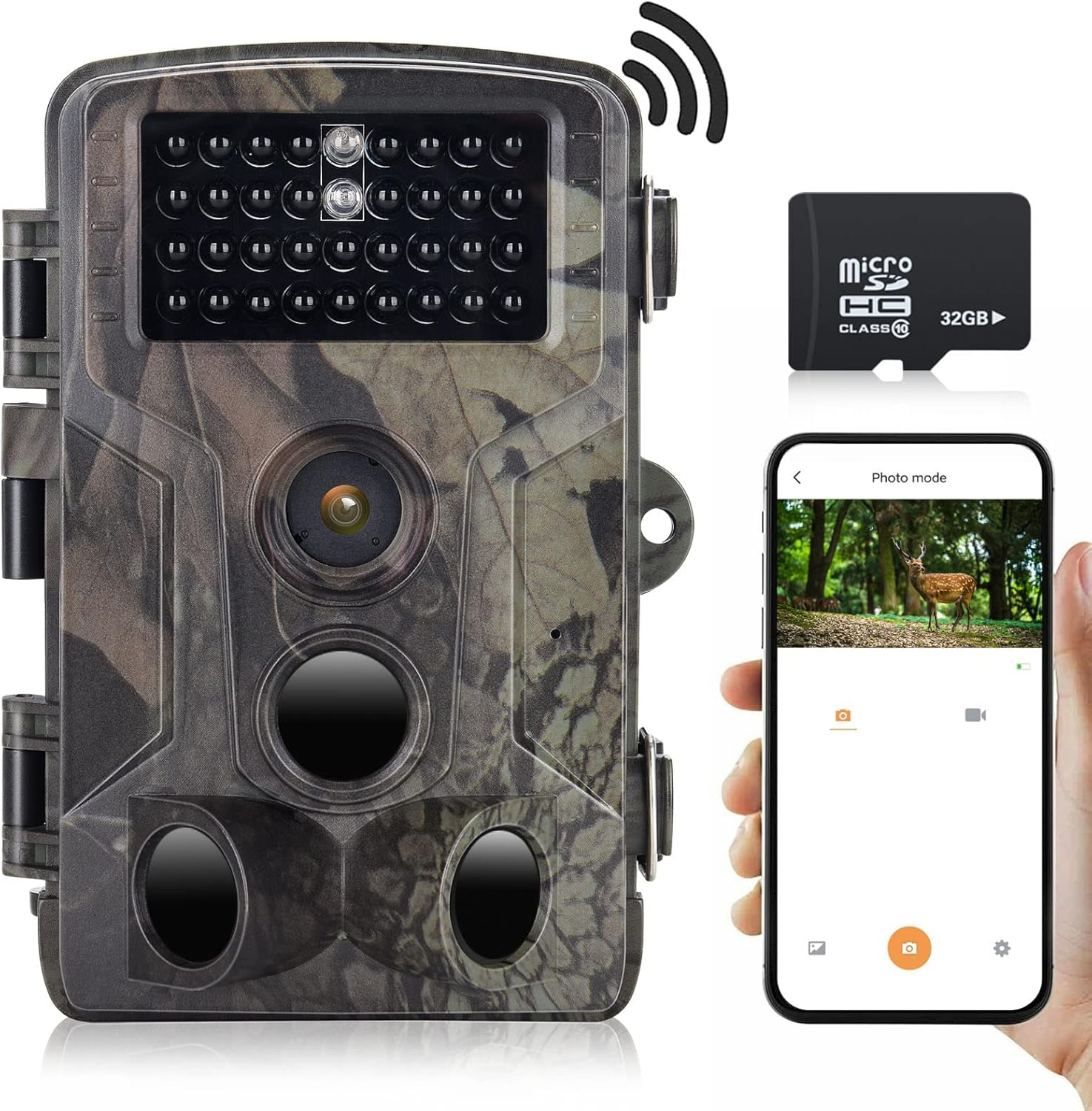
Bild 2.1: RecorCam WF802Plus Trail Camera, showing its compact design, integrated screen, and included 32GB Micro SD card, alongside a smartphone demonstrating app connectivity.
Hauptmerkmale:
- Hochauflösende Bildgebung: Captures 36MP still images and records 2.7K HD video, providing detailed visual data.
- Integriertes WLAN und Bluetooth: Allows wireless connection to a smartphone via a dedicated app for viewing, downloading, and managing media without removing the camera.
- Hohe Auslösegeschwindigkeit: Features a rapid 0.25-second trigger speed to capture fast-moving subjects effectively.
- Großer Erfassungswinkel: Equipped with three Passive Infrared (PIR) sensors offering a 120° detection range.
- Klare Nachtsicht: Utilizes 34pcs 940nm no-glow IR LEDs for discreet illumination up to 65 feet (20 meters) in total darkness, ensuring clear night recordings without disturbing wildlife.
- Langlebig und wetterfest: IP65 rated for water and dust resistance, capable of operating in temperatures from -20°C to 70°C.
- 2.0-Zoll-LCD-Bildschirm: Built-in screen for easy menu navigation and playback.
- Vielseitige Anwendungen: Suitable for hunting, wildlife observation, farm monitoring, and home security.
3. Packungsinhalt
Upon unpacking your RecorCam WF802Plus Trail Camera, please ensure all items listed below are present:
- RecorCam WF802Plus Trail Camera
- Befestigungsgurt
- Montagehalterung
- USB-Kabel
- Benutzerhandbuch (dieses Dokument)
- 32 GB Micro SD-Karte
Falls Artikel fehlen oder beschädigt sind, wenden Sie sich bitte an den Kundendienst.
4. Einrichtung
4.1 Einlegen der Batterie
The camera requires 8 AA batteries (not included). For optimal performance and battery life, it is recommended to use high-quality alkaline or rechargeable AA batteries.
- Open the camera housing latches and open the battery compartment.
- Insert 8 AA batteries according to the polarity markings (+/-) inside the compartment.
- Verschließen Sie das Batteriefach fest.
4.2 Einlegen der Micro-SD-Karte
A 32GB Micro SD card is included. The camera supports Micro SD cards up to 256GB (Class 10 or higher recommended).
- Bei ausgeschalteter Kamera den Micro-SD-Kartensteckplatz suchen.
- Setzen Sie die Micro-SD-Karte so ein, dass die goldenen Kontakte zur Rückseite der Kamera zeigen, bis sie hörbar einrastet.
- Zum Herausnehmen die Karte vorsichtig hineindrücken, bis sie einrastet, dann loslassen, und sie springt heraus.
4.3 Montage der Kamera
The camera can be mounted using the included strap or bracket.
- Gurtbefestigung: Fädeln Sie den Befestigungsgurt durch die Schlitze auf der Rückseite der Kamera und befestigen Sie ihn an einem Baum oder Pfosten.
- Halterungsmontage: Attach the mounting bracket to a surface using screws (not included), then secure the camera to the bracket.
Stellen Sie sicher, dass die Kamera so positioniert ist, dass sie den gewünschten Bereich erfasst, und vermeiden Sie direkte Sonneneinstrahlung oder Wärmequellen, die Fehlalarme auslösen könnten.
5. Bedienungsanleitung
5.1 Ein-/Ausschalten
To power on the camera, slide the power switch from AUS Zu AUFSTELLEN or ON. In AUFSTELLEN mode, you can access the menu and adjust settings. In ON mode, the camera will begin monitoring based on your settings.
5.2 Menünavigation
In AUFSTELLEN mode, use the navigation buttons (Up, Down, Left, Right, OK) to browse the menu options on the 2.0-inch LCD screen. Press OK to confirm selections and SPEISEKARTE , um zu beenden.
5.3-Betriebsmodi
Die Kamera bietet mehrere Betriebsmodi:
- Fotomodus: Nimmt bei Auslösung Standbilder auf.
- Videomodus: Zeichnet bei Auslösung Videoclips auf.
- Foto- und Videomodus: Nimmt beim Auslösen ein Standbild und anschließend einen Videoclip auf.
- Zeitraffermodus: Captures images at set intervals over a period, useful for observing slow processes like plant growth.

Bild 5.1: Illustration of the Time Lapse feature, demonstrating its ability to capture gradual changes over time.
5.4 Wichtige Einstellungen
- PIR-Empfindlichkeit: Passen Sie die Empfindlichkeit der Bewegungssensoren (Niedrig, Mittel, Hoch) an die Umgebung an, um Fehlalarme zu vermeiden.
- PIR-Intervall: Set the delay between detections to avoid capturing too many redundant images/videos of the same event.
- Auflösung: Select desired photo (up to 36MP) and video (up to 2.7K) resolution.
- Datum/Uhrzeit Stamp: Enable to imprint date, time, and moon phase on captured media.
- Passwortschutz: Set a password to prevent unauthorized access to camera settings and media.
6. App-Verbindung (WLAN & Bluetooth)
The RecorCam WF802Plus features integrated WiFi and Bluetooth for convenient remote control and media management via a smartphone app.

Bild 6.1: The RecorCam trail camera connected to a smartphone app, illustrating the wireless control and media access capabilities.
6.1 Herunterladen der App
Suchen nach the 'WiFi TrailCamera' app in your device's app store or use the following links:
- Android: Google Play Store
- iOS: Search 'WiFi TrailCamera' in the Apple App Store. (A direct link was not available; please search the App Store for the official application.)
6.2 Anschluss an die Kamera
- Stellen Sie sicher, dass die Kamera eingeschaltet ist. AUFSTELLEN Modus.
- Aktivieren Sie Bluetooth auf Ihrem Smartphone.
- Open the 'WiFi TrailCamera' app. The app will use Bluetooth to discover the camera.
- Once connected via Bluetooth, the app will prompt you to activate the camera's WiFi.
- Connect your smartphone to the camera's WiFi network (SSID and password will be displayed on the camera's LCD screen or within the app).
- Once connected to WiFi, you can view lebe footage, adjust settings, download photos/videos, and manage the camera remotely.
The WiFi connection range is approximately 50 meters, and the Bluetooth connection range is 5-10 meters, depending on environmental conditions.
7. Bild- und Videoqualität
The RecorCam WF802Plus captures high-quality media to provide clear observations.
7.1 Fotoauflösung
The camera supports photo resolutions up to 36 Megapixels, ensuring sharp and detailed still images.

Bild 7.1: A visual comparison highlighting the superior clarity and detail of a 36MP image captured by the WF802Plus camera.
7.2 Videoauflösung
Video recordings are available in 2.7K Full HD, offering smooth and clear footage of detected activity.

Bild 7.2: A visual comparison demonstrating the enhanced detail and clarity of 2.7K video recorded by the WF802Plus camera.
8. Nachtsicht
The camera is equipped with 34pcs 940nm no-glow infrared (IR) LEDs, providing discreet night vision capabilities.

Bild 8.1: The WF802Plus camera demonstrating its night vision capabilities, capturing a clear image of a deer in low-light conditions using its no-glow IR LEDs.
- Infrarot ohne Nachleuchten: The 940nm IR LEDs emit light that is invisible to the human eye and most animals, ensuring the camera remains undetected during night operation.
- Effektive Reichweite: Provides clear images and videos up to 65 feet (20 meters) in complete darkness.
9. Witterungsbeständigkeit (IP65)
The RecorCam WF802Plus is designed to withstand various outdoor conditions.

Bild 9.1: The WF802Plus camera operating outdoors in rainy conditions, highlighting its IP65 waterproof and dustproof design.
- IP65-Bewertung: This rating signifies that the camera is protected against dust ingress and low-pressure water jets from any direction. It is suitable for outdoor use in rain and snow.
- Temperaturtoleranz: Funktioniert zuverlässig in einem Temperaturbereich von -20 °C bis 70 °C.
10. Anwendungen
The versatility of the RecorCam WF802Plus makes it suitable for a variety of uses:
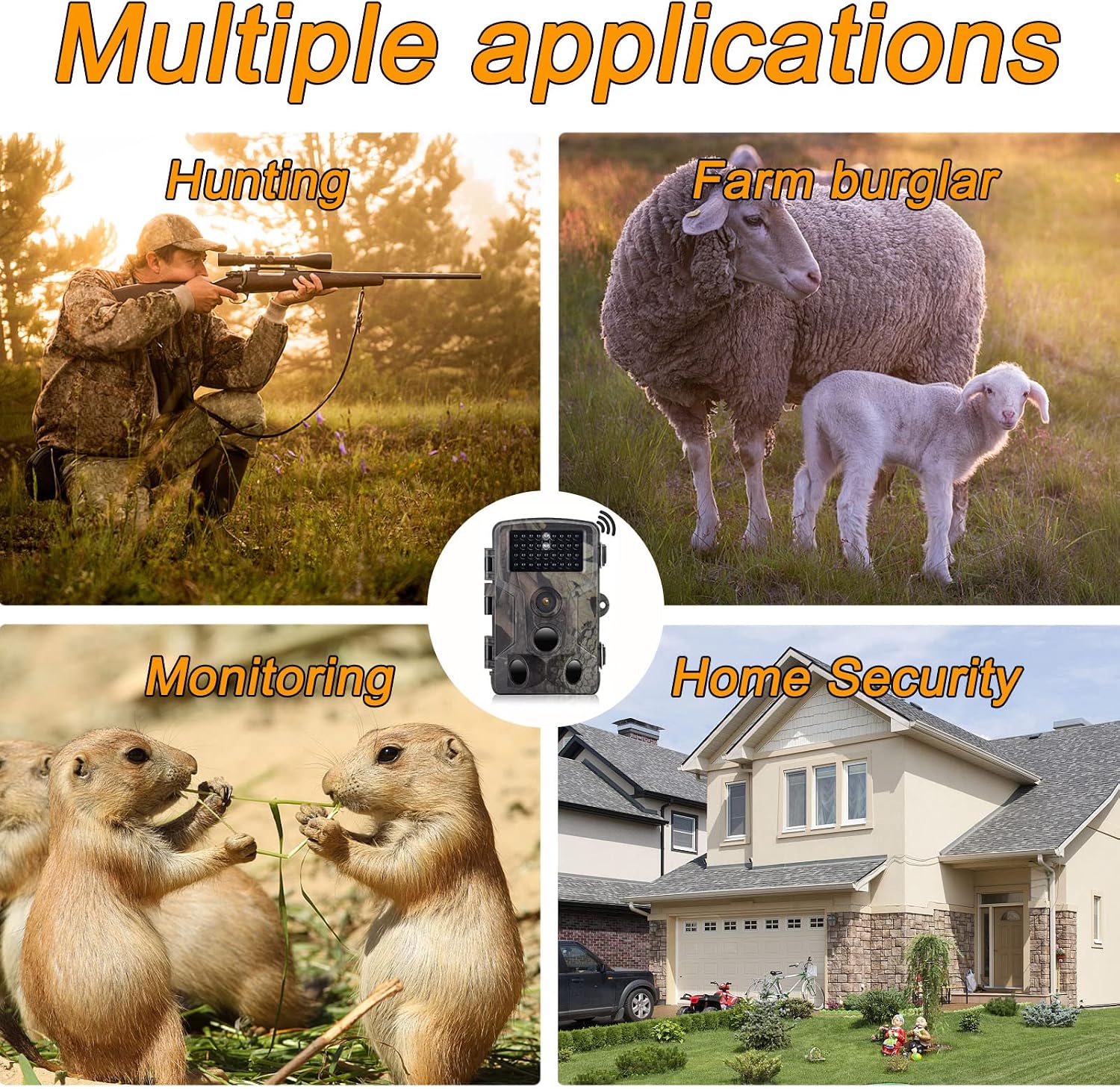
Bild 10.1: Examples of the camera's diverse applications, including wildlife observation, property surveillance, and outdoor monitoring.
- Tierbeobachtung: Monitor animal activity in their natural habitat.
- Jagd: Scout game trails and observe animal patterns.
- Landwirtschaftliche Überwachung: Keep an eye on livestock or deter potential intruders.
- Sicherheit zu Hause: Sorgen Sie für Überwachung auf Ihrem Grundstück.
11. Wartung
Durch sachgemäße Wartung wird die Langlebigkeit und optimale Leistung Ihrer Kamera gewährleistet.
- Reinigung: Reinigen Sie das Kameraobjektiv und das Gehäuse mit einem weichen, trockenen Tuch. Vermeiden Sie scheuernde Reinigungsmittel oder Lösungsmittel.
- Batteriepflege: Um ein Auslaufen zu verhindern, entfernen Sie die Batterien, wenn die Kamera längere Zeit nicht benutzt wird.
- SD-Kartenverwaltung: Regularly format the Micro SD card (after backing up important data) to maintain optimal recording performance.
- Lagerung: Bewahren Sie die Kamera bei Nichtgebrauch an einem kühlen, trockenen Ort auf.
12. Fehlerbehebung
If you encounter issues with your RecorCam WF802Plus, refer to the following common problems and solutions:
| Problem | Mögliche Ursache | Lösung |
|---|---|---|
| Kamera lässt sich nicht einschalten | Niedrige oder leere Batteriekapazität; falsches Einlegen der Batterie. | Die Batterien durch neue ersetzen; dabei auf die richtige Polarität achten. |
| Motion detection not working or inconsistent | PIR sensitivity too low; PIR interval too long; obstructions in detection area; camera facing heat sources. | Increase PIR sensitivity; shorten PIR interval; clear obstructions; reposition camera away from heat sources. |
| Schlechte Bild-/Videoqualität bei Nacht | Subject too far from camera; IR LEDs obstructed. | Ensure subject is within 65ft (20m) range; clear any obstructions from IR LEDs. |
| Übermäßiger Batterieverbrauch | Häufige Auslöser; minderwertige Batterien; extreme Temperaturen. | Adjust PIR sensitivity and interval; use high-quality batteries; consider external power in cold weather. |
| App connection issues (WiFi/Bluetooth) | Camera not in SETUP mode; out of range; incorrect WiFi password; app not updated. | Ensure camera is in SETUP mode; move closer to camera; re-enter WiFi password; update app to latest version. |
| Settings not saving or resetting | Low internal battery (for settings retention); firmware issue. | Ensure main batteries are fresh; contact support if issue persists after battery replacement. |
13. Spezifikationen
Detailed technical specifications for the RecorCam WF802Plus Trail Camera:
| Besonderheit | Spezifikation |
|---|---|
| Modell | WF802Plus |
| Fotoauflösung | Bis zu 36MP |
| Videoauflösung | 2.7 |
| Auslösegeschwindigkeit | 0.25 Sekunden |
| PIR-Erkennungswinkel | 120 Grad |
| Nachtsichtbereich | Bis zu 65 Fuß (20 Meter) |
| IR-LEDs | 34pcs 940nm No-Glow IR LEDs |
| Anzeigebildschirm | 2.0-Zoll-LCD |
| Konnektivität | WLAN, Bluetooth |
| Wasserdichtigkeit | IP65 |
| Betriebstemperatur | -20°C bis 70°C |
| Lagerung | Micro SD card (up to 256GB, Class 10 recommended) |
| Stromversorgung | 8x AA Batterien (nicht enthalten) |
| Material | Plastik |
14. Garantie und Support
RecorCam products are designed for reliability and performance. For warranty information, technical support, or any questions regarding your WF802Plus Trail Camera, please refer to the contact information provided with your purchase or visit the official RecorCam webWebsite.
Bitte bewahren Sie Ihren Kaufbeleg für Garantieansprüche auf.