
MuveAcoustics MA-3050SB
MuveAcoustics Link True Wireless Earbuds Instruction Manual
Modell: MA-3050SB
Welcome to your MuveAcoustics Link True Wireless Earbuds. This manual provides detailed instructions for setting up, operating, maintaining, and troubleshooting your earbuds to ensure optimal performance and longevity.
1. Packungsinhalt
Bevor Sie beginnen, vergewissern Sie sich bitte, dass alle Artikel in Ihrem Paket vorhanden sind:
- MuveAcoustics Link True Wireless Earbuds (Left and Right)
- Ladeetui
- USB-C-Ladekabel
- Mehrere Größen von Ohrstöpseln für einen bequemen Sitz

Image: MuveAcoustics Link Earbuds packaging and accessories.
2. Einrichtung
2.1 Aufladen der Ohrhörer und des Ladecase
For first-time use, fully charge the earbuds and charging case. The charging case features a digital power display to show the battery level.
- USB-C-Aufladung: Verbinden Sie das mitgelieferte USB-C-Kabel mit dem Ladeanschluss am Gehäuse und einer Stromquelle.
- Kabelloses Laden: Place the charging case on a Qi-standard wireless charging pad. Ensure the center of the charging case aligns with the center of the charging pad for optimal charging.
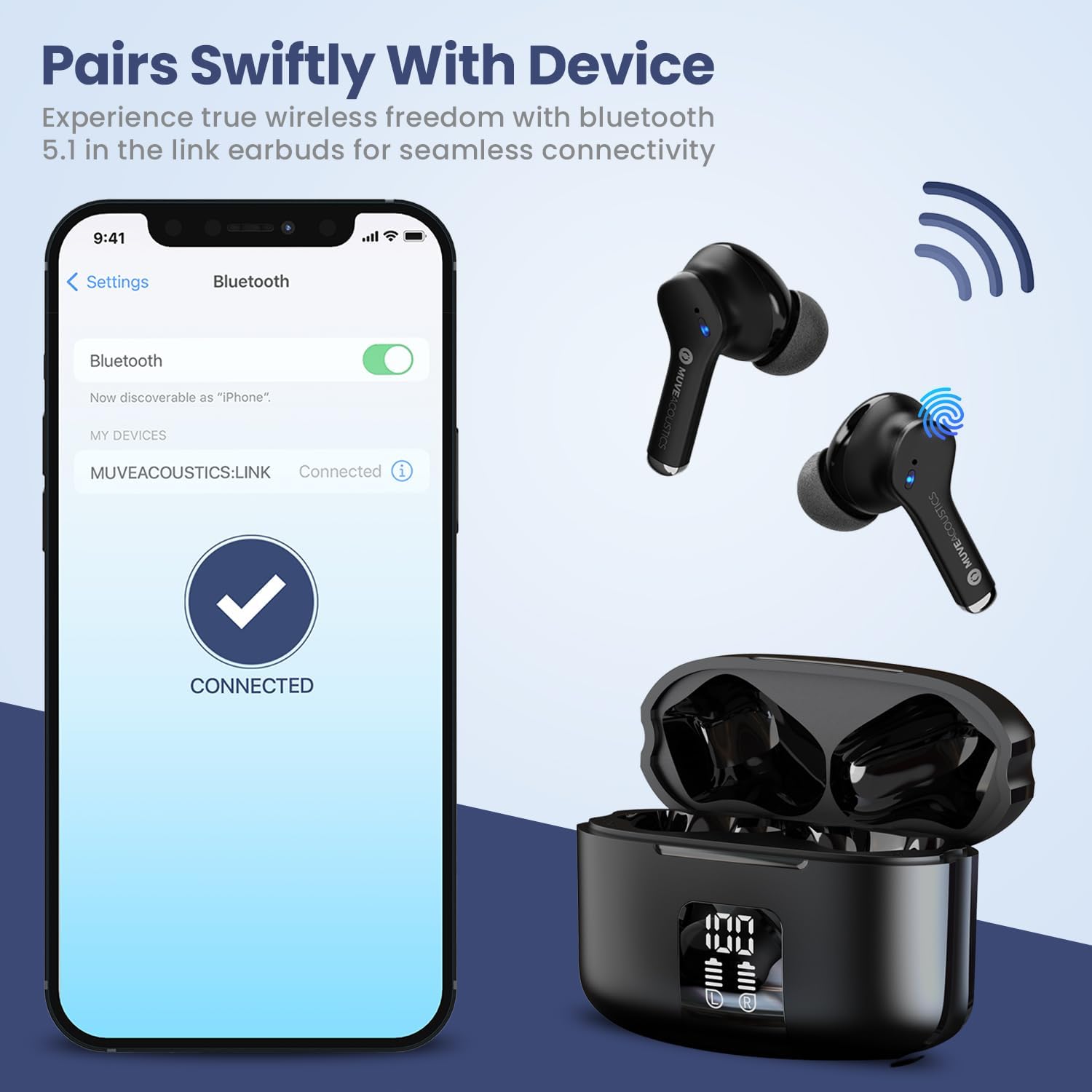
Image: Charging case with digital battery display.

Image: Diagram illustrating charging and controls.
2.2 Ein-/Ausschalten
- Einschalten: Die Ohrhörer schalten sich automatisch ein, sobald sie aus dem Ladecase genommen werden.
- Ausschalten: Legen Sie die Ohrhörer zurück in das Ladecase und schließen Sie den Deckel. Sie schalten sich automatisch aus und beginnen mit dem Ladevorgang.
2.3 Bluetooth-Kopplung
Befolgen Sie diese Schritte, um Ihre Ohrhörer mit einem Bluetooth-fähigen Gerät zu koppeln:
- Ensure Bluetooth is enabled on your audio source device (e.g., smartphone, tablet).
- Take the MuveAcoustics Link True Wireless Earbuds out of the charging box. They will automatically enter pairing mode.
- On your device, search for Bluetooth devices and select "MUVEACOUSTICS:LINK" from the list of available connections.
- Sobald die Verbindung hergestellt ist, hören Sie eine akustische Benachrichtigung, und die Ohrhörer sind einsatzbereit.

Image: Bluetooth pairing process.
3. Bedienung Ihrer Ohrhörer
3.1 Berührungssteuerung
The MuveAcoustics Link earbuds feature intuitive touch controls on each earbud. Tap the touch control area to perform various functions:
| Funktion | Aktion |
|---|---|
| Musik abspielen/pausieren | Tippen Sie einmal auf einen der Ohrhörer |
| Lautstärke erhöhen | Tippen Sie zweimal auf den linken Ohrhörer |
| Lautstärke verringern | Tippen Sie zweimal auf den rechten Ohrhörer |
| Nächster Titel | Tippen Sie dreimal auf den rechten Ohrhörer |
| Vorheriger Titel | Tippen Sie dreimal auf den linken Ohrhörer |
| Anruf annehmen/beenden | Tippen Sie zweimal auf einen der Ohrhörer |
| Anruf ablehnen | Halten Sie einen der Ohrhörer 2 Sekunden lang gedrückt |
| Sprachassistent aktivieren | Press and hold either earbud for 2 seconds (depends on connected device) |
3.2 Environmental Noise Canceling (ENC)
The earbuds feature Environmental Noise Canceling (ENC) technology, which helps reduce ambient noise during calls, ensuring clearer communication.
3.3 IPX5 Wasserdichtigkeit
The MuveAcoustics Link earbuds are IPX5 rated, providing protection against splashes and sweat. This makes them suitable for workouts and outdoor activities. Avoid submerging the earbuds in water.

Abbildung: Ohrhörer mit IPX5-Wasserschutz.
3.4 Official Instruction Video
Watch this official video for a visual guide on how to use your MuveAcoustics Link True Wireless Earbuds, covering charging, power, pairing, and touch controls.
Video: How To Use: MuveAcoustics Link True Wireless Earbuds. This video demonstrates the charging process, powering on/off, Bluetooth pairing, and various touch control functions for music playback and call management.
4. Wartung
Durch sachgemäße Pflege werden die Langlebigkeit und Leistungsfähigkeit Ihrer Ohrhörer sichergestellt.
- Reinigung: Regularly clean the earbuds and charging case with a soft, dry, lint-free cloth. Avoid using abrasive materials or harsh chemicals. Gently clean ear tips with a damp Das Tuch sollte vollständig trocknen, bevor es wieder angebracht wird.
- Lagerung: Bewahren Sie die Ohrhörer bei Nichtgebrauch im Ladecase auf, um sie vor Staub und Beschädigungen zu schützen. Lagern Sie das Case an einem kühlen, trockenen Ort und vermeiden Sie extreme Temperaturen.
5. Fehlerbehebung
Sollten Sie Probleme mit Ihren Ohrhörern haben, versuchen Sie folgende Lösungen:
- Ohrhörer lassen sich nicht koppeln: Ensure both earbuds are fully charged and removed from the case. Turn off and on your device's Bluetooth, then try pairing again. If issues persist, try resetting the earbuds (refer to manufacturer's web(falls hier keine spezifischen Anweisungen zum Zurücksetzen aufgeführt sind, finden Sie diese auf der Website).
- Kein Ton oder geringe Lautstärke: Check the volume levels on both your device and the earbuds. Ensure the earbuds are properly seated in your ears and that the ear tips provide a good seal.
- Probleme beim Aufladen: Verify that the USB-C cable is securely connected to both the case and the power source. For wireless charging, ensure the case is correctly aligned on the charging pad. Clean the charging contacts on both the earbuds and the case if necessary.
- Unterbrechungsverbindung: Ensure your device is within the Bluetooth range (up to 33 feet/10 meters) and there are no significant obstructions between the earbuds and your device.
6. Spezifikationen
| Besonderheit | Detail |
|---|---|
| Modellname | MuveAcoustics Link True Wireless Bluetooth Headphones |
| Artikelmodellnummer | MA-3050SB |
| Konnektivitätstechnologie | Kabellos (Bluetooth) |
| Drahtlose Kommunikationstechnologie | Bluetooth |
| Bluetooth-Reichweite | 10 Meter |
| Platzierung des Ohrs | Im Ohr |
| Formfaktor | Im Ohr |
| Lärmschutz | Hybride Geräuschunterdrückung (ENC für Anrufe) |
| Wasserbeständigkeit | IPX5 (wasserabweisend) |
| Besondere Merkmale | Built-In Voice Assistant, Lightweight, Microphone Included, Sweatproof, Wireless Charging |
| Artikelgewicht | 0.053 Unzen (1.5 Gramm) |
| Technische Daten | 1.97 x 1.97 x 1.18 Zoll |
| Hersteller | Zeeva International |
7. Garantie und Support
MuveAcoustics products are designed for quality and reliability. For warranty information or technical support, please refer to the warranty card included in your product packaging or visit the official MuveAcoustics webWebsite.
Ask a question about this manual
Ask about setup, troubleshooting, compatibility, parts, safety, or missing instructions. Manuals+ will review the question and use this page’s manual context to help answer it.