
FLEXISPOT ET365
FLEXISPOT E6 Essential Electric Standing Desk User Manual
Modell: ET365
1. Produktüberschreitungview
The FLEXISPOT E6 Essential Electric Standing Desk is designed to provide a versatile and ergonomic workspace. Featuring a robust dual-motor system and a 3-stage lift mechanism, it offers smooth and quiet height adjustments to suit various user needs and preferences.

Figure 1: FLEXISPOT E6 Essential Standing Desk (White Frame + Mahogany Desktop)
Hauptmerkmale:
- Cozy & Ergonomic Whole-Piece Workspace: Spacious 47.5” x 29.5” desktop provides ampPlatz für mehrere Monitore und Zubehör.
- 3-Stage-Lift-System: Offers a wide lifting range from 23.6” to 48.8”, accommodating users of various heights.
- Quiet & Smooth Dual Motors: Operates with less than 50 dB of sound, supporting up to 220 lbs with minimal noise.
- Programmierbare Steuerung: Features a convenient control panel with four memory buttons for effortless height adjustments.
- Langlebige Konstruktion: Built with a strong steel structure for stability and longevity.
2. Aufbau und Montage
The FLEXISPOT E6 Essential desk is designed for straightforward assembly. While the manual suggests a two-person job, it can be managed by one individual with basic tools.
2.1 Auspacken und Vorbereitung
- Carefully unpack all components from the two packages (frame and desktop usually ship separately).
- Verify all parts are present against the packing list provided in the instruction manual.
- Clear a spacious area for assembly to ensure ease of movement and prevent damage.
2.2 Montageschritte
Follow the detailed instructions provided in the included assembly manual. A screwdriver is the primary tool required. Ensure all screws are tightened securely for stability.

Figure 2: Intelligent Keypad and Height Ranges
The desk frame offers three different positions depending on your tabletop size. For the 48"x30" desktop, align the frame accordingly. Some pre-drilled holes may not perfectly align, requiring new pilot holes to be drilled for optimal fit and stability.
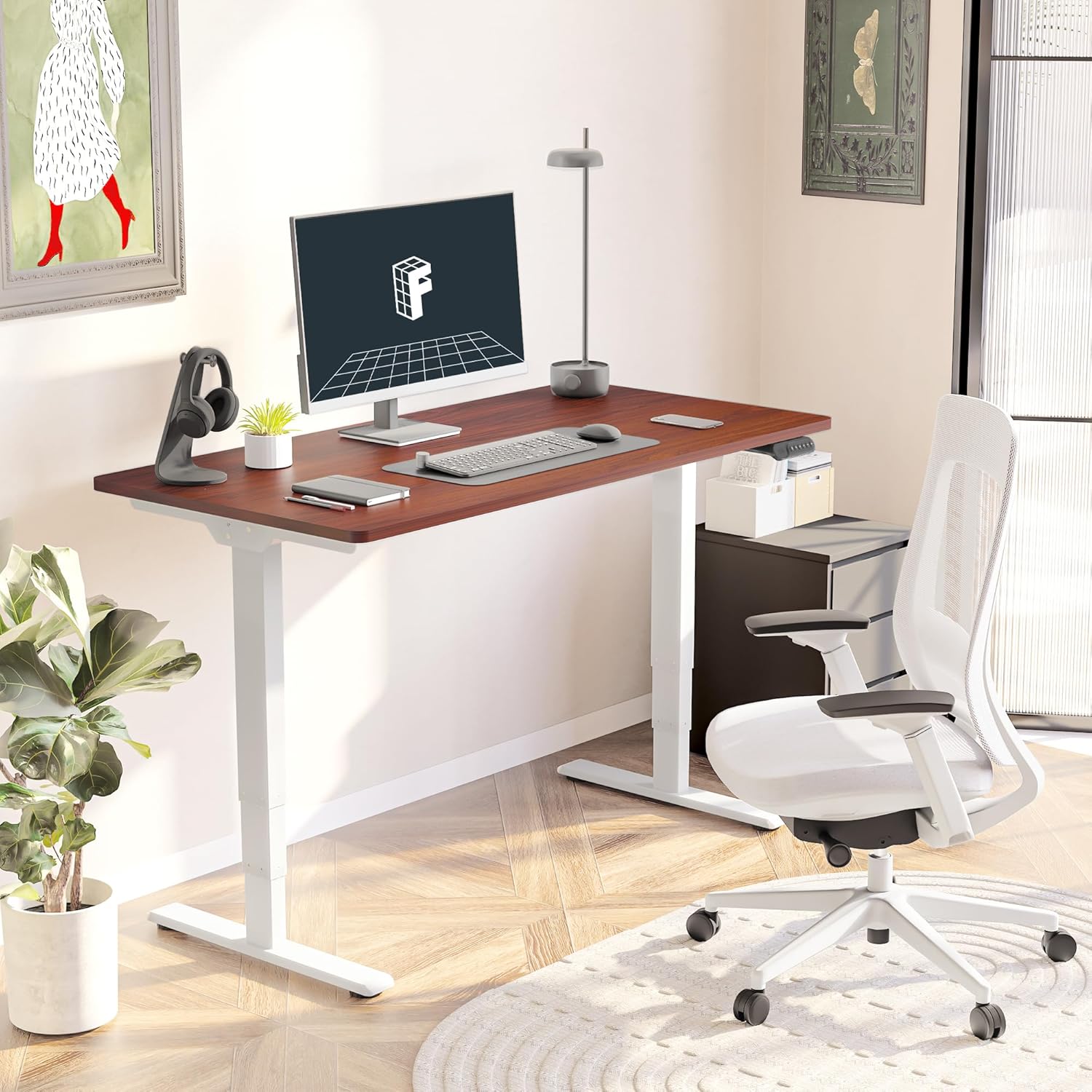
Figure 3: Assembled Desk in a Home Office
2.3 Optional Wheels
The desk feet are equipped with wheels that can be locked into position for mobility or replaced with pads for a stationary setup. Both options are provided to suit your preference.
3. Bedienungsanleitung
The intelligent keypad provides intuitive control over your standing desk's height and settings.
3.1 Funktionen des Bedienfelds

Figure 4: Intelligent Keypad
- LED-Anzeigefeld: Zeigt die aktuelle Schreibtischhöhe in Zoll an.
- Pfeiltasten nach oben/unten: Use these buttons to manually adjust the desk height.
- Speichervoreinstellungen (1, 2, 3, 4): Program up to four preferred height settings (e.g., sitting height, standing height, child height, extra tall height). To save a height, adjust the desk to the desired position, then press and hold a numbered memory button until the display confirms the setting.
- Min/Max Adjustment: The desk can be adjusted from a minimum height of 23.6” to a maximum height of 48.8”.
3.2 Antikollisionssystem
The desk is equipped with an anti-collision system that detects obstacles during height adjustment and automatically stops to prevent damage to the desk or surrounding objects. This feature enhances safety during operation.
4. Wartung
Proper maintenance ensures the longevity and optimal performance of your FLEXISPOT E6 Essential desk.
4.1 Reinigung
- The desktop surface is water-resistant. For general cleaning, wipe with a soft, damp Tuch.
- Vermeiden Sie die Verwendung von aggressiven Chemikalien oder Scheuermitteln, die die Oberfläche beschädigen könnten.
- Ensure no liquids seep into the control panel or motor components.
4.2 Regelmäßige Kontrollen
- Überprüfen Sie regelmäßig alle Schrauben und Bolzen, um sicherzustellen, dass sie fest sitzen. Ziehen Sie sie gegebenenfalls nach.
- Inspect power cables for any signs of wear or damage.
5. Fehlerbehebung
If you encounter any issues with your FLEXISPOT E6 Essential desk, refer to the following common troubleshooting tips. For more complex problems, please contact customer support.
5.1 Desk Not Adjusting Height
- Prüfen Sie, ob das Netzkabel sowohl am Schreibtisch als auch an der Wandsteckdose fest eingesteckt ist.
- Ensure there are no obstructions preventing movement (e.g., objects under the desk, cables caught).
- Perform a reset procedure as outlined in the full manual (if applicable).
5.2 Wackeln des Schreibtisches
- Verify that all assembly screws are tightly secured.
- Ensure the desk is on a flat, stable surface. Adjust leveling glides on the feet if necessary.
- Avoid exceeding the maximum weight recommendation of 220 lbs.
5.3 Control Panel Not Responding
- Unplug the desk from the power outlet for 30 seconds, then plug it back in.
- Check the connection of the control panel cable to the motor unit.
6. Spezifikationen
| Attribut | Detail |
|---|---|
| Marke | FLEXISPOT |
| Modellnummer | ET365 |
| Produktabmessungen (T x B x H) | 47.5"T x 29.5"B x 23.6"H |
| Desktopgröße | 48"x30" Whole-piece |
| Farbe | White Frame + Mahogany Top |
| Mindesthöhe | 23.6 Zoll |
| Maximale Höhe | 48.8 Zoll |
| Maximalgewichtsempfehlung | 220 Pfund |
| Motortyp | Doppelmotor |
| Lift System Stages | 3-Stage |
| Geräuschpegel | Weniger als 50 dB |
| Bedienfeld | Programmable with 4 memory settings |
| Top-Materialtyp | Holzwerkstoff |
| Grundmaterial | Metall |
| Erforderliche Montage | Ja (Empfohlen für 2 Personen) |

Abbildung 5: Abmessungen des Schreibtisches

Figure 6: Maximum Load Capacity
7. Garantie und Support
7.1 Garantieinformationen
FLEXISPOT offers a comprehensive warranty for your peace of mind:
- 5-jährige Abdeckung: Applies to the desk frame and motor.
- 2 Jahre Schutz: Applies to the control panel and electronics.
This warranty covers manufacturing defects and ensures the quality and durability of your product.
7.2 Kundendienst
For any assistance, questions, or warranty claims, please contact FLEXISPOT customer support. You can find contact information on the official FLEXISPOT webWebsite oder über Ihre Einkaufsplattform.
7.3 Wichtige Sicherheitsinformationen
Warning: Exceeding the maximum weight recommendation of 220 lbs or using the desk at heights outside the range of 23.6 inches to 48.8 inches may pose a risk to the stability and safety of the desk.
Ask a question about this manual
Ask about setup, troubleshooting, compatibility, parts, safety, or missing instructions. Manuals+ will review the question and use this page’s manual context to help answer it.