
Vanja 430C
Vanja USB-C SD-Kartenleser (Modell 430C) Benutzerhandbuch
Ausführliche Anweisungen für Einrichtung, Betrieb und Wartung.
1. Einleitung
This manual provides detailed instructions for the Vanja USB-C SD Card Reader, Model 430C. This device is designed for high-speed data transfer between various memory cards and USB-C enabled devices. Please read this manual thoroughly to ensure proper usage and optimal performance.
2. Produktüberschreitungview
The Vanja USB-C SD Card Reader (Model 430C) is a compact and efficient tool for managing data from various memory card formats. It features a USB-C interface for broad compatibility and high-speed data transfer.
Hauptmerkmale:
- USB 3.2 Gen 1 Schnittstelle: Supports data transfer speeds up to 5 Gbps, enabling quick transfer of large files.
- Universelle Kartenkompatibilität: Reads SD, MicroSD, SDXC, SDHC, MMC, and UHS-I cards up to 2TB capacity.
- Breite Geräteunterstützung: Compatible with iPhone 15/16 series, MacBook Pro, iPad, Mac desktops, Windows laptops, and USB-C Android devices.
- Kabelverbindung: Ensures stable and reliable data transfer without wireless interference or battery concerns.
- Plug & Play: No drivers or complex setup required for most operating systems (iOS, iPadOS, macOS, Windows, Android).
- Kompaktes und langlebiges Design: Features an aluminum shell for heat dissipation and a nylon cable for enhanced durability.
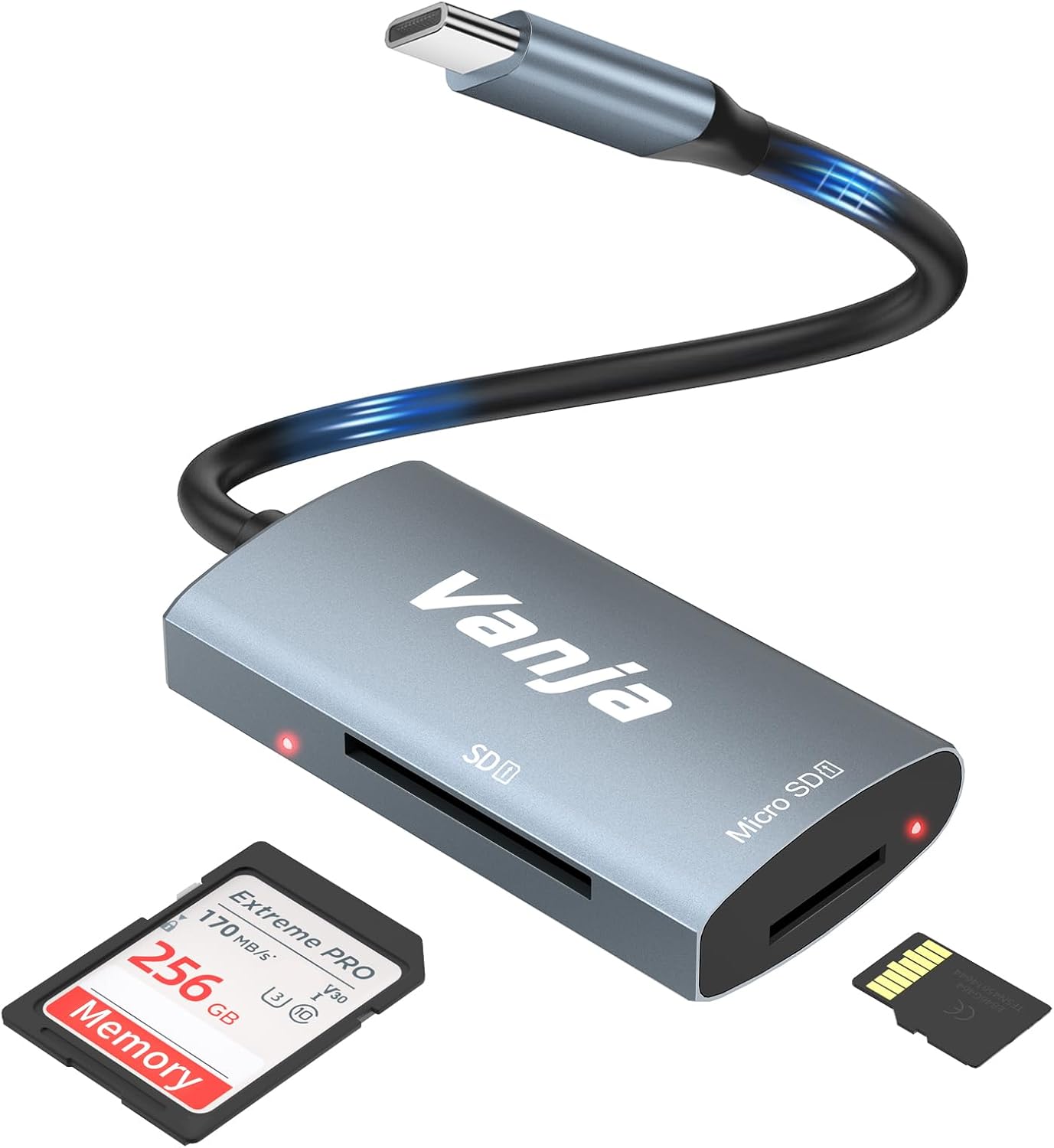
Figure 1: The Vanja USB-C SD Card Reader, showing its USB-C connector, SD card slot, and MicroSD card slot, alongside an SD card and a MicroSD card.
3. Einrichtungsanweisungen
The Vanja USB-C SD Card Reader is designed for simple plug-and-play operation. No software installation or drivers are typically required.
- Speicherkarte einlegen: Gently insert your SD card into the SD slot or your MicroSD card into the MicroSD slot on the card reader. Ensure the card is inserted correctly with the contacts facing down. A slight click indicates it is securely in place.
- Mit Gerät verbinden: Plug the USB-C connector of the card reader into an available USB-C port on your compatible device (e.g., iPhone 15/16, MacBook, iPad, Windows laptop, Android phone).
- Zugang Files: Your device should automatically detect the card reader and the inserted memory card. You can then access the files über die Ihres Geräts file manager or photo application.
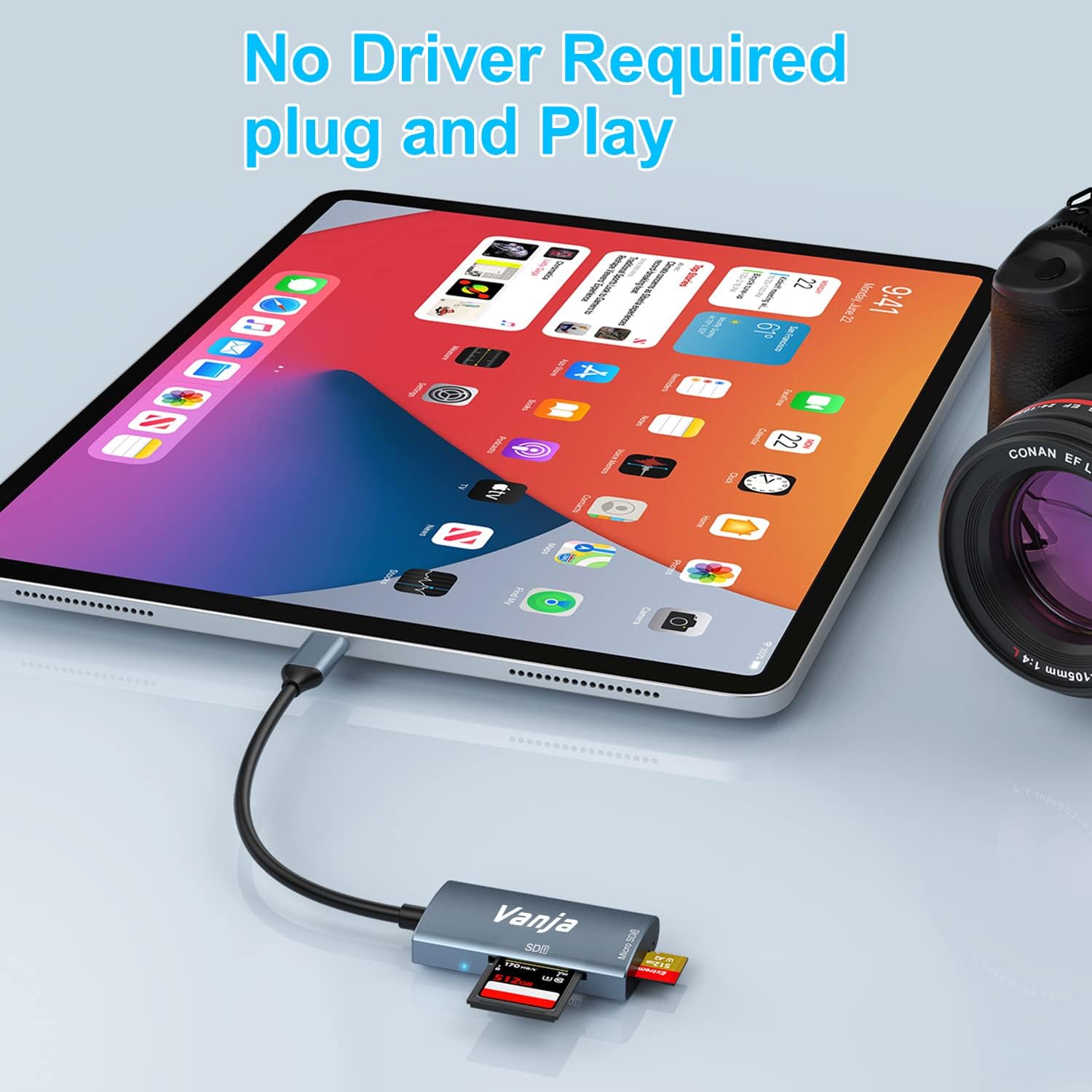
Figure 2: The card reader connected to an iPad Pro, demonstrating the plug-and-play functionality with a MicroSD card inserted.
4. Bedienungsanleitung
Once connected, the card reader functions like any external storage device.
Datenübertragung:
- Locate Drive: On Windows, the card will appear as a removable drive under "This PC." On macOS, it will appear on the desktop or in Finder. On iOS/iPadOS, access it via the "Files" app. On Android, use your device's file Manager.
- Kopieren/Verschieben Files: Ziehen und Ablegen files between the memory card and your device's internal storage, or use the copy/paste functions provided by your operating system.
- Sicher aussteigen: Always safely eject the memory card or card reader from your operating system before physically disconnecting it to prevent data corruption.

Figure 3: The card reader connected to a laptop, illustrating high-speed data transfer (5 Gbps) between a memory card and the computer.
5. Kompatibilität
Unterstützte Speicherkartentypen:
- SD-Karte
- MicroSD Card (TF Card)
- SDHC
- SDXC
- MMC
- UHS-I Cards
- Supports capacities up to 2TB.
Compatible Devices and Operating Systems:
- Apple-Geräte: iPhone 15/16 series (USB-C models), MacBook Pro, iPad (USB-C models), Mac desktops.
- Windows-Geräte: Laptops and desktops with USB-C ports.
- Android-Geräte: Samsung Galaxy smartphones and other USB-C enabled Android phones/tablets.
- Betriebssysteme: iOS, iPadOS, macOS, Windows, Android, Linux, Chrome OS.

Figure 4: Visual representation of the universal compatibility of the card reader with different memory card formats and USB-C enabled devices.
6. Spezifikationen
| Marke | Vanja |
| Modellnummer | 430C |
| Konnektivitätstechnologie | USB Typ C (USB 3.2 Gen 1) |
| Datenübertragungsgeschwindigkeit | Bis zu 5 Gbit/s |
| Unterstützte Medientypen | SD Card, SDHC, SDXC, microSD, microSDHC, MMC, UHS-I |
| Maximale unterstützte Kapazität | 2TB (depending on card type) |
| Betriebssystemkompatibilität | Android, iOS, Linux, Mac OS, Windows |
| Artikelgewicht | 1.13 Unzen (ca. 32 Gramm) |
| Verpackungsabmessungen | 5.35 x 3.35 x 0.55 Zoll (ca. 13.6 x 8.5 x 1.4 cm) |
| Farbe | Blue-Gray |
| Besondere Merkmale | Compact, Easy Setup, Plug & Play, Aluminum Housing, Nylon Cable |
7. Fehlerbehebung
If you encounter issues with your Vanja USB-C SD Card Reader, try the following solutions:
- Gerät nicht erkannt:
- Ensure the card reader is firmly plugged into the USB-C port of your device.
- Try a different USB-C port on your device, if available.
- Starten Sie Ihren Computer oder Ihr Gerät neu.
- Prüfen Sie, ob die Speicherkarte richtig im Kartenleser eingelegt ist.
- Test the card reader with a different memory card to rule out card issues.
- Stellen Sie sicher, dass das Betriebssystem Ihres Geräts auf dem neuesten Stand ist.
- Langsame Datenübertragung:
- Verify that your device's USB-C port supports USB 3.0/3.1/3.2 speeds. Older USB 2.0 ports will result in slower transfers.
- Ensure your memory card is a high-speed card (e.g., UHS-I or faster).
- Vermeiden Sie es, viele kleine Mengen zu übertragen. files simultaneously; compressing them into an archive can sometimes improve speed.
- Schließen Sie andere Anwendungen, die möglicherweise Systemressourcen verbrauchen.
- Speicherkarte wird nicht gelesen:
- Check if the memory card is damaged or corrupted. Try it in another device if possible.
- Ensure the memory card is inserted in the correct orientation.
- Clean the contacts on the memory card with a soft, dry cloth.
8. Wartung
To ensure the longevity and optimal performance of your Vanja USB-C SD Card Reader, follow these maintenance guidelines:
- Sauber halten: Reinigen Sie die Außenseite des Kartenlesers mit einem weichen, trockenen Tuch. Vermeiden Sie die Verwendung von flüssigen Reinigern oder Lösungsmitteln.
- Ports schützen: Keep the card slots and USB-C connector free from dust and debris. Use compressed air if necessary, but gently.
- Richtig lagern: Bewahren Sie den Kartenleser bei Nichtgebrauch an einem kühlen, trockenen Ort, fern von direkter Sonneneinstrahlung und extremen Temperaturen auf.
- Vorsichtig handhaben: Vermeiden Sie es, das Gerät fallen zu lassen oder starken Stößen auszusetzen. Drücken Sie Speicherkarten nicht mit Gewalt in die Steckplätze ein.
9. Garantie und Support
For warranty information, technical support, or further assistance with your Vanja USB-C SD Card Reader, please refer to the official Vanja webWebsite oder wenden Sie sich direkt an den Kundendienst.
You can visit the official Vanja store for more product information and support resources: Vanja Store on Amazon.
Ask a question about this manual
Ask about setup, troubleshooting, compatibility, parts, safety, or missing instructions. Manuals+ will review the question and use this page’s manual context to help answer it.