
1. Einleitung
This manual provides essential information for the proper use and care of your SanDisk Ultra Curve 64GB USB 3.2 Flash Drive. Please read these instructions carefully to ensure optimal performance and longevity of your device.
2. Produktüberschreitungview
Hauptmerkmale:
- Kapazität: 64 GB
- Schnittstelle: USB 3.2 Gen 2
- Lesegeschwindigkeit: Bis zu 100 MB/s
- Schreibgeschwindigkeit: Bis zu 20 MB/s
- Design: Compact and portable with a curved form factor
- Sicherheit: Compatible with SanDisk SecureAccess Software (download required)
Was ist in der Box:
- 1 x SanDisk Ultra Curve 64GB USB 3.2 Flash Drive
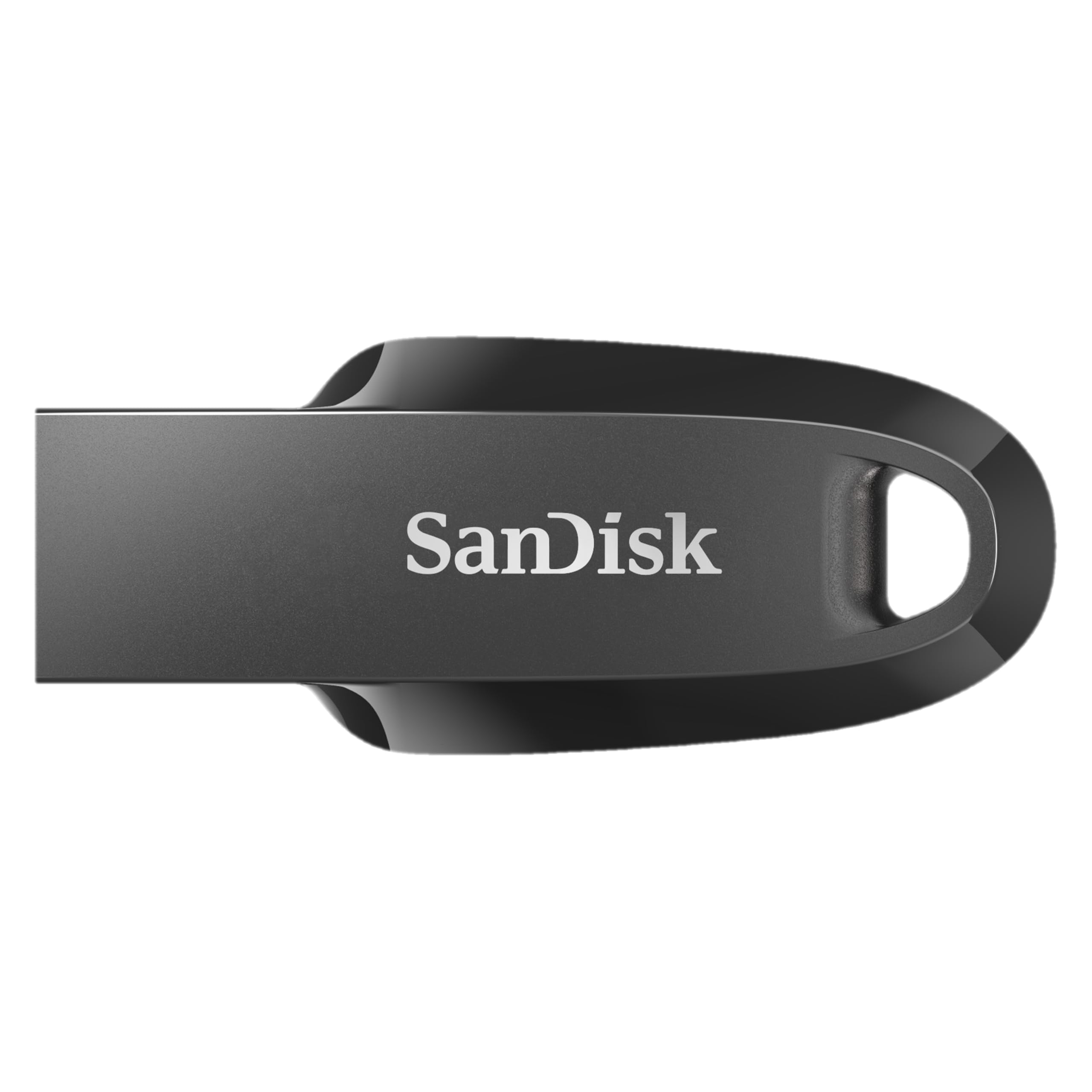
Image 1: The SanDisk Ultra Curve 64GB USB 3.2 Flash Drive in Black.
3. Einrichtung
Connecting the Flash Drive:
- Locate an available USB Type-A port on your computer or compatible device. For optimal performance, use a USB 3.2 compatible port.
- Insert the SanDisk Ultra Curve Flash Drive firmly into the USB port.
- Your operating system should automatically detect and install the necessary drivers. The drive will appear as a removable storage device.

Image 2: SanDisk Ultra Curve Flash Drive connected to a laptop's USB port.
Optional: SanDisk SecureAccess Software
For enhanced security, you can download and install SanDisk SecureAccess Software. This software allows you to create a password-protected folder on your drive to keep sensitive files private. Visit the official SanDisk webWebsite mit Download-Anweisungen.
4. Bedienungsanleitung
Übertragen Files:
- Once the flash drive is recognized, open 'File Explorer' (Windows) or 'Finder' (macOS).
- Navigieren Sie zum fileDateien oder Ordner, die Sie übertragen möchten.
- Ziehen Sie das ausgewählte files/folders to the SanDisk Ultra Curve drive icon, or copy and paste them into the drive's directory.
Sicheres Entfernen des Laufwerks:
Always safely remove the flash drive to prevent data corruption.
- Windows: Click the 'Safely Remove Hardware and Eject Media' icon in the system tray, then select your SanDisk drive. Wait for the 'Safe to Remove Hardware' notification before unplugging.
- macOS: Drag the SanDisk drive icon from the desktop or Finder sidebar to the Trash icon, or right-click (Control-click) the drive icon and select 'Eject'. Wait for the icon to disappear before unplugging.

Image 3: The compact design of the SanDisk Ultra Curve Flash Drive.
5. Wartung
Körperliche Pflege:
- Halten Sie den USB-Stick sauber und frei von Staub und Schmutz.
- Avoid exposing the drive to extreme temperatures, direct sunlight, or moisture.
- The drive features a compact design without a cap; take care to protect the USB connector from physical damage when not in use.
- Utilize the integrated loop for attachment to a keychain or lanyard to prevent loss.

Image 4: SanDisk Ultra Curve Flash Drive showing its integrated loop for portability.
Umgebungsbedingungen:
- Betriebstemperatur: 0 °C bis 45 °C (32 °F bis 113 °F)
- Lagertemperatur: -10 ºC bis 70 ºC (14 ºF bis 158 ºF)
6. Fehlerbehebung
Laufwerk nicht erkannt:
- Stellen Sie sicher, dass das Laufwerk vollständig in den USB-Anschluss eingesteckt ist.
- Probieren Sie einen anderen USB-Anschluss an Ihrem Computer aus.
- Testen Sie das Laufwerk an einem anderen Computer, um ein computerspezifisches Problem auszuschließen.
- Check your computer's 'Disk Management' (Windows) or 'Disk Utility' (macOS) to see if the drive is detected but not assigned a drive letter or mounted.
Langsame Übertragungsgeschwindigkeiten:
- Stellen Sie sicher, dass Sie einen USB-3.2-kompatiblen Anschluss an Ihrem Computer verwenden. Der Anschluss an einen USB-2.0-Anschluss führt zu geringeren Übertragungsgeschwindigkeiten.
- Übertragung vieler kleiner files kann langsamer sein als die Übertragung einiger weniger großer Datenmengen. files.
- Other USB devices connected to the same hub or controller may affect performance.
Das Laufwerk wird während des Gebrauchs warm:
It is normal for flash drives to generate some heat during active data transfer, especially during prolonged use or when transferring large files. If the drive becomes excessively hot and causes performance issues, ensure it is not obstructed and has adequate ventilation. If concerns persist, discontinue use and contact support.
7. Spezifikationen
| Besonderheit | Detail |
|---|---|
| Marke | SanDisk |
| Modellname | Ultra Curve (Cruzer Force) |
| Modellnummer | SDCZ550-064G-I35 |
| Speicherkapazität | 64 GB |
| Hardware-Schnittstelle | USB 3.2 Gen 2 |
| Lesegeschwindigkeit | 100 Megabyte pro Sekunde |
| Schreibgeschwindigkeit | 20 MB pro Sekunde |
| Kompatible Geräte | Devices with USB port |
| Farbe | Schwarz |
| Artikelgewicht | 3 Gramm |
| UPC | 619659196134 |
| Ursprungsland | Malaysia |
8. Garantie und Support
Garantieinformationen:
This SanDisk Ultra Curve Flash Drive comes with a 5 Jahr eingeschränkte Garantie. For detailed terms and conditions, please refer to the warranty documentation included with your purchase or visit the official SanDisk webWebsite.
Kundendienst:
Für technische Unterstützung, Produktanfragen oder Garantieansprüche besuchen Sie bitte die offizielle SanDisk-Supportseite. website or contact their customer service. Contact details can typically be found on the SanDisk webStandort oder Produktverpackung.
9. Important Notice: SanDisk Logo Transition

Image 5: Notice regarding the SanDisk logo transition.
As part of SanDisk's ongoing commitment to innovation, a new logo is being introduced. During this transition period, products may feature either the original or the new logo. Both logos represent genuine, high-quality SanDisk products.