
Einführung
The SanDisk Ultra Curve 32GB USB 3.2 Flash Drive is a portable storage device designed for reliable and efficient data transfer. Featuring a compact design and USB 3.2 interface, it offers read speeds of up to 100MB/s, making it suitable for storing and transferring documents, photos, music, and other digital files. This manual provides essential information for setting up, operating, maintaining, and troubleshooting your flash drive.
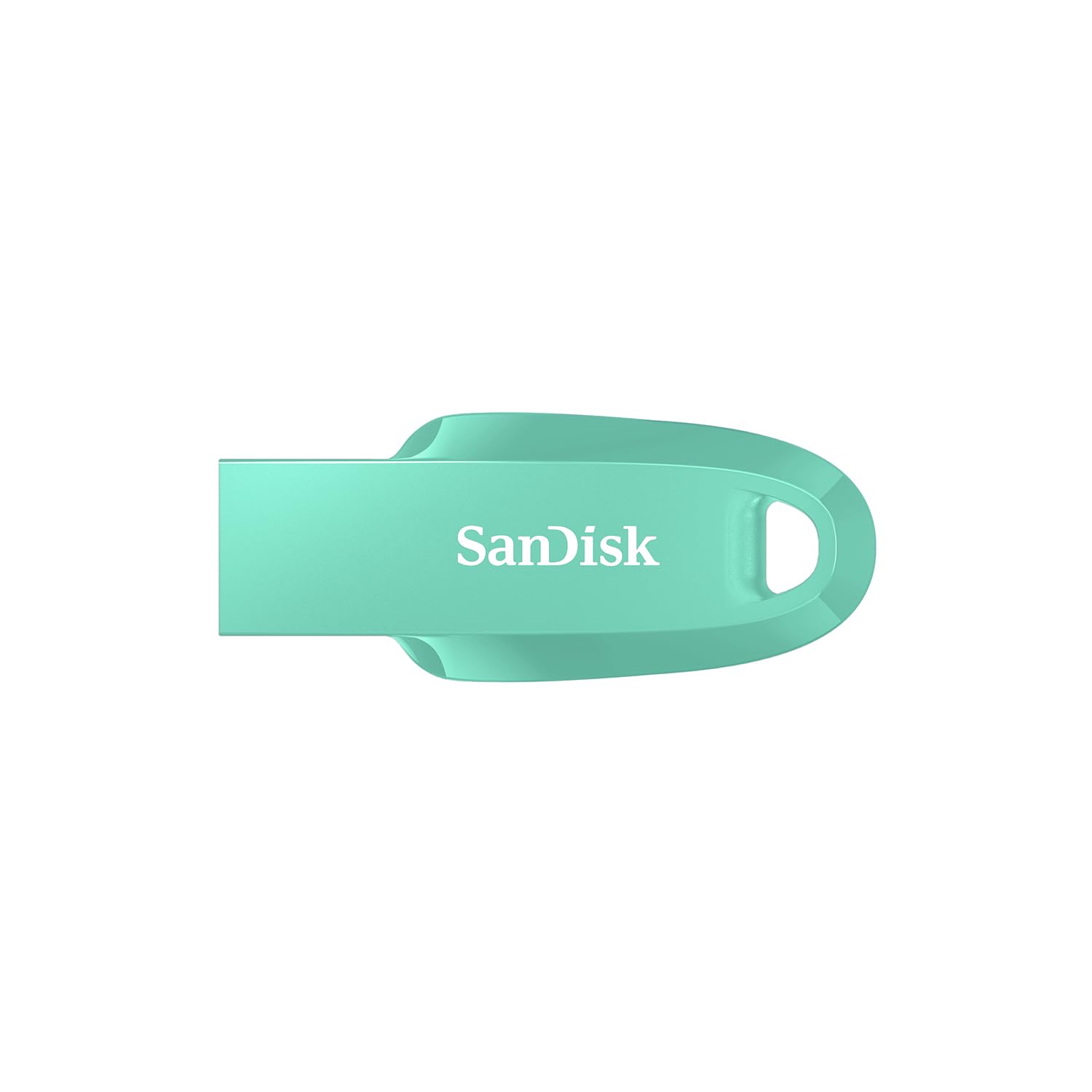
Image: SanDisk Ultra Curve 32GB USB 3.2 Flash Drive in Green. This image displays the compact, curved design of the flash drive, highlighting its portability.
Aufstellen
- Systemanforderungen: Ensure your computer or device has a compatible USB port (USB 3.2, USB 3.0, or USB 2.0). The drive is compatible with most operating systems, including Windows, macOS, and Linux.
- Anschließen des Laufwerks: Carefully insert the SanDisk Ultra Curve flash drive into an available USB port on your computer. The drive is designed for easy insertion.
- Automatische Erkennung: Your operating system should automatically detect and install the necessary drivers for the flash drive. A new removable disk drive will appear in 'My Computer' (Windows) or 'Finder' (macOS).
- Erstformatierung (optional): The drive comes pre-formatted and ready for use. If you wish to reformat the drive, right-click on the drive icon and select 'Format'. Choose your preferred file system (e.g., FAT32 for broad compatibility, NTFS for Windows-specific use, exFAT for large files and cross-platform use).
Betrieb
Übertragen Files
- Kopieren Files To the Drive: Suchen Sie die files or folders you wish to transfer on your computer. Drag and drop them into the SanDisk Ultra Curve drive folder, or right-click and select 'Send To' > [Drive Letter].
- Kopieren Files From the Drive: Open the SanDisk Ultra Curve drive folder. Select the files or folders you wish to copy. Drag and drop them to your desired location on your computer, or right-click and select 'Copy', then 'Paste' to the destination.
Using SanDisk SecureAccess Software
The SanDisk Ultra Curve flash drive is compatible with SanDisk SecureAccess software, which helps protect your private files with password protection and 128-bit AES encryption. This software is typically pre-loaded on the drive or available for download from the SanDisk webWebsite.
- Installation: If not already installed, locate the SecureAccess installer on your drive or download it. Follow the on-screen instructions to install.
- Aufstellen: Launch SecureAccess. You will be prompted to create a password and a private vault.
- Sicherung Files: Ziehen und Ablegen files into the SecureAccess vault to encrypt them. These files will be protected and require your password to access.
Sicheres Entfernen des Laufwerks
Always safely remove the flash drive to prevent data corruption. Do not simply pull the drive out while it is in use.
- Windows: Click the 'Safely Remove Hardware and Eject Media' icon in the system tray (bottom-right corner). Select the SanDisk drive and wait for the 'Safe to Remove Hardware' message.
- macOS: Ziehen Sie das Laufwerkssymbol vom Desktop in den Papierkorb oder klicken Sie mit der rechten Maustaste auf das Laufwerkssymbol und wählen Sie „Auswerfen“.
Wartung
- Körperliche Pflege: Keep the flash drive clean and free from dust and debris. Avoid exposing it to extreme temperatures, direct sunlight, or moisture.
- Temperaturbereich: The operating temperature range is 0°C to 45°C. The storage temperature range is -10°C to 70°C. Operating outside these ranges may affect performance or damage the drive.
- Datensicherung: Um Datenverlust zu vermeiden, sollten Sie wichtige Daten, die auf dem USB-Stick gespeichert sind, regelmäßig auf einem anderen Speichermedium sichern.
- Auswirkungen vermeiden: While durable, avoid dropping or subjecting the drive to strong impacts, as this can cause internal damage.
Fehlerbehebung
- Laufwerk nicht erkannt:
- Versuchen Sie, das Laufwerk an einen anderen USB-Anschluss Ihres Computers anzuschließen.
- Testen Sie das Laufwerk an einem anderen Computer, um ein computerspezifisches Problem auszuschließen.
- Stellen Sie sicher, dass das Laufwerk vollständig in den USB-Anschluss eingesteckt ist.
- Überprüfen Sie im Geräte-Manager (Windows) bzw. in den Systeminformationen (macOS) Ihres Computers, ob das Laufwerk aufgeführt ist.
- Langsame Übertragungsgeschwindigkeiten:
- Verwenden Sie für optimale Leistung unbedingt einen USB 3.0- oder USB 3.2-Anschluss. USB 2.0-Anschlüsse führen zu geringeren Übertragungsgeschwindigkeiten.
- Übertragung vieler kleiner files kann langsamer sein als die Übertragung einiger weniger großer Datenmengen. files.
- Schließen Sie alle anderen Anwendungen, die möglicherweise Systemressourcen beanspruchen.
- Drive Becomes Warm During Use:
- It is normal for flash drives to generate some heat during intensive data transfer operations. This is generally not a cause for concern unless the drive becomes excessively hot to touch or performance is severely impacted.
- Ensure adequate airflow around the drive if possible.
- Datenkorruption:
- Verwenden Sie vor dem Trennen des Laufwerks immer die Option „Hardware sicher entfernen“.
- If data appears corrupted, you may attempt to run a disk check utility (e.g., 'Error Checking' in Windows) on the drive.
Technische Daten
| Marke | SanDisk |
| Modellname | Cruzer Force (SDCZ550-032G-I35G) |
| Speicherkapazität | 32 GB |
| Hardware-Schnittstelle | USB 3.2 Gen 2 |
| Lesegeschwindigkeit | 100 Megabyte pro Sekunde |
| Schreibgeschwindigkeit | 20 MB pro Sekunde |
| Kompatible Geräte | Computers, Laptops, Tablets, Smartphones (with USB connectivity) |
| Farbe | Grün |
| UPC | 619659196707 |
| Ursprungsland | Malaysia |
Garantie und Support
Garantieinformationen
This SanDisk Ultra Curve Flash Drive comes with a 5 Jahr eingeschränkte GarantieBitte bewahren Sie Ihren Kaufbeleg für Garantieansprüche auf. Die Garantie deckt Material- und Verarbeitungsfehler bei normalem Gebrauch ab. Sie deckt keine Schäden ab, die durch Missbrauch, Unfälle, Modifikationen oder nicht autorisierte Reparaturen verursacht wurden.
Kundenservice
For technical assistance, warranty claims, or further inquiries, please contact SanDisk customer support. You can find contact information and support resources on the official SanDisk website. For manufacturing and packing inquiries, the manufacturer contact information is: Plot 301A Persiaran Cassia Selatan 1 Taman Perindustrian Batu Kawan, MK13 Batu Kawan Seberang Perai Selatan 14100 Penang Malaysia.
Importer Contact Information: RASHI PERIPHERALS PVT LTD.,RASHI COMPLEX A BLDG, SURVEY 186, DONGARIPADA, POMAN, VASAI-E,THANE, MAHARASHTRA-401208.


