
1. Einleitung
Thank you for choosing the Calex Smart Ceiling Lamp. This 30cm smart ceiling light is designed for indoor use in spaces such as bedrooms and living rooms, offering versatile lighting options including 16 million colors and tunable white light. It can be controlled via the Calex Smart App and is compatible with popular voice assistants.

Figure 1: Calex Smart Ceiling Lamp (Modell 5301000200)
2. Sicherheitshinweise
- Dieses Produkt ist bestimmt für nur für den InnenbereichNicht in feuchter oder trockener Umgebung installieren.amp Standorte.
- Ensure the power supply is disconnected before installation, maintenance, or cleaning to prevent electric shock.
- Die Installation muss von einem qualifizierten Elektriker oder gemäß den örtlichen Elektrovorschriften durchgeführt werden.
- Bedienen Sie die lamp only within the specified voltage range of 230 Volts AC.
- Versuchen Sie nicht, das Gerät zu zerlegen oder zu modifizierenamp. Es befinden sich keine vom Benutzer zu wartenden Teile im Inneren.
- Behalte das lamp von Wärmequellen und direkter Sonneneinstrahlung fernhalten.
3. Packungsinhalt
Überprüfen Sie, ob alle Komponenten im Paket vorhanden sind:
- 1x Calex Smart Ceiling Lamp (Modell 5301000200)
4. Einrichtung und Installation
The Calex Smart Ceiling Lamp requires ceiling mounting and assembly. Follow these steps carefully:
- Vorbereitung: Turn off the main power supply at the circuit breaker before starting installation.
- Montage: Befestigen Sie das l sicheramp's mounting bracket to the ceiling using appropriate screws and anchors (not included, typically supplied by installer). Ensure the mounting surface can support the lamp's weight (934 grams).
- Verdrahtung: Verbinden Sie die elektrischen Leitungen von der Decke mit dem lamp's terminals. Ensure correct polarity (Live, Neutral, Earth) as indicated in the lamp's wiring diagram.
- Montage: Befestigen Sie das lamp body to the mounting bracket, ensuring it is firmly secured.
- Einschalten: Restore power at the circuit breaker. The lamp should turn on or enter pairing mode.
5. Bedienung des Lamp
The Calex Smart Ceiling Lamp is primarily controlled via the Calex Smart App. It offers a wide range of lighting options:
- Farbauswahl: Choose from 16 million colors to set the perfect mood.
- Abstimmbares Weiß: Stellen Sie das weiße Licht von warmen zu kühlen Tönen ein.
- Dimmbar: Stellen Sie die Helligkeit von 0 % bis 100 % ein.
- Szenen und Zeitpläne: Create custom lighting scenes and set timers for automated operation.
6. Calex Smart App Control
To unlock the full potential of your Calex Smart Ceiling Lamp, download and install the Calex Smart App on your smartphone or tablet. The app allows you to control your lamp von überall mit einer Internetverbindung.
- Laden Sie die App herunter: Suchen nach "Calex Smart" in your device's app store (iOS or Android).
- Benutzerkonto erstellen: Öffnen Sie die App und folgen Sie den Anweisungen, um ein neues Benutzerkonto zu erstellen oder sich anzumelden, falls Sie bereits eines besitzen.
- Gerät hinzufügen: In the app, select "Add Device" or the "+" icon. Choose "Lighting" and then "Ceiling Lamp" or a similar option.
- Paarung: Stellen Sie sicher, dass Ihr lamp is powered on and in pairing mode (it may flash). Follow the in-app instructions to connect the lamp to your 2.4 GHz Wi-Fi network.
- Kontrolle: Once paired, you can control the lamp's color, brightness, and set schedules directly from the app.
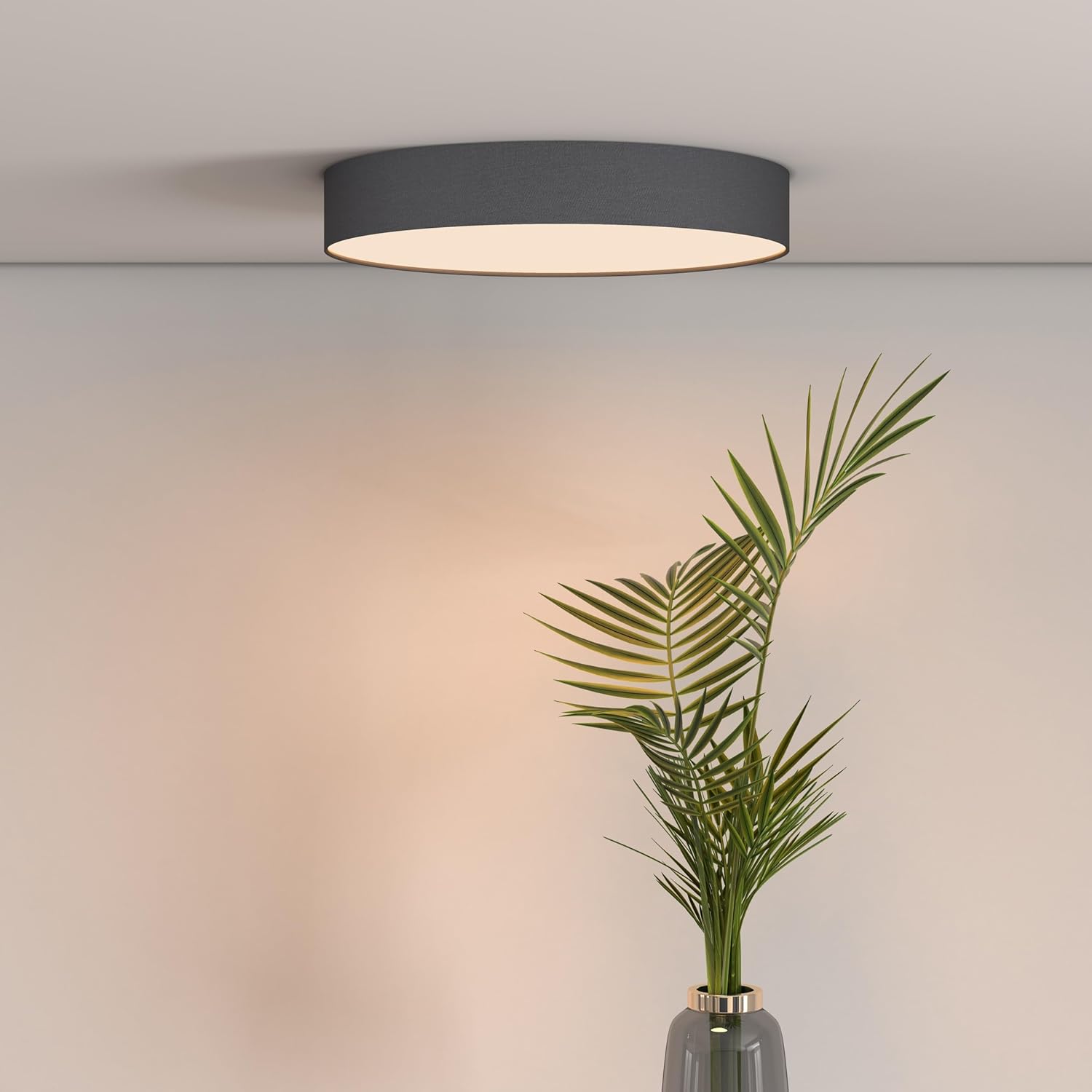
Figure 2: Calex Smart App Interface
7. Sprachsteuerung
The Calex Smart Ceiling Lamp is compatible with leading voice assistants, allowing for hands-free control:
- Amazon Alexa: Link your Calex Smart account to Alexa through the Alexa app.
- Google Home Assistant: Link your Calex Smart account to Google Home through the Google Home app.
- Siri: Use Siri Shortcuts to control your lamp (setup via the Calex Smart App).
Once linked, you can use commands such as: "Alexa, turn on the ceiling lamp," "Hey Google, set the ceiling lamp to blue," or "Siri, dim the ceiling lamp auf 50 %.“
8. Wartung
To ensure the longevity and optimal performance of your Calex Smart Ceiling LampBefolgen Sie diese einfachen Wartungsrichtlinien:
- Reinigung: Vor der Reinigung die Stromzufuhr unterbrechen. Verwenden Sie ein weiches, trockenes oder leicht angefeuchtetes Tuch.amp Tuch zum Abwischen der Oberfläche des lampVerwenden Sie keine Scheuermittel, Lösungsmittel oder aggressive Chemikalien, da diese die Oberfläche beschädigen können.
- Inspektion: Überprüfen Sie regelmäßig die lamp Auf Anzeichen von Beschädigungen oder lockeren Verbindungen prüfen. Sollten Probleme festgestellt werden, die Stromzufuhr unterbrechen und einen qualifizierten Techniker hinzuziehen.
- Keine vom Benutzer zu wartenden Teile: The LED light source is integrated and not replaceable by the user. Do not attempt to open the lamp.
9. Fehlerbehebung
If you encounter issues with your Calex Smart Ceiling LampBeachten Sie die folgenden gängigen Lösungsansätze:
- Lamp geht nicht an:
- Prüfen Sie, ob die Hauptstromversorgung eingeschaltet ist.
- Stellen Sie sicher, dass die lamp is correctly wired and securely connected to the power source.
- Verify that the light switch (if applicable) is in the ON position.
- Lamp does not connect to Wi-Fi/App:
- Ensure your Wi-Fi network is 2.4 GHz. The lamp does not support 5 GHz Wi-Fi.
- Check your Wi-Fi signal strength at the lamp's Standort.
- Starten Sie Ihren WLAN-Router neu.
- Setzen Sie das l zurückamp to pairing mode (usually by cycling power ON/OFF several times). Refer to the Calex Smart App for specific reset instructions.
- Stellen Sie sicher, dass Ihr Smartphone während des Kopplungsvorgangs mit demselben 2.4-GHz-WLAN-Netzwerk verbunden ist.
- Sprachsteuerung funktioniert nicht:
- Verify that your Calex Smart account is correctly linked to your voice assistant app (Alexa, Google Home).
- Überprüfen Sie Ihre Internetverbindung.
- Stellen Sie sicher, dass die lamp is online and controllable via the Calex Smart App.
10. Spezifikationen
| Besonderheit | Spezifikation |
|---|---|
| Marke | Calex |
| Modellnummer | 5301000200 |
| GTIN | 08712879151081 |
| Farbe | Black (exterior) |
| Maße | 30cm diameter (approx.) |
| Gewicht | 934 Gramm |
| Stromquelle | AC |
| Bandtage | 230 Volt |
| Wastage | 16 Watt |
| Helligkeit | 1500 Lumen |
| Lichtquelle | Integrierte LED |
| Lichtfarbe | RGBW (16 million colors + Tunable White) |
| Dimmbar | Ja |
| Konnektivität | Wi-Fi (2.4 GHz) |
| Kontrollmethode | Calex Smart App, Voice Control (Alexa, Google Home, Siri) |
| Installationstyp | Deckenmontage |
| Innen-/Außenbereich | Nur für den Innenbereich |
| Energieeffizienzklasse | F |

Figure 3: Energy Label for Model 5301000200
Detaillierte Produktinformationen finden Sie in der EPREL-Datenbank: https://eprel.ec.europa.eu/qr/711744
11. Garantie und Support
Calex products are manufactured to high-quality standards and come with a manufacturer's warranty. For specific warranty terms and conditions, please refer to the documentation provided with your purchase or visit the official Calex webWebsite.
For technical support, troubleshooting assistance, or warranty claims, please contact Calex customer service through their official webWebsite oder die Kontaktinformationen, die auf Ihrer Produktverpackung angegeben sind.