
1. Einleitung
This manual provides detailed instructions for the setup, operation, and maintenance of your Abovsare Digital Wall Clock. Please read this manual thoroughly before using the product to ensure proper function and longevity.
2. Produktüberschreitungview
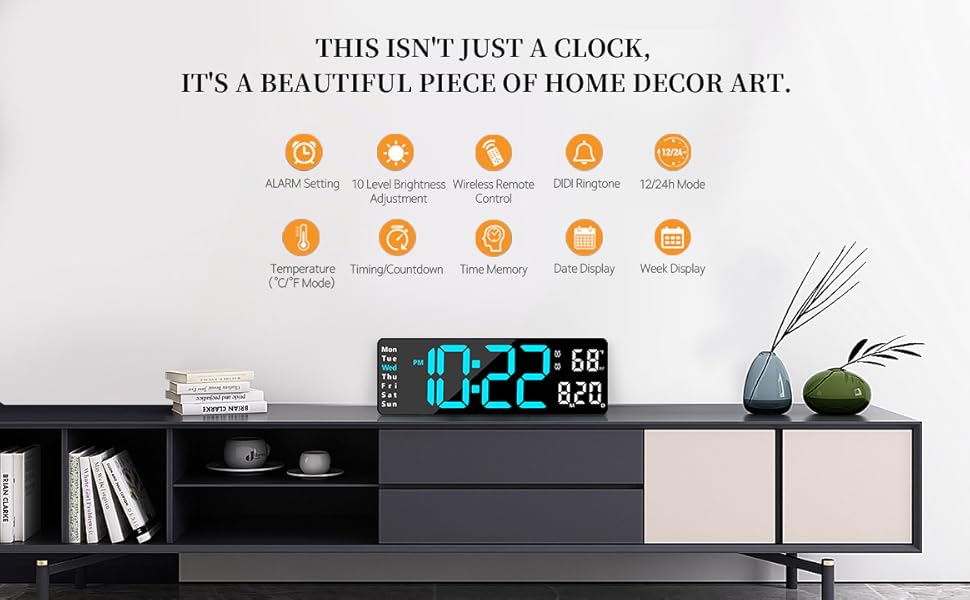
The Abovsare Digital Wall Clock features a 13-inch large LED display with high-contrast digits, making it easily readable from various distances and angles. It displays time, date, day of the week, and temperature. The clock includes a remote control for convenient adjustments and offers automatic brightness dimming. It is designed for both wall-mounted and desktop use.
Hauptmerkmale:
- 13-Zoll-LED-Großdisplay: 3.5-inch high contrast jumbo digits for clear visibility.
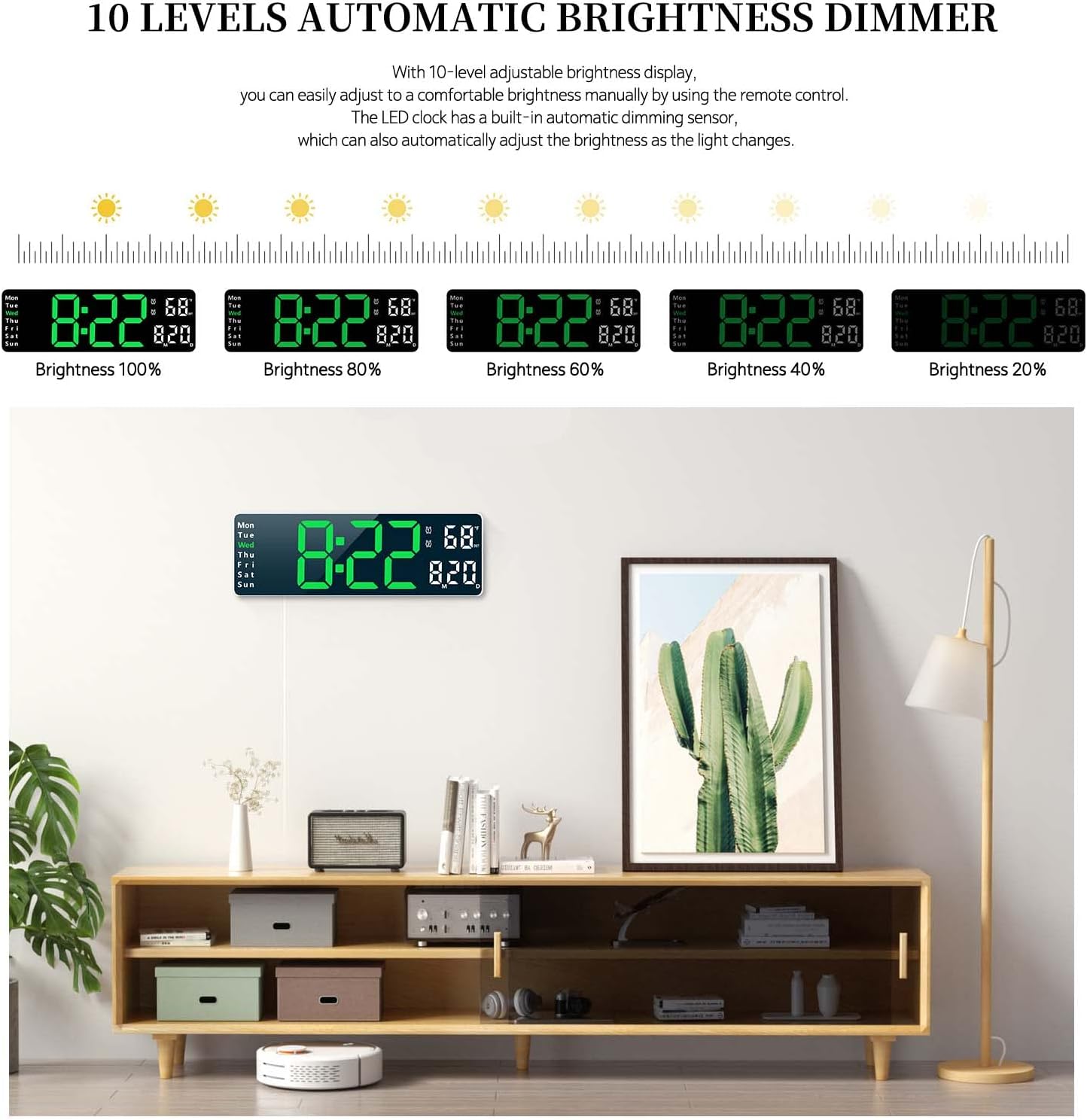
- Automatische Helligkeitsregelung mit 10 Stufen: Adjustable brightness manually via remote or automatically based on ambient light.
- Vielseitige Platzierung: Suitable for wall mounting or desktop placement.
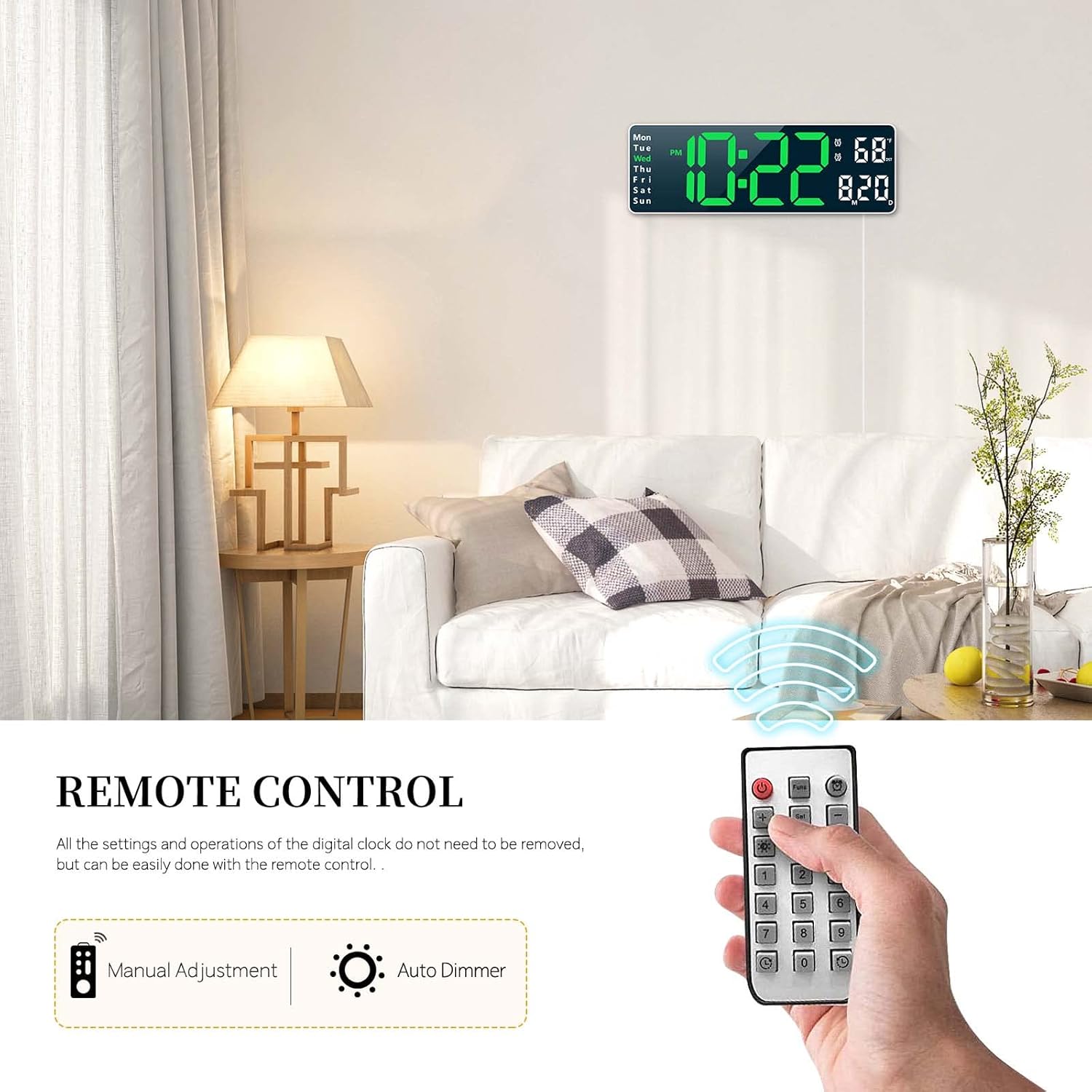
- Fernbedienung: All settings and operations can be managed conveniently with the included remote.
- Speicherfunktion: Built-in memory retains time data even if power is disconnected.
- Doppelte Alarmfunktion: Set two separate alarms for different schedules.
- Count-up/Count-down Timer: Supports timing up to 99 minutes and 99 seconds.
- Zeigt: Time (12/24H), Date, Week, and Temperature (°C/°F).

3. Packungsinhalt
Bitte prüfen Sie das Paket auf folgende Artikel:
- Abovsare Digital Wall Clock Unit
- Fernbedienung
- USB Power Cable (Note: Power adapter not included, requires 5V/1A or 5V/2A adapter)
- Bedienungsanleitung
4. Einrichtung
4.1 Stromanschluss
The clock requires continuous power to operate. Connect the provided USB cable to the clock and plug it into a 5V/1A or 5V/2A USB power adapter (not included) or a USB port. The clock is not battery operated for its main function.
4.2 Installation der Speicherbatterie
For the memory function to work during power outages, install 2 AAA batteries (not included) into the battery compartment located on the back of the clock. These batteries only store time data and do not power the main display.

5. Bedienungsanleitung
All settings and operations can be performed using the included remote control.
5.1 Uhrzeit- und Datumseinstellung
- Drücken Sie die Taste „SET“ auf der Fernbedienung.
- Use the arrow keys (Up/Down) to adjust the hour, then press 'SET' to confirm.
- Wiederholen Sie dies für Minuten, Jahr, Monat und Tag.
- Drücken Sie erneut die Taste „SET“, um den Einstellungsmodus zu verlassen.
- To switch between 12-hour and 24-hour format, press the '12/24H' button on the remote.
5.2 Alarmeinstellung
The clock supports two separate alarms.
- Press the 'ALARM' button on the remote control.
- Select Alarm 1 or Alarm 2 using the arrow keys.
- Adjust the alarm hour and minutes using the arrow keys, pressing 'SET' after each adjustment.
- To activate/deactivate an alarm, press the 'ON/OFF' button when the alarm is selected. An alarm icon will appear/disappear on the display.
- To snooze, press any button on the remote when the alarm sounds.
5.3 Helligkeitseinstellung
The clock offers 10 levels of brightness and an automatic dimming feature.
- Manuelle Einstellung: Press the 'BRIGHTNESS' button on the remote repeatedly to cycle through 10 brightness levels.
- Automatisches Dimmen: The built-in sensor automatically adjusts display brightness according to ambient light conditions. This feature is enabled by default.
5.4 Timer Function (Count-up/Count-down)
The clock can function as a timer for up to 99 minutes and 99 seconds.
- Countdown: Press the 'TIMER' button, then use the number keys on the remote to input the desired time. Press 'START' to begin.
- Zusammenzählen: Press the 'TIMER' button, then press 'START' without inputting a time to begin counting up from zero.
- Press 'STOP' to pause and 'RESET' to clear the timer.

5.5 Verwendung der Fernbedienung
The remote control allows for easy adjustment of all clock functions from a distance. Ensure there is a clear line of sight between the remote and the clock's sensor.
6. Montagemöglichkeiten
The Abovsare Digital Wall Clock can be placed on a desktop or mounted on a wall.
6.1 Aufstellung auf dem Schreibtisch
Simply place the clock on any flat surface such as a desk, shelf, or nightstand. Ensure it is stable and not prone to falling.
6.2 Wandmontage
The clock features integrated keyholes on the back for easy wall mounting.
- Measure the distance between the keyholes on the back of the clock.
- Mark two corresponding spots on the wall where you wish to mount the clock.
- Install two screws (not included) into the wall at the marked spots, leaving a small portion of the screw head protruding.
- Align the keyholes on the back of the clock with the screw heads and slide the clock down to secure it.


7. Wartung
To ensure the longevity and optimal performance of your digital clock, follow these maintenance guidelines:
- Reinigung: Verwenden Sie ein weiches, trockenes Tuch, um das Display und die Tastatur abzuwischen.asing. Vermeiden Sie scheuernde Reinigungs- oder Lösungsmittel, die die Oberfläche beschädigen könnten.
- Leistung: Always use a 5V/1A or 5V/2A USB power adapter. Incorrect power sources may damage the device.
- Umfeld: Die Uhr sollte nicht direktem Sonnenlicht, extremen Temperaturen oder hoher Luftfeuchtigkeit ausgesetzt sein.
- Batteriewechsel: Replace the AAA memory batteries annually or when the memory function appears to fail during power outages.
8. Fehlerbehebung
If you encounter any issues with your Abovsare Digital Wall Clock, please refer to the following common problems and solutions:
| Problem | Mögliche Ursache | Lösung |
|---|---|---|
| Die Uhranzeige ist aus. | Keine Stromversorgung oder fehlerhafte Verbindung. | Ensure the USB cable is securely connected and the power adapter is working. Use a 5V/1A or 5V/2A adapter. |
| Fernbedienung funktioniert nicht. | Batteries in remote are dead or incorrect orientation; obstacle between remote and clock. | Replace remote control batteries. Ensure clear line of sight to the clock's sensor. |
| Time/Date not saving after power off. | Memory batteries are dead or not installed. | Install 2 new AAA batteries in the memory battery compartment. |
| Display too dim or too bright. | Brightness setting needs adjustment or automatic dimming sensor is obstructed. | Manually adjust brightness using the remote. Ensure the light sensor on the clock is not covered. |
9. Spezifikationen
| Besonderheit | Detail |
|---|---|
| Marke | Abovsare |
| Model (Color) | White Case+green Digit |
| Anzeigetyp | Digitale LED |
| Technische Daten | 1.2"W x 4.1"H (Note: This seems to be a partial dimension, the display is 13-inch diagonal) |
| Stromquelle | Corded Electric (USB, 5V/1A or 5V/2A adapter required) |
| Speicherbatterie | 2 x AAA (nicht enthalten) |
| Montagetyp | Tisch- oder Wandmontage |
| Material | Acrylnitril-Butadien-Styrol (ABS) |
| Besondere Merkmale | Large LED display, automatic brightness dimmer, count-up or count-down function, memory function, remote control, dual alarm, date, week, temperature display. |
10. Garantie und Support
For warranty information and customer support, please refer to the product packaging or contact Abovsare customer service through the retailer where the product was purchased. Keep your purchase receipt as proof of purchase.