
1. Einleitung
Thank you for choosing the JTEMAN Portable Phone Stand with Bluetooth Speaker. This versatile device combines a stable phone stand with a high-quality Bluetooth speaker, offering convenience for media consumption, video calls, and audio playback. This manual will guide you through the setup, operation, and maintenance of your new device.

Figure 1: JTEMAN Portable Phone Stand with Bluetooth Speaker (White)
2. Packungsinhalt
Bitte kreuzen Sie das Kästchen für die folgenden Elemente an:
- Telefonständer mit Bluetooth-Lautsprecher
- Benutzerhandbuch
- USB-A to Type-C charger cable (1)
3. Produktüberschreitungview
The JTEMAN L9 is designed for multi-functional use, serving as both a phone stand and a Bluetooth speaker. It features an adjustable and foldable design for portability and optimal viewwinkeln.
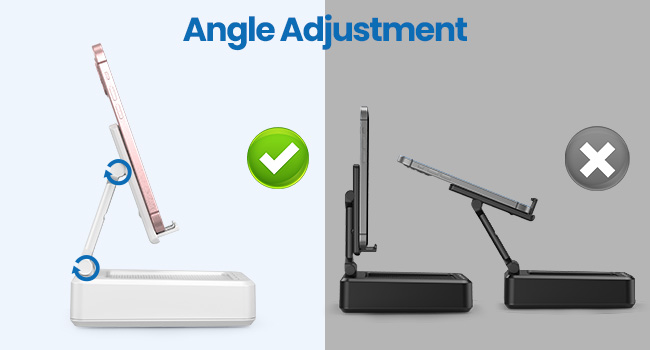
Abbildung 2: Produktabmessungen und Bedienelemente
Hauptmerkmale:
- 2-in-1-Funktionalität: Combines a phone stand with a Bluetooth speaker.
- Breite Kompatibilität: Supports most 4-13 inch smartphones, tablets, and e-readers with Bluetooth.
- Verstellbar und faltbar: Mehrere viewing angles and a compact, portable design.
- Stable & Anti-slip: Features anti-slip silicone pads for device protection and stability.
- Eingebautes Mikrofon: Ermöglicht klare Freisprechanrufe.

Figure 3: Integrated Features
4. Einrichtung
4.1 Aufladen des Geräts
- Connect the provided USB-A to Type-C charging cable to the charging port on the side of the JTEMAN L9.
- Verbinden Sie das andere Ende des Kabels mit einem kompatiblen USB-Netzteil (nicht im Lieferumfang enthalten).
- The charging indicator light will show red during charging and turn green when fully charged. A full charge takes approximately 4 hours.
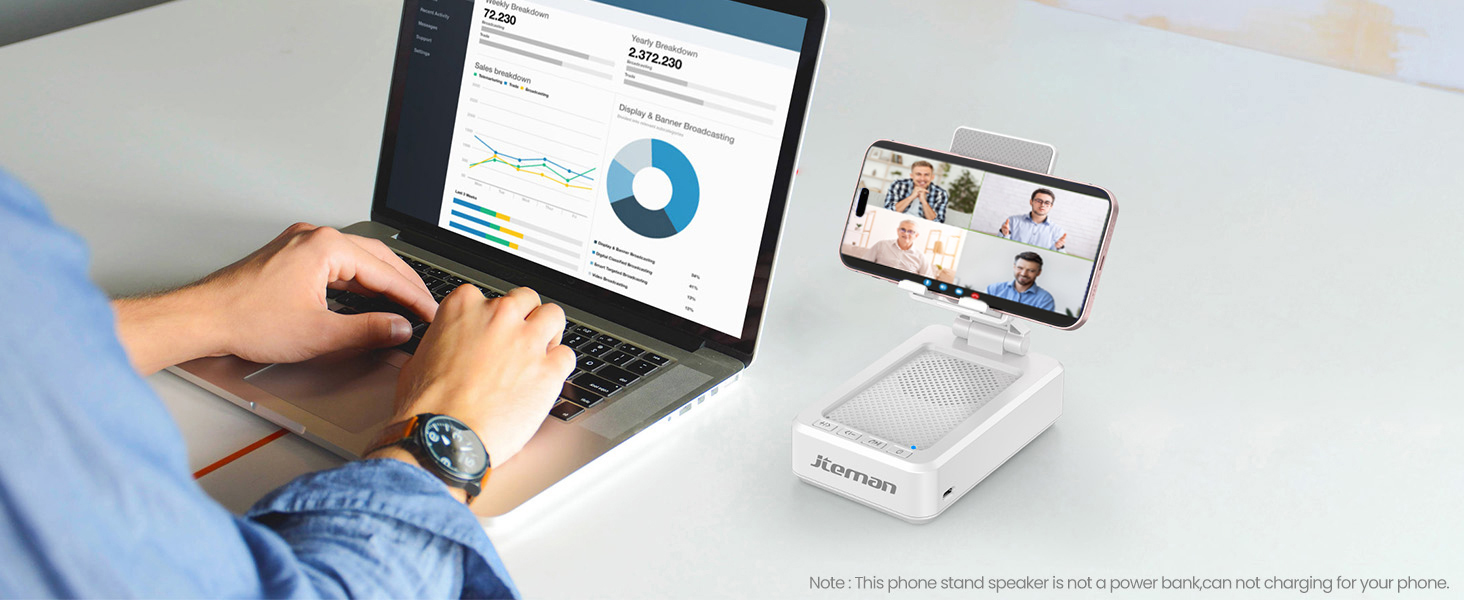
Figure 4: Charging the JTEMAN L9
4.2 Bluetooth-Kopplung
- Press and hold the power button on the JTEMAN L9 until you hear an audible prompt indicating it's powered on and in Bluetooth pairing mode. The Bluetooth indicator light will flash.
- On your smartphone, tablet, or e-reader, go to the Bluetooth settings.
- Suchen nach available devices and select "JTEMAN L9" from the list.
- Once connected, you will hear a confirmation tone, and the Bluetooth indicator light will remain solid.
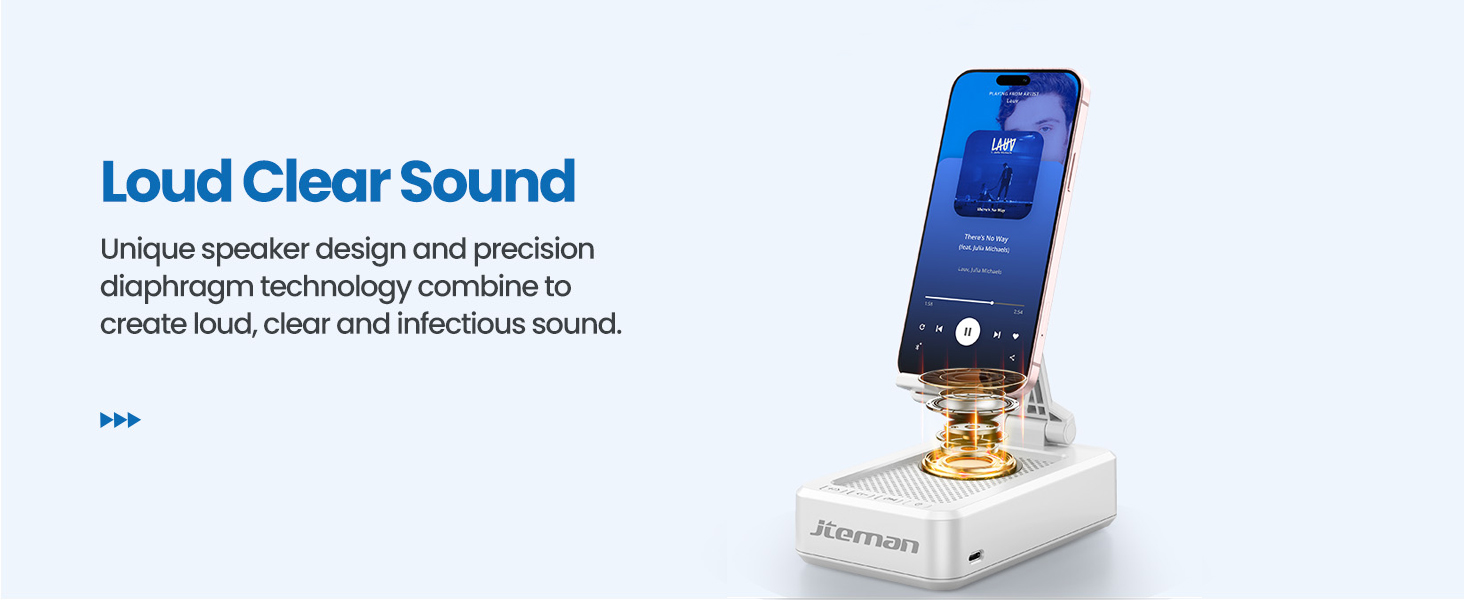
Abbildung 5: Einfache Bluetooth-Verbindung
5. Bedienungsanleitung
5.1 Using as a Phone/Tablet Stand
- Gently pull up the phone holder arm from its folded position.
- Adjust the angle of the holder to your preferred viewing position. The stand is designed to be stable at various angles.
- Place your smartphone, tablet, or e-reader onto the holder. The anti-slip silicone pads will secure your device.
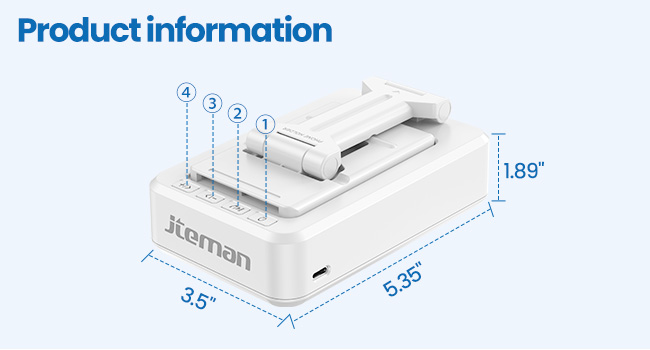
Figure 6: Angle Adjustment for Optimal Viewing
5.2 Verwendung des Bluetooth-Lautsprechers
Once paired with your device, audio will automatically play through the JTEMAN L9 speaker.
- Abspielen/Pause: Press the Play/Pause button on the speaker to control media playback.
- Lautstärkeregelung: Use the volume buttons (+/-) on the speaker to adjust the audio level.
- Track-Navigation: Use the skip buttons (<< / >>) to go to the previous or next track.
- Freisprechen: The built-in microphone allows for clear hands-free communication. Press the phone icon button to answer or end calls.

Figure 7: Loud and Clear Sound Output
5.3 Tragbarkeit
When not in use, the phone holder arm can be folded down, making the device compact and easy to carry in a bag.

Figure 8: Foldable and Portable Design
5.4 Offizielle Produktvideos
Video 1: Demonstrates the sound quality and instant pairing of the JTEMAN L9.
Video 2: Showcases the power and versatility of the JTEMAN L9 speaker and stand.
Video 3: Highlights the compact design, clear sound, and anti-slip base of the JTEMAN L9.
6. Wartung
- Halten Sie das Gerät sauber, indem Sie es mit einem weichen, trockenen Tuch abwischen.
- Setzen Sie das Gerät keinen extremen Temperaturen, Feuchtigkeit oder direkter Sonneneinstrahlung aus.
- Keine Scheuer- oder Lösungsmittel verwenden.
7. Fehlerbehebung
| Problem | Mögliche Ursache | Lösung |
|---|---|---|
| Gerät lässt sich nicht einschalten | Schwache Batterie | Laden Sie das Gerät mit dem mitgelieferten USB-C-Kabel auf. |
| Bluetooth-Kopplung nicht möglich | Bluetooth not enabled on source device; device too far; already paired to another device | Ensure Bluetooth is on and within range (approx. 10m). Disconnect from other devices. |
| Kein Ton oder geringe Lautstärke | Volume too low on speaker or source device; not properly connected | Increase volume on both devices. Re-pair Bluetooth connection. |
| Audio skipping/interruption | Interference; device too far; low battery | Move closer to the source device. Ensure no obstructions. Charge the device. |
8. Spezifikationen
| Besonderheit | Detail |
|---|---|
| Technische Daten | 5.35 x 3.5 x 1.89 Zoll |
| Artikelgewicht | 11.5 Unzen |
| Artikelmodellnummer | L9 |
| Marke | JTEMAN |
| Farbe | Weiß |
| Formfaktor | Telefonständer mit Lautsprecher |
| Kompatible Geräte | Mobile phone, Tablet |
| Kompatible Telefonmodelle | iPhone, Samsung, iPad mini, Samsung Tab, Google Nexus, Kindle |
| Batteriekapazität | 1800mAh (approx. 8-10 hours play time at medium volume) |
9. Garantie und Support
JTEMAN products are manufactured with high-quality standards. For any issues or support needs, please refer to the contact information provided with your purchase or visit the official JTEMAN webBewahren Sie Ihren Kaufbeleg für Garantieansprüche auf.