
FEANS A6
FEANS A6 True Wireless Earbuds User Manual
Modell: A6
1. Einleitung
Thank you for choosing FEANS A6 True Wireless Earbuds. These earbuds are designed to provide a superior audio experience with advanced features such as Bluetooth 5.3 connectivity, environmental noise cancellation, and intuitive touch controls. They are also sweat and water-resistant, making them ideal for various activities. This manual will guide you through the setup, operation, and maintenance of your new earbuds.
2. Lieferumfang

Das Paket beinhaltet:
- FEANS A6 True Wireless Earbuds (Left and Right)
- Ladeetui
- Ohrstöpsel in verschiedenen Größen (S, M, L)
- Typ C Ladekabel
- Benutzerhandbuch (dieses Dokument)
3. Produktüberschreitungview

Figure 3.1: FEANS A6 Earbuds and Charging Case with Digital Display
The FEANS A6 earbuds feature a compact design with a digital display charging case. The case shows the battery percentage of the case itself and individual battery levels for the left and right earbuds. The earbuds are ergonomically designed for a comfortable and secure fit.

Abbildung 3.2: Ergonomisches In-Ear-Design
The earbuds come with three sizes of soft silicone eartips (S, M, L) to ensure a perfect fit and long-lasting comfort for various ear shapes. This ergonomic design helps in securing the earbuds during activities and optimizing sound delivery.

Figure 3.3: Premium Hi-Fi Sound Quality Components
Equipped with 13mm dual drivers and a three-layer composite titanium-plated diaphragm, these earbuds deliver real audio layering, deep bass, and clear treble for a high-fidelity stereo sound experience.
4. Einrichtung
4.1 Erstaufladung
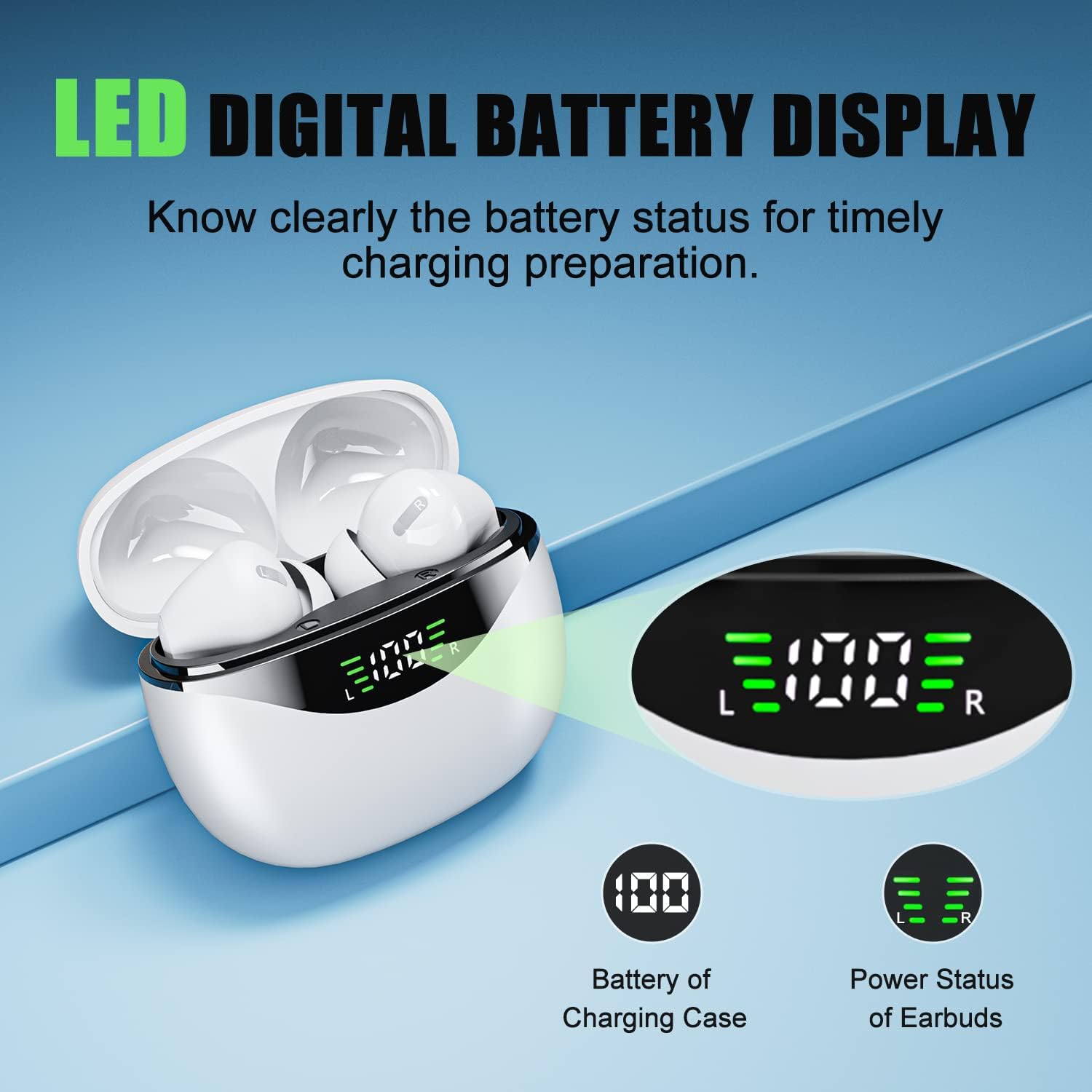
Figure 4.1: LED Digital Battery Display
Before first use, fully charge the earbuds and the charging case. Connect the provided Type-C charging cable to the charging port on the case and a power source. The LED digital display on the case will show the current battery percentage. A full charge takes approximately 1.5 hours for the case.

Abbildung 4.2: Typ-C-Ladeanschluss
The Type-C charging port ensures fast and safe charging. The digital display allows you to monitor the charging status of both the case and the individual earbuds.
4.2 Koppeln mit Ihrem Gerät (Ein-Schritt-Kopplung)

Abbildung 4.3: Einstufiger Paarungsprozess
The FEANS A6 earbuds feature one-step pairing for convenience.
- Stellen Sie sicher, dass Bluetooth auf Ihrem Gerät aktiviert ist.
- Öffnen Sie das Ladecase und nehmen Sie beide Ohrhörer heraus. Sie wechseln automatisch in den Kopplungsmodus.
- On your device, search for Bluetooth devices and select "A6" from the list.
- Once connected, the earbuds are ready for use. They will automatically reconnect to your last paired device when taken out of the case.
The advanced Bluetooth 5.3 chip ensures a faster and more stable connection with most Android, iOS, and Windows devices.
Video 4.1: Quick One-step Connection Demonstration
This video demonstrates the quick and easy one-step connection process for the FEANS A6 earbuds, showing how they automatically pair with a smartphone once removed from the charging case.
5. Bedienungsanleitung
5.1 Berührungssteuerung

Figure 5.1: One-Button Touch Control Guide
The FEANS A6 earbuds feature intuitive touch controls for easy management of music and calls:
- Single Tap (X1):
- Musik abspielen/pausieren
- Anruf annehmen/auflegen
- Double Tap (X2):
- Voice Assistant (Press earbud for 2 seconds)
- Reject Call (Press earbud for 2 seconds)
- Vorheriger Titel (linker Ohrhörer)
- Nächster Titel (rechter Ohrhörer)
- Long Press (Over 3 seconds):
- Volume+ (Right Earbud)
- Volume- (Left Earbud)
Video 5.1: Music Playback and Call Management
This video demonstrates how to use the single tap feature to play/pause music and answer/hang up calls, showcasing the ease of use for daily activities.
5.2 Mono & Twin Modes
The earbuds support both mono and twin modes. In mono mode, you can use either the left or right earbud independently, which is useful for saving battery or being aware of your surroundings. In twin mode, both earbuds work together to provide an immersive stereo music experience.
5.3 Umgebungsgeräuschunterdrückung (ENC)
The FEANS A6 headphones feature Environmental Noise Cancellation (ENC) technology. This advanced call noise reduction technology helps to cancel up to 90% of background noise in noisy environments such as streets, buses, shops, hospitals, or airports, ensuring clear calls.
Video 5.2: Clear Call and Stable Connection
This video highlights the clear call quality and stable connection provided by the earbuds, even in busy environments, thanks to the ENC technology.
6. Wartung
6.1 Reinigung
Regular cleaning helps maintain sound quality and hygiene. Use a soft, dry, lint-free cloth to wipe the earbuds and charging case. Do not use abrasive cleaners or submerge the devices in water.
6.2 Speicherung
Bewahren Sie die Ohrhörer bei Nichtgebrauch im Ladecase auf, um sie zu schützen und geladen zu halten. Lagern Sie sie an einem kühlen, trockenen Ort, geschützt vor extremen Temperaturen und direkter Sonneneinstrahlung.
6.3 Water & Sweat Proof
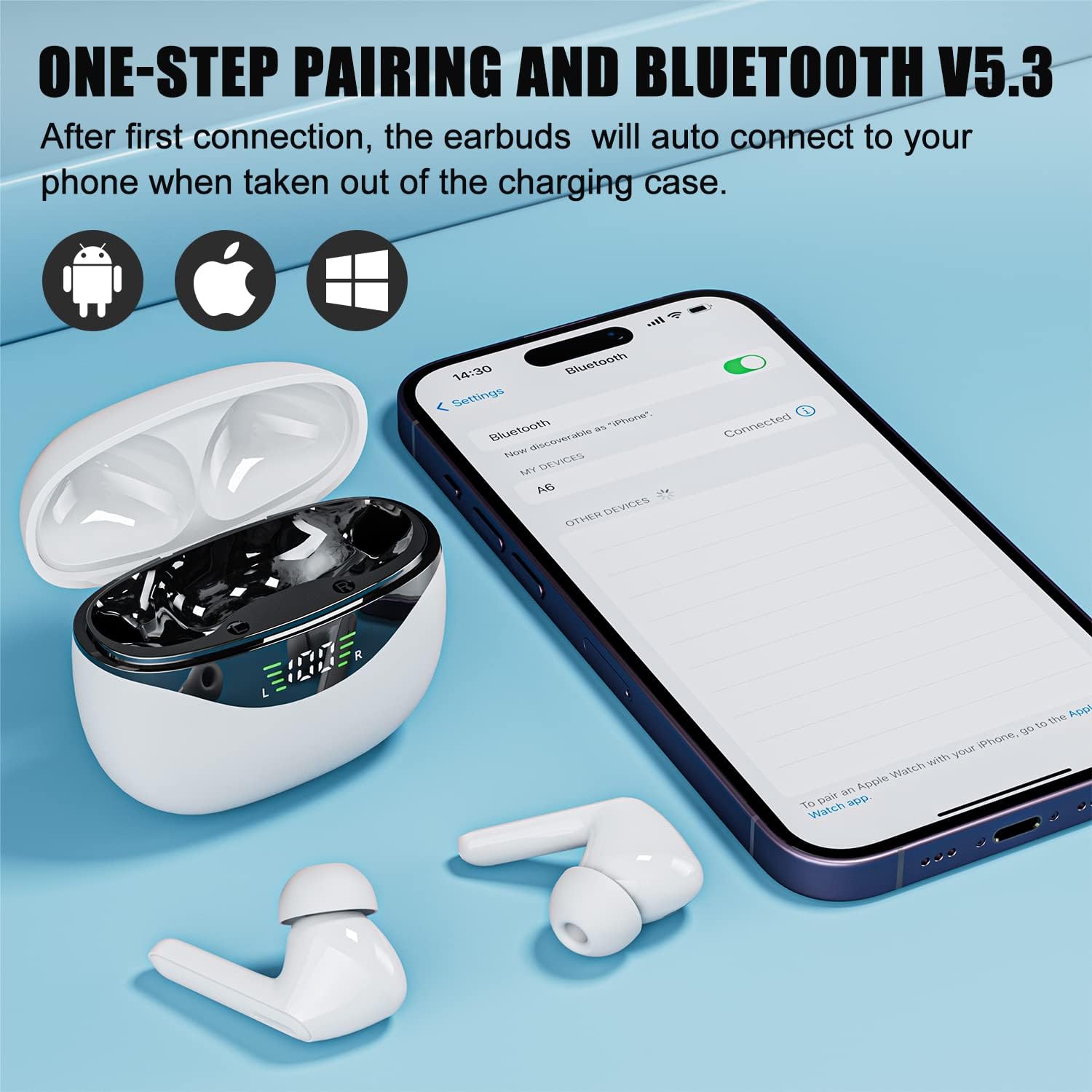
Abbildung 6.1: Wasserdichtigkeitsklasse IPX5
The earbuds are IPX5 water and sweat proof, meaning they are protected from splashing water from any direction. This makes them suitable for intense workouts and light rain. However, they are not designed for swimming or submersion in water.
Video 6.1: Sweat-resistant and Waterproof Features
This video demonstrates the sweat-resistant and waterproof capabilities of the earbuds, showing their durability during physical activities like running.
7. Fehlerbehebung
| Problem | Mögliche Ursache | Lösung |
|---|---|---|
| Die Ohrhörer lassen sich nicht koppeln/verbinden. | Bluetooth off, earbuds out of charge, too far from device, interference. | Ensure Bluetooth is on. Charge earbuds. Move closer to device. Restart device and earbuds. Forget "A6" in Bluetooth settings and re-pair. |
| Nur ein Ohrhörer funktioniert. | One earbud out of charge, not properly paired in twin mode. | Place both earbuds back in the case, close the lid, then open and take them out together. Ensure both are charged. |
| Geringe Lautstärke oder schlechte Tonqualität. | Earbuds dirty, wrong ear tip size, low battery, device volume low. | Clean earbuds and ear tips. Try different size ear tips. Charge earbuds. Increase device volume. |
| Ladecase lädt nicht. | Faulty cable/adapter, charging port dirty. | Try a different Type-C cable and power adapter. Clean the charging port gently. |
8. Spezifikationen
- Modellname: Wireless Earbuds (A6)
- Marke: FEANS
- Konnektivitätstechnologie: Kabellos (Bluetooth 5.3)
- Bluetooth-Reichweite: 10 Meter
- Audiotreiber: 13mm Dynamic Speaker Drivers
- Frequenzgang: 20 Hz – 20,000 Hz
- Impedanz: 32 Ohm
- Geräuschpegelkontrolle: Umgebungsgeräuschunterdrückung (ENC) für Anrufe
- Steuerungstyp: Touch-Steuerung
- Wasserbeständigkeit: IPX5 (Sweat-resistant and splash-proof)
- Akkulaufzeit der Ohrhörer: Approximately 5 hours on a single charge
- Gesamtspielzeit (mit Ladecase): Bis zu 60 Stunden
- Ladezeit (Gehäuse): Ungefähr 1.5 Stunden (Typ-C)
- Material: Acrylnitril-Butadien-Styrol (ABS)
- Artikelgewicht: 105 Gramm (gesamt)
- Kompatible Geräte: Bluetooth-enabled devices (Android, iOS, Windows)
9. Garantie und Support
FEANS products come with a standard manufacturer's warranty. For detailed warranty information, product support, or technical assistance, please refer to the contact information provided on the product packaging or visit the official FEANS webBitte bewahren Sie Ihren Kaufbeleg für Garantieansprüche auf.
Ask a question about this manual
Ask about setup, troubleshooting, compatibility, parts, safety, or missing instructions. Manuals+ will review the question and use this page’s manual context to help answer it.