
Einführung
This manual provides comprehensive instructions for the setup, operation, maintenance, and troubleshooting of your Timex TW5M53900 Men's Wristwatch. Please read this manual carefully to ensure proper use and longevity of your timepiece.
The Timex TW5M53900 is a digital watch equipped with various functions including a Day-Date display, Chronograph, Countdown timer, Dual Time zone, and Alarm.
Aufstellen
Initial Power On and Time Setting
Your watch comes with a pre-installed battery. Upon first use, you may need to activate the display or set the current time and date.
- Schaltflächen identifizieren: Locate the control buttons on the sides of the watch case. Typically, these are labeled or have distinct functions (e.g., MODE, SET, START/STOP, LIGHT). Refer to the image below for button identification.
- Zeiteinstellungsmodus aufrufen: Drücken Sie die MODUS button repeatedly until the time setting mode is displayed. Digits for hours or minutes will usually flash.
- Zeit anpassen: Verwenden Sie die SATZ or START/STOP buttons to adjust the flashing digits (hours, minutes, seconds). Press MODUS again to move to the next setting (e.g., from hours to minutes).
- Datum einstellen: Drücken Sie weiter MODUS to cycle through date settings (month, day, year) and adjust them using the SATZ or START/STOP Schaltflächen.
- Einstellungsmodus verlassen: Sobald alle Einstellungen korrekt sind, drücken Sie die Taste MODUS button or another designated button (e.g., ZURÜCKSETZEN) to exit the setting mode and return to normal time display.

Abbildung 1: Vorderseite view of the Timex TW5M53900 watch, highlighting the digital display and button layout.
Bedienungsanleitung
The Timex TW5M53900 watch offers several modes accessible via the MODUS Taste.
Zeit- und Datumsanzeige
In the default mode, the watch displays the current time (hours, minutes, seconds) and the day and date. The display is LCD for clear visibility.
Chronograph (Stoppuhr)
To use the chronograph function:
- Drücken Sie die MODUS button until "CHRONO" or a similar indicator appears on the display.
- Drücken Sie die START/STOP Zum Starten der Zeitmessung drücken.
- Drücken START/STOP again to pause or stop the timing.
- Drücken Sie die ZURÜCKSETZEN Taste zum Zurücksetzen des Chronographen auf Null.
Countdown-Timer
So stellen Sie den Countdown-Timer ein und verwenden ihn:
- Drücken Sie die MODUS button until "TIMER" or a countdown icon is displayed.
- Verwenden Sie die SATZ or START/STOP buttons to set the desired countdown duration (hours, minutes, seconds).
- Drücken START/STOP um den Countdown zu starten.
- An alarm will sound when the countdown reaches zero. Press any button to stop the alarm.
Dualzeit
The dual time function allows you to track a second time zone:
- Drücken Sie die MODUS button until "DUAL TIME" or "T2" is displayed.
- Verwenden Sie die SATZ or START/STOP buttons to adjust the second time zone.
- Drücken MODUS , um zu beenden.
Alarm
So stellen und aktivieren Sie den Alarm:
- Drücken Sie die MODUS button until "ALARM" or an alarm icon is displayed.
- Verwenden Sie die SATZ or START/STOP Tasten zum Einstellen der gewünschten Weckzeit.
- Press a designated button (often ZURÜCKSETZEN or MODUS again) to toggle the alarm ON/OFF. An alarm indicator will typically appear on the display when active.
- Wenn der Alarm ertönt, drücken Sie eine beliebige Taste, um ihn stummzuschalten.
Indiglo® Nachtlicht
The watch features an Indiglo® night-light for illumination in low-light conditions. Press the LICHT button (usually located on the top right or left side of the case) to activate the backlight.
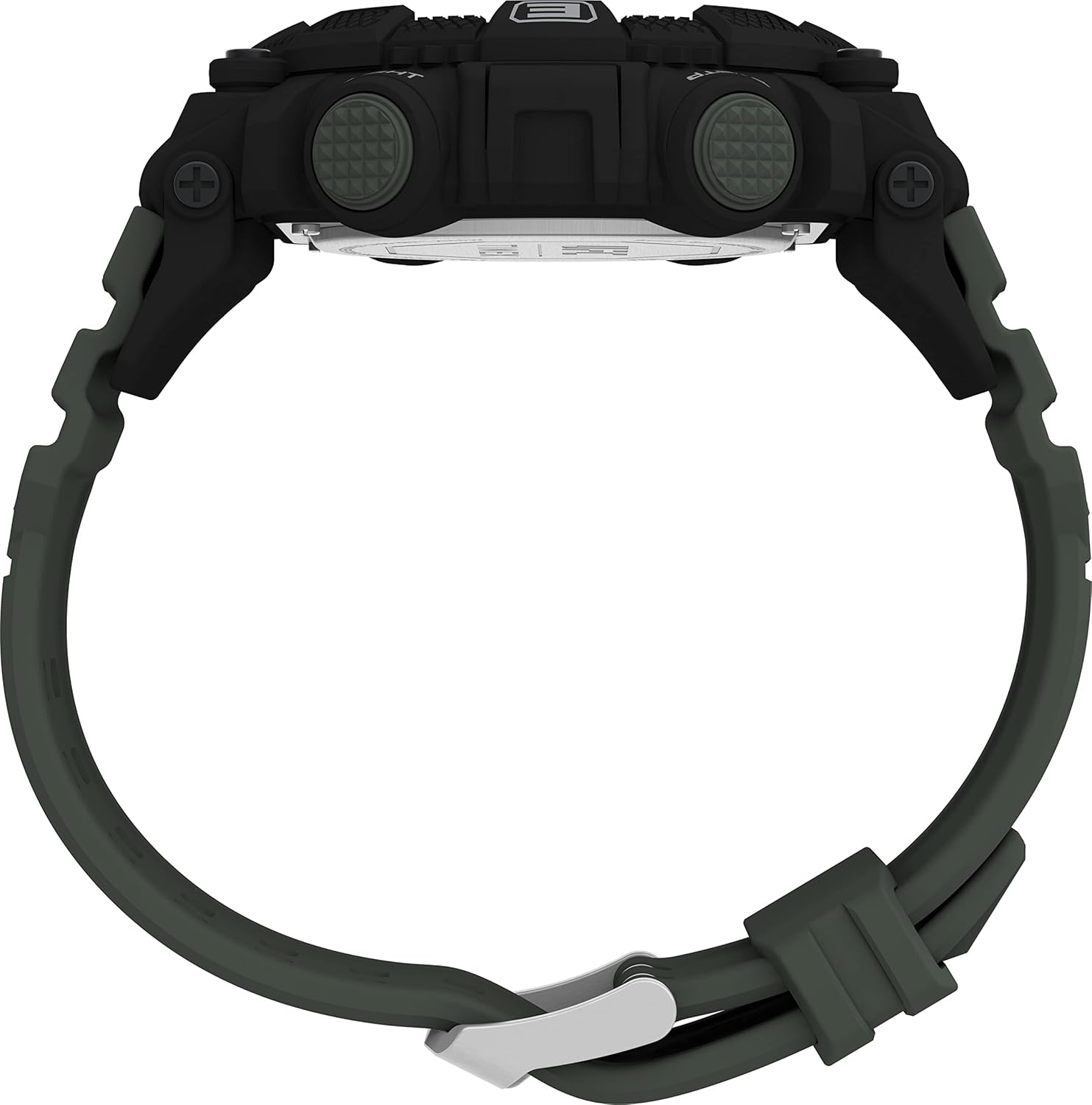
Abbildung 2: Seite view of the watch, illustrating the placement of control buttons.
Wartung
Reinigung
- Reinigen Sie das Uhrengehäuse und das Armband regelmäßig mit einem weichen, fusselfreien Tuch.amp Tuch.
- For stubborn dirt, a mild soap solution can be used, followed by rinsing with clean water and drying thoroughly.
- Avoid using harsh chemicals, solvents, or abrasive cleaners, as these can damage the watch's finish or components.
Wasserbeständigkeit
This watch is water-resistant up to 5 bar (50 meters). This rating means it is suitable for everyday use and can withstand splashes, rain, and brief immersion in water. It is nicht suitable for showering, swimming, or diving.
- Die Knöpfe dürfen nicht betätigt werden, während sich die Uhr unter Wasser befindet.
- Ensure the crown (if applicable) is pushed in completely after setting the time to maintain water resistance.

Abbildung 3: Rückseite view of the watch, displaying the case back and strap attachment.
Batteriewechsel
The watch uses a CR2025 cell battery. When the display becomes dim or functions become erratic, it may be time to replace the battery. It is recommended to have the battery replaced by a qualified watch technician to ensure proper sealing and maintain water resistance.

Figure 4: Close-up of the watch's case back, detailing the model number, water resistance, and battery type.
Fehlerbehebung
| Problem | Mögliche Ursache | Lösung |
|---|---|---|
| Das Display ist leer oder dunkel. | Schwache oder leere Batterie. | Die Batterie (CR2025) muss ausgetauscht werden. Ein Austausch durch einen Fachmann wird empfohlen. |
| Tasten reagieren nicht. | Die Uhr befindet sich möglicherweise im gesperrten Modus oder weist eine interne Fehlfunktion auf. | Try pressing all buttons firmly. If unresponsive, a battery reset (removing and reinserting battery) might be needed by a professional. |
| Time is incorrect or not keeping time. | Falsche Einstellung oder schwacher Akku. | Re-set the time according to the "Initial Power On and Time Setting" section. If issue persists, replace battery. |
| Kondensation unter dem Kristall. | Loss of water resistance or extreme temperature change. | Avoid extreme temperature changes. If condensation persists, seek professional repair immediately to prevent internal damage. |
Technische Daten
| Besonderheit | Detail |
|---|---|
| Modellnummer | TW5M53900 |
| Marke | Timex |
| Anzeigetyp | Digital (LCD) |
| Gehäusedurchmesser | 52 mm |
| Gehäusedicke | 15 mm |
| Gehäusefarbe | Schwarz |
| Armbandmaterial | Hochwertiger Kunststoff |
| Armbandfarbe | Grün |
| Armbandlänge | 21 cm |
| Gurtbreite | 27 mm |
| Verschlussart | Dornschließe |
| Wasserbeständigkeit | 5 bar (50 Meter) |
| Gewicht | 60 Gramm |
| Akku-Typ | CR2025 (enthalten) |
| Funktionen | Day-Date, Chronograph, Countdown, Dual Time, Alarm, Indiglo® Night-Light |
| Ursprungsland | China |
| Datum der ersten Verfügbarkeit | 11. Oktober 2022 |
Garantie und Support
Garantieinformationen
This Timex TW5M53900 watch comes with a 2 Jahr Herstellergarantie from the date of purchase. This warranty covers manufacturing defects in materials and workmanship under normal use. It does not cover:
- Schäden durch unsachgemäße Handhabung, mangelnde Pflege, Unfälle oder normale Abnutzung.
- Water damage if the watch was used beyond its specified water resistance rating or if buttons were operated underwater.
- Batteriewechsel.
- Schäden, die durch unbefugte Reparaturen oder Änderungen verursacht wurden.
Bitte bewahren Sie Ihren Kaufbeleg für Garantieansprüche auf.
Kundenservice
For technical assistance, warranty claims, or service inquiries, please contact Timex customer support through their official website or the contact information provided with your purchase documentation. When contacting support, please have your watch model number (TW5M53900) and proof of purchase readily available.
Spare parts availability information is currently unavailable. For any repair needs, please contact authorized Timex service centers.