
1. Einleitung
Thank you for choosing the VBESTLIFE S21 Ultra Unlocked Cell Phone. This manual provides essential information for setting up, operating, and maintaining your device. Please read it carefully to ensure proper use and to maximize the phone's features. This smartphone features a 6.1-inch HD display, dual SIM capability, and runs on the Android 11 operating system.
2. Sicherheitshinweise
- Setzen Sie das Gerät keinen extremen Temperaturen, direkter Sonneneinstrahlung oder hoher Luftfeuchtigkeit aus.
- Vermeiden Sie es, das Telefon fallen zu lassen oder starken Stößen auszusetzen.
- Verwenden Sie ausschließlich zugelassene Ladegeräte und Zubehörteile, um Schäden zu vermeiden und die Sicherheit zu gewährleisten.
- Halten Sie das Gerät von medizinischen Implantaten und Herzschrittmachern fern.
- Versuchen Sie nicht, das Telefon selbst zu zerlegen oder zu reparieren. Wenden Sie sich an qualifiziertes Servicepersonal.
- Entsorgen Sie das Gerät und die Batterie verantwortungsbewusst gemäß den örtlichen Vorschriften.
3. Packungsinhalt
Stellen Sie sicher, dass alle Artikel in der Box vorhanden sind:
- VBESTLIFE S21 Ultra Unlocked Cell Phone
- Adapter (US plug)
- USB-Kabel
- Kopfhörer
- SIM-Auswerferwerkzeug
- Schutzhülle
- Displayschutz
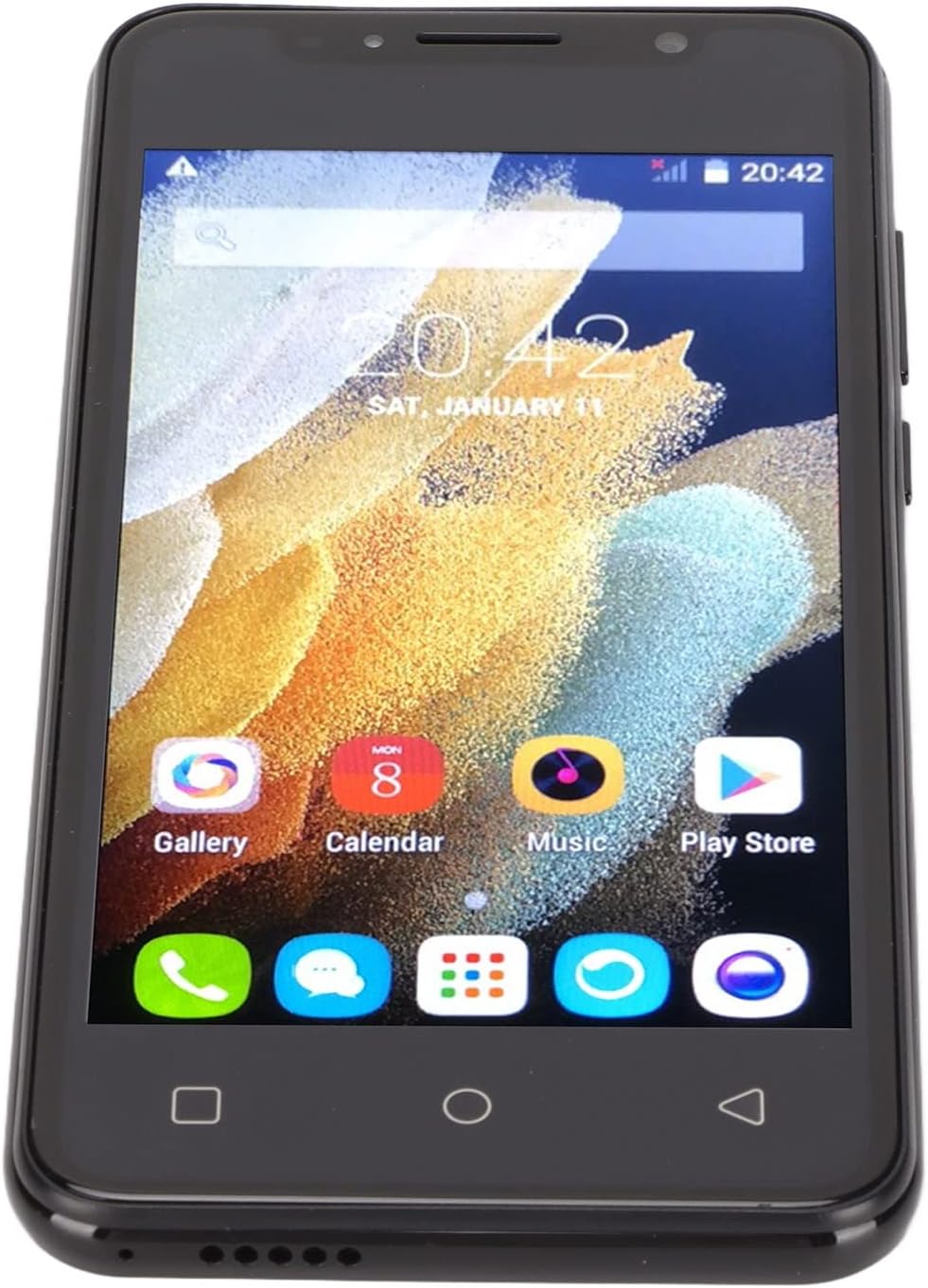
Image: The VBESTLIFE S21 Ultra phone displayed with its accessories, including a charger, USB cable, headphones, SIM ejector tool, protective case, and screen protector.
4. Gerät überview
Familiarize yourself with the physical features and components of your VBESTLIFE S21 Ultra smartphone.

Abbildung: Vorder- und Rückseite views of the VBESTLIFE S21 Ultra phone, highlighting its design and displaying key specifications such as model, resolution, screen size, RAM, and ROM.

Bild: Ein schräger view showcasing both the front display and the rear camera module of the VBESTLIFE S21 Ultra smartphone.
4.1 Anzeige
The phone features a 6.1-inch HD+ display with a resolution of 1440 x 3200 pixels, offering a clear and vibrant visual experience.

Image: A user holding the VBESTLIFE S21 Ultra phone, which displays a scenic image on its 6.1-inch HD+ screen.
5. Einrichtung
5.1 Inserting SIM and Memory Card
The VBESTLIFE S21 Ultra supports dual SIM cards and one small memory card simultaneously. Use the provided SIM ejector tool to open the SIM tray.
- Suchen Sie den SIM-Karten-Einschub an der Seite des Telefons.
- Führen Sie das SIM-Auswurfwerkzeug in die kleine Öffnung neben dem Fach ein und drücken Sie vorsichtig, bis das Fach herausspringt.
- Place your Nano SIM cards into the designated SIM1 and SIM2 slots.
- If using, insert a small memory card into its dedicated slot.
- Schieben Sie die Ablage vorsichtig wieder in das Telefon, bis sie einrastet.

Image: A diagram illustrating the correct placement of two SIM cards (SIM1 and SIM2) and a memory card into the phone's tray.
5.2 Erstes Einschalten
Press and hold the Power button located on the side of the phone until the screen lights up. Follow the on-screen prompts to complete the initial setup, including language selection, Wi-Fi connection, and Google account setup.
5.3 Aufladen des Geräts
Connect the USB cable to the phone's charging port and plug the adapter into a power outlet. The battery indicator on the screen will show the charging status. For optimal battery life, fully charge the phone before first use.
6. Bedienungsanleitung
6.1 Grundlegende Navigation
- Berühren: Tippen Sie auf ein Symbol, um eine App zu öffnen oder ein Element auszuwählen.
- Wischen: Ziehen Sie Ihren Finger über den Bildschirm, um zu scrollen oder zwischen Bildschirmen zu navigieren.
- Prise: Verwenden Sie zwei Finger, um Fotos zu vergrößern oder zu verkleinern. web Seiten.
- Home "Button: Kehrt zum Startbildschirm zurück.
- Zurück-Schaltfläche: Kehrt zum vorherigen Bildschirm zurück.
- Schaltfläche „Letzte Apps“: Zeigt zuletzt verwendete Anwendungen an.
6.2 Anrufe tätigen und Nachrichten senden
Tap the Phone icon to access the dialer. Enter the number and tap the call button. To send a message, tap the Messages icon, select a contact or enter a number, type your message, and send.
6.3 Verbindung zu Netzwerken
- W-lan: Go to Settings > Network & internet > Wi-Fi. Turn Wi-Fi on and select your desired network. Enter the password if required.
- Bluetooth: Gehen Sie zu Einstellungen > Verbundene Geräte > Bluetooth. Aktivieren Sie Bluetooth und koppeln Sie es mit verfügbaren Geräten.
- Mobile Daten: Stellen Sie sicher, dass Ihre SIM-Karte aktiv ist und mobile Daten unter Einstellungen > Netzwerk & Internet > Mobilfunknetz aktiviert sind.
6.4 Verwendung der Kamera
Tap the Camera icon to open the camera application. The phone features a 24-megapixel front camera (f/2.0 aperture) and a 48-megapixel rear camera (f/1.8 aperture) with autofocus.
- Tippen Sie auf den Auslöser, um ein Foto aufzunehmen.
- Wechseln Sie mithilfe des Kamera-Umschaltsymbols zwischen Front- und Rückkamera.
- Explore various shooting modes and settings within the camera app.

Image: Details on the HD Front and Rear Camera specifications, including megapixels and aperture for the VBESTLIFE S21 Ultra.
6.5 Gesichtserkennung
The VBESTLIFE S21 Ultra supports face recognition for quick and secure unlocking.
- Gehen Sie zu Einstellungen > Sicherheit > Gesichtserkennung.
- Folgen Sie den Anweisungen auf dem Bildschirm, um Ihr Gesicht zu registrieren. Stellen Sie sicher, dass Sie sich in einem gut beleuchteten Bereich befinden.
- Nach der Registrierung können Sie Ihr Telefon entsperren, indem Sie einfach in die Frontkamera schauen.

Image: An illustration demonstrating the facial recognition feature, where the front camera recognizes faces for quick unlocking.
7. Wartung
7.1 Reinigung
Use a soft, lint-free cloth to clean the phone's screen and body. Avoid using harsh chemicals or abrasive materials that could damage the device.
7.2 Batteriepflege
- Vermeiden Sie häufiges vollständiges Entladen des Akkus.
- Lassen Sie das Telefon nach dem vollständigen Aufladen nicht über längere Zeiträume am Ladegerät.
- Keep the phone within a moderate temperature range to prevent battery degradation.
7.3 Softwareaktualisierungen
Regularly check for software updates to ensure your phone has the latest features and security patches. Go to Settings > System > System update to check for and install available updates.
8. Fehlerbehebung
| Problem | Lösung |
|---|---|
| Das Telefon lässt sich nicht einschalten | Ensure the battery is charged. Connect to a charger for at least 30 minutes. If it still doesn't turn on, perform a forced restart (hold Power button for 10-15 seconds). |
| Keine Verbindung zum WLAN möglich | Check if Wi-Fi is enabled in settings. Restart your router and the phone. Verify the Wi-Fi password. |
| Schlechte Anrufqualität | Prüfen Sie die Netzwerksignalstärke. Begeben Sie sich an einen Ort mit besserem Empfang. Stellen Sie sicher, dass Mikrofon und Lautsprecher nicht verdeckt werden. |
| Apps stürzen ab oder frieren ein. | Schließen Sie die App und öffnen Sie sie erneut. Leeren Sie den App-Cache (Einstellungen > Apps > [App-Name] > Speicher > Cache leeren). Starten Sie das Telefon neu. |
| Der Akku entlädt sich schnell | Reduce screen brightness. Close unused apps. Turn off Wi-Fi, Bluetooth, and GPS when not in use. Check battery usage in settings to identify power-hungry apps. |
9. Spezifikationen
Detailed technical specifications for the VBESTLIFE S21 Ultra Unlocked Cell Phone:
| Besonderheit | Detail |
|---|---|
| Marke | VBESTLIFE |
| Modell | S21 Ultra |
| Betriebssystem | Android 11.0 |
| RAM-Speicher | 512 MB |
| Speicherkapazität | 4 GB |
| Bildschirmgröße | 6.1 Zoll |
| Bildschirmauflösung | 1440 x 3200 Pixel |
| Anzeigetyp | LCD |
| Mobilfunkanbieter | Freigeschaltet |
| Zellulartechnologie | 4G |
| Konnektivitätstechnologie | USB, WLAN |
| Farbe | Schwarz |
| Anzahl der SIM-Kartensteckplätze | Dual-SIM |
| Steckertyp | 3.5-mm-Buchse |
| Biometrische Sicherheit | Gesichtserkennung |
| Auflösung der Frontkamera | 3 Megapixel |
| Auflösung der Rückkamera | 48 Megapixel |
| Batteriekapazität | 2500 Milliamp Std |
| Akku-Typ | Lithium-Ionen |
| Auflösung der Videoaufnahme | 4k at 24 fps |
| Wasserbeständigkeit | Nicht wasserfest |

Image: A summary of key features for the S21 Ultra Unlocked Smartphone, including screen size, camera, dual SIM, battery, memory, and face recognition.
10. Garantie und Support
For warranty information and technical support, please refer to the documentation provided with your purchase or contact VBESTLIFE customer service. Keep your proof of purchase for warranty claims.