
Einführung
This manual provides essential instructions for the safe and effective operation of your Andoer 4K Digital Camera Video Camcorder. Please read this manual thoroughly before use and retain it for future reference.
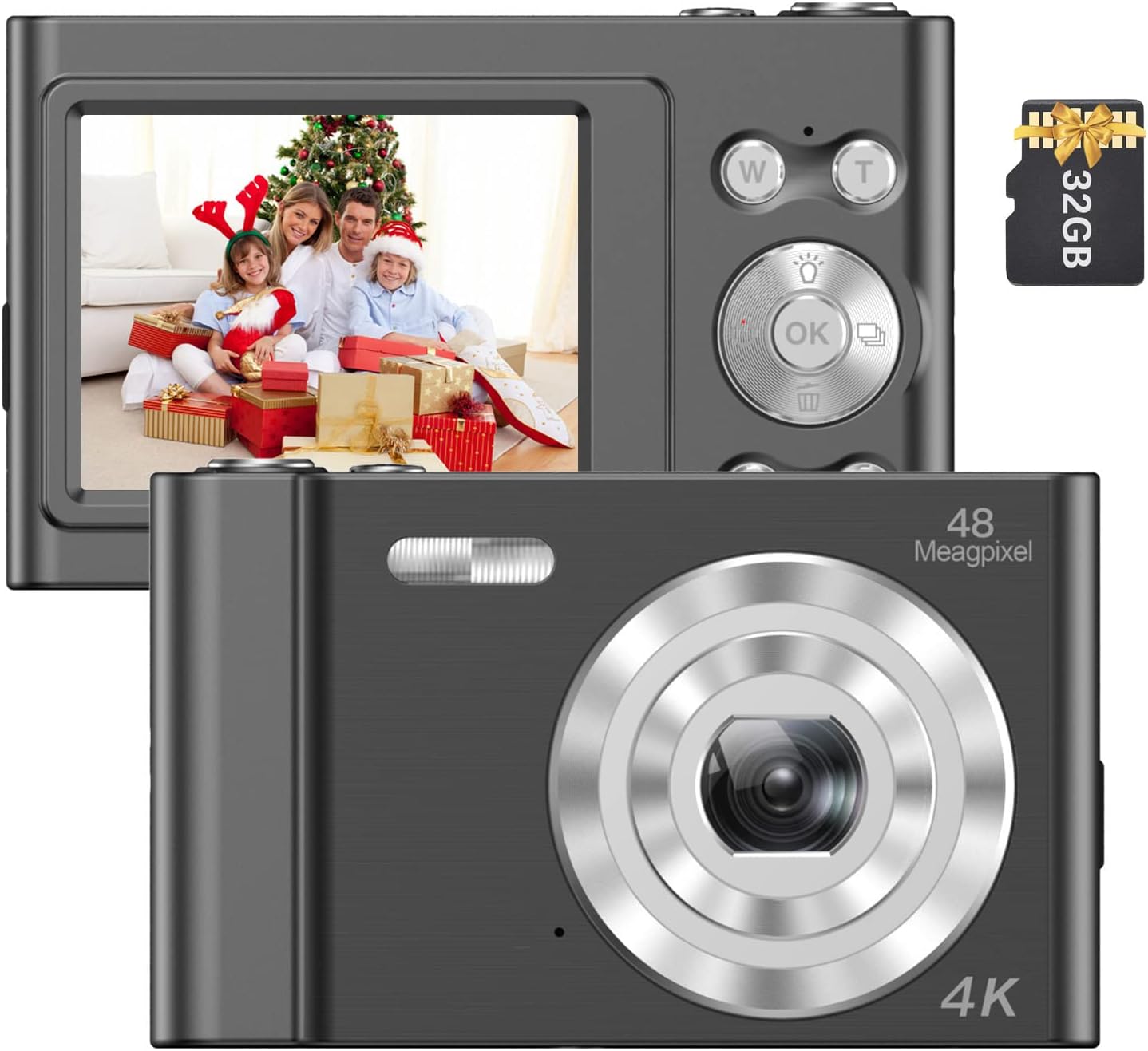
Image: The Andoer 4K Digital Camera, shown with its 2.4-inch IPS screen displaying a family scene and a 32GB memory card.
Packungsinhalt
Bitte überprüfen Sie, ob alle unten aufgeführten Artikel in Ihrem Paket enthalten sind:
- 1 x Andoer Digitalkamera
- 1 x USB-Ladekabel
- 1 x Handschlaufe
- 1 x Tragetasche
- 1 x 32GB Speicherkarte
- 1 x Benutzerhandbuch (Englisch)
Aufstellen
1. Einbau und Aufladen der Batterie
The camera features a built-in lithium battery. Before first use, ensure the battery is fully charged.
- Connect the camera to a USB power source (e.g., computer, wall adapter) using the provided USB charging cable.
- The charging indicator light will illuminate. Once charging is complete, the light will typically change color or turn off.
2. Installation der Speicherkarte
A 32GB memory card is included. The camera supports Class-10 external TF (Micro SD) memory cards up to 128GB.
- Suchen Sie den Speicherkartensteckplatz an der Kamera.
- Insert the memory card into the slot with the gold contacts facing the correct direction (refer to the diagram on the camera body if available) until it clicks into place.
- Zum Herausnehmen die Karte vorsichtig nach innen drücken, bis sie herausspringt.
3. Erstes Einschalten
Halten Sie den Ein-/Ausschalter (normalerweise mit einem Ein-/Ausschaltersymbol gekennzeichnet) einige Sekunden lang gedrückt, bis der Bildschirm aufleuchtet.
Bedienungsanleitung
Grundlegende Bedienelemente
Familiarize yourself with the camera's buttons and their functions:
- Netzschalter: Schaltet die Kamera ein/aus.
- Auslöser: Macht Fotos oder startet/stoppt Videoaufnahmen.
- W/T Buttons: Control the 16X digital zoom (W for Wide, T for Telephoto).
- OK-Taste: Bestätigt die Menüauswahl.
- Modus-Taste (M): Switches between different shooting modes (e.g., Photo, Video, Playback).
- Menü-Schaltfläche: Greift auf die Kameraeinstellungen zu.

Bild: Eine detaillierte view of the camera's front, highlighting the lens and the '48 Megapixel' marking, indicating its high-resolution capability.
Fotomodus
Zum Aufnehmen von Standbildern:
- Turn on the camera and ensure it is in Photo Mode (indicated on the 2.4-inch IPS screen).
- Frame your shot using the screen. Use the W/T buttons to adjust the 16X digital zoom.
- Press the Shutter Button halfway to focus, then fully press to take the picture.
Videomodus
Zum Aufnehmen von Videos:
- Switch to Video Mode using the Mode (M) button.
- Press the Shutter Button to start recording. A recording indicator will appear on the screen.
- Press the Shutter Button again to stop recording.

Image: A hand holding the Andoer camera, displaying a family on a beach on its screen, illustrating its use for capturing memories.
Zoomfunktion
The camera features 16X digital zoom. Use the 'T' button to zoom in and the 'W' button to zoom out. Digital zoom magnifies the image electronically, which may affect image quality at higher magnifications.

Image: A visual comparison showing the effect of 1x zoom versus 16x digital zoom, demonstrating the camera's magnification capability.
Wiedergabemodus
Um zu review Ihre Fotos und Videos:
- Switch to Playback Mode using the Mode (M) button.
- Use the navigation buttons (often integrated with the OK button) to scroll through your media.
- Drücken Sie die OK-Taste bis view ein Foto oder ein Video abspielen.
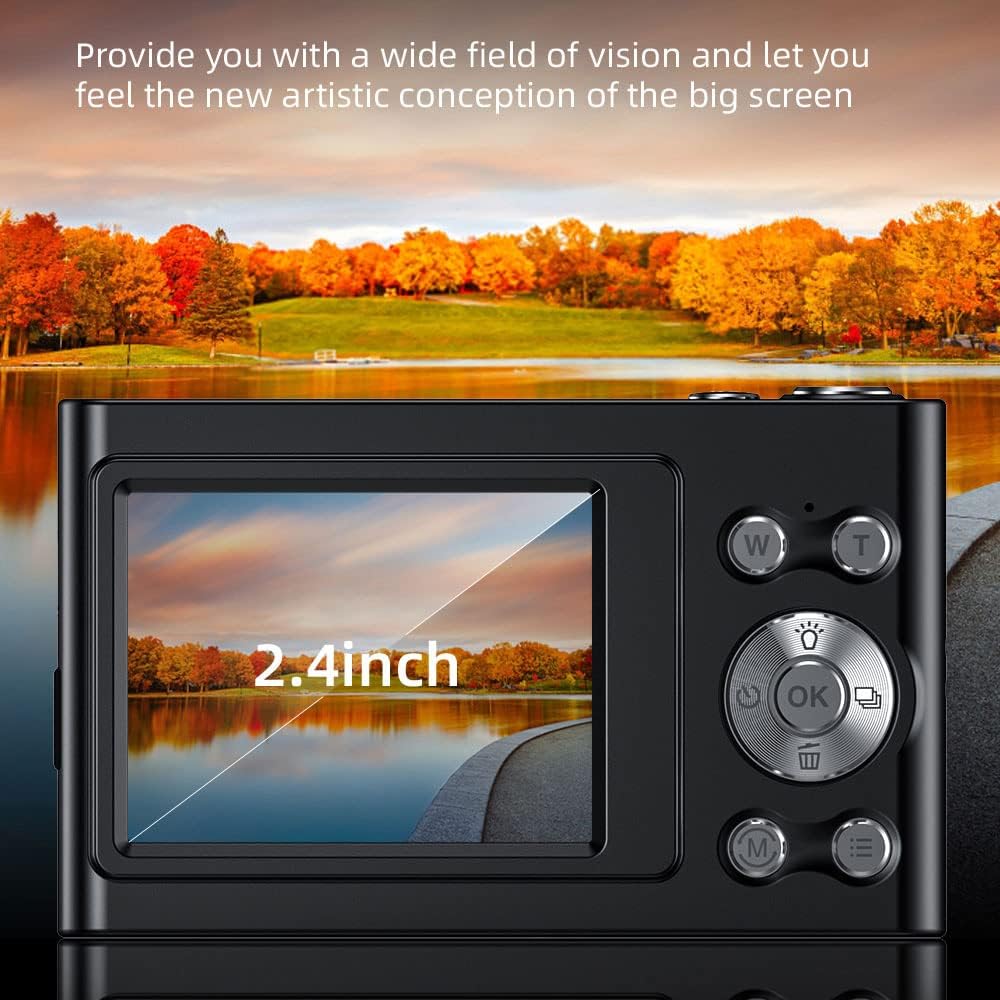
Image: The camera's 2.4-inch IPS screen displaying a vibrant landscape, illustrating the screen size and display quality.
Camera Settings and Features
Access the Menu to adjust various settings:
- Auflösung: Set photo resolution up to 48MP and video resolution up to 4K.
- Aufnahmemodi: Select from Auto, Sport, Night, Portrait, Landscape, Backlight, Party, Beach, High Sensitivity.
- Weißabgleich: Adjust for Auto, Daylight, Cloudy, Fluorescent, Tungsten.
- Selbstauslöser: Options for Off, 2 sec, 5 sec, 10 sec.
- Anti-Shake: Digital image stabilization to reduce blur.
- Face Detect & Smile Capture: Features to assist in portrait photography.
- Eingebautes Blitzlicht: Sorgt für Beleuchtung bei schwachen Lichtverhältnissen.
- Automatisches Ausschalten: Configurable to Off, 1 minute, 3 minutes, 5 minutes, 10 minutes to conserve battery.

Image: A graphic illustrating the camera's image quality enhancement features, including intelligent analysis, color restoration, and fine picture quality.
Wartung
Reinigen der Kamera
- Verwenden Sie ein weiches, fusselfreies Tuch, um das Kameragehäuse zu reinigen.
- Verwenden Sie für Linse und Bildschirm ein spezielles Linsenreinigungstuch und eine entsprechende Reinigungslösung. Vermeiden Sie scheuernde Materialien.
Batteriepflege
- Vermeiden Sie häufiges vollständiges Entladen des Akkus.
- Charge the battery regularly, even if the camera is not in use for extended periods.
Lagerung
- Bewahren Sie die Kamera an einem kühlen, trockenen Ort auf, fern von direkter Sonneneinstrahlung und extremen Temperaturen.
- Use the provided carry bag for protection during transport.
Fehlerbehebung
Sollten Sie Probleme mit Ihrer Kamera haben, beachten Sie bitte die folgenden häufigen Probleme und Lösungen:
| Problem | Mögliche Lösung |
|---|---|
| Die Kamera lässt sich nicht einschalten. | Stellen Sie sicher, dass der Akku geladen ist. Schließen Sie das Gerät an eine Stromquelle an und versuchen Sie es erneut. |
| Speicherkartenfehler. | Reinsert the memory card. Ensure it is a Class-10 TF card and formatted correctly. Try a different compatible memory card. |
| Bilder sind verschwommen. | Ensure the lens is clean. Check lighting conditions. Use the anti-shake function. Hold the camera steady. |
| Flash funktioniert nicht. | Check flash settings in the menu. Ensure the flash is enabled for the current shooting mode. |
| Die Kamera friert ein oder reagiert nicht. | Entfernen Sie die Batterie und setzen Sie sie wieder ein (sofern zugänglich) oder halten Sie den Netzschalter 10 Sekunden lang gedrückt, um das Gerät auszuschalten. |
Technische Daten
Detailed technical specifications for your Andoer 4K Digital Camera Video Camcorder:
- Bildsensor: CMOS-Sensor
- Anzeige: 2.4-Zoll-IPS-Bildschirm
- Bildauflösung: Bis zu 48MP
- Videoauflösung: 4K (3840x2160), 2.7K (2688x1520), 1080P (1920x1080), 720P (1280x720)
- Digitalzoom: 16X
- Bildstabilisierung: Digitales
- Fokustyp: Auto Focus (Contrast Detection)
- Lagerung: Supports Class-10 TF (Micro SD) card up to 128GB (32GB included)
- Konnektivität: USB
- Stromversorgung: Eingebaute Lithiumbatterie
- Artikelgröße: 9.5 * 5.8 * 2.5 cm / 3.7 * 2.3 * 1 Zoll
- Artikelgewicht: 115 g
- Farbe: Schwarz
Sicherheitshinweise
Warnung:
Um Erstickungsgefahr zu vermeiden, bewahren Sie diese Plastiktüte außerhalb der Reichweite von Babys und Kindern auf.

Image: A warning label in multiple languages advising to keep plastic bags away from children to prevent suffocation.
Garantie und Support
For warranty information, please refer to the documentation included with your purchase or contact your retailer. For technical support or further assistance, please reach out to Andoer customer service through their official webWebsite oder die Kontaktinformationen, die auf Ihrer Produktverpackung angegeben sind.