
1. Einleitung
This manual provides essential information for the safe and efficient operation of your Gearlux SP184 18 LED 10 Watt RGBW PAR Stage Light. Please read this manual thoroughly before installation and use, and retain it for future reference.
2. Sicherheitshinweise
- Stellen Sie sicher, dass die Stromversorgungslautstärketage entspricht dem angegebenen Bandtage auf dem Gerät.
- Always disconnect the power before cleaning or servicing the unit.
- Das Gerät darf nicht in Betrieb genommen werden, wenn das Netzkabel beschädigt ist.
- Vermeiden Sie den direkten Augenkontakt mit der Lichtquelle.
- This device is for indoor use only. Protect it from moisture and extreme temperatures.
- Sorgen Sie für ausreichende Belüftung rund um das Gerät, um eine Überhitzung zu vermeiden.
3. Produktüberschreitungview
3.1 Hauptmerkmale
- Quad-Color LEDs: Equipped with 18x10-watt RGBW (Red, Green, Blue, White) LEDs for versatile color mixing and high output.
- Effiziente Kühlung: Features a quiet cooling fan for effective heat dissipation, contributing to a longer product lifespan.
- RDM Functionality: Supports RDM (Remote Device Management) via 8 DMX channels for simplified configuration and control.
- Flexible Montage: Includes an adjustable metal handle/bracket for easy installation on walls, trusses, or for ground placement.
3.2 Komponenten
Familiarize yourself with the main components of the Gearlux SP184 PAR light:

Abbildung 1: Front view of the Gearlux SP184 PAR Stage Light, showing the 18 RGBW LED lenses.

Abbildung 2: Hinteren view of the control panel, featuring DMX In/Out, Power In/Out, digital display, and control buttons.
- LED-Array: 18 individual 10-watt RGBW LEDs on the front panel.
- Bedienfeld: Located on the rear, includes a digital display and four control buttons (MENU, UP, DOWN, ENTER).
- DMX-Verbindungen: XLR 3-pin DMX In and DMX Out ports for linking with DMX controllers and other fixtures.
- Stromanschlüsse: Power In and Power Out ports for daisy-chaining power to multiple units. Includes a fuse holder.
- Montagehalterung: An adjustable metal bracket for secure positioning.
4. Einrichtung und Installation
4.1 Auspacken
Carefully remove the fixture from its packaging. Inspect the unit for any signs of damage during transit. Retain the packaging for future transport or storage.
4.2 Montage
The Gearlux SP184 can be mounted in various positions using its adjustable bracket:
- Bodenmontage: Place the unit on a stable, level surface. Adjust the bracket to direct the light as desired.
- Wandhalterung: Securely attach the bracket to a sturdy wall using appropriate hardware (not included). Ensure the mounting surface can support the weight of the fixture.
- Traversenmontage: Attach the bracket to a lighting truss using a suitable clamp (not included). Always use a safety cable when mounting overhead.
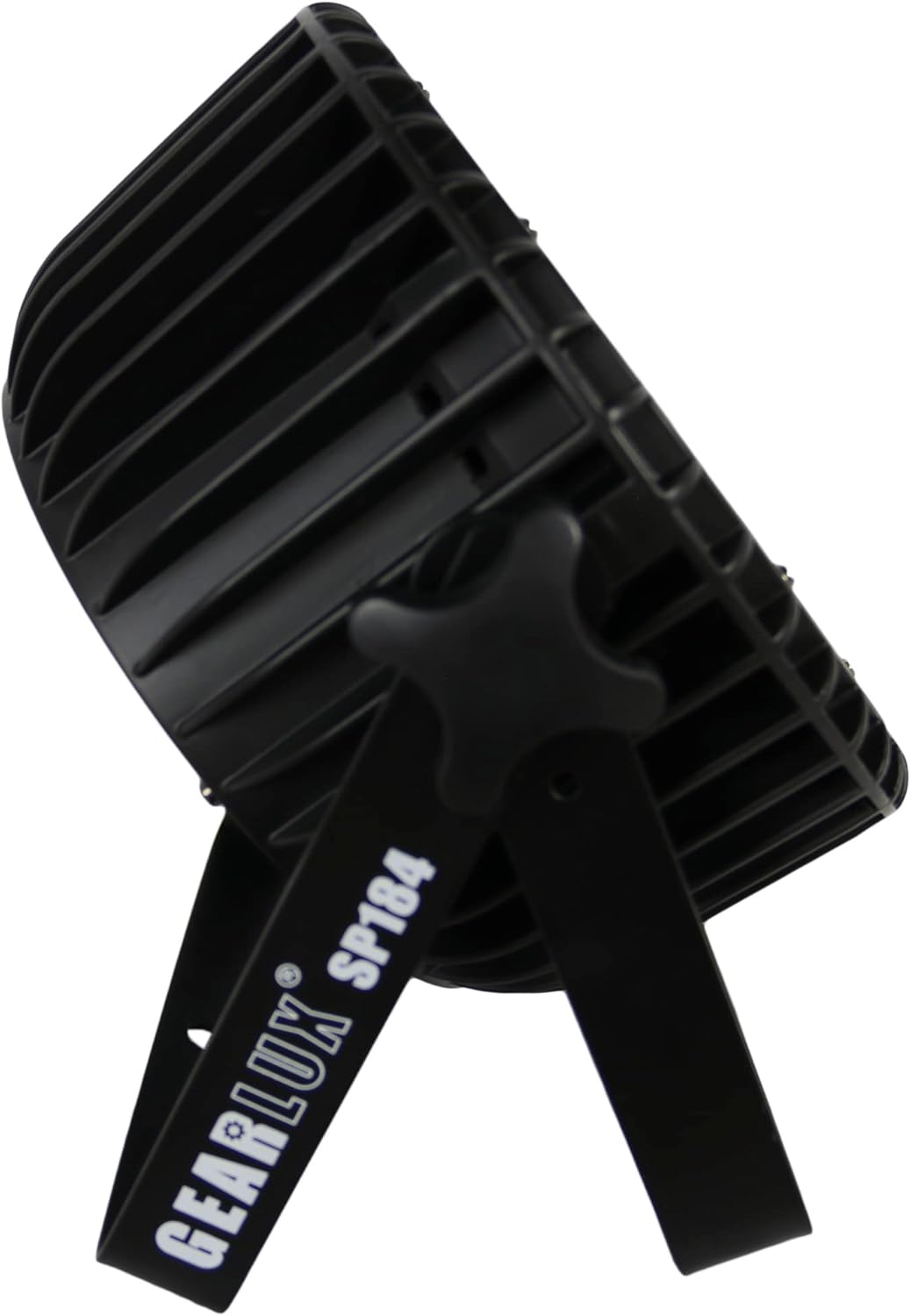
Abbildung 3: Seite view illustrating the adjustable mounting bracket and knob for angle adjustment.
4.3 Stromanschluss
Connect the provided power cable to the "Power In" port on the rear of the unit and then to a suitable power outlet (AC 100-240V, 50/60Hz). Multiple units can be daisy-chained using the "Power Out" port, but ensure the total current draw does not exceed the circuit's capacity.

Abbildung 4: Detail of the Power In port with a connected power cable.
4.4 DMX-Anschluss
For DMX control, connect a DMX cable from your DMX controller's output to the "DMX In" port of the first fixture. For multiple fixtures, connect the "DMX Out" of the first fixture to the "DMX In" of the next, and so on. Use a DMX terminator on the last fixture in the chain for optimal signal integrity.
5. Bedienungsanleitung
5.1 Navigation im Bedienfeld
The digital display and four buttons on the rear panel allow you to navigate menus and select operating modes:
- SPEISEKARTE: Durchläuft die Optionen des Hauptmenüs.
- OBEN UNTEN: Navigiert durch Untermenüoptionen oder passt Parameterwerte an.
- EINGEBEN: Bestätigt eine Auswahl oder speichert eine Einstellung.
5.2-Betriebsmodi
The Gearlux SP184 typically offers several operating modes:
- DMX-Modus: Allows external control via a DMX controller. Set the DMX address for the fixture. The unit uses 8 DMX channels.
- Automatikmodus: Die Leuchte spielt automatisch vorprogrammierte Lichtshows ab.
- Musikaktiver Modus: The light reacts to sound detected by its built-in microphone.
- Master/Slave-Modus: Link multiple units where one acts as the master (controlling) and others as slaves (following).
- Statischer Farbmodus: Select and display a single static color (Red, Green, Blue, White, or mixed colors).

Abbildung 5: The PAR light displaying a white output, demonstrating its RGBW capabilities.

Abbildung 6: The PAR light displaying a pink/magenta output, showcasing color mixing.

Abbildung 7: The PAR light displaying a green output.
5.3 RDM Function
The RDM (Remote Device Management) function allows for two-way communication between the DMX controller and the fixture. This enables remote setting of DMX addresses, mode changes, and monitoring of fixture status directly from an RDM-compatible DMX controller, simplifying setup and troubleshooting.
6. Wartung
6.1 Reinigung
To maintain optimal light output and cooling efficiency, regularly clean the fixture's lenses and cooling vents. Use a soft, lint-free cloth and a mild glass cleaner for the lenses. Ensure the unit is powered off and disconnected before cleaning.
6.2 Sicherungswechsel
If the unit does not power on, check the fuse located near the power input. Disconnect power, unscrew the fuse holder, and replace the fuse with one of the same type and rating (e.g., T2A 250V). Never use a fuse with a higher rating.
6.3 Speicherung
When not in use, store the fixture in its original packaging or a suitable case in a dry, dust-free environment.
7. Fehlerbehebung
| Problem | Mögliche Ursache | Lösung |
|---|---|---|
| Das Gerät lässt sich nicht einschalten. | No power supply; Blown fuse; Damaged power cable. | Check power connection; Replace fuse; Inspect/replace power cable. |
| Keine DMX-Steuerung. | Incorrect DMX address; Faulty DMX cable; No DMX signal; Missing terminator. | Verify DMX address; Check DMX cables; Ensure DMX controller is active; Add DMX terminator. |
| Die Lichtausbeute ist schwach oder ungleichmäßig. | Dirty lenses; Overheating; Incorrect mode/settings. | Clean lenses; Ensure proper ventilation; Check operating mode and dimmer settings. |
| Die Leuchte überhitzt. | Blocked ventilation; Insufficient airflow. | Clear all obstructions from vents; Ensure adequate space around the unit. |
8. Spezifikationen
| Besonderheit | Detail |
|---|---|
| Modell | SP184 |
| Marke | Gearlux |
| Lichtquelle | 18 x 10 Watt RGBW LEDs |
| Stromquelle | Kabelgebundene Elektrik |
| Eingangslautstärketage | Wechselstrom 100 – 240 V, 50/60 Hz |
| Wastage | 10 Watt (pro LED) |
| DMX-Kanäle | 8 Kanäle |
| Abstrahlwinkel | 25 Grad |
| Material | Metall (Aluminium) |
| Ausführung | Aluminium, Metall |
| Montagetyp | Wandmontage, Bodenmontage |
| Technische Daten | 11.61 Zoll L x 6.1 Zoll B x 11.81 Zoll H |
| Artikelgewicht | 7.67 Pfund |
9. Garantie und Support
Informationen zur Garantie und technische Unterstützung finden Sie in der Ihnen beim Kauf ausgehändigten Dokumentation oder wenden Sie sich an Ihren Händler. Bewahren Sie Ihren Kaufbeleg für eventuelle Garantieansprüche auf.