
1. Einleitung
This manual provides essential information for the proper use and maintenance of your OUKITEL WP18 Pro Rugged Smartphone. Please read it carefully to ensure optimal performance and longevity of your device. The OUKITEL WP18 Pro is designed for durability and extended use, featuring a large battery and robust construction.
2. Produktüberschreitungview
Familiarize yourself with the physical components and controls of your OUKITEL WP18 Pro smartphone.

Abbildung 2.1: Front View des Geräts

Abbildung 2.2: Zurück View des Geräts

Abbildung 2.3: Seite View mit Tasten und Anschlüssen
The device features a 5.93-inch HD+ display on the front. The rear houses the camera module and the OUKITEL branding. On the sides, you will find the power button, volume controls, and a customizable button, along with the SIM/SD card slot and charging port.
3. Einrichtung
3.1. Installation der SIM-Karte und der SD-Karte
The OUKITEL WP18 Pro supports dual Nano SIM cards or one Nano SIM card and one TF (microSD) card for expandable storage up to 1TB.
- Suchen Sie das SIM-Kartenfach an der Seite des Geräts.
- Verwenden Sie das mitgelieferte SIM-Auswurfwerkzeug, um das Fach zu öffnen.
- Legen Sie Ihre Nano-SIM-Karte(n) und/oder TF-Karte vorsichtig in die dafür vorgesehenen Steckplätze ein. Achten Sie darauf, dass die goldenen Kontakte nach unten zeigen.
- Schieben Sie die Schale vorsichtig wieder in das Gerät hinein, bis sie bündig mit der Seite abschließt.
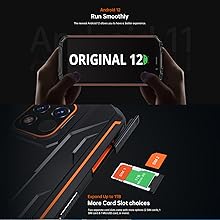
Abbildung 3.1: SIM/SD Card Tray
3.2. Erstes Laden und Einschalten
Es wird empfohlen, Ihr Gerät vor der ersten Verwendung vollständig aufzuladen.
- Verbinden Sie das USB-Typ-C-Kabel mit dem Ladeanschluss an der Unterseite des Telefons.
- Verbinden Sie das andere Ende des Kabels mit einem kompatiblen Netzteil und stecken Sie dieses in eine Steckdose.
- The charging indicator will appear on the screen. Allow the phone to charge until it reaches 100%.
- To power on, press and hold the Power button (usually on the right side) until the OUKITEL logo appears.

Abbildung 3.2: Aufladen des Geräts
4. Bedienungsanleitung
4.1. Grundlegende Telefonfunktionen
- Ein-/Ausschalten: Halten Sie den Ein-/Ausschalter gedrückt. Wählen Sie im Menü „Ausschalten“ oder „Neustart“.
- Lautstärkeregelung: Verwenden Sie die Lautstärketasten „Lauter“ und „Leiser“ an der Seite, um die Lautstärke von Medien, Anrufen und Alarmen anzupassen.
- Bildschirm sperren/entsperren: Drücken Sie kurz die Ein-/Aus-Taste, um den Bildschirm zu sperren oder zu entsperren.
- Entsperren per Fingerabdruck: Register your fingerprint in the Security settings to unlock the device using the side-mounted fingerprint sensor.
4.2. Kamerabedienung
The OUKITEL WP18 Pro is equipped with a 13MP main camera, a 5MP auxiliary camera, and a 5MP front camera. It also features an underwater mode.
- Öffnen Sie die Kamera-App von Ihrem Startbildschirm oder aus der App-Übersicht.
- Select your desired mode (Photo, Video, Portrait, Underwater, etc.).
- Tippe auf den Bildschirm, um einen bestimmten Bereich zu fokussieren.
- Drücken Sie den Auslöser, um ein Foto aufzunehmen oder die Videoaufnahme zu starten/stoppen.

Abbildung 4.1: Camera Module Details

Abbildung 4.2: Kamera Sample Images
4.3. Robuste Eigenschaften
The OUKITEL WP18 Pro is built to withstand harsh environments, meeting IP68, IP69K, and MIL-STD-810G standards for water, dust, and drop resistance.
- Wasserdicht: Can be immersed in up to 1.5 meters of water for 30 minutes. Ensure all port covers are securely closed before exposure to water.
- Staubdicht: Vollständig gegen das Eindringen von Staub geschützt.
- Fallfest: Entwickelt, um Stürze aus bis zu 1.5 Metern Höhe zu überstehen.
- Temperaturbeständigkeit: Operates in temperatures ranging from -10°C to 70°C.

Abbildung 4.3: Wasserdichte Fähigkeit

Abbildung 4.4: Temperaturbeständigkeit
Video 4.1: Demonstrating the Ruggedness of OUKITEL WP18 Pro. This video shows the phone being subjected to water, dust, and drop tests, highlighting its durable design.
Video 4.2: OUKITEL WP18 Pro Rugged Phone Features. This video provides a detailed overview of the phone's robust construction and features designed for extreme conditions.
4.4. Battery and OTG Functionality
The device is powered by a massive 12500mAh battery, offering extended usage times. It also supports OTG (On-The-Go) functionality, allowing it to act as a power bank for other devices.
- Akkulaufzeit: Up to 37 days standby, 70 hours calling, 48 hours music, and 22 hours video playback.
- OTG-Rückwärtsladung: Connect other devices via a compatible OTG cable to charge them using your WP18 Pro's battery.

Abbildung 4.5: 12500-mAh-Akkuleistung
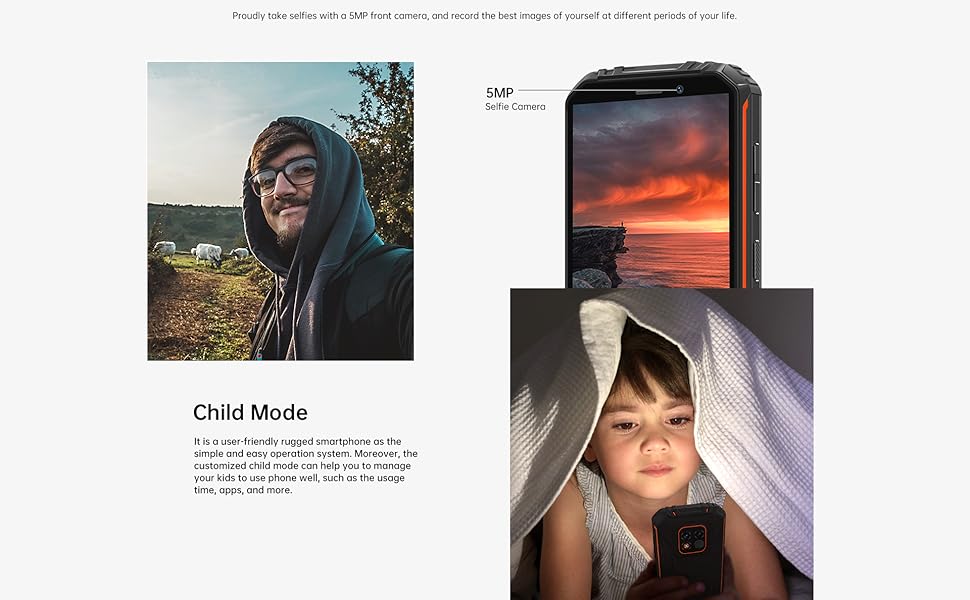
Abbildung 4.6: OTG Rückwärtsladen
4.5. Android 12-System
The OUKITEL WP18 Pro runs on Android 12, offering a clean interface, enhanced privacy features, and a smooth user experience.
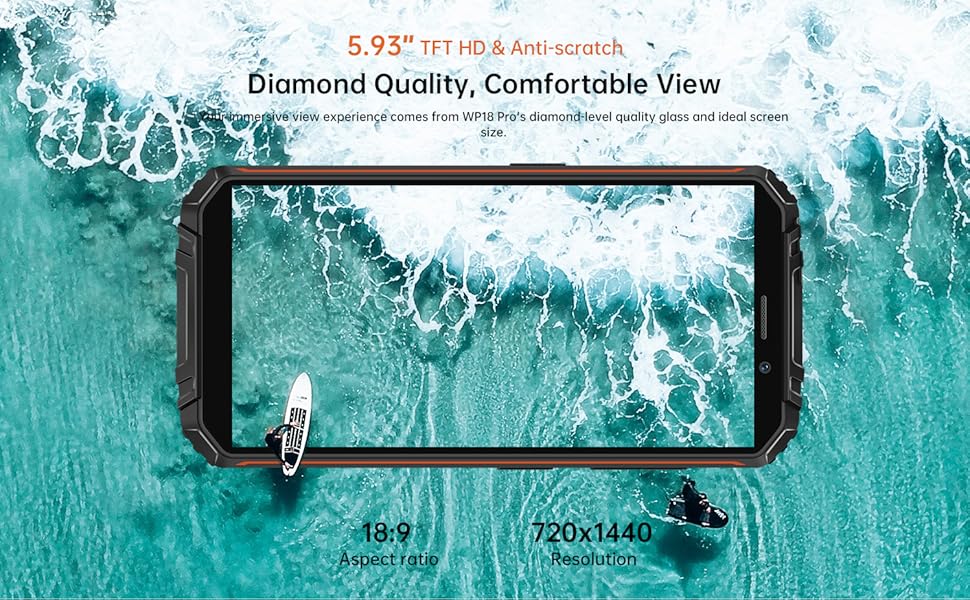
Abbildung 4.7: Android 12-Oberfläche
5. Wartung
Um die Langlebigkeit und optimale Leistung Ihres OUKITEL WP18 Pro zu gewährleisten, befolgen Sie bitte diese Wartungsrichtlinien:
- Reinigung: Verwenden Sie ein weiches,amp Das Gerät mit einem Tuch abwischen. Scharfe Chemikalien oder scheuernde Materialien vermeiden.
- Portpflege: Ensure all port covers (USB, SIM tray) are securely closed, especially before exposing the phone to water or dust. Regularly check ports for debris and clean gently with a soft brush if necessary.
- Bildschirmschutz: While the screen is made of Corning Gorilla Glass, using an additional screen protector can provide extra defense against scratches.
- Software-Updates: Prüfen Sie regelmäßig, ob Systemaktualisierungen verfügbar sind, und installieren Sie diese, um sicherzustellen, dass Ihr Gerät über die neuesten Sicherheitspatches und Leistungsverbesserungen verfügt.
6. Fehlerbehebung
If you encounter issues with your OUKITEL WP18 Pro, try the following solutions:
- Gerät lässt sich nicht einschalten: Stellen Sie sicher, dass der Akku geladen ist. Schließen Sie das Ladegerät an und warten Sie einige Minuten, bevor Sie versuchen, das Gerät erneut einzuschalten.
- Nicht reagierender Bildschirm: Try restarting the device by holding down the Power button for about 10-15 seconds until it reboots.
- Schlechtes Netzsignal: Check if your SIM card is correctly inserted. Move to an area with better network coverage.
- Apps stürzen ab/frieren ein: Löschen Sie den Cache der betroffenen App unter Einstellungen > Apps. Sollte das Problem weiterhin bestehen, installieren Sie die App neu.
- Batterie entlädt sich schnell: Close unused apps running in the background. Reduce screen brightness. Check battery usage in Settings to identify power-hungry apps.
- Wasser-/Staubbelastung: If the device has been exposed to water or dust, ensure all ports are dry before charging. Do not open the device.
If these steps do not resolve the issue, please contact OUKITEL customer support.
7. Spezifikationen
| Besonderheit | Spezifikation |
|---|---|
| Marke | OUKITEL |
| Modell | WP18 Pro |
| Speicherkapazität | 64 GB (erweiterbar auf bis zu 1 TB per microSD) |
| RAM | 4 GB |
| Bildschirmgröße | 5.93 Inches HD+ (720*1440 resolution, 400NIT brightness) |
| Kompatibilität mit Mobilfunkanbietern | T-Mobile, Metro by T-Mobile, Mint Mobile, Republic Wireless (4G Dual SIM) |
| Zellulartechnologie | 4G |
| Konnektivitätstechnologie | Bluetooth, NFC, USB |
| Farbe | Orange |
| Artikelabmessungen (L x B x H) | 6 x 3 x 0.8 Zoll |
| Betriebssystem | Android 12 |
| Batteriekapazität | 12500 mAh |
| Rückfahrkamera | 13MP Main Camera + 5MP Auxiliary Camera |
| Frontkamera | 5 Megapixel |
| Haltbarkeitsstandards | IP68, IP69K, MIL-STD-810G |
8. Garantie und Support
OUKITEL provides comprehensive support for your WP18 Pro device:
- 30-Tage-Rückgaberecht: Profitieren Sie von einem 30-tägigen Rückgaberecht ohne Angabe von Gründen ab Kaufdatum.
- Ein Jahr kostenlose Garantie: Your device is covered by a one-year warranty for manufacturing defects.
- Langfristiger technischer Support: OUKITEL offers ongoing technical assistance for your product.
- 24-Stunden-Online-Kundenservice: Dedicated customer service is available 24/7 to address your inquiries and concerns.
For warranty claims or technical assistance, please visit the official OUKITEL webWebsite oder wenden Sie sich direkt an den Kundendienst.