
Einführung
This manual provides detailed instructions for the proper setup, operation, and maintenance of your Buffbee Sound Machine & Alarm Clock 2-in-1. Please read this manual thoroughly before using the product to ensure optimal performance and safety.
Sicherheitshinweise
Wichtige Sicherheitsvorkehrungen:
- Ensure correct battery use.
- Außerhalb der Reichweite von Kindern aufbewahren.
- Vor Wasser und extremen Temperaturen schützen.
- Follow recommended noise exposure levels to prevent hearing damage.
Aufstellen
Follow these steps to set up your Buffbee Sound Machine & Alarm Clock:
- Unbox the Buffbee Sound Machine & Alarm Clock.
- Connect the power adapter to the device and plug it into a power outlet. The device requires continuous power to operate all functions.
- If desired, install backup batteries (not included) in the battery compartment located at the bottom of the unit. This will preserve time and alarm settings during power outages.
- Adjust the clock face brightness using the dimmer control.
- Set the current time and desired alarm settings.

Image: The Buffbee Sound Machine and Alarm Clock, showcasing its compact design and digital time display.
Bedienungsanleitung
Sound Machine Features
The device offers 18 soothing sounds to aid sleep and relaxation:
- 5 Geräusche mit weißem Rauschen: For consistent background sound.
- 3 Lüftergeräusche: Mimicking natural fan airflow.
- 10 Naturgeräusche: Including ocean, lullaby, waves, rain, thunderstorm, brook, croaking, bird chirping, summer night, and campFeuer.
Lautstärkeregelung: Features a precise 30-level volume control for customized sound intensity.
Schlaf-Timer: Set an auto-off timer for 15, 30, 60, 90, or 120 minutes, or choose continuous play.

Image: Visual representation of the 2-in-1 functionality, emphasizing 18 soothing sounds and alarm clock features.

Bild: Eine explodierte view illustrating the internal 5W upward-firing speaker for rich, detailed sound.
Alarm Clock Features
- Set alarms with 5 different wake-up sounds.
- Choose between 12-hour and 24-hour clock display.
Display-Dimmer
The clock face features a 0-100% display dimmer, allowing you to adjust brightness from completely dark to fully bright, or any level in between, to suit your preference and avoid disturbing sleep.
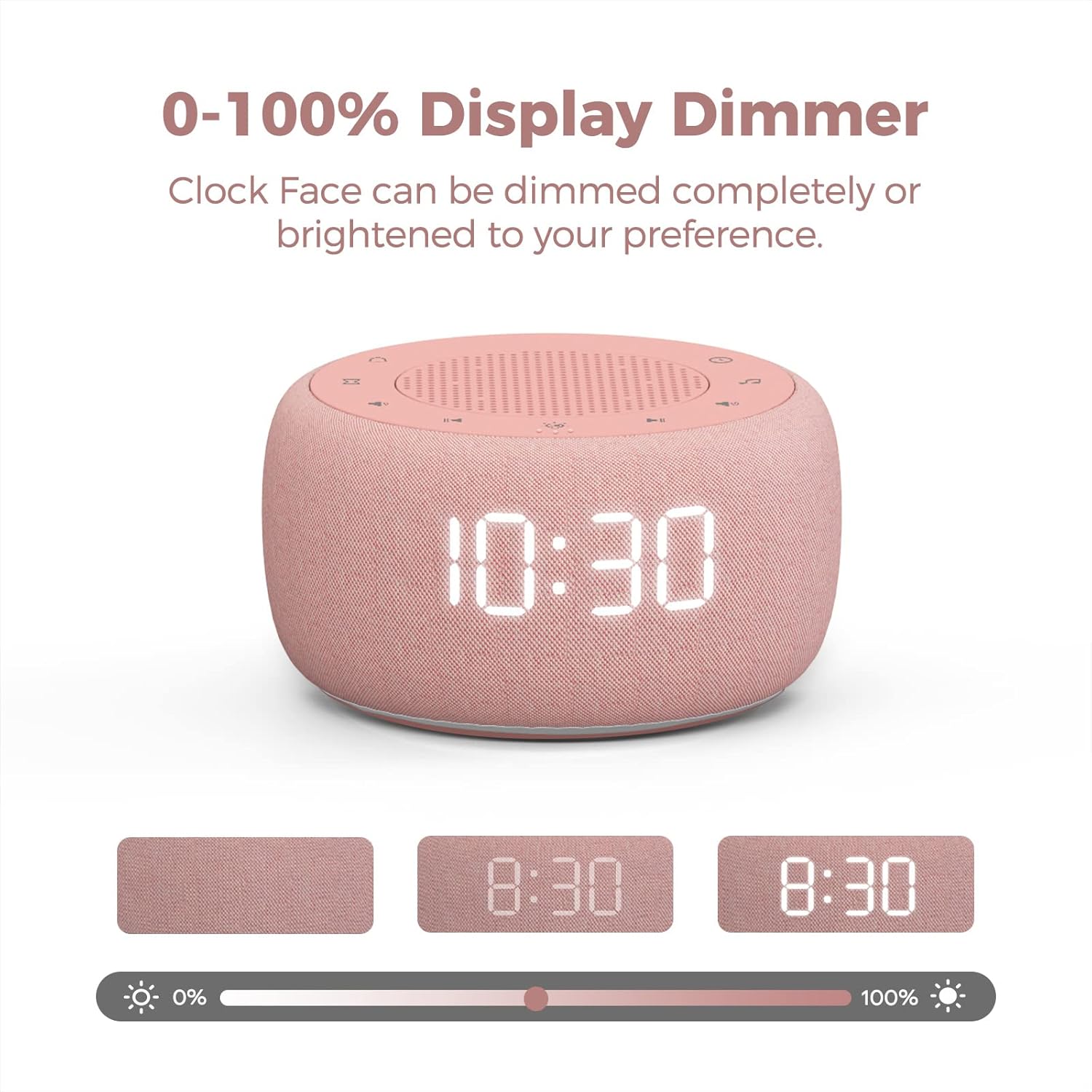
Image: The display dimmer feature, showing how the clock face brightness can be adjusted from 0% to 100%.
Nachtlicht
The device includes a 7-color under light feature, creating a calming glow. This light can be turned on or off as desired.

Image: The sound machine displaying its 7-color under light, providing ambient illumination.
Wartung
To ensure the longevity and proper functioning of your Buffbee Sound Machine & Alarm Clock, follow these maintenance guidelines:
- Reinigung: Wischen Sie die Außenseite des Geräts mit einem weichen, trockenen Tuch ab. Verwenden Sie keine flüssigen Reinigungsmittel oder Scheuermittel.
- Lagerung: Bei längerer Nichtbenutzung sollte das Gerät an einem kühlen, trockenen Ort, vor direkter Sonneneinstrahlung und extremen Temperaturen geschützt aufbewahrt werden.
- Leistung: Always use the provided power adapter. Disconnect from power during electrical storms or when unused for long periods.
Fehlerbehebung
| Problem | Mögliche Ursache | Lösung |
|---|---|---|
| Gerät lässt sich nicht einschalten. | Power adapter not connected or outlet issue. | Stellen Sie sicher, dass der Netzadapter fest mit dem Gerät und einer funktionierenden Steckdose verbunden ist. |
| Kein Ton oder geringe Lautstärke. | Volume set too low or sound not selected. | Increase the volume using the 30-level volume control. Ensure a sound is selected and not paused. |
| Die Uhranzeige ist zu hell/zu dunkel. | Die Einstellung des Display-Dimmers muss angepasst werden. | Use the 0-100% display dimmer control to adjust brightness to your preference. |
| Der Alarm ertönt nicht. | Wecker nicht eingestellt oder Lautstärke zu niedrig. | Verify alarm time and ensure alarm volume is audible. Check if the alarm is enabled. |
Technische Daten
- Modellnummer: BK11P
- Marke: BUFFBEE
- Material: Acrylonitrile Butadiene Styrene (ABS) or Polycarbonate
- Energiequelle: Battery Powered (for memory) / AC Adapter (for operation)
- Paketabmessungen: 5.83 x 4.49 x 3.11 Zoll
- Artikelgewicht: 11.68 Unzen
- Farbe: Rosa
- Lautsprecher: Built-in 5W driver
- Soundoptionen: 18 (5 white noise, 3 fan, 10 nature sounds)
- Lautstärkepegel: 30
- Display-Dimmer: 0-100 %
- Nachtlicht: 7 colors with ON/OFF options
Garantie und Support
For warranty information or technical support, please refer to the product packaging or contact BUFFBEE customer service directly. Keep your purchase receipt for warranty claims.