
1. Einführung und Endeview
This manual provides instructions for the safe and efficient use of your CJP-Geek AC-DC Adapter, model CJP-Geek-PSA-20221025-CA227. This adapter is specifically designed to power and charge the RP-PB054 RAVPower 20100mAh Portable Powerstation.
Key features of this adapter include a wide input voltage range of 100-240V AC, ensuring compatibility with various power outlets worldwide. It is designed for portability and includes multiple safety protections to ensure reliable operation.

Image 1: The CJP-Geek AC-DC Adapter, showing the main power brick, detachable AC input cable, and DC output cable with connector.
2. Packungsinhalt
Überprüfen Sie, ob Ihr Paket die folgenden Artikel enthält:
- 1 x AC / DC Power Supply Charger (CJP-Geek AC-DC Adapter)
3. Einrichtungsanweisungen
- Kompatibilität überprüfen: Ensure that the output specifications of this CJP-Geek AC-DC Adapter match the power input requirements of your RP-PB054 RAVPower 20100mAh Portable Powerstation. Refer to your power station's manual for specific input voltage und aktuelle Anforderungen.
- Mit Gerät verbinden: Insert the DC output plug of the adapter firmly into the charging port of your RP-PB054 RAVPower 20100mAh Portable Powerstation.
- An die Steckdose anschließen: Plug the AC input cable into a standard 100-240V AC wall outlet.
- Laden bestätigen: Observe your power station's charging indicator to confirm that it has begun charging.
4. Bedienungsanleitung
- The adapter is designed for continuous use when charging compatible devices.
- Always operate the adapter in a well-ventilated area to prevent excessive heat buildup.
- Do not cover the adapter with cloths or other materials during operation, as this can impede heat dissipation.
- Disconnect the adapter from the power outlet and your device when it is not in use for extended periods.
5. Wartung
- Reinigung: Keep the adapter clean and free from dust. Use a dry, soft cloth for cleaning. Do not use liquid cleaners or solvents.
- Lagerung: Bewahren Sie den Adapter bei Nichtgebrauch an einem kühlen, trockenen Ort fern von direkter Sonneneinstrahlung und Feuchtigkeit auf.
- Kabelinspektion: Regularly inspect the power cables for any signs of damage, such as fraying, cuts, or exposed wires. If any damage is observed, discontinue use immediately and replace the adapter.
- Umgebungsbedingungen: Avoid exposing the adapter to extreme temperatures, high humidity, or corrosive environments.
6. Sicherheitshinweise
Wichtiger Sicherheitshinweis: Before connecting, always double-check that the adapter's output specifications (voltage and current) are compatible with your device's input requirements. Using an incompatible adapter can damage your device or the adapter itself.
This CJP-Geek AC-DC Adapter is CE certified and incorporates multiple protection features to ensure safe operation:
- Kurzschlussschutz: Verhindert Schäden durch elektrische Kurzschlüsse.
- Überstromschutz: Schutzmaßnahmen gegen übermäßigen Stromfluss.
- Über-Voltage Schutz: Schützt vor Voltage Wellen.
- Überlastschutz: Verhindert Schäden durch zu hohen Stromverbrauch.
- Überladeschutz: Helps prevent overcharging of connected devices.
- Temperaturschutz: Überwacht und reguliert die Innentemperatur.
Allgemeine Sicherheitsvorkehrungen:
- Den Adapter nicht zerlegen oder modifizieren.
- Bewahren Sie den Adapter außerhalb der Reichweite von Kindern auf.
- Nur für den Innenbereich geeignet. Vor Regen und Feuchtigkeit schützen.
- Do not use the adapter if it has been dropped or damaged.
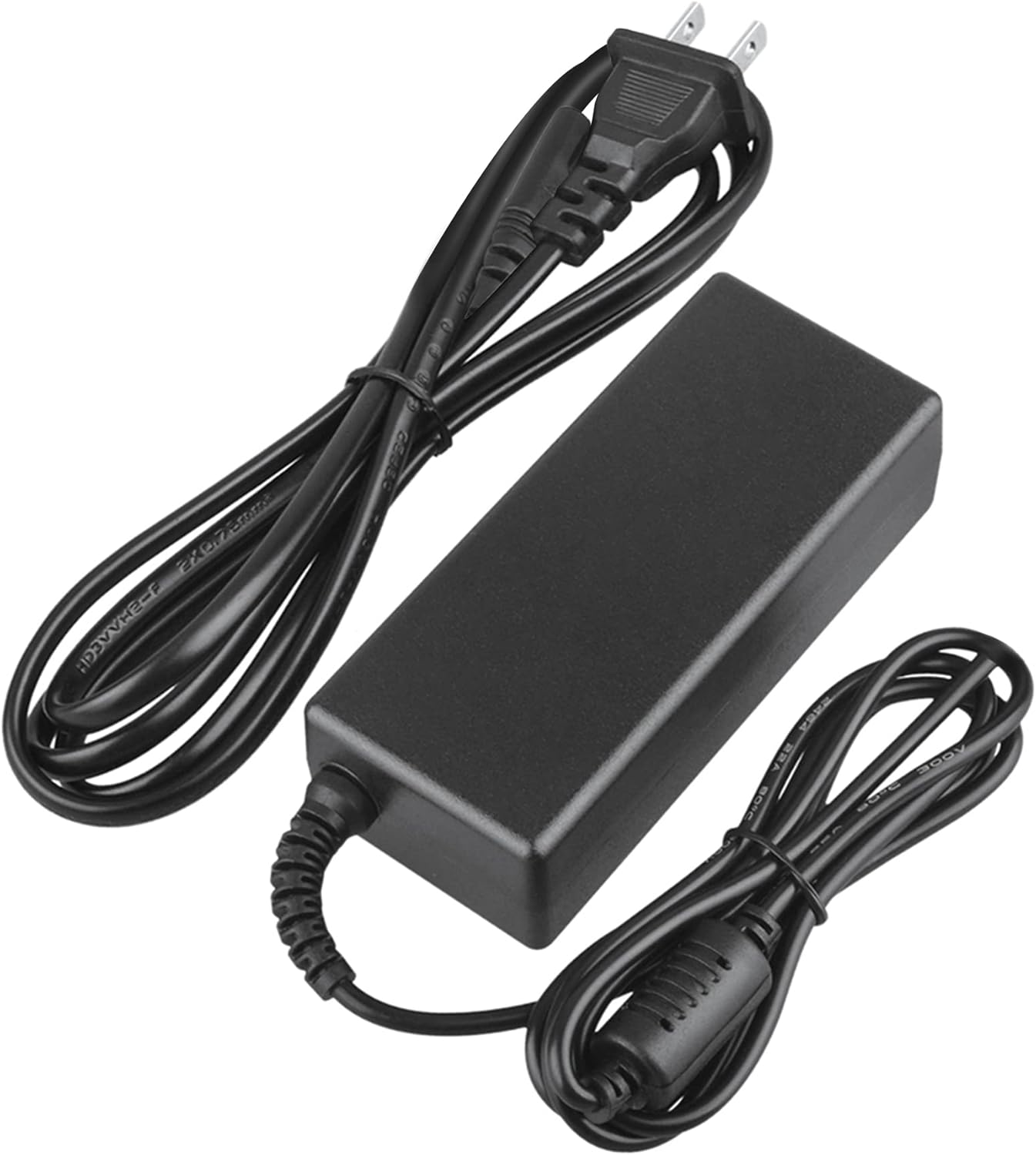
Image 2: Visual representation of the safety features, including overload, over voltage, over charge, over current, short circuit, and temperature protection.
7. Fehlerbehebung
- Gerät wird nicht geladen:
- Stellen Sie sicher, dass der Adapter sowohl an die Wandsteckdose als auch an Ihr Gerät fest angeschlossen ist.
- Prüfen Sie die Funktionsfähigkeit der Wandsteckdose, indem Sie ein anderes Gerät anschließen.
- Verify that the adapter's output specifications are correct for your device.
- Inspect the adapter and cables for any visible damage.
- Überhitzung des Adapters:
- Stellen Sie sicher, dass sich der Adapter in einem gut belüfteten Bereich befindet und nicht abgedeckt ist.
- Disconnect the adapter and allow it to cool down before resuming use.
- Sollte die Überhitzung anhalten, stellen Sie die Nutzung ein und kontaktieren Sie den Kundendienst.
- Keine Betriebsanzeige am Gerät:
- Bestätigen Sie, dass alle Verbindungen sicher sind.
- Testen Sie es mit einer anderen Steckdose.
- If possible, test the device with another compatible power source to rule out a device issue.
8. Spezifikationen
| Attribut | Spezifikation |
|---|---|
| Modellnummer | CJP-Geek-PSA-20221025-CA227 |
| Eingangslautstärketage | 100-240 V Wechselstrom, 50/60 Hz |
| Ausgabe | Refer to device requirements for RP-PB054 RAVPower 20100mAh Portable Powerstation |
| Produktabmessungen (L x B x H) | 5 x 3 x 8 Zoll |
| Artikelgewicht | 9 Unzen |
| AC-Kabellänge | Ungefähr 47 Zoll (1.2 Meter) |
| DC-Kabellänge | Ungefähr 47 Zoll (1.2 Meter) |
| Total Cable Length (approx.) | 7.87 feet (2.4 meters) including adapter body |

Abbildung 3: Detailansicht view of the adapter's dimensions and features, including cable lengths and a 'Copper interface' for stable output.
9. Garantie und Support
Garantieinformationen:
- 30 Tage Geld-zurück-Garantie
- 60 Days Free Exchange with Paid Return Label
- 2 Years Worry-Free Warranty
Kundendienst:
For any product-related issues or inquiries, please contact CJP-Geek customer service. We are committed to assisting you in resolving any problems you may encounter. If the item is found to be defective within the 2-year warranty period, a replacement will be provided without the need to return the defective unit.