
Einführung
This manual provides instructions for the installation, operation, and maintenance of your ANNKE 32-Channel Home Security Camera System. This system includes a 12MP 32-channel Network Video Recorder (NVR) with a pre-installed 6TB Hard Disk Drive (HDD) and 20 wired 5MP Power over Ethernet (PoE) IP cameras. The system is designed for comprehensive surveillance with features such as color night vision, AI motion detection, and facial detection capabilities.
For optimal performance and safety, please read this manual thoroughly before using the product and retain it for future reference.
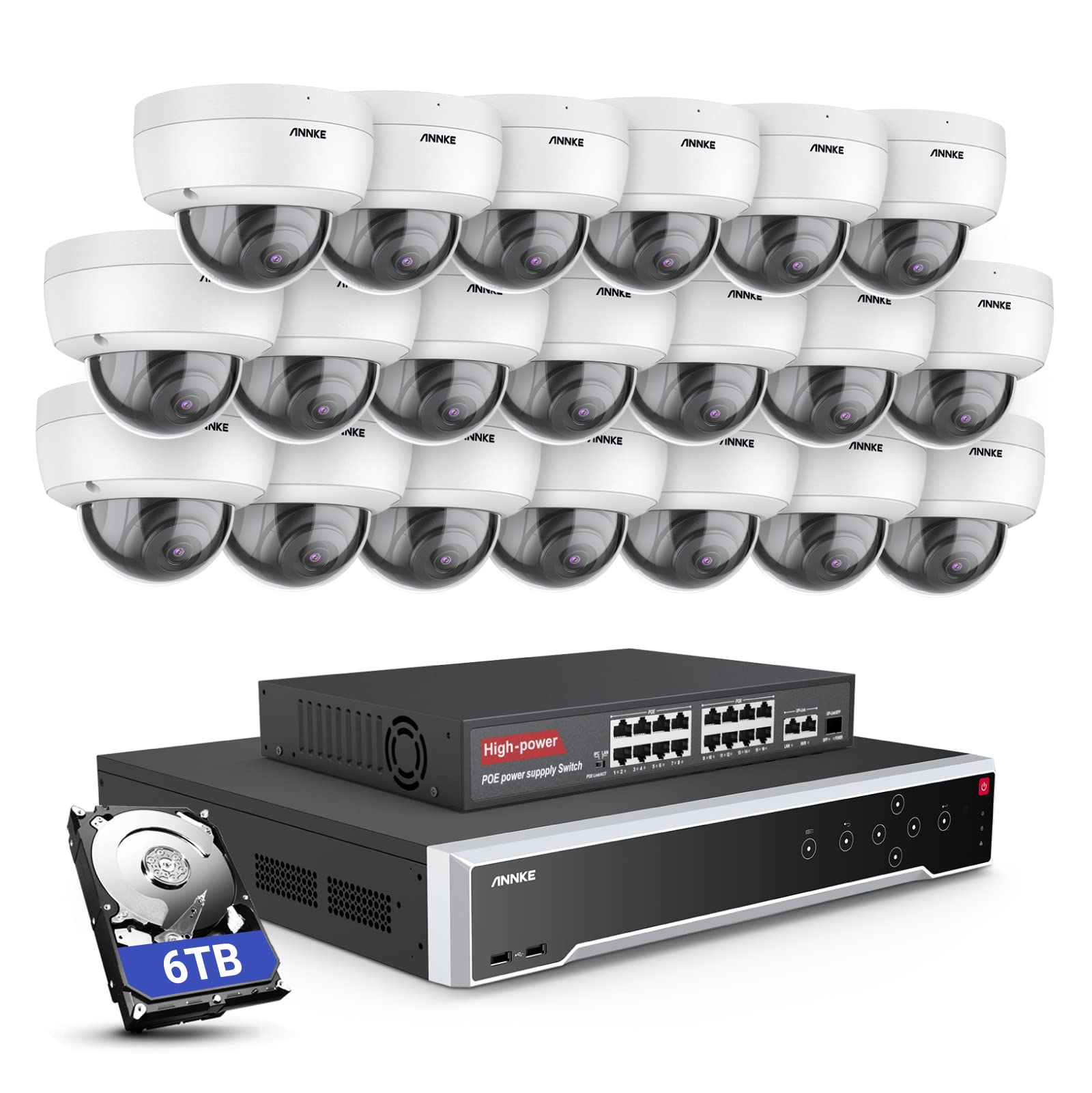
Bild: Überview of the ANNKE 32-Channel Home Security Camera System components, including the NVR and multiple cameras.
Lieferumfang
Bitte überprüfen Sie, ob alle unten aufgeführten Artikel in Ihrem Paket enthalten sind:
- 1x 32CH 12MP PoE NVR with 6TB Hard Drive
- 1x 16-Port PoE Switch
- 20x 5MP IP PoE Cameras
- 10 x 30 m/100 Fuß Netzwerkkabel
- 10 x 18 m/60 Fuß Netzwerkkabel
- 1x Power Adapter & USB Mouse & Quick Instruction Guide
- 1x 1.8 m HDMI-Kabel
- 1x 3.2 Fuß/1 m Ethernet-Kabel
Aufstellen
Follow these steps to set up your ANNKE security camera system.
1. NVR- und Kameraanschluss
- Schließen Sie den NVR mithilfe des mitgelieferten Netzteils an eine Stromquelle an.
- Verbinden Sie den NVR mithilfe des HDMI-Kabels mit einem Monitor.
- Schließen Sie die USB-Maus zur Navigation an den NVR an.
- Connect up to 16 PoE IP cameras directly to the PoE ports on the NVR using the provided Ethernet cables.
- To expand the system beyond 16 cameras (up to 32 channels), connect the additional cameras to the 16-port PoE switch. Then, connect the PoE switch to the NVR's network port using an Ethernet cable.

Image: Diagram illustrating how to connect PoE cameras to the NVR and how to use a PoE switch to expand the system to 32 channels.
2. Netzwerkverbindung
Connect the NVR to your router using an Ethernet cable to enable remote access and network features.
3. Remote Access Setup (ANNKE VISION App)
Download the ANNKE VISION app on your smartphone or tablet for remote viewing und Kontrolle.
- Download the ANNKE VISION app from the Google Play Store or Apple App Store.
- Registrieren Sie ein Konto und melden Sie sich an.
- Fügen Sie Ihr NVR-Gerät hinzu, indem Sie den QR-Code auf dem NVR scannen oder die Details manuell eingeben.
- Nach dem Hinzufügen können Sie view Live-Feeds, Wiedergabe von Aufnahmen und Verwaltung von Einstellungen aus der Ferne.

Image: Screenshot of the ANNKE VISION mobile application showing live camera feeds, demonstrating remote access capabilities.
Bedienungsanleitung
Understand the key operational features of your security system.
1. Videoqualität und Nachtsicht
The 5MP IP cameras provide clear video resolution. The system supports color night vision in low-light conditions and detailed black and white night vision in complete darkness, with a range of up to 100 feet.

Image: A split image demonstrating the clarity of 5MP video during the day and the effectiveness of night vision at night.
2. AI Motion and Face Detection
The PoE IP cameras are equipped with AI features for advanced detection:
- Line Intrusion Detection: Löst eine Warnung aus, wenn ein Objekt eine vordefinierte virtuelle Linie überschreitet.
- Region Detection: Triggers an alert when an object enters or exits a specified area.
- Personen-/Fahrzeugerkennung: Differentiates between human and vehicle movement to reduce false alarms.
- Gesichtserkennung: The NVR supports 1-channel facial recognition for video streams or 4-channel facial recognition for face pictures.

Image: An illustration showing the system detecting a person and a vehicle, with a highlight indicating 1-channel facial detection.
3. Audioaufnahme
Each PoE camera includes a built-in microphone capable of recording audio up to 20 feet away, providing additional surveillance detail.
4. Recording Modes and Playback
The NVR supports continuous 24/7 recording and motion detection recording. Recordings can be easily searched and played back through the NVR interface or the ANNKE VISION app.
5. Mehrbenutzerzugriff
The system supports up to 20 users simultaneously, allowing multiple individuals to view live video feeds and access recordings from various devices such as PCs, laptops, tablets, and smartphones.
6. Alexa-Integration
The system is compatible with Amazon Alexa. You can use voice commands to view live streams from your security cameras on compatible Alexa-enabled devices.
Wartung
Durch sachgemäße Wartung wird die Langlebigkeit und optimale Leistung Ihres Sicherheitssystems gewährleistet.
1. Umweltschutz
The IP cameras are rated IP67 weatherproof, ensuring reliable operation in various outdoor conditions, including heavy snow, rain, and wind. Regularly clean camera lenses to prevent obstruction from dirt or debris.
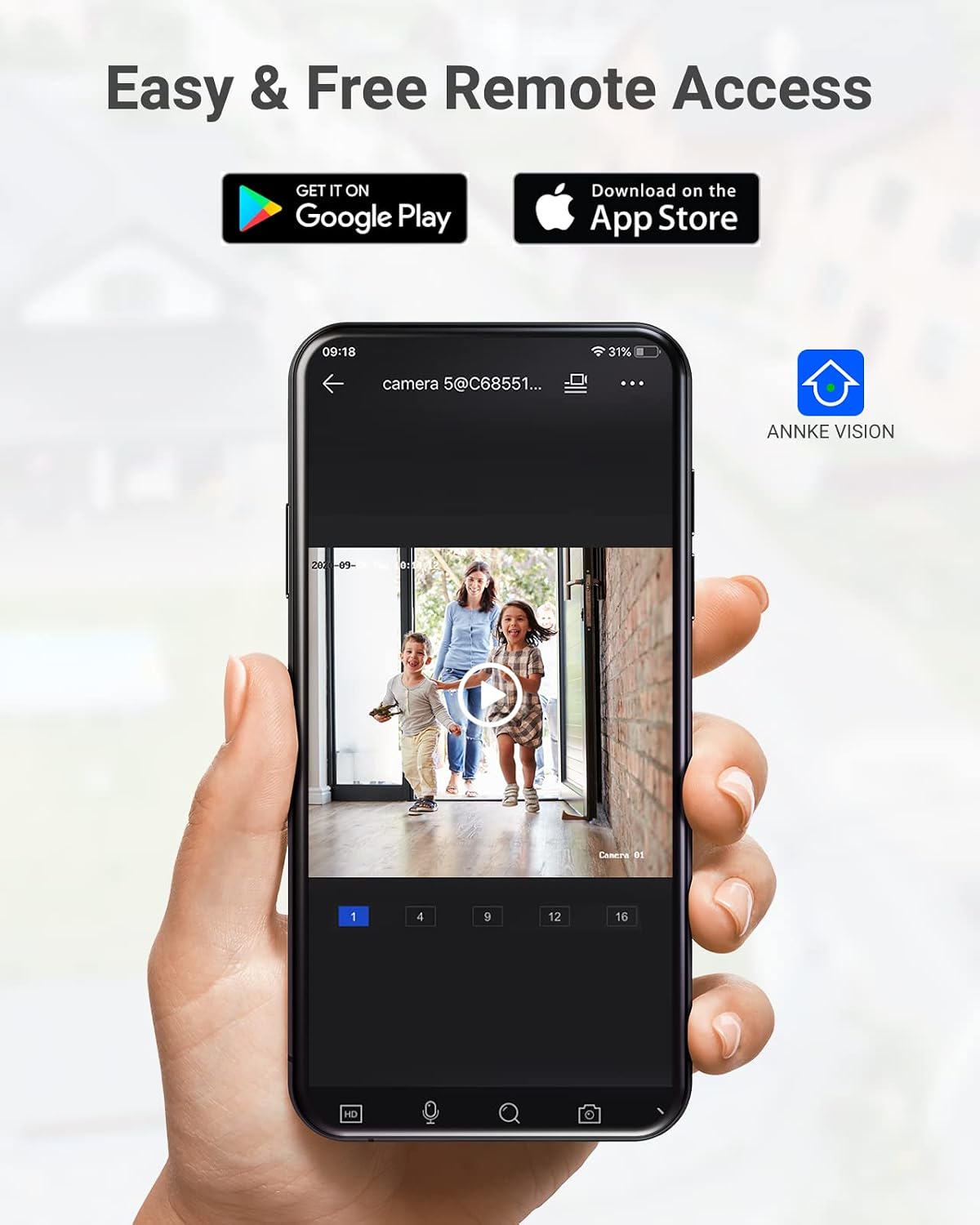
Image: A camera partially submerged in water, illustrating its IP67 weatherproof rating.
2. Speicherverwaltung
The NVR utilizes H.265+ video compression for efficient storage and longer recording times. The system comes with a 6TB HDD and supports up to 4 SATA HDD interfaces, allowing for a total storage capacity of up to 40TB (10TB per HDD). The NVR features automatic overwrite functionality, ensuring continuous recording by overwriting the oldest footage, wenn die Festplatte voll ist.

Image: An NVR unit with its top cover removed, showing four internal bays for hard disk drives, indicating expandable storage up to 40TB.
3. Firmware-Updates
Überprüfen Sie regelmäßig die offiziellen ANNKE-Websites. website or the ANNKE VISION app for firmware updates to ensure your system has the latest features and security enhancements.
Fehlerbehebung
If you encounter issues with your system, refer to the following general troubleshooting tips:
- Kein Videobild: Check all cable connections (power, HDMI, Ethernet). Ensure the monitor is on and set to the correct input.
- Kamera offline: Verify the Ethernet cable connection to the camera and NVR/PoE switch. Ensure the camera is receiving power.
- Probleme mit dem Fernzugriff: Confirm the NVR is connected to the internet. Check your network settings and ensure the ANNKE VISION app is updated.
- Aufnahmeprobleme: Check the HDD status in the NVR settings. Ensure there is sufficient storage space or that automatic overwrite is enabled.
- Falsche Bewegungswarnungen: Adjust the sensitivity settings for motion detection in the NVR or app. Utilize AI human/vehicle detection to filter out irrelevant movements.
For more detailed troubleshooting or persistent issues, please contact ANNKE customer support.
Technische Daten
| Besonderheit | Spezifikation |
|---|---|
| Marke | ANNKE |
| Modellnummer | AU-N931BB6-V2-5KDN-V5+JHJ014-U |
| Konnektivitätstechnologie | Kabelgebunden (PoE) |
| Auflösung der Videoaufnahme | 5 Megapixel (1920p) |
| Anzahl der Kanäle | 32 |
| NVR Hard Drive | 6 TB (vorinstalliert) |
| Max. Festplattenkapazität | 40 TB (4 x 10 TB SATA HDDs) |
| Videokomprimierung | H.265 + |
| Nachtsichtbereich | 100 Fuß |
| Wetterfestigkeitsklasse der Kamera | IP67 |
| Objektivtyp | 2.8MM Wide Angle |
| Besondere Merkmale | App Control, Audio Recording, Automatic Overwrite, Motion Sensor, Privacy Masking, AI Motion Detection, Face Detection |
| Kompatible Geräte | Kameras, Laptops, PCs, Tablets |
| Betriebssystem (App) | Android, iOS |
Garantie und Support
ANNKE products typically come with a limited warranty. Please refer to the warranty card included in your package or visit the official ANNKE webDie genauen Garantiebedingungen finden Sie auf der Website.
For technical support, product inquiries, or warranty claims, please contact ANNKE customer service through their official webWebsite oder die in Ihrer Produktdokumentation angegebenen Kontaktinformationen.
ANNKE Offizielle WebWebsite: www.annke.com