
Einführung
The Abovsare Digital Alarm Clock is designed to provide clear time, date, and temperature information with a large LED display. Its modern design complements various room decors, and its silent operation ensures a peaceful environment. This manual provides detailed instructions for setting up and operating your new digital alarm clock.
Wichtige Sicherheitsinformationen
- Always connect the device to a USB port or use only a 5V/1A or 5V/2A power adapter. Using an adapter with excessive voltage may cause screen damage or malfunction.
- This clock requires continuous power and must be plugged in to operate. It is not battery-operated for primary function. A built-in CR2025 3V button battery serves only as a memory backup for time data during power outages.
- Setzen Sie die Uhr keinen extremen Temperaturen, direkter Sonneneinstrahlung oder hoher Luftfeuchtigkeit aus.
- Versuchen Sie nicht, das Gerät selbst zu zerlegen oder zu reparieren. Wenden Sie sich für Reparaturen an qualifiziertes Servicepersonal.
Packungsinhalt
Bitte prüfen Sie das Paket auf folgende Artikel:
- Abovsare Digital Alarm Clock (Model B0BLCYTFB2)
- USB-Stromkabel
- USB Power Adapter (5V/1A or 5V/2A)
Produkt überview
Machen Sie sich mit den Komponenten und Bedienelementen der Uhr vertraut.
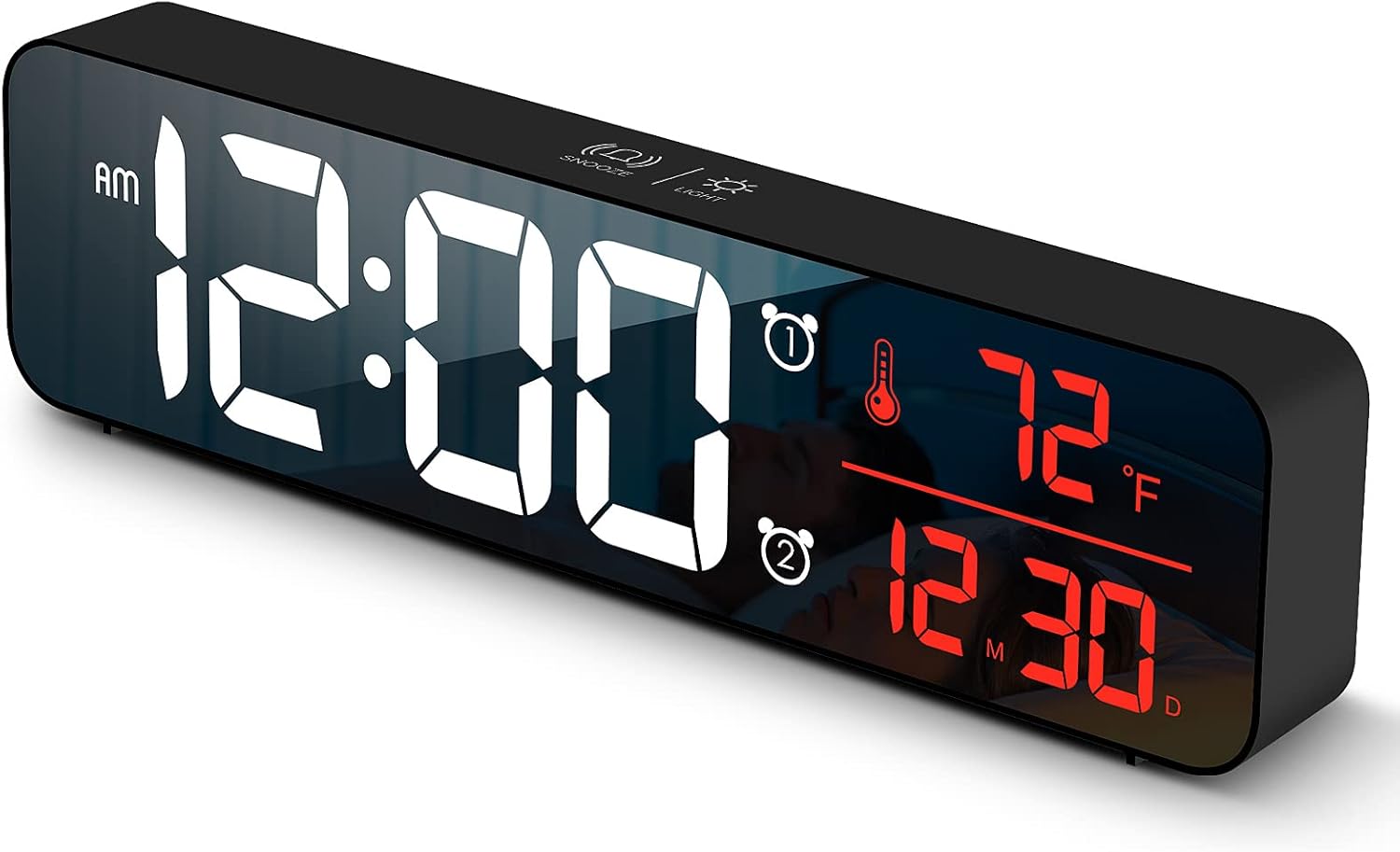
Abbildung 1: Front view of the Abovsare Digital Alarm Clock, displaying time, temperature, and date in red LED digits.
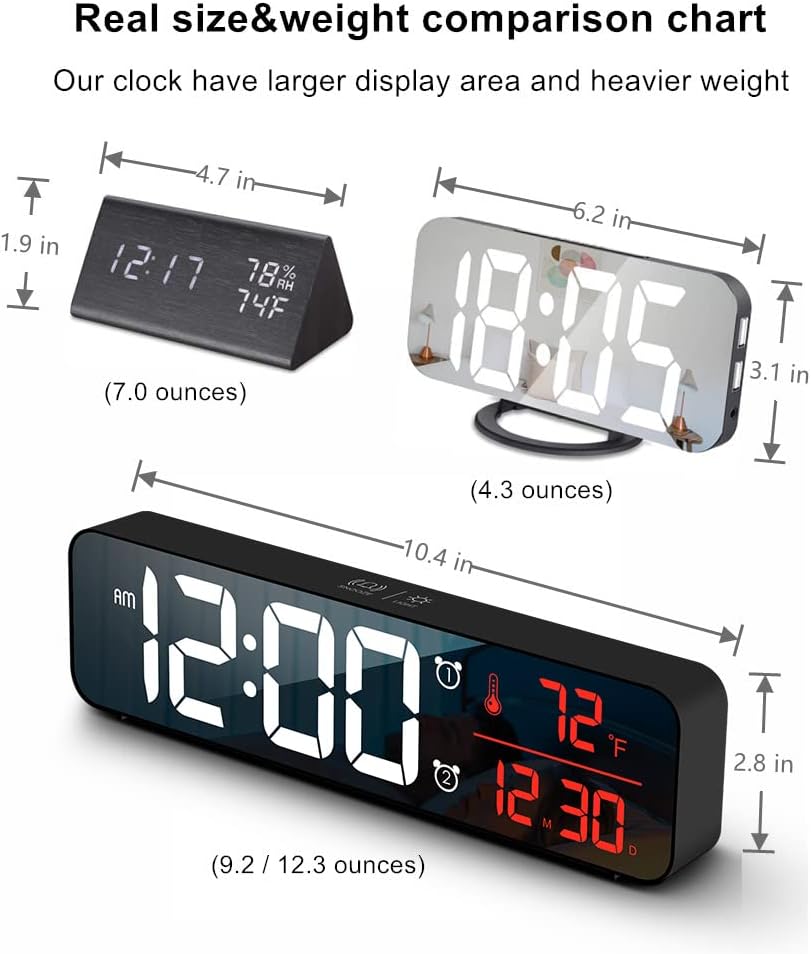
Abbildung 2: Hinteren view of the clock, highlighting the control buttons and USB power input. The buttons are typically for setting time, alarms, and adjusting modes.
Bedienelemente und Funktionen:
- Set-Taste: Used to enter setting modes for time, date, and alarms.
- AUF/AB-Tasten: Used to adjust values during settings and navigate options.
- ALARM 1/2 Tasten: Used to activate/deactivate and set Alarm 1 and Alarm 2.
- Schlummer-/Lichttaste (oben): Taps to adjust brightness, long press for snooze during alarm.
- USB-Stromanschluss: Connects the clock to the power adapter.
Aufstellen
- Stromanschluss: Connect the provided USB power cable to the clock's USB port and then to the USB power adapter. Plug the adapter into a standard wall outlet. The display will light up.
- Erste Zeiteinstellung:
- Drücken Sie die SATZ Durch einmaliges Drücken der Taste gelangen Sie in den Zeiteinstellungsmodus. Die Stundenziffern blinken.
- Verwenden Sie die UP or RUNTER Tasten zum Einstellen der Stunde.
- Drücken SATZ Um erneut zur Minuteneinstellung zu wechseln. Minuten einstellen mit UP or RUNTER.
- Drücken Sie weiter SATZ um die Einstellungen für Jahr, Monat und Tag durchzulaufen und jede einzelne anzupassen mit UP or RUNTER.
- Drücken SATZ Ein letztes Mal, um den Einstellungsmodus zu verlassen.
- Temperatureinheit: The clock displays temperature in either Celsius or Fahrenheit. Refer to the operating instructions for how to switch between these units.
Bedienungsanleitung
Time, Date, and Temperature Display
The clock continuously displays the current time, date (month/day), and indoor temperature. The large LED digits ensure readability from a distance.
Helligkeitsanpassung

Abbildung 3: The clock on a nightstand, demonstrating its display in a bedroom setting, with text indicating 5 levels of brightness adjustment.
The clock features 5 levels of brightness. You can adjust it manually or use the automatic dimmer function.
- Manuelle Einstellung: Tippen Sie auf das SNOOZE / LICHT button on the top of the clock to cycle through the 5 brightness levels.
- Automatischer Dimmer: The clock automatically adjusts brightness based on the time of day.
- 7:00 AM - 5:59 PM: Highlight brightness
- 6:00 PM - 10:59 PM: Medium brightness
- 11:00 PM - 5:59 AM: Darkest brightness
- 6:00 AM - 6:59 AM: Medium highlight
Notiz: If you manually adjust brightness, the clock will remember your setting for that specific time period on subsequent days. However, when a new period begins, the brightness will revert to the system's preset automatic rule.
Alarme einstellen (Alarm 1 & Alarm 2)
The clock supports two independent alarms. This is useful for different wake-up times or for heavy sleepers.
- Drücken Sie die ALARM 1 or ALARM 2 button to select which alarm to set. The alarm icon and hour digits will flash.
- Verwenden Sie die UP or RUNTER Tasten, um die Weckstunde einzustellen.
- Drücken Sie die ausgewählte Taste ALARM button again to move to minute setting. Adjust minutes with UP or RUNTER.
- Drücken Sie die ALARM button one last time to confirm and exit alarm setting. The alarm icon will remain lit, indicating the alarm is active.
- To deactivate an alarm, press its corresponding ALARM Drücken Sie die Taste so lange, bis das Alarmsymbol vom Display verschwindet.
Ringtone Selection and Volume
The clock offers 40 selectable ringtones and 4 volume levels.
- During alarm setting, after setting the minutes, press the ALARM button again to enter ringtone selection. Use UP or RUNTER vorview Klingeltöne.
- Drücken Sie die ALARM button again to enter volume adjustment. Use UP or RUNTER to select one of the 4 volume levels.
- Drücken Sie die ALARM button to confirm your selection and exit.
Schlummerfunktion
Wenn ein Alarm ertönt, tippen Sie auf die SNOOZE / LICHT button on the top of the clock to activate the snooze function. The alarm will temporarily pause and sound again after a set interval (typically 5-9 minutes). To turn off the alarm completely, press any other button on the back of the clock.
Memory Funktion

Abbildung 4: Illustration of the memory function, showing the clock retaining time settings even after a power interruption, thanks to the internal CR2025 3V button battery.
The clock includes a built-in memory function. In the event of a power disconnection, the time and alarm settings will not be lost, eliminating the need to reset them once power is restored. This function is supported by an internal CR2025 3V button battery.
Wartung
- Reinigen Sie das Display der Uhr und casinmit einem weichen, trockenen Tuch abwischen.
- Verwenden Sie keine Scheuermittel, Lösungsmittel oder chemische Sprays, da diese die Oberfläche beschädigen können.
- Ensure the clock remains dry and away from water sources.
Fehlerbehebung
| Problem | Mögliche Ursache/Lösung |
|---|---|
| Das Display ist aus oder flackert. |
|
| Cannot set time/alarm correctly. |
|
| Der Alarm ist zu laut oder zu leise. |
|
| Clock time drifts (gains/loses minutes). |
|
| Display brightness changes unexpectedly. |
|
Technische Daten
| Besonderheit | Detail |
|---|---|
| Marke | Abovsare |
| Modell | B0BLCYTFB2 |
| Anzeigetyp | Digitale LED |
| Farbe | Wired-black Case+red Digit |
| Technische Daten | 10.4 Zoll B x 2.8 Zoll H |
| Stromquelle | Corded Electric (USB-5V) |
| Besondere Merkmale | Large Display, Automatic Brightness Dimmer, Memory Function, Dual Alarms, Date, Temperature |
| Montagetyp | Tisch- oder Wandmontage |
| Material | Acrylnitril-Butadien-Styrol (Kunststoff) |
| Artikelgewicht | 1 Pfund (ungefähr 16 Unzen) |
Garantie und Support
Abovsare is committed to providing high-quality products. For specific warranty details and customer support, please refer to the information provided at the time of purchase or visit the official Abovsare brand store.
Abovsare Brand Store: https://www.amazon.com/stores/Abovsare/page/D02B5557-764F-4435-8DFB-4333D462DA1C