
1. Einleitung
This manual provides detailed instructions for the setup, operation, and maintenance of your TMY V88 Projector. Please read this manual thoroughly before using the product to ensure proper function and to prevent damage.
The TMY V88 is a native 1080P Full HD projector supporting 4K video sources, featuring 5G WiFi and Bluetooth 5.1 connectivity. It is designed for both indoor and outdoor use, offering a large screen viewErfahrung.
2. Packungsinhalt
Überprüfen Sie, ob alle Artikel im Paket vorhanden sind:
- TMY V88 Projector
- Netzkabel
- Fernbedienung
- Bedienungsanleitung
- HDMI-Kabel
- Cleaning Kit (Q-tips, cleaning solution)
- 80-inch Projection Screen with mounting hooks
- AV-Kabel (3.5 mm auf Cinch)
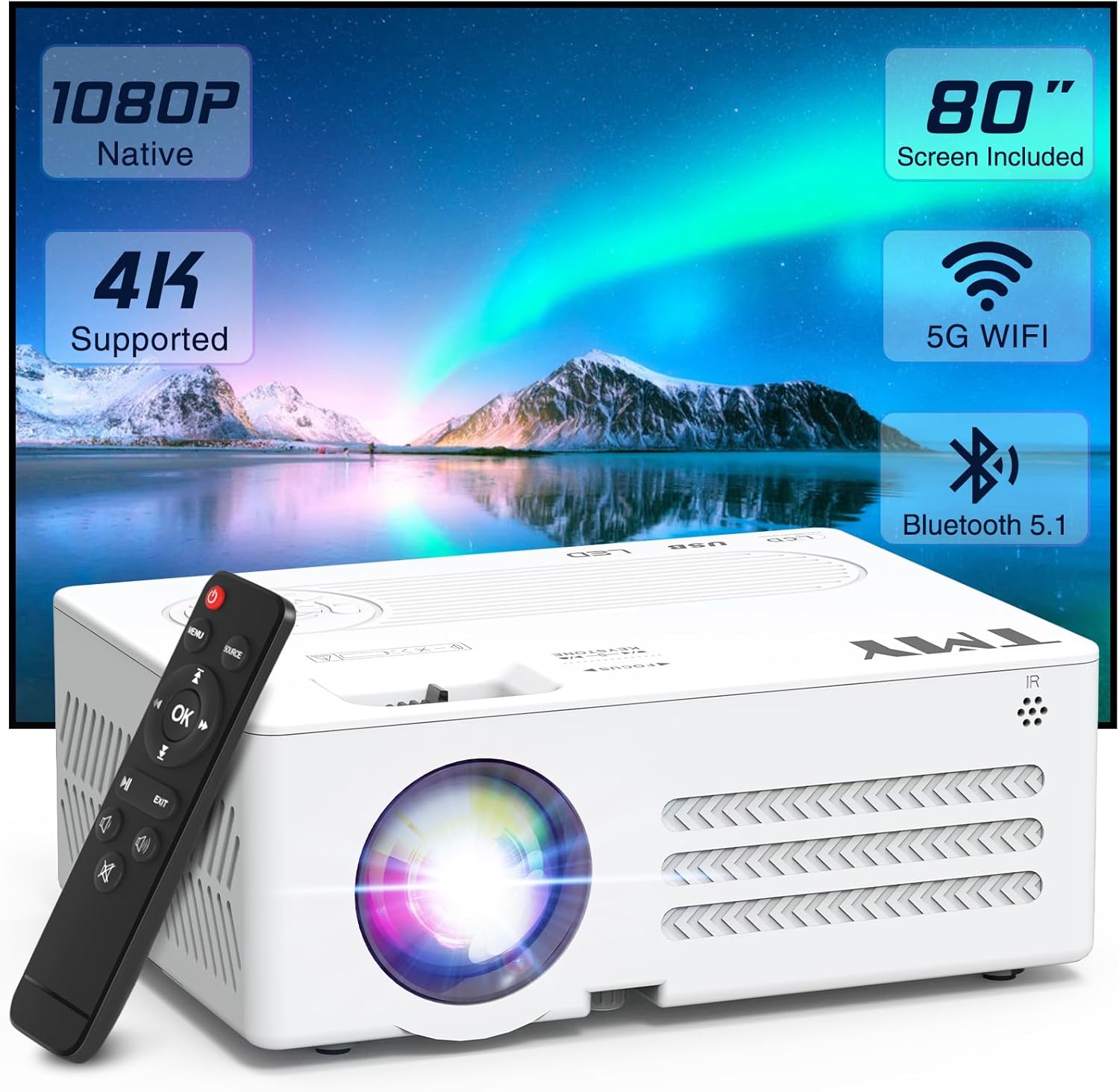
Image: TMY V88 Projector with remote, cables, and screen. This image displays the main projector unit, remote control, power cable, HDMI cable, AV cable, and the folded projection screen, illustrating the complete package contents.
3. Produktüberschreitungview
3.1. Projektorfunktionen
- Native 1080P Full HD resolution, 4K supported.
- 5G WiFi for stable and fast wireless mirroring.
- Bluetooth 5.1 for external audio device connection.
- Eingebauter Lautsprecher.
- Kompaktes und tragbares Design.
- Adjustable projection size from 30 to 300 inches.
- ±15° Keystone correction.
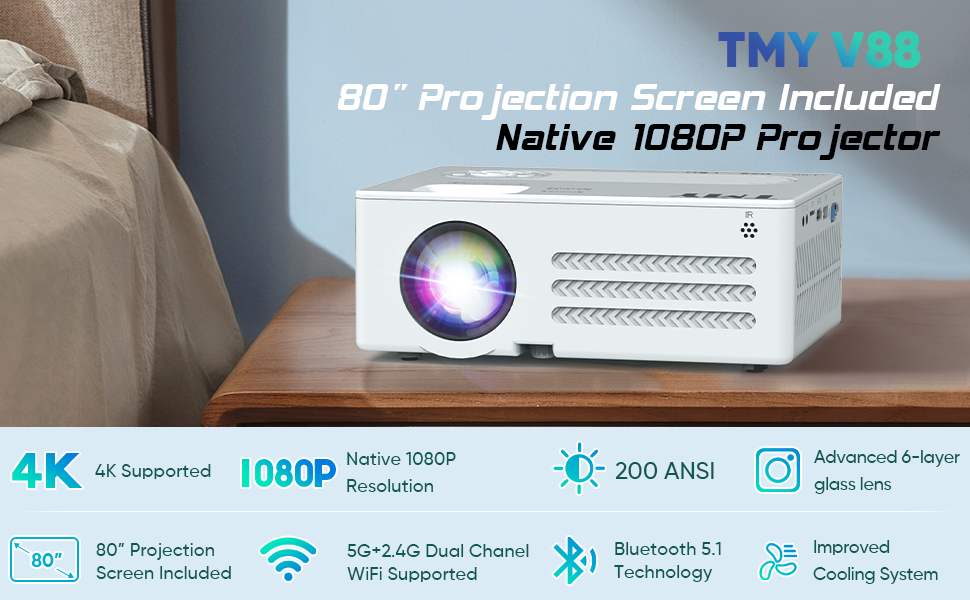
Image: Infographic highlighting key features such as 4K support, Native 1080P, 200 ANSI Lumen, 80" screen, 5G+2.4G WiFi, Bluetooth 5.1, and 250" large display. This image visually summarizes the core capabilities of the TMY V88 projector.
3.2. Anschlüsse und Bedienelemente
The projector features multiple ports for versatile connectivity and intuitive controls for ease of use.
- Audio Ausgang: 3.5mm jack for headphones or external speakers.
- TF-Karten-Slot: Zum direkten Abspielen von Medien von einer Micro-SD-Karte.
- HDMI-Anschluss: Connects to computers, gaming consoles, TV sticks, etc.
- USB-Anschlüsse: For USB drives to play media or connect other USB devices.
- VGA-Anschluss: For connecting to older computer monitors.
- AV-Anschluss: For connecting older video devices using the included AV cable.
- Fokusrad: Manuelle Anpassung zur Verbesserung der Bildschärfe.
- Trapezkorrektur: Adjusts image shape to correct trapezoidal distortion.
- Tasten auf der Oberseite: Power, navigation, and source selection.

Abbildung: Seite view of the TMY V88 Projector showing the audio, TF card, HDMI, USB, and VGA ports. This image provides a clear view of the projector's connectivity options.
4. Einrichtung
4.1. Stromanschluss
- Schließen Sie das Netzkabel an den Stromeingang des Projektors an.
- Stecken Sie das andere Ende des Netzkabels in eine Steckdose.
- Drücken Sie den Netzschalter am Projektor oder an der Fernbedienung, um ihn einzuschalten.
4.2. Positionierung des Projektors
Stellen Sie den Projektor auf eine stabile, ebene Fläche. Für optimale Ergebnisse viewing, ensure the projector is centered with the projection screen or wall.
- Projektionsabstand: The recommended projection distance is between 0.9m (35 inches) and 3.3m (120 inches) for optimal image quality.
- Bildschirmgröße: Der Projektor unterstützt Bildgrößen von 30 bis 300 Zoll.
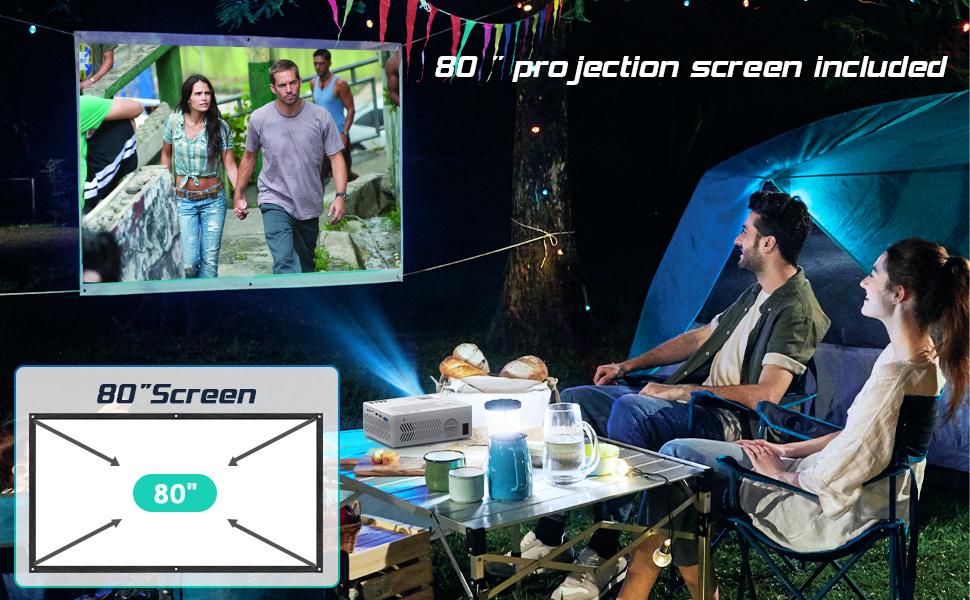
Image: Diagram illustrating recommended projection distances for various screen sizes, from 35 inches at 0.9 meters to 120 inches at 3.3 meters. This helps users determine optimal placement for their desired screen size.
4.3. Fokus und Trapezkorrektur einstellen
- Fokus: Rotate the focus wheel on top of the projector until the image is clear and sharp.
- Trapezkorrektur: Use the keystone correction slider to adjust the image shape if it appears trapezoidal.
Video: A user demonstrating the automatic and manual focus adjustment of the projector. The video shows the projector automatically adjusting focus when moved, and then manually adjusting the focus wheel for fine-tuning, highlighting the ease of achieving a clear image.
5. Bedienung des Projektors
5.1. Eingangsquelle auswählen
After powering on, the projector will display the main menu. Use the remote control or top panel buttons to navigate and select your desired input source:
- HDMI: For devices connected via HDMI cable (e.g., laptop, TV stick, gaming console).
- USB/TF: Für Medien files stored on USB drives or TF cards.
- EIN V: For devices connected via AV cable (e.g., DVD player).
- Bildschirmspiegelung: For wireless connection with iOS or Android devices.
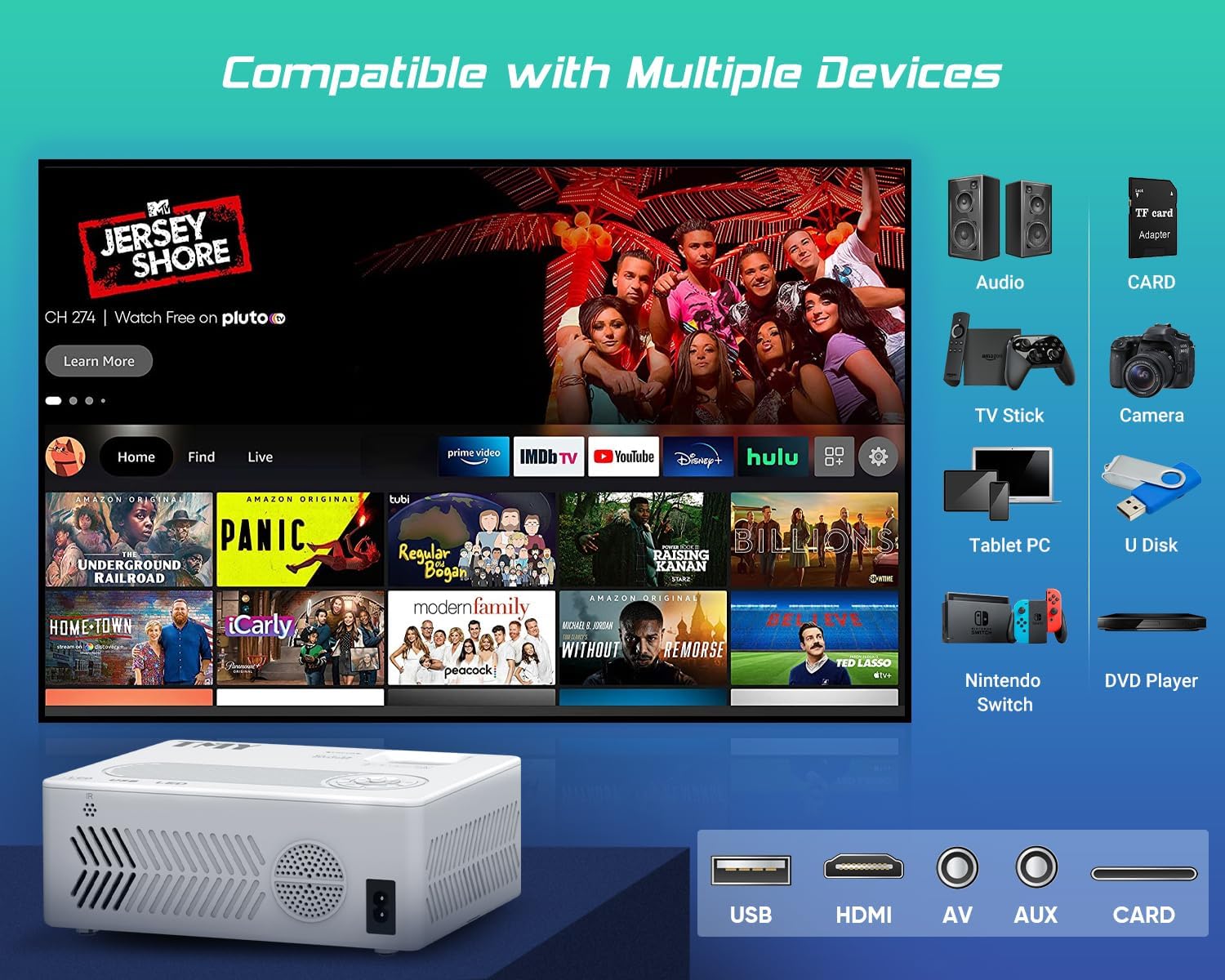
Image: An illustration of the projector connected to various devices such as audio systems, TV sticks, cameras, tablet PCs, Nintendo Switch, and DVD players, demonstrating its broad compatibility. The image also highlights the USB, HDMI, AV, and AUX ports.
5.2. Drahtlose Konnektivität (WLAN & Bluetooth)
The TMY V88 Projector supports both 5G WiFi for screen mirroring and Bluetooth 5.1 for audio output.
5.2.1. Bildschirmspiegelung (WLAN)
- Select "Screen Mirroring" from the main menu.
- Choose "iOS Cast" for Apple devices or "Android Screen" for Android devices.
- Ensure your mobile device is connected to the same WiFi network as the projector.
- Aktivieren Sie auf Ihrem Mobilgerät die Bildschirmspiegelung/Bildschirmübertragung und wählen Sie den Projektor aus der Liste der verfügbaren Geräte aus.

Image: A smartphone wirelessly mirroring its screen to the TMY V88 Projector, displaying content on a large wall, illustrating the 5G WiFi connectivity feature. The image shows the projector in a living room setting.
5.2.2. Bluetooth-Audioverbindung
- From the main menu, navigate to "Settings" and then "Bluetooth".
- Turn on Bluetooth and select "Search" to find available devices.
- Wählen Sie aus der Liste den gewünschten Bluetooth-Lautsprecher oder Kopfhörer zum Koppeln aus.

Image: The TMY V88 Projector on a table, surrounded by Bluetooth headphones and a speaker, indicating its Bluetooth audio connectivity. This image highlights the projector's ability to connect to external audio devices wirelessly.
6. Wartung
6.1. Reinigung der Linse
Um eine optimale Bildqualität zu gewährleisten, reinigen Sie die Projektorlinse regelmäßig.
- Use a soft, lint-free cloth or the included cleaning kit.
- Gently wipe the lens surface. Avoid harsh chemicals or abrasive materials.
6.2. Allgemeine Reinigung
Wipe the projector's exterior with a soft, dry cloth. Ensure ventilation vents are clear of dust and debris to prevent overheating.
7. Fehlerbehebung
| Problem | Mögliche Ursache | Lösung |
|---|---|---|
| Kein Bild angezeigt | Falsche Eingangsquelle ausgewählt, lose Kabelverbindung, Gerät nicht eingeschaltet. | Überprüfen Sie die Eingangsquelle, kontrollieren Sie alle Kabelverbindungen und stellen Sie sicher, dass das angeschlossene Gerät eingeschaltet ist. |
| Verschwommenes Bild | Out of focus, incorrect keystone adjustment. | Adjust the focus wheel until the image is clear. Use keystone correction to square the image. |
| Kein Ton | Volume too low, external speaker not connected/paired, incorrect audio output selected. | Increase volume. Check Bluetooth connection for external speakers. Ensure correct audio output is selected in settings. |
| Probleme mit der Bildschirmspiegelung | Different WiFi networks, device compatibility, network interference. | Ensure both devices are on the same 5G WiFi network. Restart both devices. Check for network congestion. |
8. Spezifikationen
- Marke: TMY
- Modell: V88
- Bildschirmauflösung: Native Auflösung 1920 x 1080 (Full HD), 4K-Unterstützung
- Konnektivität: 5G WiFi, Bluetooth 5.1, HDMI, USB, AV, TF Card, VGA
- Projektionsgröße: 30" - 300"
- Seitenverhältnis: 4:3 / 16:9
- Trapezkorrektur: ±15° Manuell
- Lautsprecher: Eingebaut
- Artikelgewicht: 1.98 Pfund
- Produktabmessungen: 9.13 x 7.17 x 3.74 Zoll
9. Garantie und Support
TMY offers comprehensive customer support for its products.
- Garantie: 3 Jahre Garantie.
- Service nach dem Verkauf: Lebenslanger Kundendienst und technischer Support.
- Widerrufsfolgen: 30 Days No Reason to Return.
- Unterstützung: Quick reply within 24 hours.

Image: Graphic detailing TMY's customer support offerings, including lifetime after-sale service, 24-hour quick replies, 30-day no-reason returns, and a 3-year warranty. This image reassures users about product support.