
1. Einleitung
Welcome to the user manual for your new Cecotec Cremmaet Macchia Super Automatic Coffee Machine. This manual provides essential information for the safe and efficient operation, maintenance, and troubleshooting of your appliance. Please read all instructions carefully before using the machine for the first time and keep this manual for future reference.
2. Sicherheitshinweise
Um einen sicheren Betrieb zu gewährleisten, beachten Sie bitte stets die folgenden Sicherheitsrichtlinien:
- Elektrische Sicherheit: Stellen Sie sicher, dass die LautstärketagDie auf dem Gerät angegebene Spannung entspricht der örtlichen Netzspannung.tage before connecting. Do not immerse the appliance, power cord, or plug in water or any other liquid. Do not operate the machine with a damaged cord or plug.
- Heat and Hot Surfaces: The coffee machine generates hot water and steam. Avoid contact with hot surfaces and steam to prevent burns. Always use handles and knobs.
- Kinder und schutzbedürftige Personen: Dieses Gerät kann von Kindern ab 8 Jahren und von Personen mit eingeschränkten physischen, sensorischen oder geistigen Fähigkeiten oder mangelnder Erfahrung und Kenntnissen verwendet werden, wenn sie beaufsichtigt werden oder Anweisungen zur sicheren Verwendung des Geräts erhalten haben und die damit verbundenen Gefahren verstehen. Kinder dürfen nicht mit dem Gerät spielen. Reinigung und Benutzerwartung dürfen nicht von Kindern ohne Aufsicht durchgeführt werden.
- Platzierung: Place the machine on a stable, level, heat-resistant surface, away from water sources and direct sunlight. Ensure adequate ventilation around the appliance.
- Reinigung: Always unplug the machine before cleaning. Do not use abrasive cleaning agents or scourers.
3. Produktüberschreitungview
Familiarize yourself with the main components of your Cecotec Cremmaet Macchia coffee machine.

Abbildung 3.1: Front view of the Cecotec Cremmaet Macchia coffee machine, showcasing its compact design and elegant white and rose gold finish.

Abbildung 3.2: Close-up of the intuitive touch control panel located on the top of the machine, featuring various function icons.
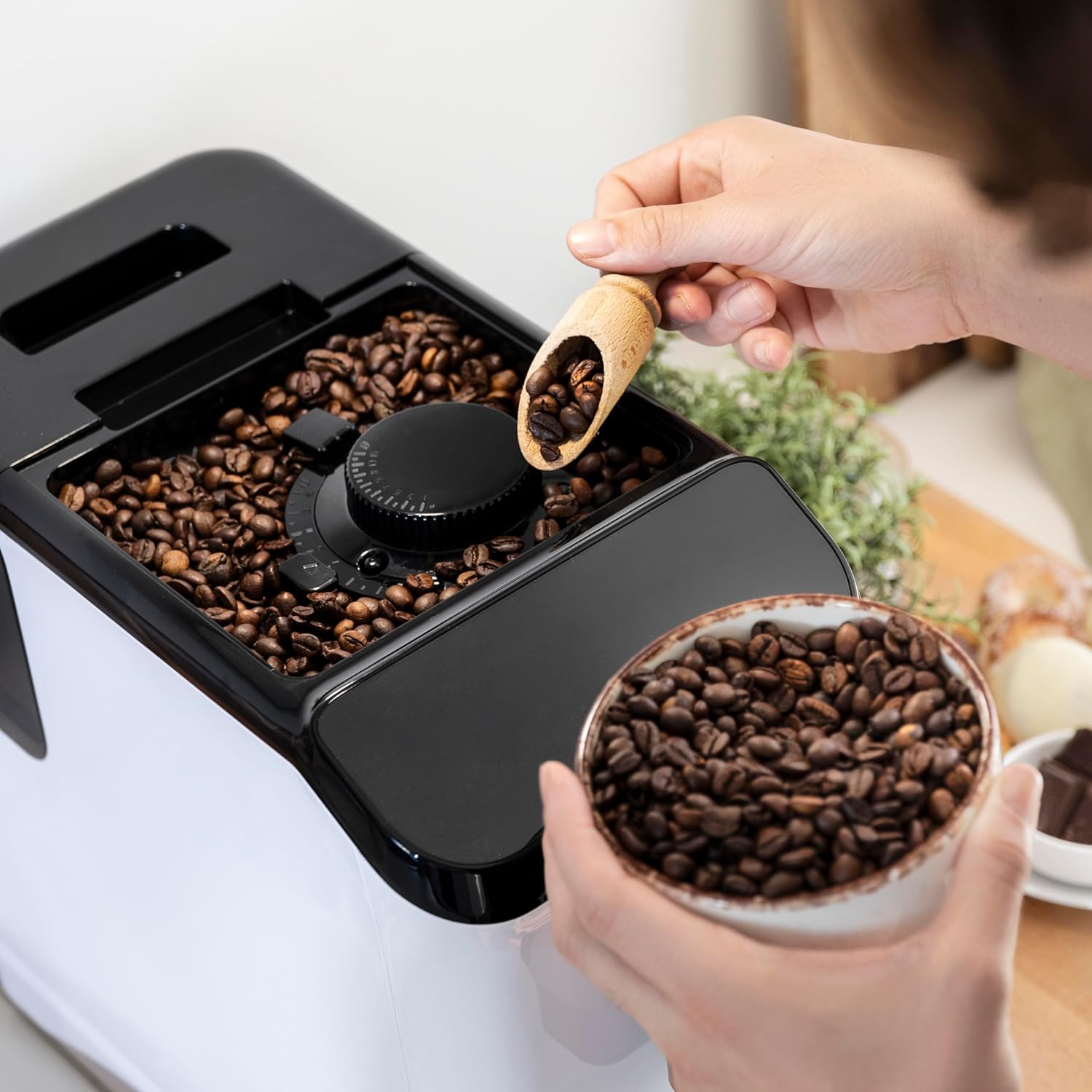
Abbildung 3.3: The integrated coffee bean hopper with a conical grinder, allowing for fresh grinding of beans for each cup.
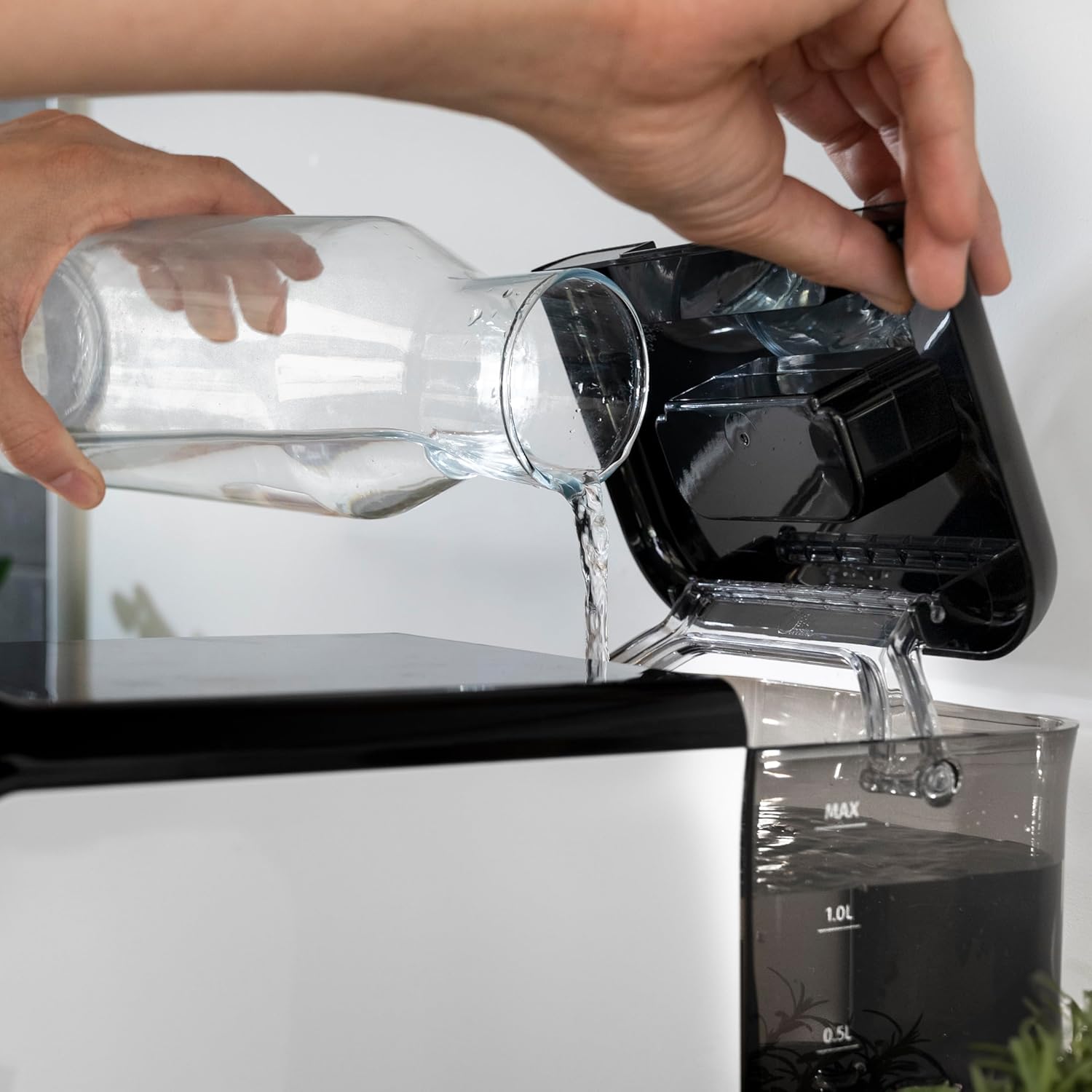
Abbildung 3.4: The removable 1.5-liter water tank, easily accessible for refilling and cleaning.
4. Einrichtung
Befolgen Sie diese Schritte, um Ihre Kaffeemaschine zum ersten Mal einzurichten:
- Auspacken: Nehmen Sie das Gerät vorsichtig aus der Verpackung. Entfernen Sie sämtliche Schutzfolien und Verpackungsmaterialien.
- Erstreinigung: Before first use, wash the water tank, drip tray, and coffee grounds container with warm water and a mild detergent. Rinse thoroughly and dry.
- Wassertank auffüllen: Fill the removable water tank with fresh, cold drinking water up to the MAX level. Ensure the tank is properly seated in the machine.
Abbildung 4.1: Pouring fresh water into the machine's water tank.
- Kaffeebohnen hinzufügen: Open the lid of the bean hopper and fill it with fresh whole coffee beans. The hopper has a capacity of 200g.
Abbildung 4.2: Adding whole coffee beans to the integrated grinder compartment.
- Einstecken: Schließen Sie das Netzkabel an eine geeignete Steckdose an.
- First Use/Priming: The machine may perform an initial rinse cycle when first turned on or after a period of inactivity. Follow any on-screen prompts or indicator lights.
5. Bedienungsanleitung
Your Cecotec coffee machine is designed for ease of use with its Plug & Play system.
5.1. Ein-/Ausschalten
- Press the power button on the control panel to turn the machine on. The machine will heat up and perform a brief rinse cycle.
Abbildung 5.1: Activating the machine by pressing the power button on the touch control panel.
- Press the power button again to turn the machine off. It will perform a final rinse cycle before shutting down.
5.2. Mahlgradeinstellungen anpassen
The integrated conical grinder offers 5 levels of grinding. Adjust the grind setting by rotating the dial inside the bean hopper. It is recommended to adjust the grinder only while it is operating to prevent damage.
5.3. Kaffee kochen
The machine can prepare espresso and American coffee.
- Stellen Sie eine Tasse unter den Kaffeeauslauf.
- Select your desired coffee type (e.g., Espresso, Americano) from the control panel.
- Die Maschine mahlt die Bohnen automatisch, brüht den Kaffee und gibt ihn aus.

Abbildung 5.2: Selecting a coffee option on the control panel as the machine prepares the beverage.
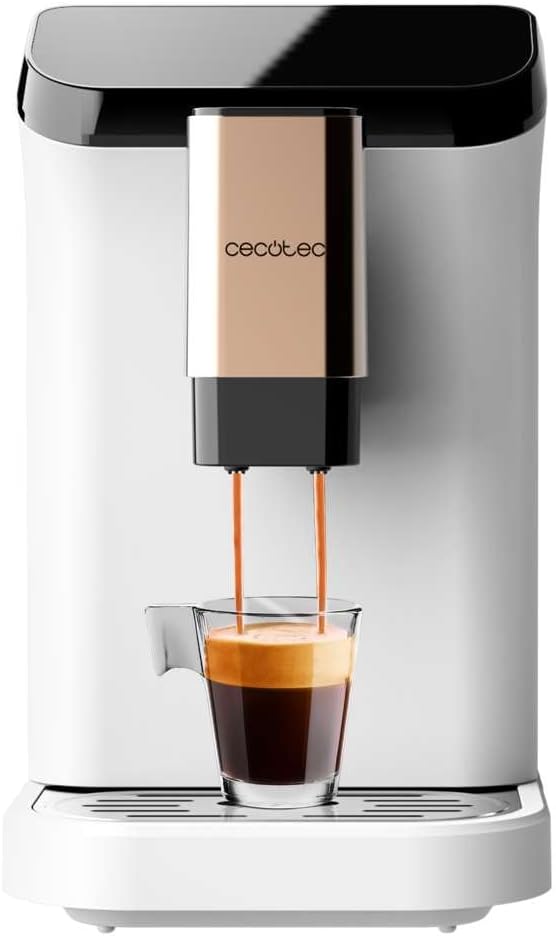
Abbildung 5.3: The machine actively dispensing freshly brewed coffee into a cup, highlighting the rich crema.
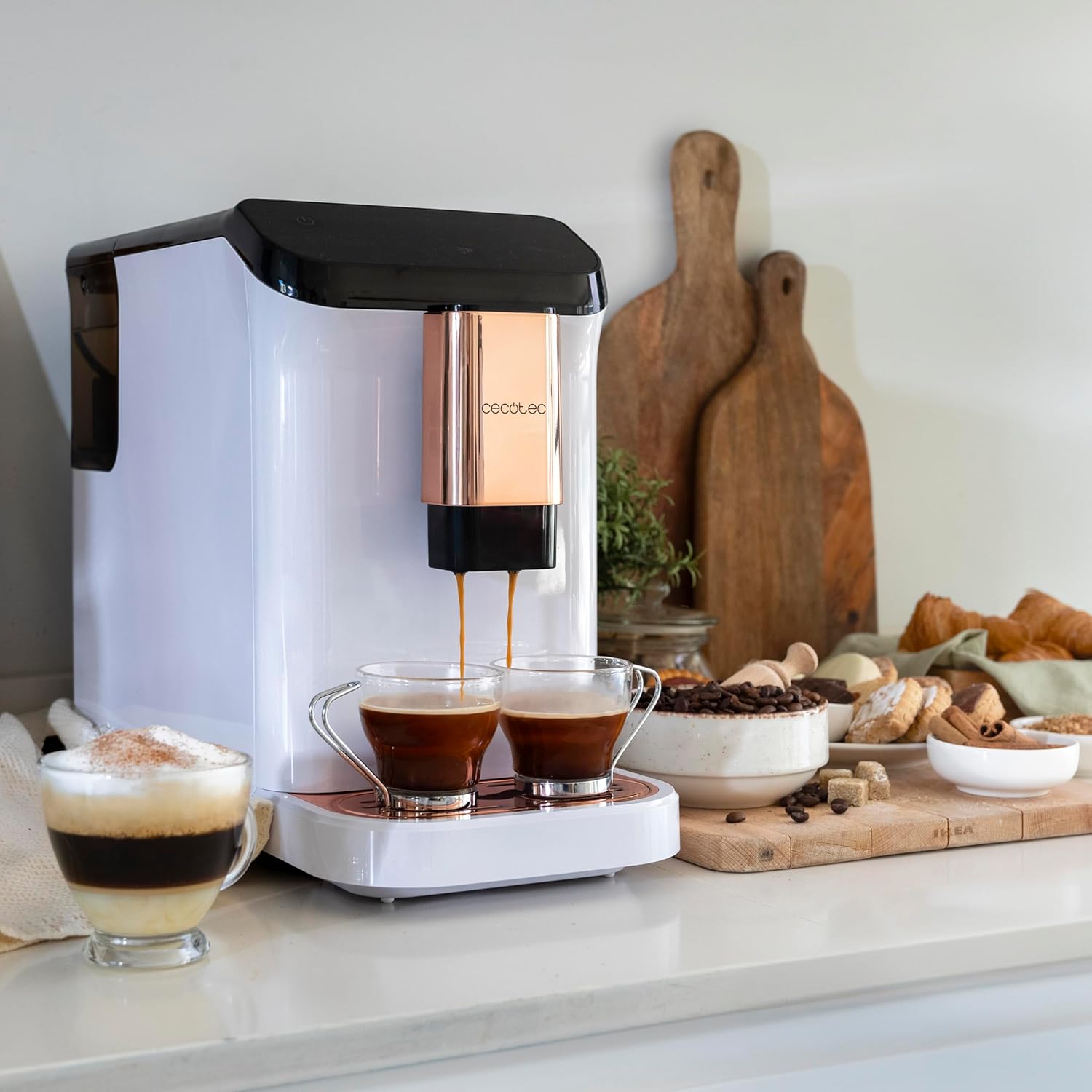
Abbildung 5.4: The machine's capability to brew and dispense two cups of coffee at once, ideal for sharing.
5.4. Customizing Coffee
You can easily customize and memorize the amount and intensity of your coffee to suit your taste preferences. Refer to the specific icons on the control panel for these adjustments.
6. Wartung und Reinigung
Regelmäßige Reinigung und Wartung gewährleisten die Langlebigkeit und optimale Leistung Ihrer Kaffeemaschine.
- Automatische Reinigung: The machine features an automatic cleaning function to keep it clear at all times. This typically occurs upon startup and shutdown.
- Emptying Grounds Container: The machine will indicate when the coffee grounds container needs to be emptied. Remove and clean it regularly.
- Reinigung der Tropfschale: The drip tray collects excess water and coffee spills. Empty and clean it frequently to prevent overflow and maintain hygiene.
- Abnehmbare Teile: Periodically remove and clean the water tank and other removable components as per the initial cleaning instructions.
- Entkalkung: Over time, mineral deposits can build up inside the machine. The machine will indicate when descaling is required. Use a suitable descaling solution designed for coffee machines and follow the instructions provided with the descaler.
7. Fehlerbehebung
Sollten Sie Probleme mit Ihrer Kaffeemaschine haben, beachten Sie bitte die folgenden häufigen Probleme und Lösungen:
| Problem | Mögliche Ursache | Lösung |
|---|---|---|
| Maschine lässt sich nicht einschalten | Nicht angeschlossen; Stromausfalltage | Stromanschluss prüfen; Sicherungsautomat prüfen. |
| Kein Kaffee ausgegeben | Water tank empty; bean hopper empty; machine needs descaling. | Fill water tank; fill bean hopper; perform descaling cycle. |
| Kaffee ist zu schwach | Mahlgrad zu grob; zu geringe Kaffeemenge. | Adjust grind to a finer setting; increase coffee intensity setting. |
| Wasser tritt aus der Maschine aus | Wassertank nicht richtig eingesetzt; Tropfschale voll. | Ensure water tank is correctly inserted; empty and clean drip tray. |
| Error indicator light on | Specific issue indicated by light (e.g., grounds full, water empty). | Refer to the machine's indicator light guide for specific meaning and action. |
Sollte das Problem nach Anwendung dieser Lösungsansätze weiterhin bestehen, wenden Sie sich bitte an den Cecotec-Kundendienst.
8. Spezifikationen
Technical details for the Cecotec Cremmaet Macchia Super Automatic Coffee Machine:
- Marke: Cecotec
- Modellnummer: 01718
- Farbe: White Rose
- Produktabmessungen: 19 x 40 x 32 cm
- Artikelgewicht: 7.9 kg
- Besondere Merkmale: Abnehmbarer Tank
- Kaffeemaschinentyp: Espressomaschine
- Filtertyp: Wiederverwendbar
- Druckpumpe: 19 bar
- Heizsystem: Thermoblock
- Coffee Tank Capacity: 200 g (integrated grinder)
- Fassungsvermögen Wassertank: 1.5 Liter
9. Garantie und Support
Your Cecotec Cremmaet Macchia Super Automatic Coffee Machine comes with a manufacturer's warranty. For detailed information regarding warranty terms and conditions, please refer to the warranty card included with your product or visit the official Cecotec webFür technischen Support, Ersatzteile oder Service wenden Sie sich bitte über die offiziellen Kanäle an den Cecotec-Kundendienst.