
BUFFBEE BK11
BUFFBEE Sound Machine & Alarm Clock
Model: BK11 - User Manual
Einführung
Thank you for choosing the BUFFBEE Sound Machine & Alarm Clock. This versatile 2-in-1 device combines a high-quality sound machine with a fully functional alarm clock, designed to help you achieve restful sleep and wake up refreshed. Its intuitive controls and customizable features make it an essential addition to any bedroom.

Image: The Buffbee Sound Machine and Alarm Clock highlighting its dual functionality as both a sound machine and an alarm clock.
Sicherheitshinweise
- Das Gerät darf weder Wasser noch übermäßiger Feuchtigkeit ausgesetzt werden.
- Von Wärmequellen und direkter Sonneneinstrahlung fernhalten.
- Verwenden Sie nur das mitgelieferte Netzteil.
- Versuchen Sie nicht, das Gerät selbst zu zerlegen oder zu reparieren. Wenden Sie sich an den Kundendienst, um Hilfe zu erhalten.
- Stellen Sie sicher, dass das Gerät auf einer stabilen, ebenen Oberfläche steht.
Packungsinhalt
- BUFFBEE Sound Machine & Alarm Clock (Model: BK11)
- Netzteil
- Bedienungsanleitung
Produkt überview
Machen Sie sich mit den Komponenten und Bedienelementen des Geräts vertraut:

Image: A detailed diagram illustrating the top panel controls (Alarm, Volume Control, Sound Machine, Night Light) and the rear panel (Display Dimmer, Adapter port).
- Bedienelemente auf der Oberseite: Alarm button, Timer button, Volume Up/Down, Previous/Next Sound, Sound Machine button, Night Light button.
- Frontdisplay: Digitaluhranzeige.
- Unteres Licht: Integrated colored light.
- Rückwand: DC 5V Adapter port, 0-100% Display Dimmer knob.
Aufstellen
- Platzierung: Place the device on a stable surface, such as a nightstand or desk.
- Stromanschluss: Insert the power adapter into the DC 5V port on the rear of the device, then plug it into a standard electrical outlet.
- Erstes Einschalten: Die Uhranzeige wird aufleuchten.
- Zeit einstellen: Refer to the 'Operating Instructions' section for setting the current time.
Bedienungsanleitung
Einstellen der Uhrzeit
- Halten Sie die Zeit button (clock icon) on the top panel until the hour digits flash.
- Verwenden Sie die Vorherige (◀︎) or Nächste (▶︎) buttons to adjust the hour.
- Drücken Sie die Zeit Drücken Sie erneut die Taste, um die Stunde zu bestätigen und zur Minuteneinstellung zu wechseln.
- Verwenden Sie die Vorherige (◀︎) or Nächste (▶︎) buttons to adjust the minutes.
- Drücken Sie die Zeit button one more time to confirm the minutes and exit time setting.
Einstellen des Alarms
- Halten Sie die Alarm button (bell icon) on the top panel until the alarm hour digits flash.
- Verwenden Sie die Vorherige (◀︎) or Nächste (▶︎) buttons to adjust the alarm hour.
- Drücken Sie die Alarm button again to confirm the hour and move to alarm minute setting.
- Verwenden Sie die Vorherige (◀︎) or Nächste (▶︎) buttons to adjust the alarm minutes.
- Drücken Sie die Alarm button one more time to confirm the minutes. The alarm icon will appear on the display, indicating the alarm is set.
- Um den Alarm auszuschalten, drücken Sie die Taste Alarm button once. The alarm icon will disappear.
Verwendung der Soundmaschine
The device offers 18 soothing sounds, including 5 white noises, 3 fan sounds, and 10 nature sounds (ocean, lullaby, waves, rain, thunderstorm, brook, croaking, bird chirping, summer night, and campFeuer).
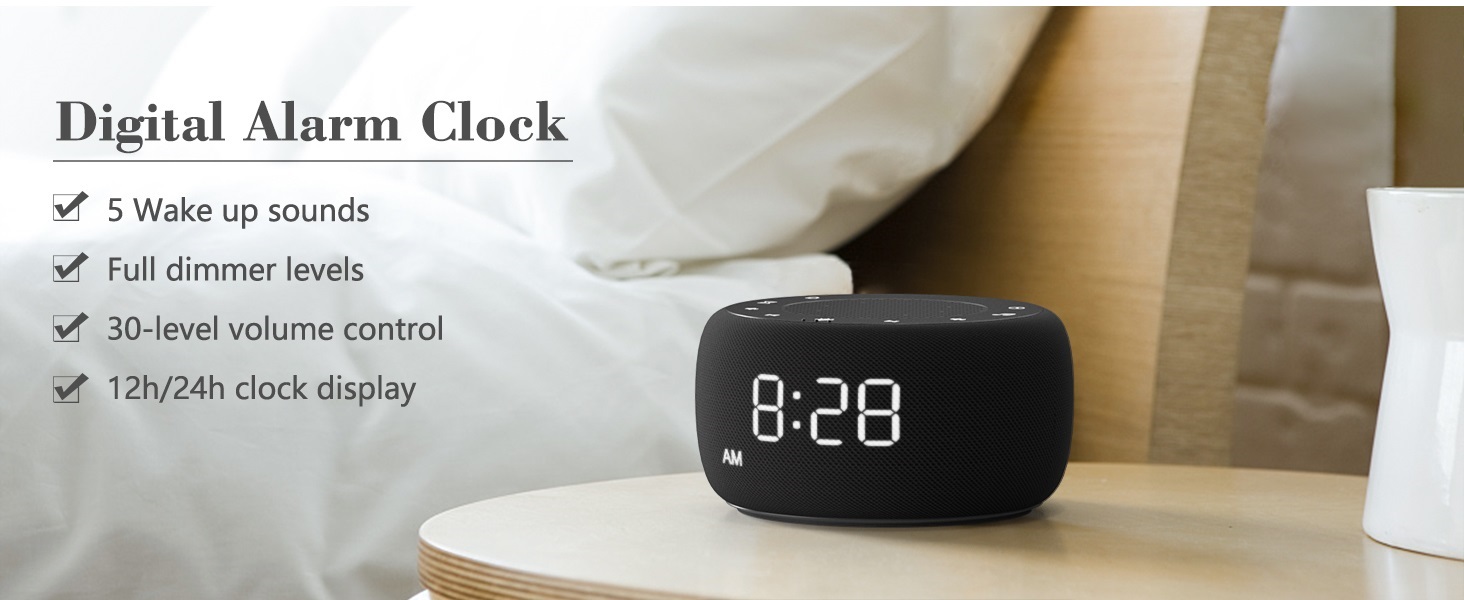
Image: An infographic displaying the 18 soothing sounds categorized into 3 fan sounds, 5 white noises, and 10 nature sounds, including ocean, lullaby, waves, rain, thunderstorm, brook, croaking, bird chirping, summer night, and campFeuer.
- Drücken Sie die Sound Machine button (music note icon) to cycle through the available sounds.
- Verwenden Sie die Lautstärke erhöhen (▲) und Lautstärke verringern (▼) buttons to adjust the volume (30 levels).
- To turn off the sound, press the Sound Machine button until no sound is playing.
Einschlaftimer
Set a timer for the sound machine to automatically turn off.

Image: The top panel of the Buffbee Sound Machine, highlighting the Auto-Off Timer button and the Volume Control buttons.
- Drücken Sie die Timer button (hourglass icon) to cycle through timer options: 15, 30, 60, 90, 120 minutes, or continuous play.
- The selected timer duration will be displayed on the screen.
Adjusting Clock Face Brightness
The clock display brightness can be adjusted from 0% (completely dark) to 100%.

Image: The Buffbee Sound Machine demonstrating its 0-100% display dimmer feature, showing the clock face at 0%, partial, and 100% brightness.
- Suchen Sie die Display-Dimmer knob on the rear of the device.
- Rotate the knob to increase or decrease the brightness of the clock display to your preference.
Using the Bottom Colored Light
The device features a bottom light with 7 color options to create a relaxing ambiance.

Image: The Buffbee Sound Machine displaying its bottom colored light feature, showing various color options and the ability to turn it on or off.
- Drücken Sie die Nachtlicht button (light bulb icon) to cycle through the 7 color options.
- Continue pressing the button to turn the light off.
Wartung
- Reinigung: Reinigen Sie das Gerät mit einem weichen, trockenen Tuch. Verwenden Sie keine Scheuermittel oder Lösungsmittel.
- Lagerung: Wenn Sie das Gerät längere Zeit nicht verwenden, lagern Sie es an einem kühlen, trockenen Ort.
Fehlerbehebung
| Problem | Mögliche Ursache | Lösung |
|---|---|---|
| Gerät lässt sich nicht einschalten. | Netzteil nicht richtig angeschlossen oder Problem mit der Steckdose. | Vergewissern Sie sich, dass das Netzteil fest mit dem Gerät und einer funktionierenden Steckdose verbunden ist. Versuchen Sie es mit einer anderen Steckdose. |
| Die Uhranzeige ist zu hell/zu dunkel. | Die Einstellung des Display-Dimmers muss angepasst werden. | Adjust the 0-100% Display Dimmer knob on the rear of the device. |
| Der Ton ist nicht laut genug. | Die Lautstärke ist zu niedrig eingestellt. | Drücken Sie die Lautstärke erhöhen (▲) button to increase the volume. The device has 30 volume levels. |
| Der Alarm ertönt nicht. | Der Wecker ist nicht eingestellt oder ausgeschaltet. | Stellen Sie sicher, dass der Alarm richtig eingestellt ist und das Alarmsymbol auf dem Display sichtbar ist. |
Technische Daten
| Besonderheit | Detail |
|---|---|
| Modellnummer | BK11 |
| Maße | 5.63 x 4.57 x 3.03 Zoll |
| Gewicht | 11.64 Unzen |
| Stromquelle | Battery Powered (for backup) / AC Adapter |
| Lautsprecherausgang | 5W |
| Sound-Optionen | 18 (5 white noises, 3 fan sounds, 10 nature sounds) |
| Lautstärkepegel | 30 |
| Einschlaftimer | 15, 30, 60, 90, 120 minutes, or continuous |
| Helligkeit der Uhranzeige | 0-100 % einstellbar |
| Bottom Light Colors | 7 Optionen |
| Material | Kunststoff, Acrylnitril-Butadien-Styrol (ABS) |
Garantie und Support
For warranty information and customer support, please refer to the contact details provided on the product packaging or visit the official BUFFBEE webWebsite. Bewahren Sie Ihren Kaufbeleg für Garantieansprüche auf.
Ask a question about this manual
Ask about setup, troubleshooting, compatibility, parts, safety, or missing instructions. Manuals+ will review the question and use this page’s manual context to help answer it.