
1. Einleitung
This manual provides detailed instructions for the proper use and maintenance of your New Bee BH58 Wireless Headset. Please read this manual thoroughly before using the product to ensure optimal performance and longevity. The BH58 headset features Bluetooth V5.0 connectivity, a noise-canceling microphone, and multiple connection options for various devices.

Figure 1: New Bee BH58 Wireless Headset with included USB dongle.
2. Packungsinhalt
Stellen Sie sicher, dass alle Artikel im Paket vorhanden sind:
- New Bee BH58 Wireless Headset
- USB-Dongle
- USB-C-Ladekabel
- 3.5-mm-Audiokabel
- Benutzerhandbuch (dieses Dokument)
3. Produktüberschreitungview
Machen Sie sich mit den Komponenten und Bedienelementen des Headsets vertraut.

Figure 2: Headset controls layout.
- Mikrofon-Stummschalttaste: Schalten Sie das Mikrofon während eines Anrufs stumm bzw. heben Sie die Stummschaltung auf.
- Lautstärke +/-: Lautstärke anpassen.
- Power On/Off / Multifunctional Button: Power on/off, play/pause music, answer/end calls.
- 3.5-mm-Audio-Schnittstelle: Für kabelgebundene Verbindungen.
- Ladeanschluss (USB-C): Zum Aufladen des Headsets.
- Mikrofon: Rotatable for optimal positioning.

Figure 3: The microphone can rotate 270 degrees for use on either ear.
4. Einrichtung
4.1 Aufladen des Headsets
Before first use, fully charge the headset. Connect the USB-C charging cable to the headset's charging port and the other end to a USB power source. The LED indicator will show charging status. A full charge takes approximately 1.5 hours.
4.2 Ein-/Ausschalten
- Einschalten: Push the power button to the middle position and hold for 3 seconds until the LED indicator flashes red and green alternately (for computer pairing mode) or red and blue alternately (for cellphone pairing mode).
- Ausschalten: Push the power button to the bottom position to turn off the headset.
4.3 Koppeln mit Geräten
The BH58 headset supports three connection methods: Bluetooth, USB Dongle, and Wired.
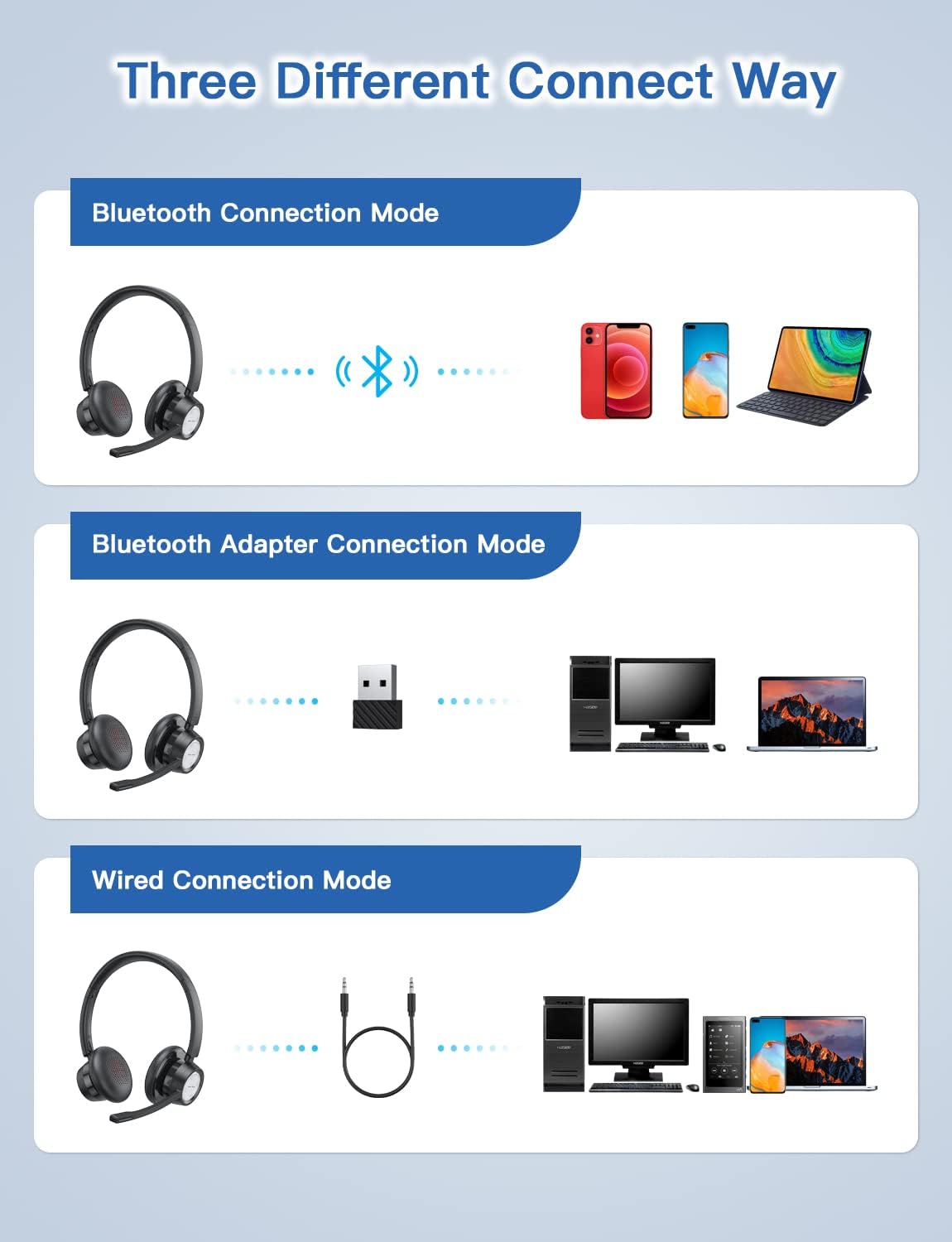
Figure 4: Multiple connection options for the BH58 headset.
4.3.1 Bluetooth Connection (for Cellphones/Tablets)
- Push the power button to the top and hold for 10 seconds until the headset LED indicator keeps flashing red and blue alternately. This indicates cellphone pairing mode.
- On your cellphone or tablet, go to 'Settings' > 'Bluetooth' and turn on Bluetooth.
- Suchen nach new devices and select 'BH58' from the list to connect.
- Once connected, you will hear a 'connected' voice prompt, and the LED indicator will flash blue every 30 seconds.
Video 1: Demonstrates the process of connecting the BH58 headset to a cellphone via Bluetooth.
4.3.2 USB Dongle Connection (for Computers without Bluetooth)
- Push the power button to the middle position to turn on the headset. The headset LED indicator keeps flashing red and green alternately, indicating computer pairing mode.
- Plug the Bluetooth transmitter (USB dongle) into your computer's USB port. It will automatically enter pairing mode. The Bluetooth transmitter LED indicator keeps flashing blue for about 3 seconds, then turns into red and blue flashing alternately.
- When hearing the 'connected' voice prompt, the connection is successful. The headset LED indicator flashes blue every 30 seconds, and the Bluetooth transmitter LED indicator is solid blue.
- On your computer, navigate to Sound Settings. Choose 'BH58' (or 'BTD-Q2' if listed) as the audio input and output device. Adjust sound settings as preferred.
Video 2: Illustrates how to connect the BH58 headset to a computer using the USB dongle and configure sound settings.
4.3.3 Kabelverbindung
Connect the 3.5mm audio cable to the headset's 3.5mm audio interface and the other end to your device's audio jack. In wired mode, only the speaker has sound; the buttons and microphone on the headset do not function.
5. Bedienung
5.1 Anrufmanagement
- Anruf annehmen/beenden: Press the Multifunctional Button once.
- Anruf ablehnen: Den Multifunktionsknopf 2 Sekunden lang gedrückt halten.
- Mikrofon stummschalten/Stummschaltung aufheben: Press the Mic Mute Button during an active call.
5.2 Audiosteuerung
- Lautstärke erhöhen: Drücken Sie die Lautstärketaste +.
- Lautstärke runter: Drücken Sie die Lautstärketaste -.
- Musik abspielen/pausieren: Press the Multifunctional Button once.
5.3 Tragen des Headsets
Adjust the headband for a comfortable fit. The microphone boom can be rotated 270 degrees to be worn on either the left or right ear. Position the microphone approximately 1-2 inches from your mouth for optimal voice clarity.

Figure 5: The headset can be adjusted for left or right ear wearing.
6. Akkulaufzeit
The BH58 wireless headset offers extended battery performance:
- Gesprächszeit: Bis zu 20 Stunden
- Musikspielzeit: Bis zu 28 Stunden
- Standby-Zeit: Über 400 Stunden
- Ladezeit: Ungefähr 1.5 Stunden
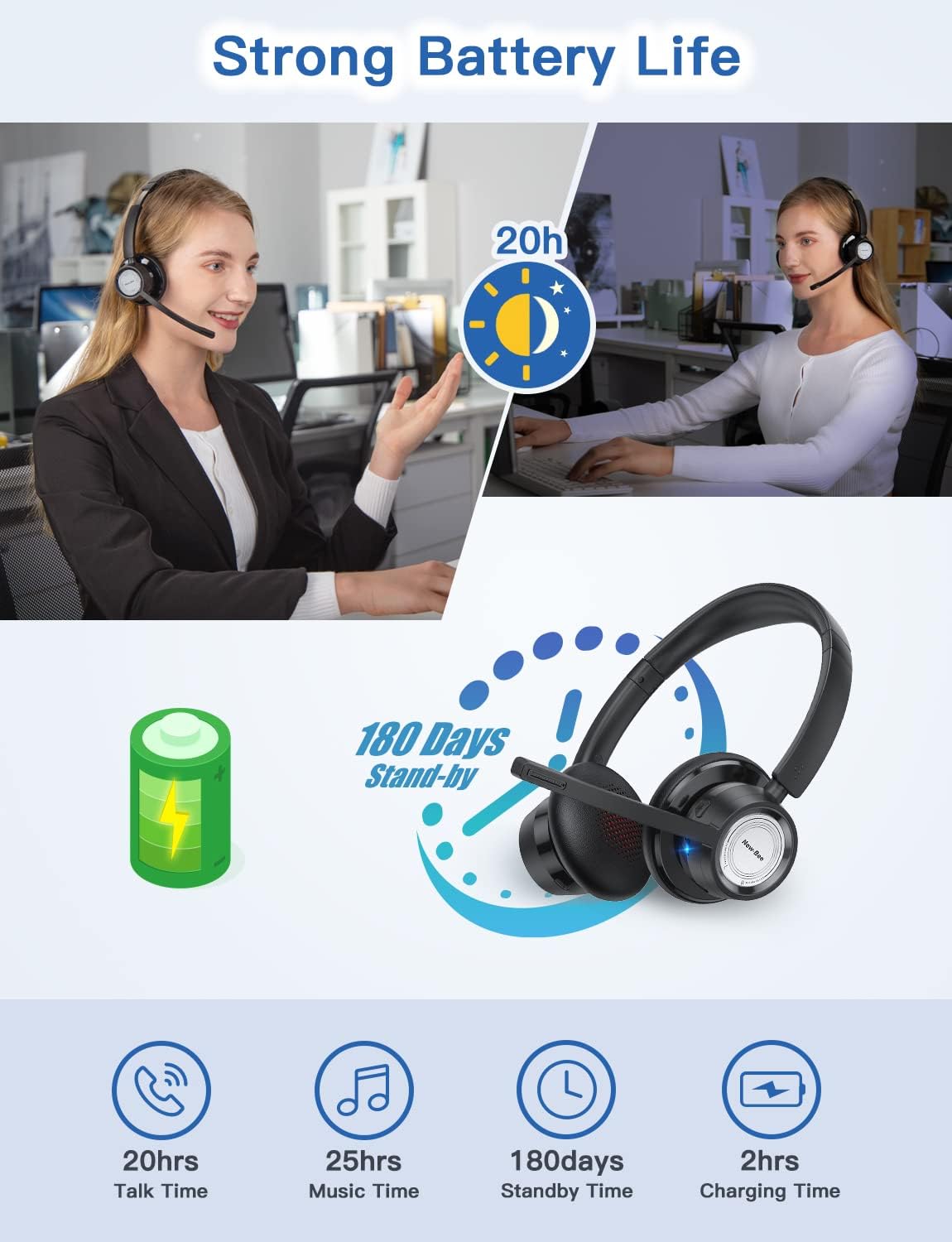
Abbildung 6: Überview of BH58 headset battery performance.
7. Wartung
- Reinigen Sie das Headset regelmäßig mit einem weichen, trockenen Tuch.
- Avoid exposing the headset to extreme temperatures, moisture, or corrosive substances.
- Bewahren Sie das Headset bei Nichtgebrauch an einem kühlen, trockenen Ort auf.
- Versuchen Sie nicht, das Headset selbst zu zerlegen oder zu reparieren, da dies zum Erlöschen der Garantie führt.
8. Fehlerbehebung
| Problem | Lösung |
|---|---|
| Das Headset lässt sich nicht einschalten. | Stellen Sie sicher, dass das Headset vollständig aufgeladen ist. |
| Kopplung via Bluetooth nicht möglich. | Ensure the headset is in pairing mode (LED flashing red/blue or red/green). Turn off and on Bluetooth on your device. Clear previous Bluetooth connections. |
| Kein Ton oder schlechte Tonqualität. | Check volume levels on both the headset and your device. Ensure 'BH58' is selected as the audio output device in your system settings. For wired mode, ensure the cable is fully inserted. |
| Mikrofon funktioniert nicht. | Ensure the microphone is not muted. Check that 'BH58' is selected as the audio input device in your system settings. Microphone does not work in wired mode. |
| Das Headset verliert häufig die Verbindung. | Ensure the headset is within the effective Bluetooth range (10-45 meters depending on mode and environment). Avoid obstacles that may interfere with the signal. |
9. Spezifikationen
| Besonderheit | Detail |
|---|---|
| Modellname | BH58 |
| Konnektivitätstechnologie | Kabellos (Bluetooth), Kabelgebunden (3.5 mm) |
| Drahtlose Kommunikationstechnologie | Bluetooth V5.0 |
| Lärmschutz | Adaptive Noise Cancellation (ENC) |
| Mikrofon | Omnidirectional, 270° Rotatable |
| Gesprächszeit | Bis zu 20 Stunden |
| Musikwiedergabezeit | Bis zu 28 Stunden |
| Standby-Zeit | Über 400 Stunden |
| Ladezeit | 1.5 Stunden |
| Ladeanschluss | USB-C |
| Bluetooth-Reichweite | 10-45 meters (depending on mode/environment) |
| Material | Fabric, Memory Foam |
| Artikelgewicht | 230 Gramm (8.1 Unzen) |
| Kompatible Geräte | Computers, Laptops, Smartphones, Tablets, VoIP systems, Webinar systems, Skype, Zoom, Avaya, Call Centers, Online meeting systems, Home devices, Office devices |
10. Garantie und Support
New Bee provides excellent after-sales service, including a 12-month warranty from the date of purchase. A professional technical team and customer service center are available to assist you with any inquiries or issues.
For support, please refer to the contact information provided on the product packaging or the official New Bee webWebsite.


