
Unitech TS100
Unitech TS100 2D Hands-Free Presentation Barcode Scanner
Bedienungsanleitung
Einführung
This manual provides essential information for the proper setup, operation, and maintenance of your Unitech TS100 2D Hands-Free Presentation Barcode Scanner. Please read this manual thoroughly before using the device to ensure optimal performance and to prevent damage.
The Unitech TS100 is an omnidirectional USB wired desktop barcode reader designed for efficient and intuitive scanning of 1D and 2D barcodes, including PDF417 and Data Matrix, in retail and other point-of-sale environments.
Sicherheitshinweise
- Setzen Sie den Scanner keinen extremen Temperaturen, hoher Luftfeuchtigkeit oder direkter Sonneneinstrahlung aus.
- Vermeiden Sie es, den Scanner fallen zu lassen oder starken Stößen auszusetzen.
- Versuchen Sie nicht, den Scanner zu zerlegen oder zu verändern. Dadurch erlischt die Garantie.
- Verwenden Sie zum Anschluss ausschließlich das mitgelieferte USB-Kabel.
- Um ein genaues Einlesen des Barcodes zu gewährleisten, muss das Scanfenster sauber bleiben.
Packungsinhalt
Bitte überprüfen Sie den Packungsinhalt, um sicherzustellen, dass alle Artikel vorhanden sind:
- Unitech TS100 2D Presentation Barcode Scanner
- USB-Kabel
- Kurzanleitung (falls zutreffend)
Produkt überview
The Unitech TS100 features a compact design with a large scan window for easy barcode presentation. Its omnidirectional scanning capability allows for quick and efficient data capture.
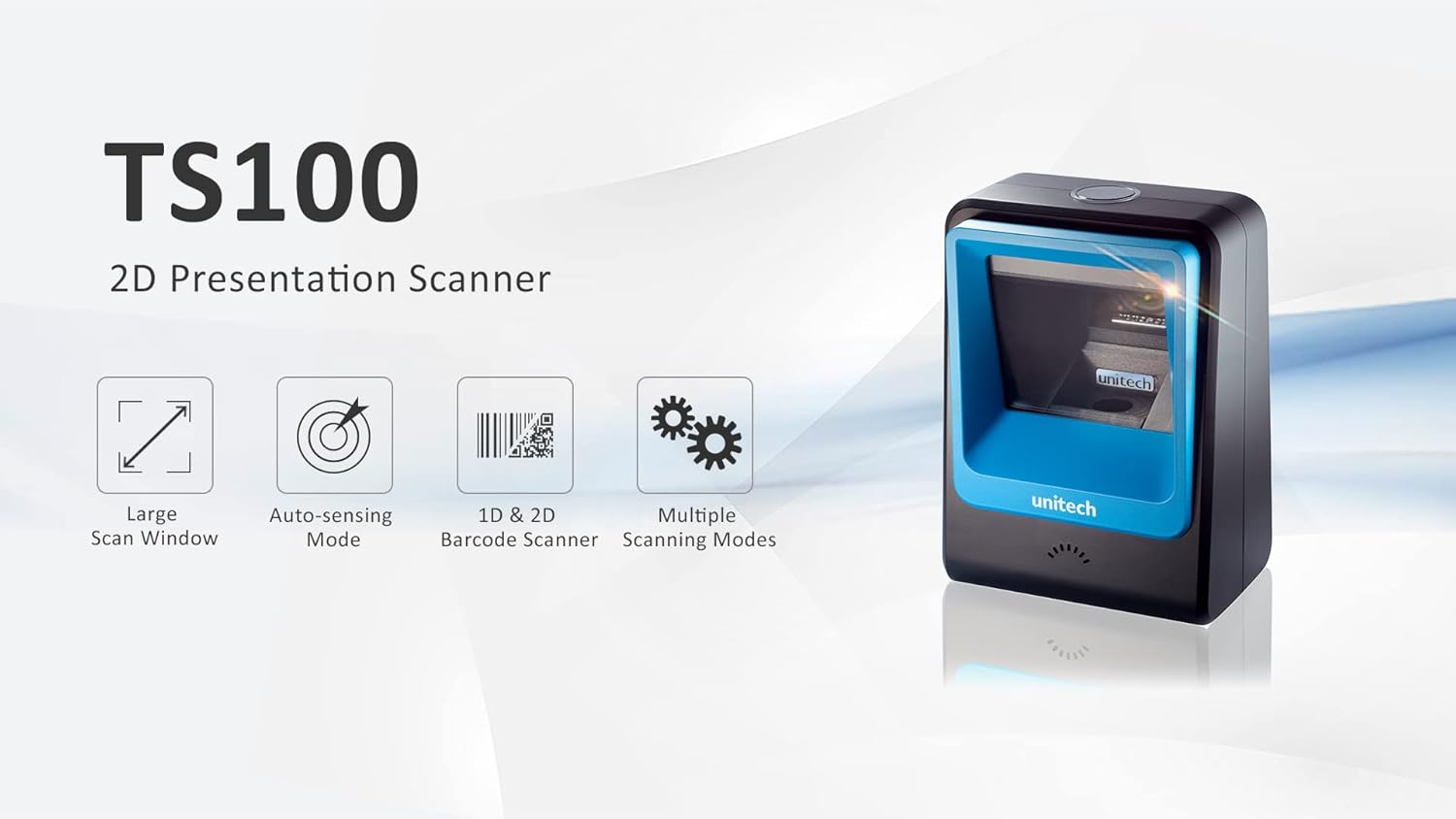
Figure 1: Unitech TS100 2D Presentation Scanner highlighting its large scan window, auto-sensing mode, 1D & 2D barcode scanning, and multiple scanning modes.

Abbildung 2: Vorderseite view of the Unitech TS100 scanner, showing the blue scanning window and the Unitech logo.

Abbildung 3: Zurück view of the Unitech TS100 scanner, displaying the product label with model number TS100-SUCB00-SG and power specifications.
Aufstellen
Follow these steps to set up your Unitech TS100 barcode scanner:
- Den Scanner auspacken: Carefully remove the TS100 scanner and its accessories from the packaging.
- Schließen Sie das USB-Kabel an: Insert the USB cable into the port at the back of the scanner.
- Verbindung zum Hostgerät herstellen: Plug the other end of the USB cable into an available USB port on your computer, laptop, or POS system.
- Treiberinstallation: Der Scanner ist in der Regel sofort einsatzbereit (Plug-and-Play). Ihr Betriebssystem sollte die benötigten Treiber automatisch erkennen und installieren. Warten Sie, bis die Installation abgeschlossen ist.
- Einschalten: The scanner will power on automatically once connected to a powered USB port. A beep and/or LED indicator will confirm it is ready for use.
Bedienungsanleitung
The Unitech TS100 is designed for hands-free operation, offering multiple scanning modes for various applications.
Grundlegendes Scannen
- Place the barcode within the scanner's field of view, facing the scanning window.
- The scanner will automatically detect the barcode and emit a successful scan indication (e.g., a beep and/or green LED).
- The scanned data will be transmitted to your connected host device as keyboard input.
Scanmodi
The TS100 supports multiple scanning modes to optimize performance for different barcode types and environments:
- Normalmodus: Standard scanning for most 1D and 2D barcodes.
- Smartphone Mode: Optimized for reading barcodes displayed on smartphone screens, which can sometimes be reflective.
- Schnellmodus: Designed for faster scanning of multiple barcodes in quick succession.
Refer to the full programming manual (available on the Unitech website) for instructions on how to switch between these modes using configuration barcodes.
Wartung
Eine ordnungsgemäße Wartung gewährleistet die Langlebigkeit und Leistungsfähigkeit Ihres Scanners:
- Reinigung des Scanfensters: Benutzen Sie ein weiches, fusselfreies Tuch, dampened with water or a mild, non-abrasive cleaner. Do not use harsh chemicals or abrasive materials.
- Reinigung der Außenseite: Wischen Sie die Außenseite des Scanners mit einem weichen, trockenen Tuch ab.
- Lagerung: Bewahren Sie den Scanner bei Nichtgebrauch an einem sauberen, trockenen Ort fern von direkter Sonneneinstrahlung und extremen Temperaturen auf.
Fehlerbehebung
If you encounter issues with your TS100 scanner, refer to the table below for common problems and solutions:
| Problem | Mögliche Ursache | Lösung |
|---|---|---|
| Der Scanner lässt sich nicht einschalten. | USB cable not properly connected or host device USB port is not powered. | Stellen Sie sicher, dass das USB-Kabel sowohl mit dem Scanner als auch mit dem Host-Gerät fest verbunden ist. Versuchen Sie es mit einem anderen USB-Anschluss oder einem anderen Host-Gerät. |
| Der Scanner liest keine Barcodes. | Barcode is damaged, poorly printed, or not supported. Scanning window is dirty. Incorrect scanning mode. | Ensure the barcode is clear and undamaged. Clean the scanning window. Verify the barcode symbology is supported. Try switching scanning modes (e.g., Smartphone Mode for screen barcodes). |
| Die gescannten Daten sind fehlerhaft oder unvollständig. | Poor barcode quality. Scanner configuration issues. | Ensure the barcode is clear. Refer to the programming manual for advanced configuration settings. |
| Der Scanner piept, aber es werden keine Daten übertragen. | Host device not recognizing the scanner as a keyboard input. | Ensure the cursor is in a text field on your host device. Reconnect the USB cable. Restart the host device. |
Technische Daten
Detailed technical specifications for the Unitech TS100 scanner:
| Besonderheit | Spezifikation |
|---|---|
| Sensor | Image Sensor with 1280x800 pixels |
| Beleuchtung | 650nm RED LED |
| Scanrate | 60 fps |
| Schrägwinkel | Horizontal Angle: 50°; Vertical Angle: 35° |
| Steigungswinkel | ±65° |
| Rollwinkel | 360° |
| Optische Auflösung | 1D: 4 mil; 2D: 6.7 mil |
| Printing Contrast Scale | 25 % |
| Host-Schnittstelle | USB |
| Abmessungen (L x B x H) | 4.1 Zoll x 5.7 Zoll x 2.7 Zoll (105 mm x 146 mm x 70 mm) |
| Gewicht | 12.1 oz / 345g (without cable) |
| 1D Symbologies Supported | UPC-A/E, EAN-8/13, UPC/EAN Supplementals, EAN-8 Extend, Code 128, Code 39, Code 93, Code 11, Interleaved 2 of 5, Matrix 2 of 5, Codabar, MSI Plessey, GS1 DataBar, China Postal, Korean Postal, etc. |
| 2D Symbologies Supported | PDF417, MicroPDF417, DataMatrix, DataMatrix-Inverse, Maxicode, QRcode, MicroQR, Aztec, Aztec Inverse, Han Xin, Han Xin Inverse |
| Indikator | LED, Summer |
| Betriebstemperatur | 32 °C bis 122 °C (0 °F bis 50 °F) |
| Lagertemperatur | -40°F bis 158°F (-40°C bis 70°C) |
| Relative Luftfeuchtigkeit | 0 % bis 95 % nicht kondensierend |
Garantie und Support
The Unitech TS100 barcode scanner main unit comes with a 1 Jahr Garantie ab Kaufdatum. Diese Garantie deckt Material- und Verarbeitungsfehler bei normalem Gebrauch ab.
For technical support, warranty claims, or further assistance, please contact Unitech customer service or visit the official Unitech webBewahren Sie Ihren Kaufbeleg als Kaufnachweis für Garantieleistungen auf.
Unitech America WebWebsite: www.unitechamerica.com
Ask a question about this manual
Ask about setup, troubleshooting, compatibility, parts, safety, or missing instructions. Manuals+ will review the question and use this page’s manual context to help answer it.