
1. Einleitung
The Vimar 30008.C Ligne Aligned Illuminated Button is a single-pole, normally open (1P NO) push-button switch designed for 10A, 250V applications. It features a replaceable, illuminated button in a hemp finish, offering a sleek and modern aesthetic. This product is part of the Vimar Ligne series, known for its absolute flatness, minimal protrusion, and tactile velvet finish.
Hauptmerkmale
- Absolute Flatness: Seamless integration with the plate, minimal protrusion (5.7 mm thickness).
- Tactile Velvet Finish: Special laser manufacturing provides a durable, scratch-resistant, and dirt-resistant surface.
- Patented Attachment: Ensures precise installation and easy removal of the front cover.
- Hintergrundbeleuchtung: Offers various options for a refined and distinctive illuminated effect.
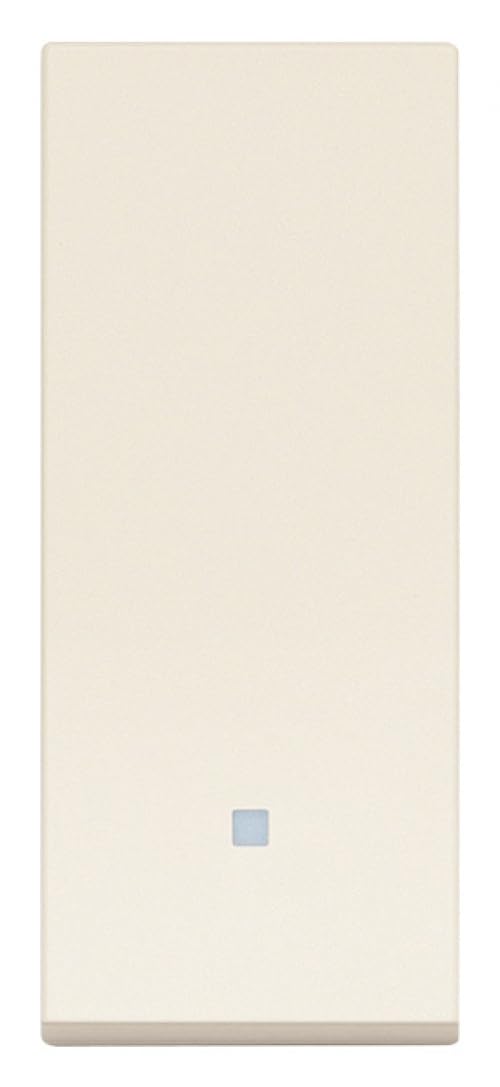
Image 1.1: Vimar 30008.C Ligne Aligned Illuminated Button in hemp color.
2. Einrichtung und Installation
Proper installation is crucial for the safe and correct operation of the Vimar 30008.C button. It is recommended that installation be performed by a qualified electrician.
2.1 Sicherheitsvorkehrungen
- Stromabschaltung: Always ensure the main power supply to the circuit is turned off at the circuit breaker before commencing any installation or maintenance work.
- Bandtage Überprüfen Sie: Stellen Sie sicher, dass der Schaltkreis voltage matches the product's specifications (250V~).
- Wiring Standards: Adhere to all local and national electrical wiring codes and regulations.
2.2 Montage und Verdrahtung
- Prepare Mounting Box: Ensure the electrical mounting box is securely fixed in the wall and free from debris.
- Drahtverbindungen:
- Identify the Live (L) and Switched Live (L') terminals on the back of the button module.
- Connect the incoming Live wire from the power supply to the 'L' terminal.
- Connect the wire leading to the electrical load (e.g., light fixture, doorbell) to the 'L'' terminal.
- If backlighting is utilized, connect the backlighting module according to its specific instructions. This module may be integrated or sold separately.
- Ensure all wire connections are tight and secure to prevent loose contacts.
- Modul-Einfügung: Carefully align the wired button module with the mounting frame and press it firmly until it snaps into place.
- Plate Attachment: Position the decorative cover plate over the module and secure it, ensuring it sits flush with the wall surface.
- Wiederherstellung der Stromversorgung: Once installation is complete and all components are securely in place, restore power to the circuit from the main circuit breaker.

Image 2.1: Close-up of Vimar Ligne aligned illuminated buttons.
3. Bedienungsanleitung
The Vimar 30008.C functions as a simple push-button switch.
3.1 Grundlegende Bedienung
- Aktivierung: Press the button firmly to momentarily close the circuit and activate the connected load (e.g., turn on a light, ring a doorbell).
- Deaktivierung: Release the button to open the circuit and deactivate the connected load. As a Normally Open (NO) switch, the circuit remains closed only while the button is pressed.
3.2 Backlighting Functionality
If your Vimar 30008.C button is equipped with a backlighting module, the illumination provides visibility in low-light conditions.
- Illumination State: Typically, the backlighting will be active when the button is in its resting (open circuit) state, making it easy to locate in the dark.
- Anpassung: Depending on the specific backlighting module, there may be options for different light intensities or colors. Refer to the backlighting module's separate instructions for advanced settings.

Image 3.1: Vimar Ligne axial keys with LED illumination.
4. Wartung
Regular care will help maintain the appearance and functionality of your Vimar 30008.C button.
4.1 Reinigung
- Oberflächenreinigung: Benutzen Sie ein weiches, leichtamp cloth to gently wipe the surface of the button and plate.
- Vermeiden Sie aggressive Chemikalien: Do not use abrasive cleaners, solvents, alcohol-based cleaners, or harsh chemicals, as these can damage the tactile velvet finish and the plastic material.
- Trocknen: Ensure the surface is dry after cleaning to prevent water spots.
4.2 Inspection and Button Replacement
- Regelmäßige Kontrolle: Periodically inspect the button and its surrounding plate for any signs of wear, damage, or loose components.
- Knopfaustausch: The Vimar 30008.C features a replaceable button. If replacement is necessary, ensure the power supply is disconnected. Carefully follow the specific instructions provided with the replacement button for detaching the old one and attaching the new mechanism.
5. Fehlerbehebung
If you encounter issues with your Vimar 30008.C button, refer to the following common troubleshooting steps:
| Problem | Mögliche Ursache | Lösung |
|---|---|---|
| Button not responding / Load not activating | Keine Stromversorgung des Stromkreises Falsche oder lose Verkabelung Knopfmechanismus klemmt | Leistungsschalter und Stromversorgung prüfen. Verify all wire connections are secure and correct (L and L'). Inspect the button for obstructions; ensure it moves freely. |
| Hintergrundbeleuchtung funktioniert nicht | Backlighting module incorrectly installed/wired No power to backlighting circuit Faulty LED/light source | Ensure backlighting module is correctly connected as per its instructions. Check power supply to the backlighting circuit. If possible, test with a known good backlighting module or contact support. |
| Button or plate feels loose | Module not fully engaged in frame Mounting frame/box not secure | Press the button module firmly into the mounting frame until it clicks. Tighten the mounting screws of the electrical box. |
If the problem persists after attempting these solutions, please contact a qualified electrician or Vimar customer support.

