
1. Produktüberschreitungview
The WALI FTM-2 Full Motion TV Wall Mount is designed to securely hold most flat and curved screen televisions ranging from 32 to 70 inches. This mount offers extensive adjustability, including tilt, swivel, and extension, allowing for optimal viewing angles from various positions in a room. Constructed from reinforced cold-rolled steel, it ensures durability and stability for your television.
2. Wichtige Sicherheitshinweise
WARNUNG: Read all instructions carefully before installation. If you do not understand these instructions or have doubts about the safety of the installation, consult a qualified installer. Improper installation may cause serious injury or damage.
- Gewichtskapazität: Die maximale Tragfähigkeit von 40 kg (88 lbs) darf nicht überschritten werden. Diese Halterung ist ausschließlich für die Verwendung mit den angegebenen Maximalgewichten vorgesehen. Die Verwendung mit schwereren Produkten kann zu Instabilität und damit zu Verletzungen führen.
- Wandtyp: This mount is designed for installation on vertical wood studs, solid concrete walls, or brick walls. NICHT ausschließlich auf Trockenbauwänden installieren. Stellen Sie sicher, dass die Montagefläche das Gesamtgewicht des Geräts und aller daran befestigten Teile sicher tragen kann.
- VESA-Kompatibilität: Stellen Sie sicher, dass das VESA-Montagemuster Ihres Fernsehers im unterstützten Bereich liegt (100x100mm bis 400x400mm).
- Werkzeuge: Use appropriate tools for installation. Always wear safety gear, including eye protection.
- Kinder: Keep children away from the installation area. Small parts may be a choking hazard.
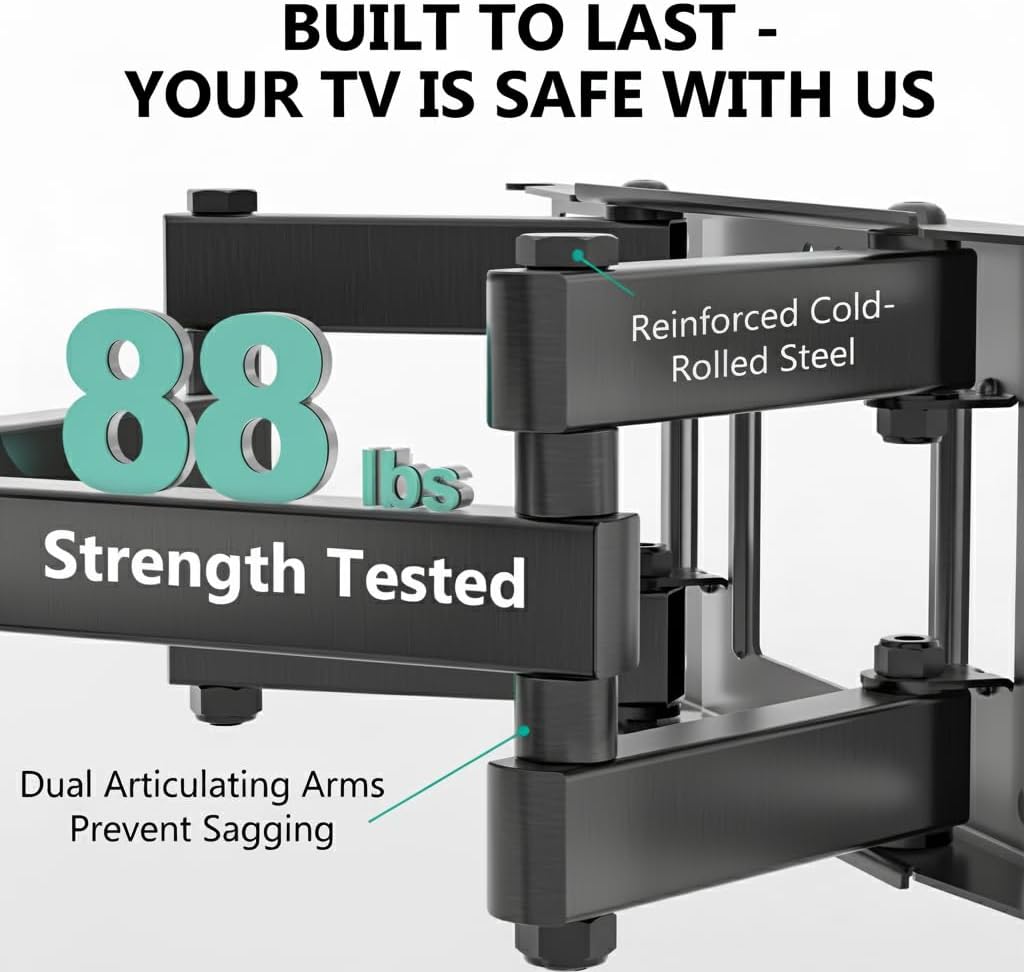
Image: The mount is constructed from reinforced cold-rolled steel, tested to support up to 88 lbs, ensuring structural integrity and safety for your television.
3. Packungsinhalt
Verify that all components are present and undamaged before beginning installation. If any parts are missing or defective, contact WALI customer support.
- WALI FTM-2 TV Wall Mount (1 unit)
- Montagezubehör-Set (verschiedene Schrauben, Unterlegscheiben, Abstandshalter, Dübel)
- Benutzerhandbuch (dieses Dokument)

Image: All necessary hardware for installation is included, such as various bolts, washers, spacers, and wall anchors. A spirit level is also provided to assist with accurate mounting.
4. Kompatibilitätsprüfung
Before installation, confirm your television and wall meet the following requirements:
- TV-Größe: Compatible with most 32 to 70 inch flat or curved screen TVs.
- Gewicht des Fernsehers: Your TV must weigh no more than 88 lbs (40 kg).
- VESA-Muster: The mounting holes on the back of your TV must match VESA patterns from 100x100mm to 400x400mm.
- Wandtyp: Suitable for 12" or 16" wood studs, concrete walls, and brick walls. Not for drywall-only installation.
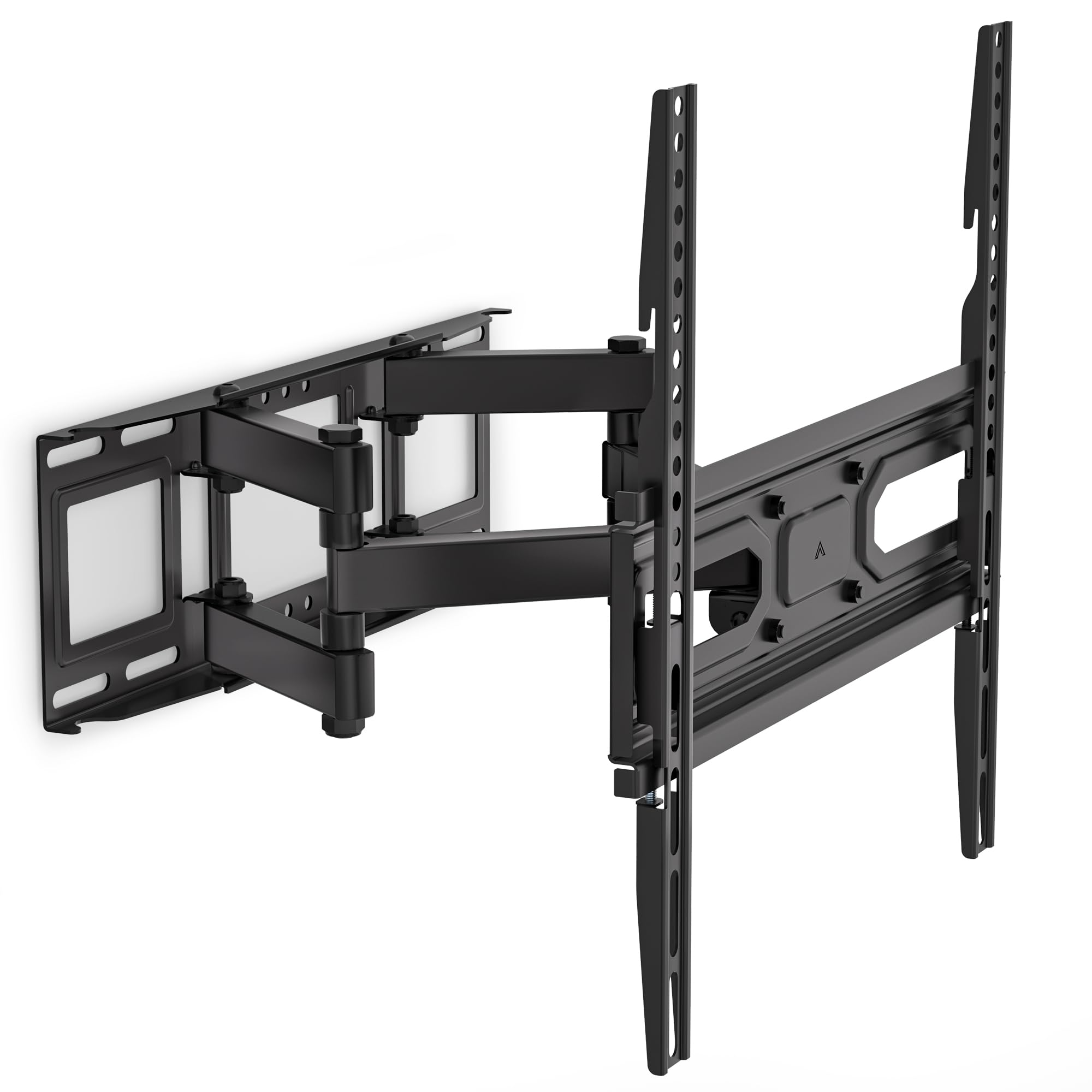
Image: This diagram outlines the four key compatibility checks: TV weight (up to 88 lbs), VESA pattern (100x100mm to 400x400mm), TV size (32-70 inches), and suitable wall types (wood studs, concrete, brick). Installation on drywall alone is not supported.
5. Installationsanweisungen
Befolgen Sie diese Schritte sorgfältig, um eine sichere Installation zu gewährleisten. Es wird empfohlen, die Installation zu zweit durchzuführen.
Schritt 1: Halterung an der Wand befestigen
- Locate the desired mounting position on your wall. Use a stud finder to locate wood studs if applicable.
- Mark the drill holes for the wall plate. Ensure the marks are level using a spirit level.
- Drill pilot holes at the marked locations. For wood studs, use a 5/32 inch (4mm) drill bit. For concrete/brick walls, use a 3/8 inch (10mm) drill bit and insert wall anchors.
- Attach the wall plate to the wall using the appropriate lag bolts and washers. Tighten securely.
Step 2: Attach Plate to TV
- Legen Sie Ihren Fernseher mit dem Bildschirm nach unten auf eine weiche, saubere Oberfläche, um Kratzer zu vermeiden.
- Identifizieren Sie die VESA-Montagelöcher auf der Rückseite Ihres Fernsehers.
- Select the correct screws, washers, and spacers from the hardware kit that fit your TV's mounting holes.
- Attach the TV brackets to the back of your TV. Ensure they are securely fastened but do not overtighten.
Step 3: Hang TV on Bracket
- With assistance, carefully lift the TV and hook the TV brackets onto the wall plate.
- Stellen Sie sicher, dass der Fernseher mittig und waagerecht steht.
- Befestigen Sie den Fernseher mit den mitgelieferten Sicherheitsschrauben oder Verriegelungsmechanismen an der Wandplatte.
6. Adjustments (Operating)
The WALI FTM-2 mount offers flexible adjustments to achieve your desired viewing-Winkel.
- Neigung: The TV can be tilted +3° upwards and -15° downwards. Loosen the tilt adjustment knobs on the TV brackets, adjust to the desired angle, and then re-tighten the knobs.
- Schwenken: The mount allows for a ±60° swivel (left and right) depending on TV size and wall distance. Gently push or pull the TV to the desired swivel angle.
- Nivellierung: After installation, if the TV is slightly unlevel, you can adjust it by ±3°. Loosen the leveling screws, adjust the TV, and re-tighten.
- Aus-/Einfahren: The mount extends from 2.6 inches (6.6 cm) to 14 inches (35.6 cm) from the wall. Gently pull the TV forward or push it back to adjust the distance.

Image: This diagram shows the full range of motion: 15 degrees of tilt, 60 degrees of swivel, extension up to 14 inches from the wall, and 4 degrees of leveling adjustment for a perfect viewErfahrung.
7. Wartung
Regelmäßige Wartung gewährleistet die Langlebigkeit und den sicheren Betrieb Ihrer TV-Wandhalterung.
- Regelmäßige Kontrollen: Periodically check that all screws and connections are tight and secure. Re-tighten if necessary.
- Reinigung: Reinigen Sie die Halterung mit einem weichen, trockenen Tuch. Vermeiden Sie scheuernde Reiniger oder Lösungsmittel, die die Oberfläche beschädigen könnten.
- Bewegliche Teile: The articulating arms are designed for smooth movement. No lubrication is typically required. If movement becomes stiff, check for obstructions or loose components.
8. Fehlerbehebung
Sollten während oder nach der Installation Probleme auftreten, beachten Sie bitte die folgenden häufig auftretenden Probleme und Lösungen:
- Der Fernseher ist nicht waagerecht: Use the leveling adjustment feature (refer to Section 6) to correct the angle. Ensure the wall plate was installed level initially.
- Das Gefährt fühlt sich instabil an: Double-check all wall and TV attachment screws to ensure they are securely tightened. Verify that the wall type is appropriate and that the TV weight does not exceed the mount's capacity.
- Der Fernseher passt nicht auf die Halterung: Re-check your TV's VESA pattern against the mount's specifications (refer to Section 4). Ensure you are using the correct screws and spacers for your TV model.
- Difficulty moving the arms: Ensure no cables are snagged or obstructing movement. Check for any overtightened bolts that might restrict articulation.
If problems persist, contact WALI customer support for assistance.
9. Spezifikationen
| Modellnummer | FTM-2 |
| Kompatibilität mit TV-Größen | 32 - 70 Zoll |
| Gewichtskapazität | 88 kg |
| VESA-Kompatibilität | 100 x 100 mm bis 400 x 400 mm |
| Neigungswinkel | +3° / -15° |
| Schwenkwinkel | ±60° |
| Nivellierung | ±3° |
| Verlängerung von der Wand | 2.6 Zoll (6.6 cm) bis 14 Zoll (35.6 cm) |
| Material | Reinforced Cold-Rolled Steel |
| Farbe | Schwarz |
10. Garantie und Kundendienst
WALI products are designed for quality and reliability. For warranty information or technical assistance, please contact WALI customer support.
WALI is committed to providing dedicated product support and aims to respond to inquiries within 12 hours.
- Kontakt: Refer to the WALI official webDie aktuellsten Kontaktinformationen finden Sie auf der Website oder der Produktverpackung.
- Kaufbeleg: Bitte bewahren Sie Ihren Kaufbeleg für Garantieansprüche auf.