
1. Einleitung
Thank you for choosing the Ytonet Rolling Laptop Bag. This manual provides essential information for the proper use, care, and maintenance of your new rolling briefcase. Please read it thoroughly to ensure optimal performance and longevity of your product.
This versatile bag is designed for convenience and organization, suitable for various uses including work, travel, and college. It accommodates laptops up to 17.3 inches and offers ampAufbewahrungsmöglichkeit mit mehreren Fächern.
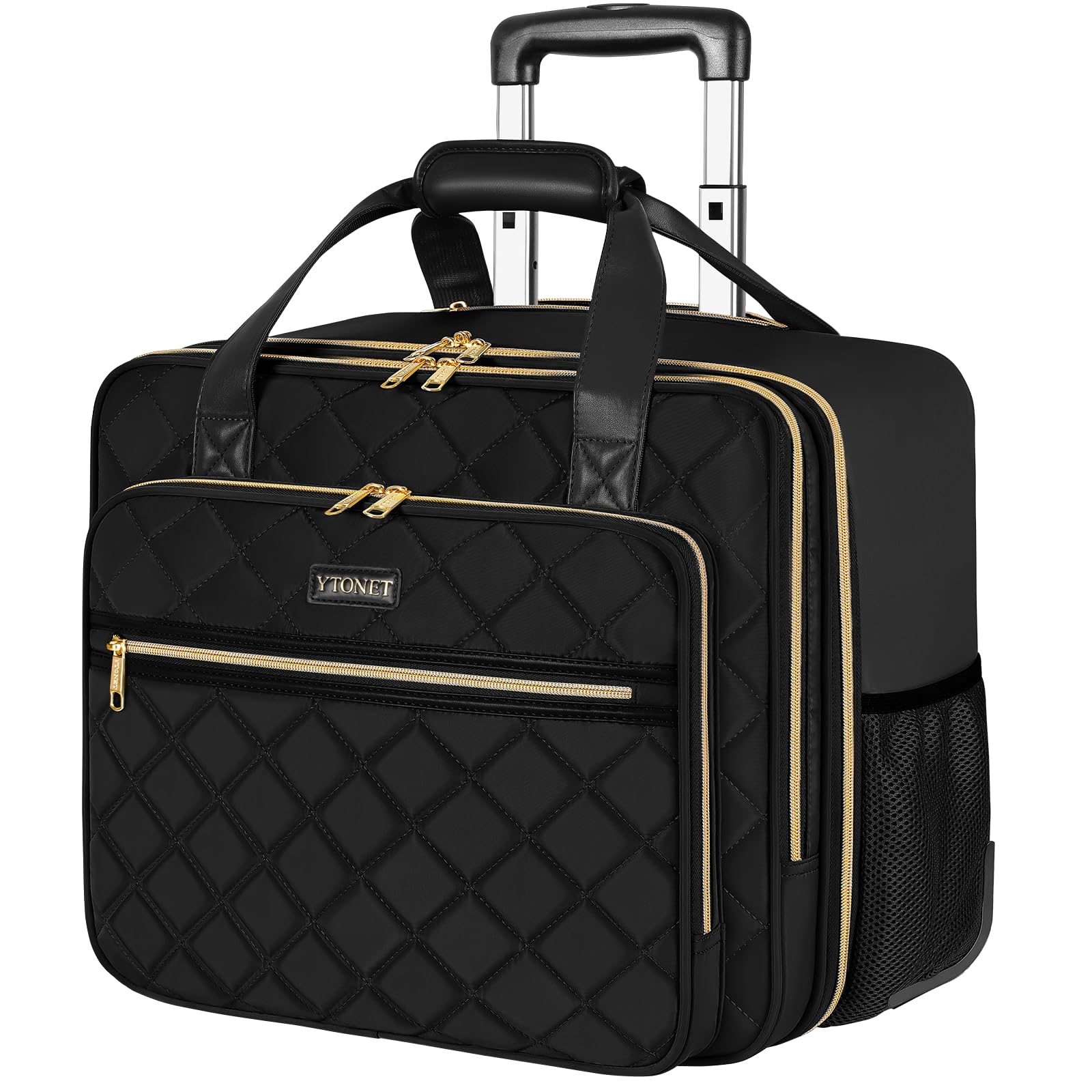
Figure 1: Ytonet Rolling Laptop Bag in use.
2. Produktmerkmale und Komponenten
The Ytonet Rolling Laptop Bag is engineered for durability and functionality. Key features include:
- Long-Lasting Telescopic Handle: Constructed from lightweight and solid aluminum alloy for smooth extension and retraction.
- Sturdy Silent Smooth Wheels: High-density rubber wheels designed for quiet and effortless gliding across various surfaces.
- Große Kapazität: Over 10 pockets, including a thickened computer compartment for 17.3-inch laptops, quick-access front pockets, and side pockets.
- Wasserabweisendes Material: Fashion black water-resistant nylon fabric with a quilted texture.
- Gold-Plated Zippers: Sturdy and smooth for reliable closure.
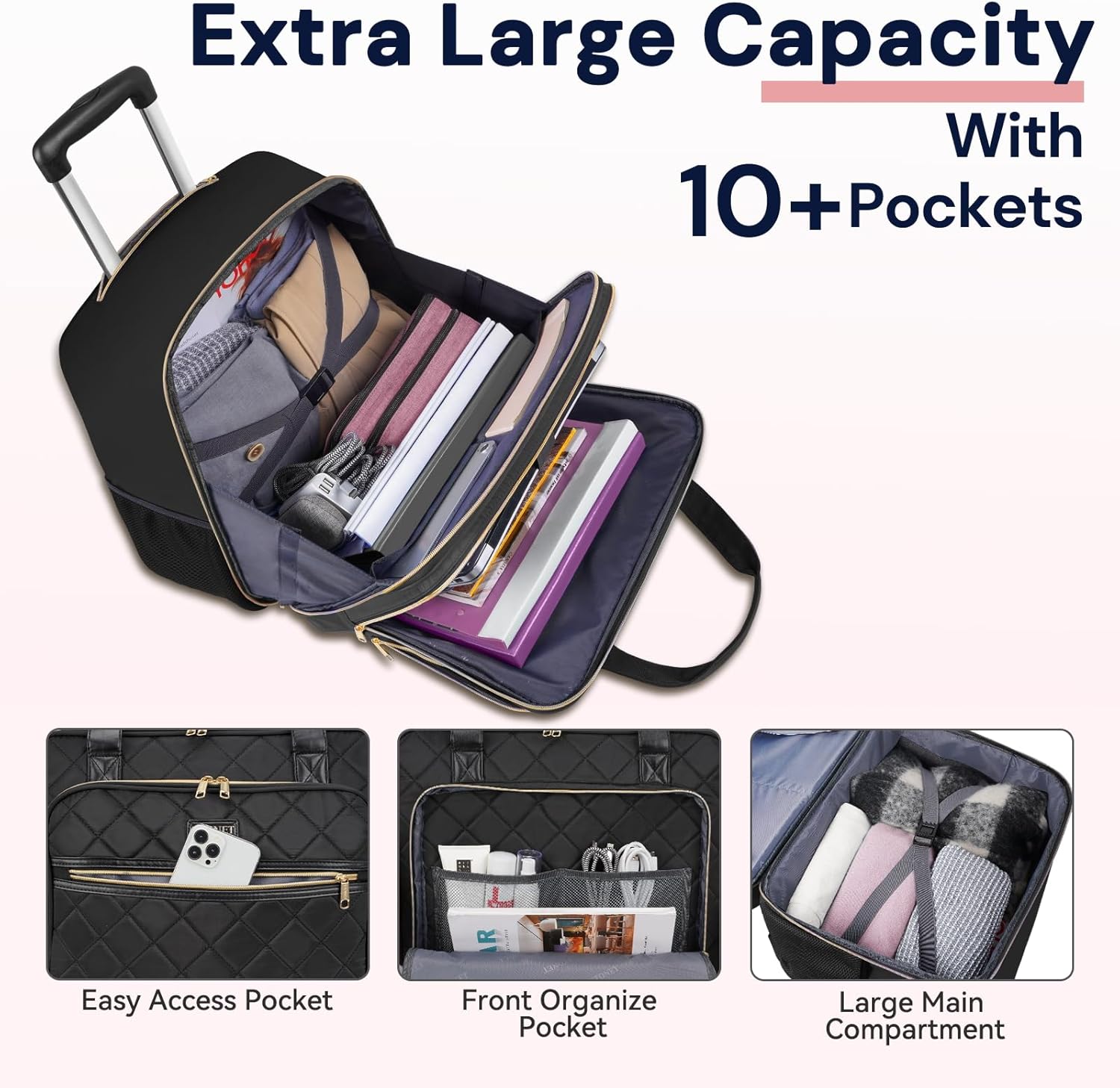
Abbildung 2: Überview of the bag's large capacity and internal organization.

Abbildung 3: Ausführlich view of the bag's internal organization and pockets.
3. Einrichtung
3.1 Teleskopstiel ausfahren
- Locate the handle release button on the top of the telescopic handle.
- Halten Sie die Taste gedrückt.
- Gently pull the handle upwards until it extends to your desired height. Release the button to lock it in place.

Figure 4: Extending the telescopic handle.
3.2 Retracting the Telescopic Handle
- Halten Sie die Entriegelungstaste des Griffs gedrückt.
- Push the handle downwards until it is fully retracted into the bag.
- Lassen Sie die Taste los.
3.3 Vorbereitung für den Gebrauch
Before first use, ensure all zippers operate smoothly. Familiarize yourself with the various compartments to optimize your packing strategy.
4. Bedienung der Tasche
4.1 Utilizing Main Compartments
The bag features a large main compartment with internal straps to secure clothing or larger items. The padded laptop compartment is designed to safely hold laptops up to 17.3 inches.
Video 1: Demonstrates the laptop and main compartment.
Video 2: Shows the organization and capacity of each compartment.
4.2 Using External Pockets
- Front Quick-Access Pockets: Ideal for small items like phones, keys, or travel documents.
- Seitliche Netztaschen: Geeignet für Wasserflaschen oder Regenschirme.
4.3 Rolling and Carrying
The bag can be easily rolled using the telescopic handle and silent wheels. For short distances or when navigating stairs, use the reinforced top handles for hand-carrying.
Video 3: Demonstrates the two ways to carry the bag: rolling and by hand.
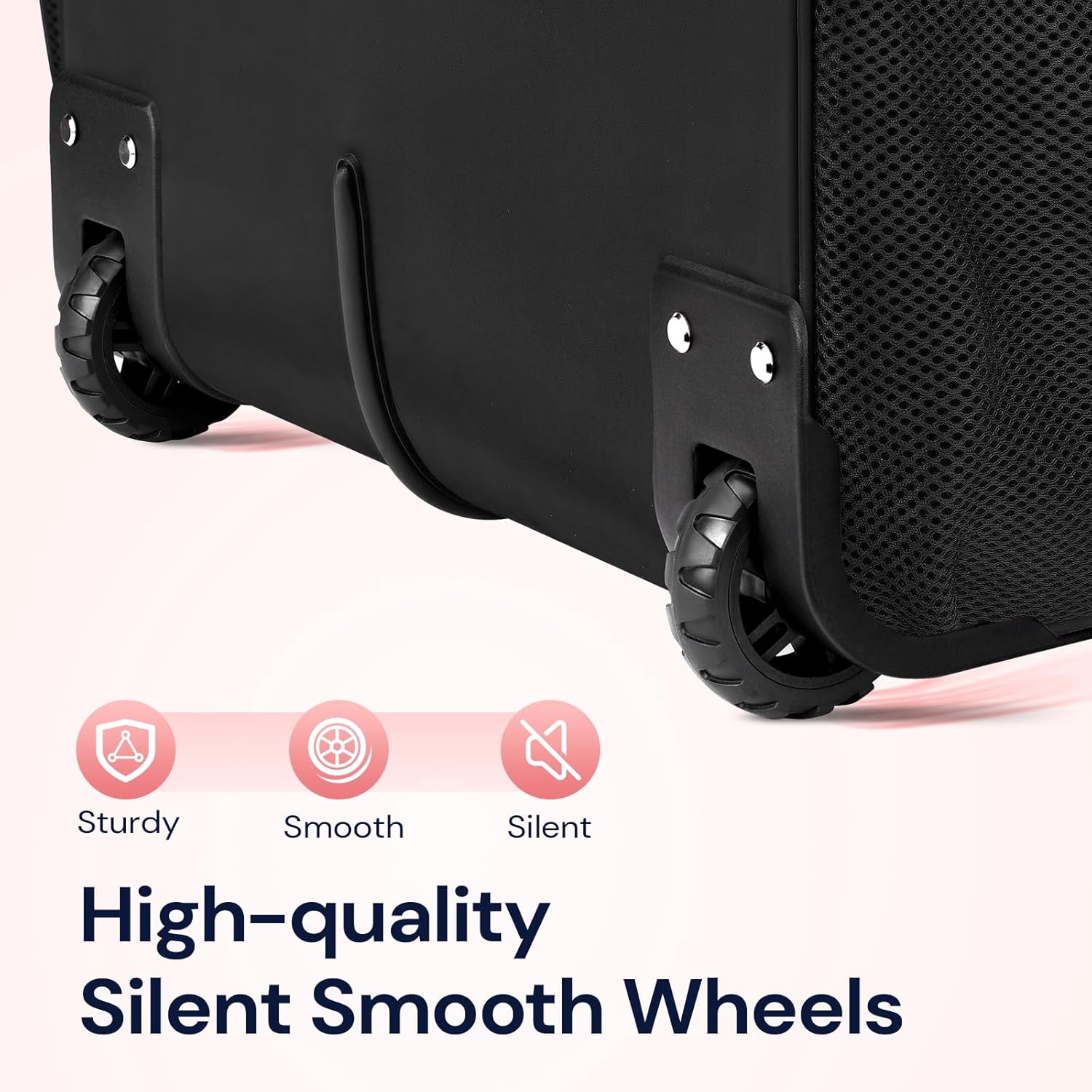
Figure 5: Detail of the silent smooth wheels.
Video 4: General überview of the Ytonet rolling laptop bag in action.
Video 5: A 360-degree display of the bag, highlighting its features from all angles.
5. Wartung
5.1 Reinigungshinweise
- For minor spills or dirt, wipe the exterior with a damp Tuch und milder Seife.
- Nicht in der Maschine waschen oder im Trockner trocknen.
- Lassen Sie den Beutel vor dem Verstauen vollständig an der Luft trocknen.
5.2 Speicherung
Store the bag in a cool, dry place away from direct sunlight when not in use. Ensure the telescopic handle is fully retracted.
6. Fehlerbehebung
6.1 Handle Issues
- Handle sticks or is difficult to extend/retract: Ensure the release button is fully pressed. Check for any obstructions in the handle mechanism. Avoid forcing the handle.
6.2 Probleme mit den Rädern
- Räder rollen nicht reibungslos: Check for debris (e.g., hair, lint) caught in the wheel axles. Clean as necessary. Avoid rolling over extremely rough surfaces.
6.3 Probleme mit dem Reißverschluss
- Zipper snags or gets stuck: Gently pull the fabric away from the zipper teeth. Avoid overfilling compartments, which can put stress on zippers.
7. Spezifikationen
| Besonderheit | Spezifikation |
|---|---|
| Marke | Ytonet |
| Modell | B0BX9MMP8L |
| Artikelabmessungen (L x B x H) | 16.5 Zoll L x 10.2 Zoll B x 15 Zoll H |
| Artikelgewicht | 2.3 Kilogramm |
| Materialtyp | Polyester |
| Farbe | Schwarz |
| Radtyp | Spinner |
| Anzahl der Räder | 2 |
| Grifftyp | Telescopic Extendable Handle |
| Armbandtyp | Hand-Carry |
| Wasserbeständigkeit | Wasserfest |
| Anzahl der Taschen | 12 |
| Speichervolumen | 5 Liter |

Figure 6: Product dimensions and size reference.
8. Garantie und Support
Ytonet products are manufactured with quality and customer satisfaction in mind. For specific warranty information or technical support, please refer to the product packaging or contact Ytonet customer service directly. Keep your purchase receipt for warranty claims.