
1. Einleitung
Vielen Dank für Ihren Einkauf.asing the SODLK T300 120W Portable Bluetooth Speaker. This manual provides essential information for setting up, operating, and maintaining your speaker. Please read it thoroughly before use to ensure optimal performance and longevity of your device. Keep this manual for future reference.
2. Sicherheitshinweise
- Setzen Sie den Lautsprecher keinen extremen Temperaturen, direkter Sonneneinstrahlung oder hoher Luftfeuchtigkeit aus.
- Vermeiden Sie, den Lautsprecher fallen zu lassen oder starken Stößen auszusetzen.
- Zerlegen, reparieren oder verändern Sie den Lautsprecher nicht selbst. Wenden Sie sich für Reparaturen an qualifiziertes Servicepersonal.
- Halten Sie den Lautsprecher von Wasser und anderen Flüssigkeiten fern. Dieses Produkt ist nicht wasserdicht.
- Verwenden Sie zum Aufladen ausschließlich das mitgelieferte USB-Kabel.
- Um Gehörschäden zu vermeiden, betreiben Sie den Lautsprecher nicht über längere Zeiträume mit übermäßig hoher Lautstärke.
3. Packungsinhalt
Bitte prüfen Sie das Paket auf folgende Artikel:
- SODLK T300 Bluetooth-Lautsprecher
- USB-Ladekabel
- Bedienungsanleitung
4. Produktüberschreitungview
The SODLK T300 is a powerful portable Bluetooth speaker designed for robust audio performance. It features a durable exterior, integrated handle, and dynamic LED lighting on the sides. The speaker incorporates advanced audio technology for a rich sound experience.

Bild: Vorderseite view of the SODLK T300 Portable Bluetooth Speaker, showcasing its black finish, front grille, and side LED lights.
Internally, the T300 is equipped with a sophisticated driver system to deliver its 120W output. This includes multiple dynamic driver units and vibrating diaphragms for enhanced bass and clear audio reproduction.

Bild: Eine explodierte view illustrating the internal components of the SODLK T300 speaker, highlighting the 4 dynamic driver units and DSP sound processing.
5. Einrichtung
5.1 Aufladen des Lautsprechers
Before first use, fully charge the speaker. Connect the provided USB charging cable to the speaker's charging port and a compatible USB power adapter (not included). The LED indicator will show charging status and turn off or change color when fully charged.
5.2 Ein-/Ausschalten
- So schalten Sie das Gerät ein: Press and hold the Power button for a few seconds until the LED lights illuminate and you hear an audible prompt.
- So schalten Sie das Gerät aus: Drücken und halten Sie den Netzschalter erneut einige Sekunden lang, bis die LED-Leuchten ausgehen und Sie einen akustischen Hinweis hören.
6. Bedienungsanleitung
6.1 Bluetooth-Kopplung
The SODLK T300 features Bluetooth 5.1 for a stable and efficient wireless connection.

Image: Graphic illustrating the benefits of Bluetooth 5.1 connectivity for the SODLK T300, including faster and stronger connection, lower power consumption, better sound, more stable transfer, and higher noise reduction.
- Stellen Sie sicher, dass der Lautsprecher eingeschaltet und im Bluetooth-Kopplungsmodus ist (die LED-Anzeige blinkt normalerweise blau).
- Aktivieren Sie auf Ihrem Gerät (Smartphone, Tablet, Computer) Bluetooth und suchen Sie nach verfügbaren Geräten.
- Select "SODLK T300" from the list of devices.
- Once paired, the speaker will indicate a successful connection, and the LED light will change.
6.2-mm-TWS-Anschluss (True Wireless Stereo)
To connect two SODLK T300 speakers for a stereo sound experience:
- Stellen Sie sicher, dass beide Lautsprecher eingeschaltet und nicht mit einem Bluetooth-Gerät verbunden sind.
- On one speaker, press the TWS button. It will enter TWS pairing mode.
- Die beiden Lautsprecher verbinden sich automatisch miteinander. Nach der Verbindung fungiert ein Lautsprecher als Master (linker Kanal) und der andere als Slave (rechter Kanal).
- Verbinden Sie Ihr Gerät über Bluetooth mit dem Hauptlautsprecher, wie in Abschnitt 6.1 beschrieben.
6.3 Playing Music from Various Sources
The SODLK T300 supports multiple playback modes:
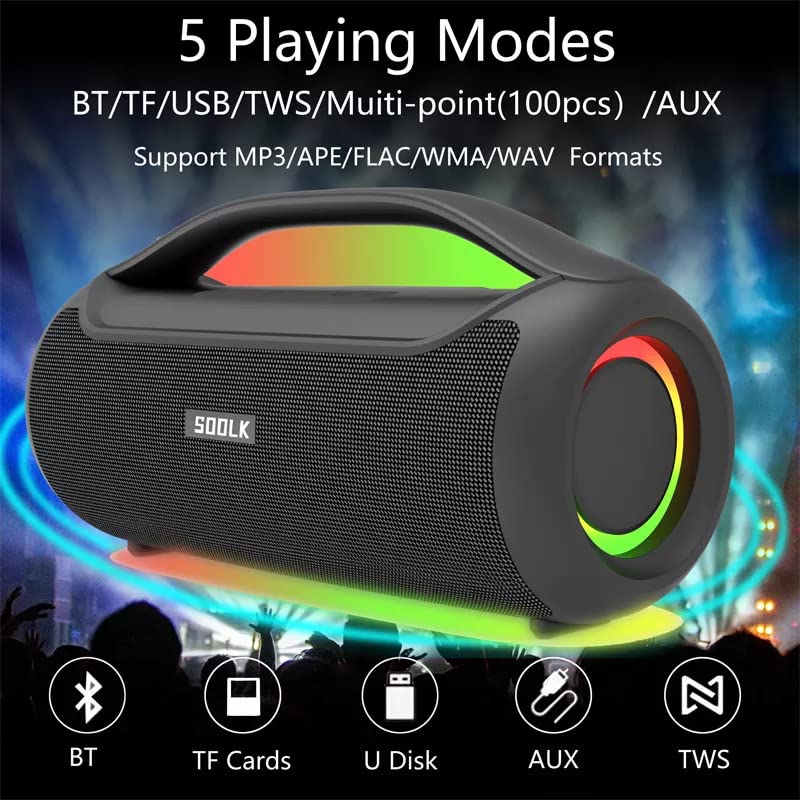
Image: Visual representation of the 5 playing modes supported by the SODLK T300: Bluetooth (BT), TF Cards, U Disk (USB), AUX, and TWS. It also indicates support for MP3/APE/FLAC/WMA/WAV formats.
- Bluetooth: Connect your device wirelessly as described in section 6.1.
- TF-Karte: Legen Sie eine TF-Karte (MicroSD-Karte) mit Audio ein. fileStecken Sie die TF-Karte in den Steckplatz. Der Lautsprecher schaltet automatisch in den TF-Kartenmodus und beginnt mit der Wiedergabe.
- USB-Festplatte: Stecken Sie einen USB-Stick mit Audio fileStecken Sie das Kabel in den USB-Anschluss. Der Lautsprecher schaltet automatisch in den USB-Modus und beginnt mit der Wiedergabe.
- AUX-Eingang: Connect an external audio device using a 3.5mm AUX cable (not included) to the AUX port. The speaker will switch to AUX mode.
Use the speaker's control buttons to play/pause, skip tracks, and adjust volume.
6.4 EQ Playing Modes
The speaker offers three equalizer (EQ) modes to optimize your listening experience for different music genres.

Image: Graphic displaying the three EQ playing modes of the SODLK T300: HIFI 6D Surround, Vocal, and Deep Bass, with illustrative icons for each.
Press the EQ button to cycle through the following modes:
- HIFI 6D Surround: Bietet ein immersives, weites Klangerlebnistage.
- Gesang: Enhances clarity for vocals, ideal for podcasts or acoustic music.
- Tiefer Bass: Boosts low frequencies for a more impactful bass response.
6.5 LED-Lichtsteuerung
The SODLK T300 features dynamic LED lights. Press the Light button to cycle through different lighting modes or to turn the lights off.
6.6 NFC Connection (Near Field Communication)
For compatible devices, NFC allows for quick and easy Bluetooth pairing.
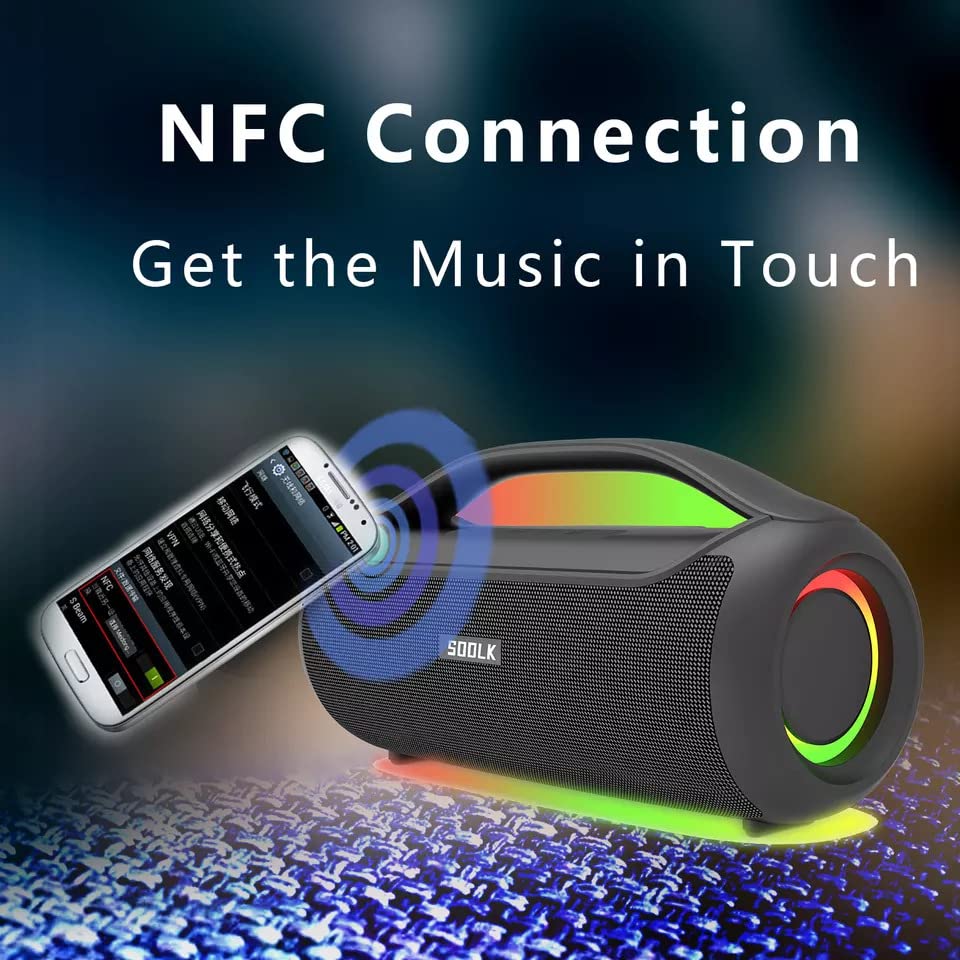
Image: A smartphone being tapped against the SODLK T300 speaker, illustrating the NFC connection process for instant music pairing.
- Stellen Sie sicher, dass NFC auf Ihrem Smartphone oder Gerät aktiviert ist.
- Tap your NFC-enabled device gently against the NFC area on the speaker.
- Your device will prompt you to connect via Bluetooth. Confirm the connection.
7. Wartung
7.1 Reinigung
Reinigen Sie den Lautsprecher mit einem weichen, trockenen Tuch. Verwenden Sie keine Scheuermittel, Alkohol oder andere chemische Lösungsmittel, da diese die Oberfläche beschädigen können.
7.2 Speicherung
Bei längerer Nichtbenutzung sollte der Lautsprecher an einem kühlen, trockenen Ort, geschützt vor direkter Sonneneinstrahlung und extremen Temperaturen, aufbewahrt werden. Um die Akkuleistung zu erhalten, wird empfohlen, den Lautsprecher mindestens einmal alle drei Monate aufzuladen.
8. Fehlerbehebung
| Problem | Mögliche Ursache | Lösung |
|---|---|---|
| Der Lautsprecher lässt sich nicht einschalten. | Schwache Batterie. | Laden Sie den Lautsprecher vollständig auf. |
| Kein Ton. | Lautstärke zu niedrig; falscher Eingangsmodus; Gerät nicht gekoppelt. | Increase volume; switch to correct input mode (BT, AUX, TF, USB); re-pair Bluetooth device. |
| Die Bluetooth-Kopplung schlägt fehl. | Lautsprecher nicht im Kopplungsmodus; Bluetooth-Verbindung des Geräts deaktiviert; zu große Entfernung zum Lautsprecher. | Stellen Sie sicher, dass sich der Lautsprecher im Kopplungsmodus befindet; aktivieren Sie Bluetooth auf dem Gerät; bringen Sie das Gerät näher an den Lautsprecher heran. |
| Die TWS-Verbindung schlägt fehl. | Die Lautsprecher sind bereits mit einem anderen Gerät verbunden; sie sind zu weit voneinander entfernt. | Disconnect speakers from other devices; ensure speakers are close to each other. |
9. Spezifikationen
Detailed technical specifications for the SODLK T300 speaker:
| Besonderheit | Spezifikation |
|---|---|
| Modellname | T300 |
| Lautsprechertyp | Tragbarer Lautsprecher |
| Besonderheit | Subwoofer, LED Light, TWS Connection |
| Konnektivitätstechnologie | Bluetooth 5.1, Auxiliary, TF Card, USB |
| Drahtlose Kommunikation | Bluetooth |
| Maximale Lautsprecherausgangsleistung | 120 Watt |
| Audioausgabemodus | Stereo |
| Surround Sound-Kanalkonfiguration | 6D |
| Stromquelle | Batteriebetrieben |
| Kontrollmethode | Touch-Tasten |
| Technische Daten | 11.2 cm (T) x 29.2 cm (B) x 10.1 cm (H) |
| Ist wasserdicht | NEIN |
| Im Lieferumfang enthaltene Komponenten | USB Cable, Speaker, User Manual |
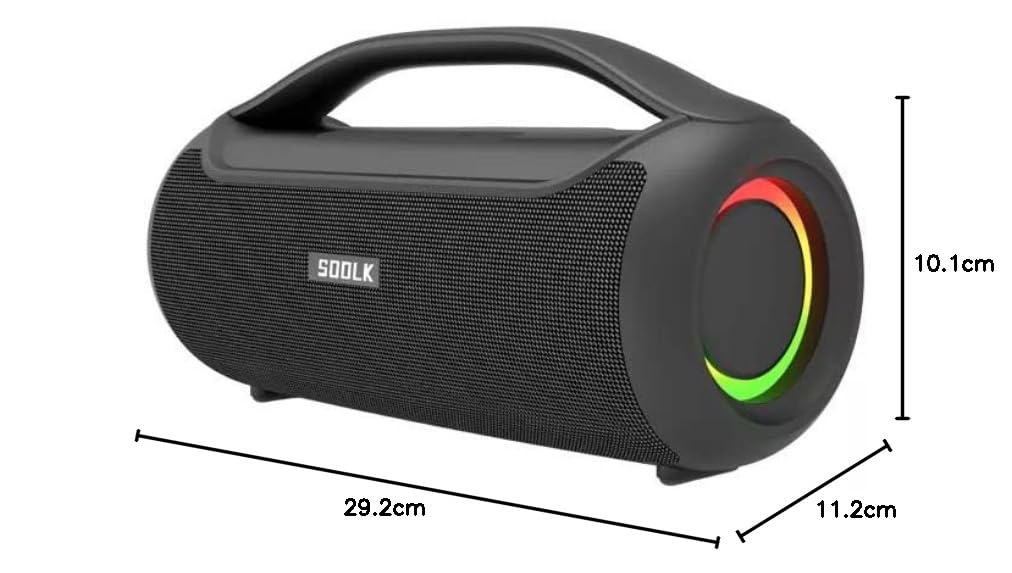
Image: Diagram showing the dimensions of the SODLK T300 speaker: 29.2cm (width), 11.2cm (depth), and 10.1cm (height).
10. Garantie und Support
The SODLK T300 speaker comes with a 1 Jahr Garantie Diese Garantie gilt ab Kaufdatum und deckt Herstellungs- und Verarbeitungsfehler bei normalem Gebrauch ab. Sie deckt keine Schäden ab, die durch Missbrauch, Unfälle, nicht autorisierte Änderungen oder normale Abnutzung verursacht wurden.
For warranty claims, technical support, or any inquiries, please contact your retailer or the SODLK customer service department with your purchase details.