
Einführung
This manual provides essential information for the safe and effective use of your Paladone Green Xbox Icons Light. Please read these instructions carefully before use and retain them for future reference.

The Paladone Green Xbox Icons Light, featuring the iconic Xbox logo and sphere, illuminated in a vibrant green hue.
Sicherheitshinweise
- Außerhalb der Reichweite von Kindern aufbewahren: Dieses Produkt ist kein Spielzeug.
- Nur Innen benutzen: Nicht Regen oder Feuchtigkeit aussetzen.
- Energiequelle: Use only the provided USB cable or 3x AAA batteries. Do not mix old and new batteries, or different types of batteries.
- Vermeiden Sie extreme Temperaturen: Do not operate in excessively hot or cold environments.
- Reinigung: Vor der Reinigung vom Stromnetz trennen. Ein weiches, trockenes Tuch verwenden. Keine flüssigen Reinigungsmittel verwenden.
- Entsorgung: Batterien und Produkt sind gemäß den örtlichen Vorschriften verantwortungsvoll zu entsorgen.
Packungsinhalt
Packen Sie den Karton vorsichtig aus und vergewissern Sie sich, dass alle Artikel vorhanden sind:
- 1 x Paladone Green Xbox Icons Light Unit
- 1 x USB-Netzkabel

The product packaging, indicating the Xbox Icons Light and its features.
Aufstellen
Your Xbox Icons Light can be powered by either the included USB cable or 3x AAA batteries (not included).
Powering via USB:
- Insert the small end of the USB cable into the USB port on the back of the light unit.
- Insert the large end of the USB cable into a powered USB port (e.g., computer, USB wall adapter, game console).
Powering via Batteries:
- Suchen Sie das Batteriefach an der Unterseite der Leuchteinheit.
- Öffnen Sie die Abdeckung des Batteriefachs.
- Legen Sie 3 AAA-Batterien ein und achten Sie dabei auf die richtige Polarität (+/-).
- Schließen Sie den Batteriefachdeckel fest.

The Xbox Icons Light can be powered using the included USB cable or 3x AAA batteries (not included).
Bedienungsanleitung
The Xbox Icons Light features a power button, typically located on the base or side of the unit. Press this button to cycle through the available lighting modes.
Ein-/Ausschalten:
- Drücken Sie einmal die Einschalttaste, um das Licht einzuschalten.
- Continue pressing the power button to cycle through the lighting modes.
- Press the power button after the last lighting mode to turn the light off.

The Xbox Icons Light offers dynamic phasing and pulsing light modes for varied visual effects.
Beleuchtungsmodi
The Paladone Green Xbox Icons Light offers three distinct lighting modes:
- Standardmodus: The light remains steadily illuminated.
- Shifting Mode: The light transitions between different brightness levels or sections.
- Pulsmodus: The light gently pulses, creating a dynamic effect.
Press the power button repeatedly to switch between these modes.
Wartung
Reinigung:
- Ensure the light is turned off and disconnected from any power source before cleaning.
- Wischen Sie die Oberfläche mit einem weichen, trockenen, fusselfreien Tuch ab.
- Verwenden Sie keine Scheuermittel, Lösungsmittel oder aggressive Chemikalien, da diese die Oberfläche beschädigen können.
Batteriewechsel:
- If using batteries, replace all three AAA batteries when the light dims or stops functioning.
- Follow the instructions in the 'Powering via Batteries' section under 'Setup' for safe battery replacement.
- Always dispose of used batteries according to local environmental guidelines.
Fehlerbehebung
| Problem | Mögliche Ursache | Lösung |
|---|---|---|
| Licht geht nicht an. | No power supply or depleted batteries. | Check USB cable connection or replace AAA batteries. |
| Das Licht ist schwach oder flackert. | Niedriger Batteriestand. | Replace AAA batteries or use USB power. |
| Die Beleuchtungsmodi können nicht geändert werden. | Power issue or button malfunction. | Stellen Sie eine stabile Stromversorgung sicher. Sollte das Problem weiterhin bestehen, wenden Sie sich bitte an den Support. |
Technische Daten
| Besonderheit | Detail |
|---|---|
| Modellnummer | PP8961XB |
| Abmessungen (L x B x H) | 12.45 x 4.92 x 2.91 Zoll (31.8 cm x 12.5 cm x 7.4 cm) |
| Artikelgewicht | 16 Unzen (ca. 453 Gramm) |
| Material | Plastik |
| Stromquelle | USB-Kabel (im Lieferumfang enthalten) oder 3 AAA-Batterien (nicht im Lieferumfang enthalten) |
| Art der Glühbirne | LED |
| Anzahl der Lichter | 1 |
| Bandtage | Funktioniert bei niedrigen Lautstärkentage DC (5V via USB, 4.5V via AAA batteries). Listed specification: 230 Volts (AC) for power adapter compatibility (adapter not included). |
| Besondere Merkmale | Dynamische Phasing and Pulsing Light Modes |
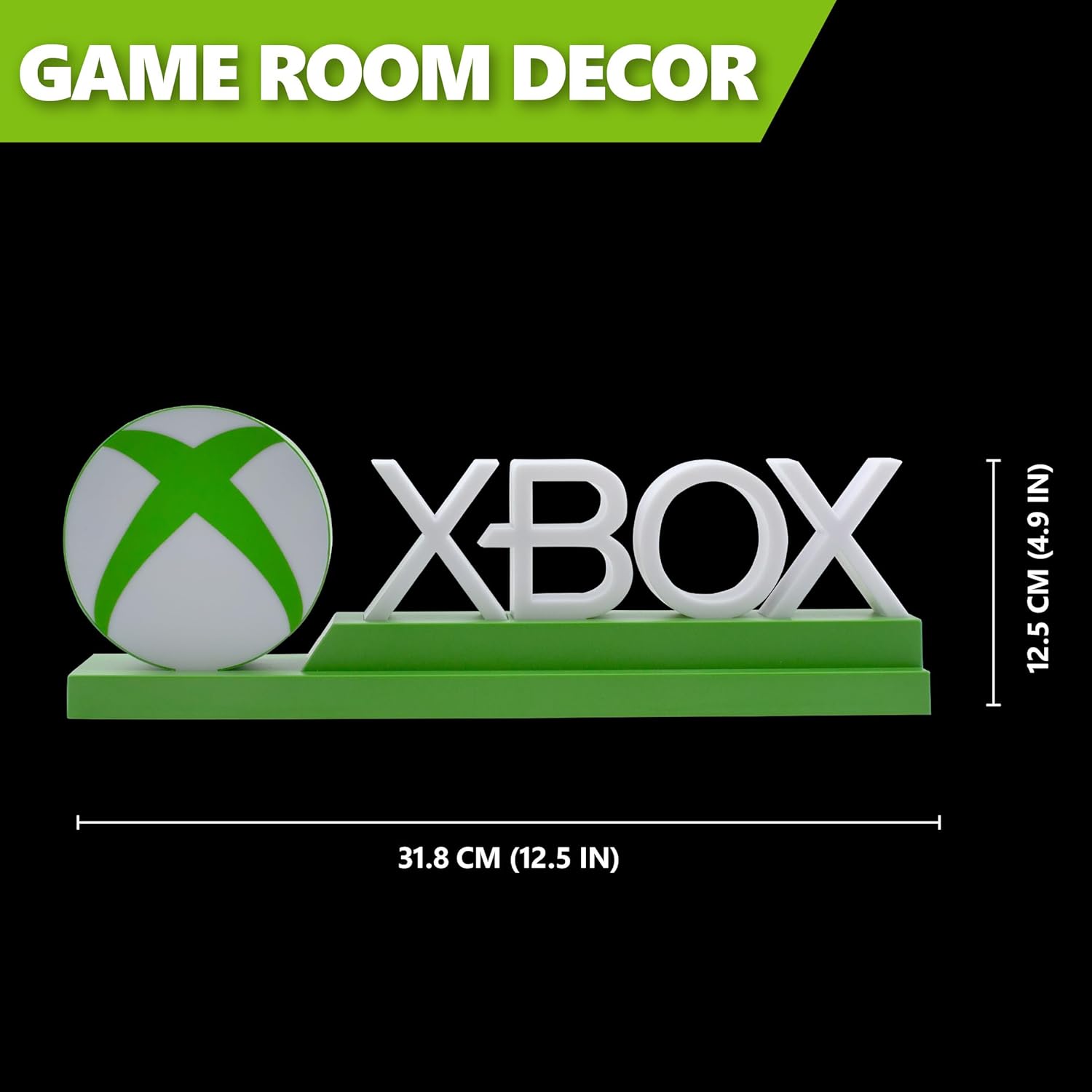
Detailed dimensions of the Xbox Icons Light, measuring 31.8 cm (12.5 inches) in width and 12.5 cm (4.9 inches) in height.
Garantie und Support
For warranty information, product support, or to inquire about replacement parts, please refer to the retailer where the product was purchased or visit the official Paladone webBewahren Sie Ihren Kaufbeleg für Garantieansprüche auf.
Paladone Official WebWebsite: www.paladone.com