
ANTELA F1s202-EU
ANTELA WLAN Smart Plug Bedienungsanleitung
Marke: ANTELA
Modell: F1s202-EU
1. Einleitung
The ANTELA WLAN Smart Plug (Model F1s202-EU) is designed to transform your home into a smart living space. This smart socket allows you to control your household appliances remotely via an app, use voice commands with popular smart assistants like Alexa and Google Assistant, and monitor power consumption. It also features scheduling and timer functions to automate your devices, helping you save energy and enhance convenience.
This manual provides comprehensive instructions for setting up, operating, and maintaining your ANTELA Smart Plug to ensure optimal performance and safety.
2. Sicherheitshinweise
Bitte lesen Sie vor der Verwendung dieses Produkts alle Sicherheitshinweise und Anweisungen sorgfältig durch, um Verletzungen oder Schäden zu vermeiden. Bewahren Sie diese Bedienungsanleitung zum späteren Nachschlagen auf.
- Do not disassemble or modify the device. Unauthorized modifications may cause damage, electric shock, or fire.
- Stellen Sie sicher, dass die Stromversorgungslautstärketage is within the specified range (250V AC).
- Do not exceed the maximum load current (16A) or power (3680W) of the smart plug.
- Keep the device away from water, moisture, and high temperatures. It is designed for indoor use only.
- Do not use the smart plug with life-support equipment or other critical devices where malfunction could lead to serious injury or death.
- Always insert the plug parallel into the socket to ensure proper contact and safety.
- This device features child safety shutters to prevent accidental insertion of objects into the live contacts.
3. Produktüberschreitungview
The ANTELA Smart Plug is a compact and efficient device designed to integrate seamlessly into your smart home ecosystem. Each package contains two smart plugs.

Image: Two ANTELA WLAN Smart Plugs, showing their compact design and power button with blue LED indicator.
Hauptmerkmale:
- Energy Consumption Measurement: Monitor the power usage of connected appliances directly from the app.
- APP-Fernbedienung: Control your devices from anywhere using the Smart Life app (2.4GHz Wi-Fi required).
- Sprachsteuerung: Kompatibel mit Amazon Alexa und Google Assistant für freihändige Bedienung.
- Zeitplan und Timer: Set custom schedules and timers for automatic on/off control of your devices.
- Einfache Einrichtung: Simple pairing process with a blinking LED indicator.
- Familienfreigabe: Teilen Sie die Steuerung des intelligenten Steckers über die App mit Ihren Familienmitgliedern.
- Sicherheitsschutz: Built-in safety features for reliable operation.

Image: Diagram showing the dimensions of the ANTELA Smart Plug (5.5 x 5.5 x 8.2 cm) and icons representing its features: WiFi Connection, Voice Control, Remote Control, Timer Setting, APP Control, Energy Monitoring, and Security Protection.
4. Einrichtung
4.1 Erstes Pairing
- Einschalten: Plug the ANTELA Smart Plug into a standard wall socket.
- Kopplungsmodus aktivieren: Press and hold the power button on the smart plug for 5-10 seconds until the LED indicator starts blinking rapidly. This indicates it is ready for pairing.

Image: A hand holding the smart plug and inserting it into a power strip, with text indicating to hold the button for 5-10 seconds to enter pairing mode. A phone screen shows the "Smart Life" app interface with a power button and 2.4GHz WiFi compatibility.
- Smart Life App herunterladen: Suchen nach "Smart Life" in your device's app store (Apple App Store or Google Play Store) and download it.
Video: This video demonstrates the process of downloading the Smart Life app, registering an account, and connecting the ANTELA Smart Plug to the app via Wi-Fi. It also shows how to link the Smart Life account with Alexa for voice control.
- Registrieren/Anmelden: Open the Smart Life app and either register a new account or log in with an existing one. You can also use your Google or Apple account for sign-up/login.
- Gerät hinzufügen: In the app, tap the "+" icon or follow the prompts to add a new device. The app should automatically detect the blinking smart plug. Select "ANTELA Smart Plug" and tap "Add".
- Mit WLAN verbinden: Enter your 2.4GHz Wi-Fi network password when prompted. The smart plug only supports 2.4GHz Wi-Fi. Ensure your phone is connected to a 2.4GHz network during setup.
- Fertigstellung: Once connected, the LED indicator on the smart plug will stop blinking and remain solid. The app will confirm successful addition.
4.2 Connecting with Alexa/Google Assistant
To enable voice control, link your Smart Life account with your Amazon Alexa or Google Assistant app.
- Öffnen Sie die Amazon Alexa oder Google Home App.
- Navigieren Sie zu „Skills & Spiele“ (Alexa) oder „Funktioniert mit Google“ (Google Home).
- Suchen nach "Smart Life" und die Funktion aktivieren.
- Melden Sie sich mit Ihren Smart Life-Kontodaten an, wenn Sie dazu aufgefordert werden.
- Discover devices. Your ANTELA Smart Plug should now appear in your smart assistant's device list and be ready for voice commands.

Image: A woman on a bed interacting with an Alexa device, with text bubbles showing "Alexa, turn on my light" and "ok", illustrating voice control functionality. Logos for "works with Alexa" and "works with Hey Google" are also visible.
5. Bedienungsanleitung
5.1 APP-Fernbedienung
Once connected, you can control your smart plug from anywhere using the Smart Life app. Simply open the app, select your ANTELA Smart Plug, and toggle the power on or off.
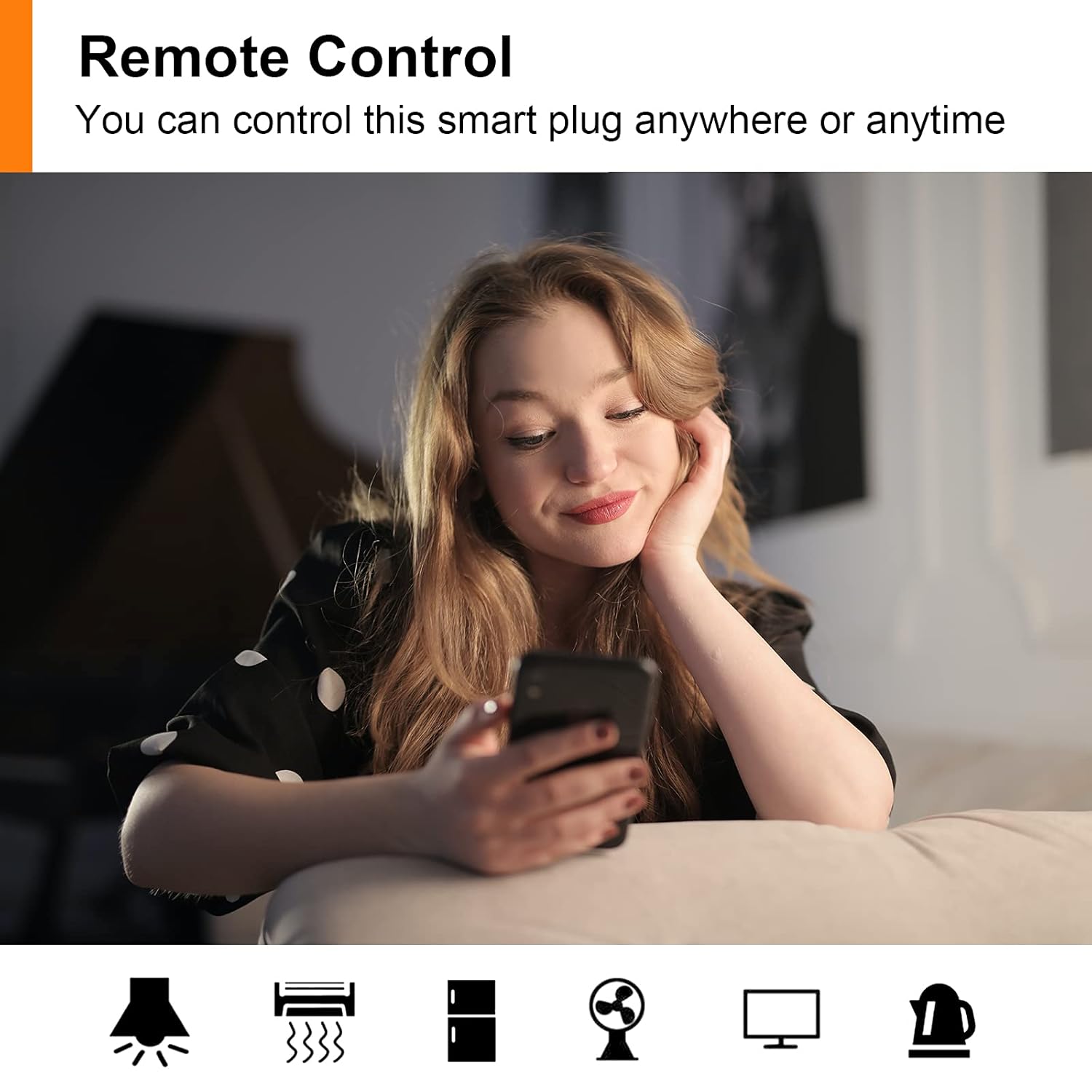
Image: A woman relaxing on a couch, using her smartphone to control a device remotely, demonstrating the remote control feature of the smart plug.
5.2 Sprachsteuerung
Use simple voice commands with your Alexa or Google Assistant device to control the smart plug. For exampauf:
- "Alexa, schalte das Licht im Wohnzimmer ein."
- "Hey Google, schalte die Kaffeemaschine aus."
- "Alexa, activate Antela smart plug."
5.3 Schedule and Timer Functions
Automate your devices by setting schedules and timers within the Smart Life app.
- Terminplanung: Set specific times for the smart plug to turn on or off daily or on selected days of the week. This is ideal for lights, fans, or holiday decorations.
- Timer: Use the countdown timer to automatically turn off a device after a set period.
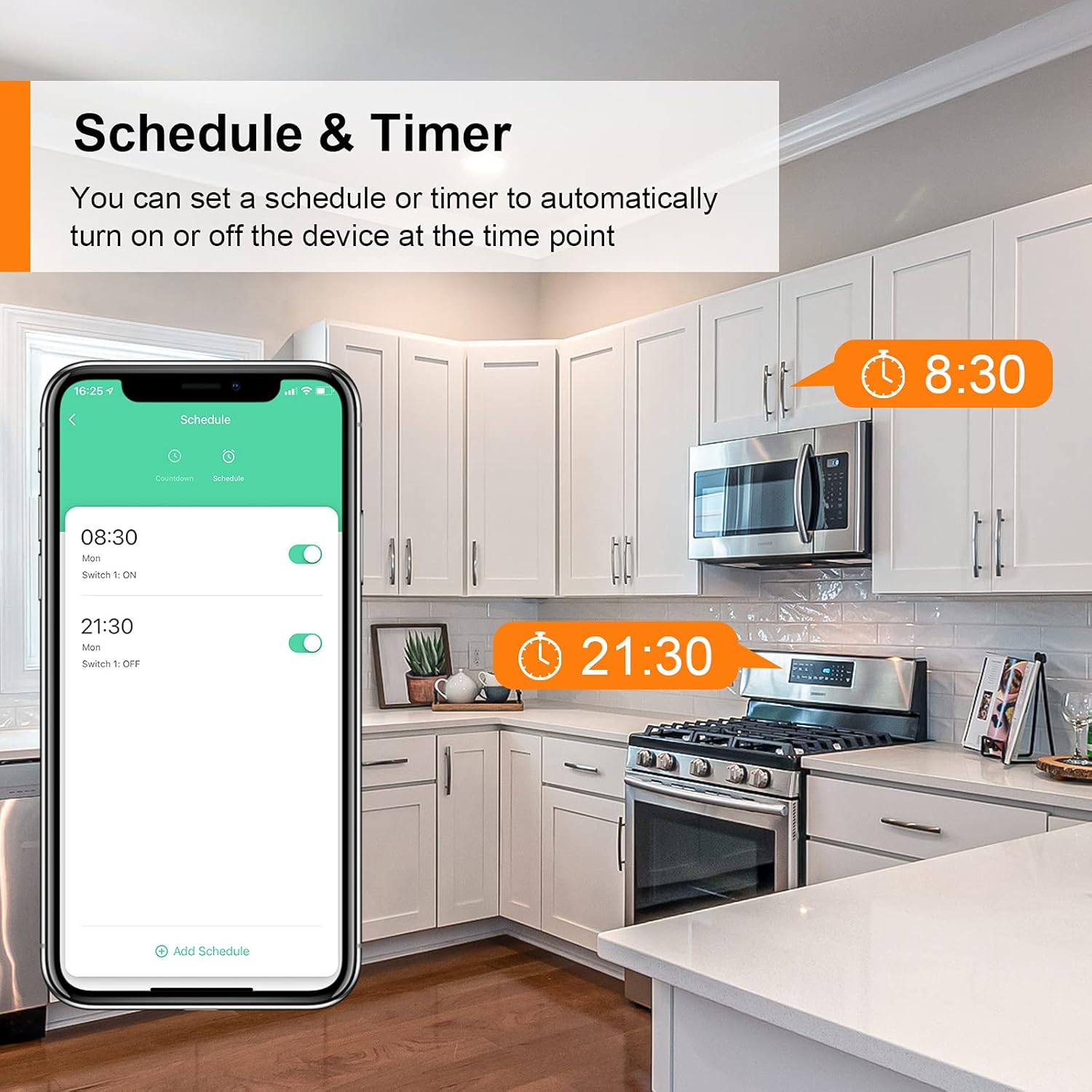
Image: A smartphone screen displaying the "Schedule" interface within the Smart Life app, showing set times for devices to turn on (8:30) and off (21:30) in a kitchen setting.
5.4 Energy Consumption Monitoring
The ANTELA Smart Plug allows you to track the energy usage of connected appliances. Access the "Electric" section in the Smart Life app to view real-time power consumption and historical data.

Image: A smartphone screen displaying the "Electric" interface in the Smart Life app, showing energy consumption data (0.00 kWh) with current, power, and voltage readings. A child is playing in the background, implying safe usage.
5.5 Familiennutzung
Share control of your smart plugs with family members through the Smart Life app. This allows multiple users to manage the devices from their own smartphones.

Image: Three individuals looking at their smartphones, with one phone displaying the "Add Sharing" option in the Smart Life app, illustrating the family sharing feature.
6. Wartung
To ensure the longevity and proper functioning of your ANTELA Smart Plug, follow these simple maintenance guidelines:
- Reinigen Sie das Gerät mit einem weichen, trockenen Tuch. Verwenden Sie keine flüssigen Reiniger oder Sprays.
- Avoid exposing the smart plug to extreme temperatures or direct sunlight.
- Ensure the plug is securely inserted into the wall socket and that no foreign objects are obstructing the contacts.
7. Fehlerbehebung
| Problem | Mögliche Ursache | Lösung |
|---|---|---|
| Smart Plug not connecting to Wi-Fi. | Incorrect Wi-Fi password; not on 2.4GHz network; plug not in pairing mode; Wi-Fi signal too weak. |
|
| Sprachsteuerung funktioniert nicht. | Smart Life skill not enabled/linked; incorrect device name; smart assistant device not connected. |
|
| Das Gerät reagiert nicht auf App-Befehle. | No internet connection; smart plug offline; app issue. |
|
8. Spezifikationen
| Attribut | Detail |
|---|---|
| Marke | ANTELA |
| Modellnummer | F1s202-EU |
| Artikelgewicht | 220 g |
| Technische Daten | 5.5 x 5.5 x 8.22 cm |
| Farbe | Weiß |
| Stil | 2 Stück |
| Stromquelle | Kabelgebundene Elektrik |
| Bandtage | 250 Volt (Wechselstrom) |
| Wastage | 3680 Watt |
| AmpAlter | 16 Amperes |
| Schaltertyp | 1-Wege |
| Im Lieferumfang enthaltene Komponenten | Intelligente Stecker |
| Batterien im Lieferumfang enthalten | NEIN |
| Batterien erforderlich | NEIN |
| Betriebsart | EIN-AUS-EIN |
| Steckertyp | Clamp |
| Terminal | Schrauben |
| Antriebstyp | Druckknopf |
9. Garantie und Support
ANTELA products are manufactured to the highest quality standards. For warranty information, technical support, or any inquiries regarding your smart plug, please refer to the contact information provided on the product packaging or visit the official ANTELA webWebsite.
Bitte bewahren Sie Ihren Kaufbeleg für Garantieansprüche auf.
Zugehörige Dokumente - F1s202-EU
 |
Smart Socket WK-EU(FR/UK)16M: Installation, Setup, and User Guide This guide provides detailed instructions for installing and configuring the WK-EU(FR/UK)16M Smart Socket. Learn how to connect it to your WiFi network, integrate it with Amazon Alexa, and utilize its smart features for home automation. Includes safety information and technical specifications. |
 |
brennenstuhl WA 3000 XS01 WiFi-Steckdose: Benutzerhandbuch und Sicherheitshinweise Ausführliche Bedienungsanleitung und Sicherheitshinweise zur brennenstuhl WA 3000 XS01 WLAN-Steckdose. Informieren Sie sich über Installation, Funktionen, App-Steuerung, Kompatibilität mit Alexa und Google Assistant sowie die sichere Nutzung. |
 |
Meross Smart WiFi Plug Benutzerhandbuch Umfassende Anleitung zur Einrichtung und Nutzung des Meross Smart WiFi Plug. Erfahren Sie, wie Sie Ihr Gerät mit Smart-Home-Systemen wie Apple HomeKit, Amazon Alexa und Google Assistant verbinden. |
 |
Sonoff S20 Smart Plug: Funktionen, Spezifikationen und Bedienungsanleitung Entdecken Sie den Sonoff S20 Smart Plug von Iplace, ein WLAN-fähiges Gerät für nahtlose Heimautomatisierung. Entdecken Sie seine Funktionen wie Fernbedienung, Sprachassistent-Kompatibilität mit Amazon Alexa und Google Assistant, IFTTT-Integration und detaillierte technische Daten. |
 |
SMART HOME Wifi+Bluetooth Smart Socket Operating Instructions Detailed operating instructions for the SMART HOME Wifi+Bluetooth Smart Socket, covering installation, app setup, features like timing, scheduling, voice control, and safety guidelines. |
 |
Jienuo Smart Socket A16/A20 Product Manual - WiFi EU Plug with Voice Control Comprehensive product manual for the Jienuo Smart Socket A16/A20, a WiFi 16A EU plug outlet featuring remote control, timing, power monitoring, and voice control compatibility with Google Home, Alexa, and Yandex Alice. |
Ask a question about this manual
Ask about setup, troubleshooting, compatibility, parts, safety, or missing instructions. Manuals+ will review the question and use this page’s manual context to help answer it.