
1. Produktüberschreitungview
The SEAFRONT ESP32 8-Channel Relay Module is a versatile development board designed for smart home control, IoT projects, and secondary ESP32 development. It integrates an ESP32-WROOM-32E module with 4MB Flash, providing WiFi and BLE connectivity. This board features 8 onboard 5V relays, programmable buttons, a reset button, and a programmable LED, making it suitable for controlling various loads with operating voltages between 250V AC and 30V DC.

Abbildung 1: Draufsicht view of the SEAFRONT ESP32 8-Channel Relay Module.
2. Packungsinhalt
Bitte überprüfen Sie nach dem Öffnen der Verpackung, ob alle folgenden Komponenten enthalten sind:
- 1 x SEAFRONT ESP32 8-Channel Relay Module
- 2 x 9-pin Dual Connectors
- 1 x 6-pin Single Connector
- 1 x Jumper Cap
3. Spezifikationen
| Besonderheit | Detail |
|---|---|
| Produkttyp | 8-Kanal-Relaismodul |
| Material | Leiterplatte |
| Stromversorgung | DC 5-30V |
| Relaistyp | 5V, 8-circuit onboard relays |
| Load Control Voltage | Up to 250V AC or 30V DC |
| Modul | ESP32-WROOM-32E |
| Flash-Speicher | 4 MB |
| Konnektivität | WLAN, BLE |
| E/A-Anschlüsse | All I/O ports exported for secondary development |
| Abmessungen (L x B x H) | 19 x 12 x 2 cm |
| Gewicht | 134 Gramm |

Abbildung 2: Nahaufnahme view of the 8 relays and power input section.
4. Aufbau und Verkabelung
This section outlines the basic steps for connecting and powering your ESP32 Relay Module.
- Stromanschluss: Connect a DC 5-30V power supply to the designated power input terminals on the board. Ensure correct polarity.
- Lastanschluss: Connect your desired loads (e.g., lights, motors) to the relay terminals. Each relay provides normally open (NO) and common (COM) contacts. Refer to the silkscreen on the PCB for specific connections.
- Peripherieanschlüsse: If using external sensors or other peripherals, connect them to the exposed I/O ports as required by your application.

Figure 3: The relay module integrated into a smart home concept. The board supports 4MB Flash capacity.
The module is designed for easy installation and use. All I/O ports and UART program download ports are exposed for convenient secondary development.
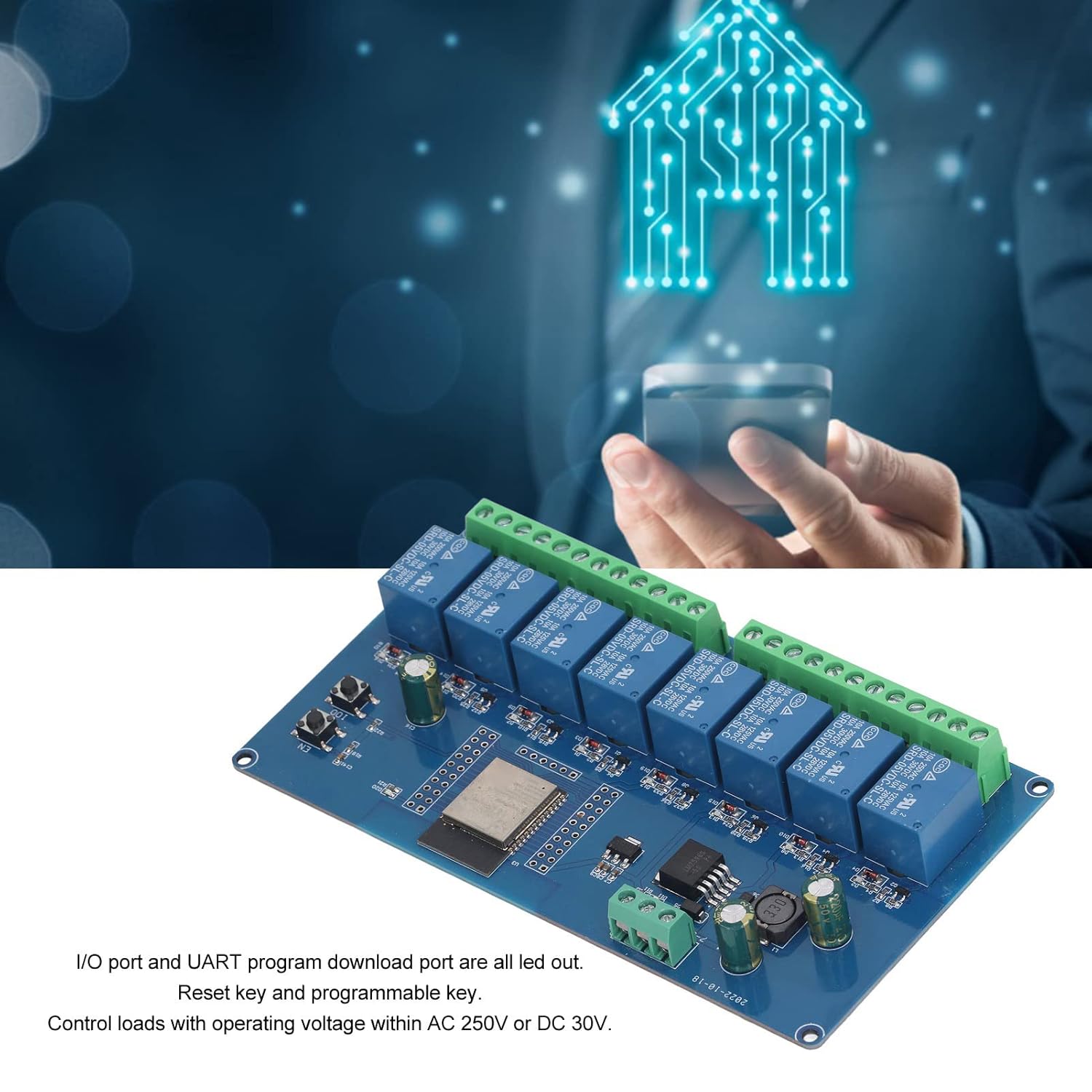
Abbildung 4: Überview of I/O ports, reset key, and programmable key on the module.
5. Operating Instructions and Programming
This module is primarily intended for programmable control. Basic operation involves uploading custom firmware to the ESP32 chip to control the relays via WiFi or BLE.
5.1. Relay Control
The 8 onboard relays are controlled by the ESP32 microcontroller. Each relay can be individually switched on or off through software commands. The relays are suitable for controlling loads with a working voltage bis zu 250V AC oder 30V DC.
5.2. Programming the ESP32 Module
The ESP32-WROOM-32E module supports various development environments, including the Arduino IDE and ESP-IDF. To program the module, you will typically need a TTL USB serial converter.
- Connect the Serial Converter: Use a jumper cap to connect the 00 and GND pins on the ESP32 development board. Then, connect your TTL serial port module (e.g., FT232) to the computer's USB port. The connection between the serial port module and the ESP32 development board is as follows:
TTL Serial Port Module ESP32-Entwicklungsboard Masse Masse TX RX RX TX 5V 5V - Select Board in IDE: In your development environment (e.g., Arduino IDE), select the board as "ESP32 Dev Module" under the Tools > Board menu.
- Open and Upload Program: Open your program code. In the Tools > Port menu, select the correct COM port number for your serial converter. Click "Upload" to compile and download the program to the ESP32 module.
- Disconnect and Reset: After successful upload, disconnect the connection between 00 and GND. Power cycle the development board or press the reset button to run your program.

Figure 5: Visual guide for programming the ESP32 module using a serial converter and Arduino IDE.
Relay Pin Assignments: Based on user feedback, the GPIO pins controlling the relays are typically: GPIO32, GPIO33, GPIO25, GPIO26, GPIO27, GPIO14, GPIO12, GPIO13. It is recommended to verify these assignments with your specific firmware or by testing.
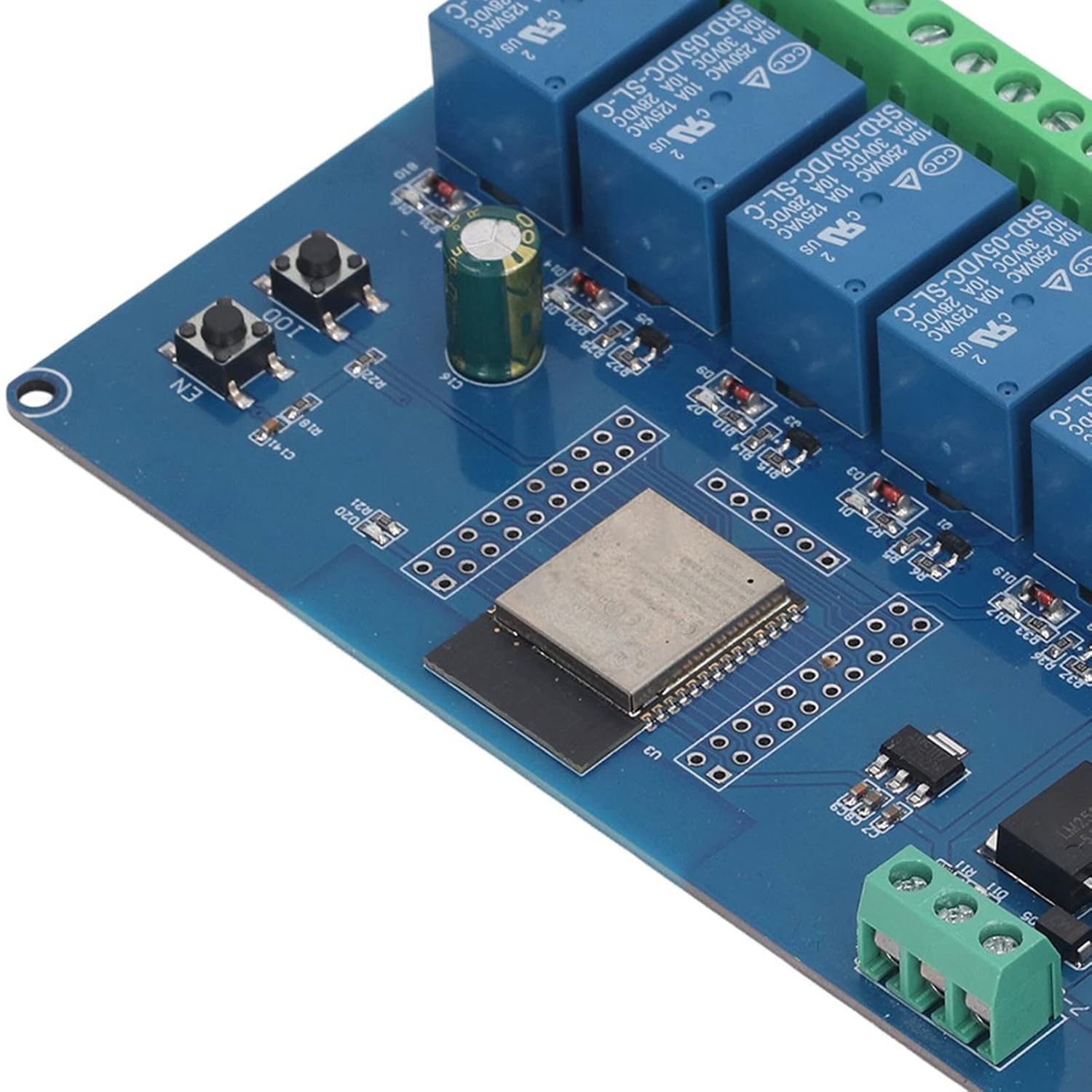
Figure 6: Close-up of the ESP32 module and onboard programmable buttons.
6. Fehlerbehebung
- Modul lässt sich nicht einschalten:
- Ensure the DC power supply is within the 5-30V range and correctly connected to the power input terminals.
- Überprüfen Sie, ob lose Verbindungen oder beschädigte Kabel vorhanden sind.
- Relays Not Actuating:
- Verify your program code is correctly uploaded and configured to control the specific relay GPIO pins.
- Ensure the load connected to the relay is within its voltage und Stromstärken.
- Check for proper wiring between the load and the relay terminals.
- Programmierprobleme:
- Confirm the TTL USB serial converter is correctly wired (TX to RX, RX to TX, GND to GND, 5V to 5V).
- Stellen Sie sicher, dass in Ihrer IDE der richtige COM-Port ausgewählt ist.
- Verify that the 00 and GND pins are jumpered during programming and disconnected afterward.
- Check if the necessary ESP32 board definitions are installed in your IDE.
- WiFi/BLE Connectivity Problems:
- Ensure your firmware includes the necessary WiFi/BLE libraries and configuration.
- Check for strong signal strength in the operating environment.
- Verify network credentials if connecting to a WiFi network.
7. Wartung
To ensure the longevity and reliable operation of your ESP32 Relay Module, follow these maintenance guidelines:
- Sauber halten: Regularly clean the board with a soft, dry brush to remove dust and debris. Avoid using liquids.
- Umgebungsbedingungen: Operate the module within its specified temperature and humidity ranges. Avoid extreme conditions.
- Sichere Verbindungen: Überprüfen Sie regelmäßig alle Kabelverbindungen, um sicherzustellen, dass sie sicher und korrosionsfrei sind.
- Firmware-Updates: Keep your ESP32 firmware updated to benefit from bug fixes and new features.
- Physischer Schutz: Consider housing the module in an enclosure to protect it from physical damage and environmental factors.

Abbildung 7: Nahaufnahme view of the terminal blocks for power and relay connections.
8. Garantie und Support
Specific warranty information for this product is not provided in the available documentation. For details regarding warranty coverage, returns, or technical support, please contact the seller or the manufacturer directly. Please refer to your purchase receipt or the seller's platform for contact information.