
Einführung
This manual provides instructions for the installation, operation, and maintenance of your TAFFIO Digital Instrumental Cluster Speedometer. This product is designed to upgrade your vehicle's speedometer to a digital display, offering enhanced features and a modern interface.
Kompatibilität
The TAFFIO Digital Instrumental Cluster Speedometer is compatible with the following BMW models:
- BMW 5-Series E60, E61 (Years: 2003-2010)
- BMW 6-Series E63, E64 (Years: 2003-2010)
This unit is suitable for models both with and without a head-up display. It supports both gasoline and diesel engine types.
Hauptmerkmale
- Plug-and-Play-Installation: Designed for direct replacement without additional adapters or mounting frames.
- Keine Programmierung erforderlich: Simply replace the original speedometer.
- Customized Original Design: Integrates seamlessly with the vehicle's interior.
- Mehrere Themen: Offers 3 distinct display themes.
- Fehlerfreier Betrieb: Designed to prevent error or fault messages.
- Behält die ursprünglichen Funktionen bei: All original cluster functions are maintained.
- Supports Mileage and Fahrenheit (°F) Display: Customizable display units.
- Mehrsprachige Unterstützung: Includes French, German, English, Spanish, Russian, Japanese, Turkish, Arabic, and more.
Setup und Installation
The TAFFIO Digital Instrumental Cluster Speedometer is designed for a straightforward plug-and-play installation. No complex coding or additional adapters are required.
- Vorbereitung: Vor Beginn der Installation sicherstellen, dass die Zündung des Fahrzeugs ausgeschaltet und die Batterie abgeklemmt ist.
- Remove Original Speedometer: Carefully remove the existing instrumental cluster from your BMW. Refer to your vehicle's service manual for specific instructions on removing the original unit.
- Connect New Speedometer: Connect the wiring harness from your vehicle to the TAFFIO Digital Speedometer. Ensure all connections are secure.
- Install New Speedometer: Insert the TAFFIO Digital Speedometer into the dashboard opening. Secure it in place using the original mounting points.
- Batterie wieder anschließen: Schließen Sie die Fahrzeugbatterie wieder an.
- Erstes Einschalten: Turn on the vehicle's ignition to verify proper function. The new digital cluster should power on and display information.
Notiz: If you are unsure about any step, it is recommended to seek professional installation.
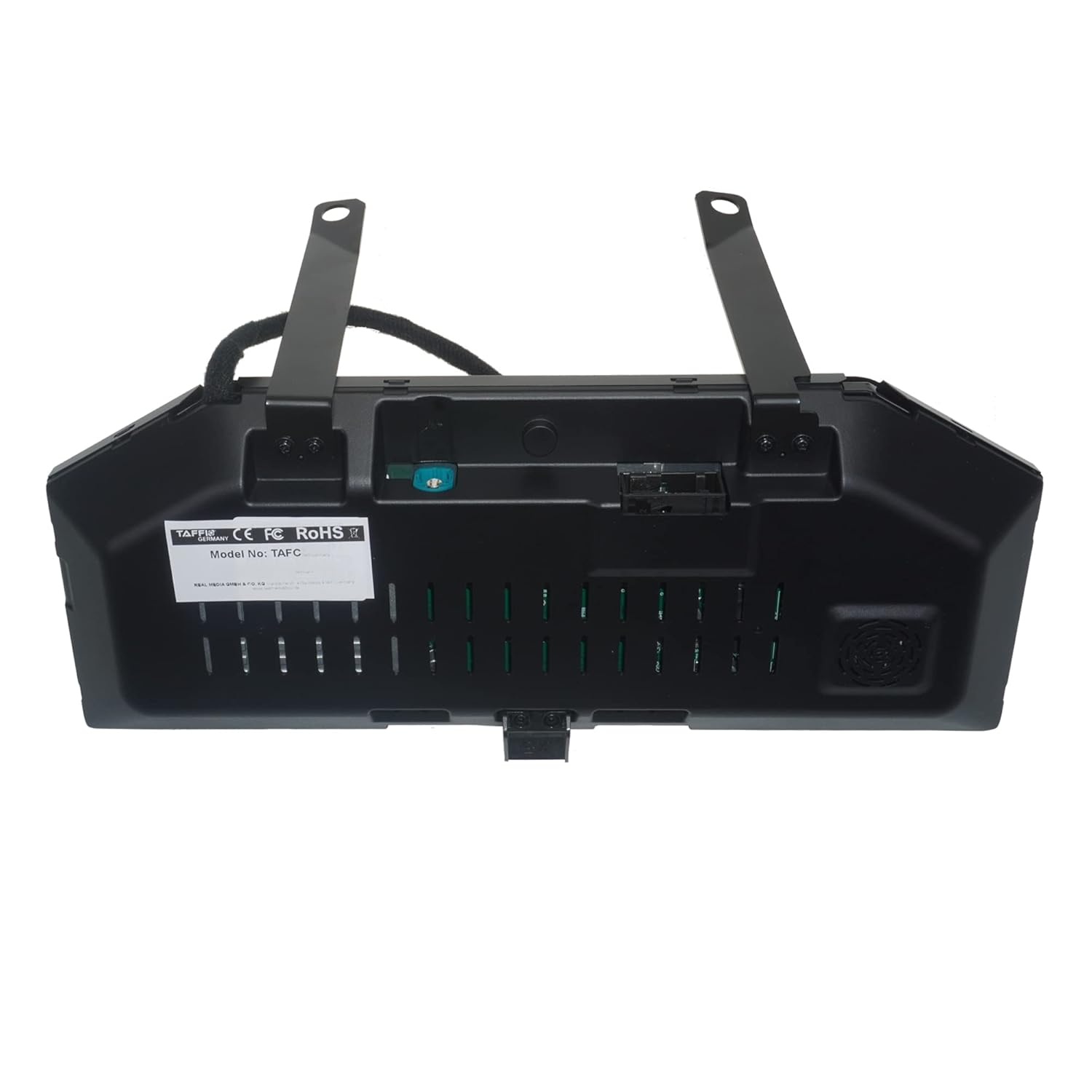
Bild: Rückseite view of the TAFFIO Digital Speedometer, illustrating the connection points for installation.
Bedienungsanleitung
The digital cluster provides various display options and information. Control is primarily managed through the steering wheel controls, specifically the BC (Board Computer) button.
Navigating Menus and Information
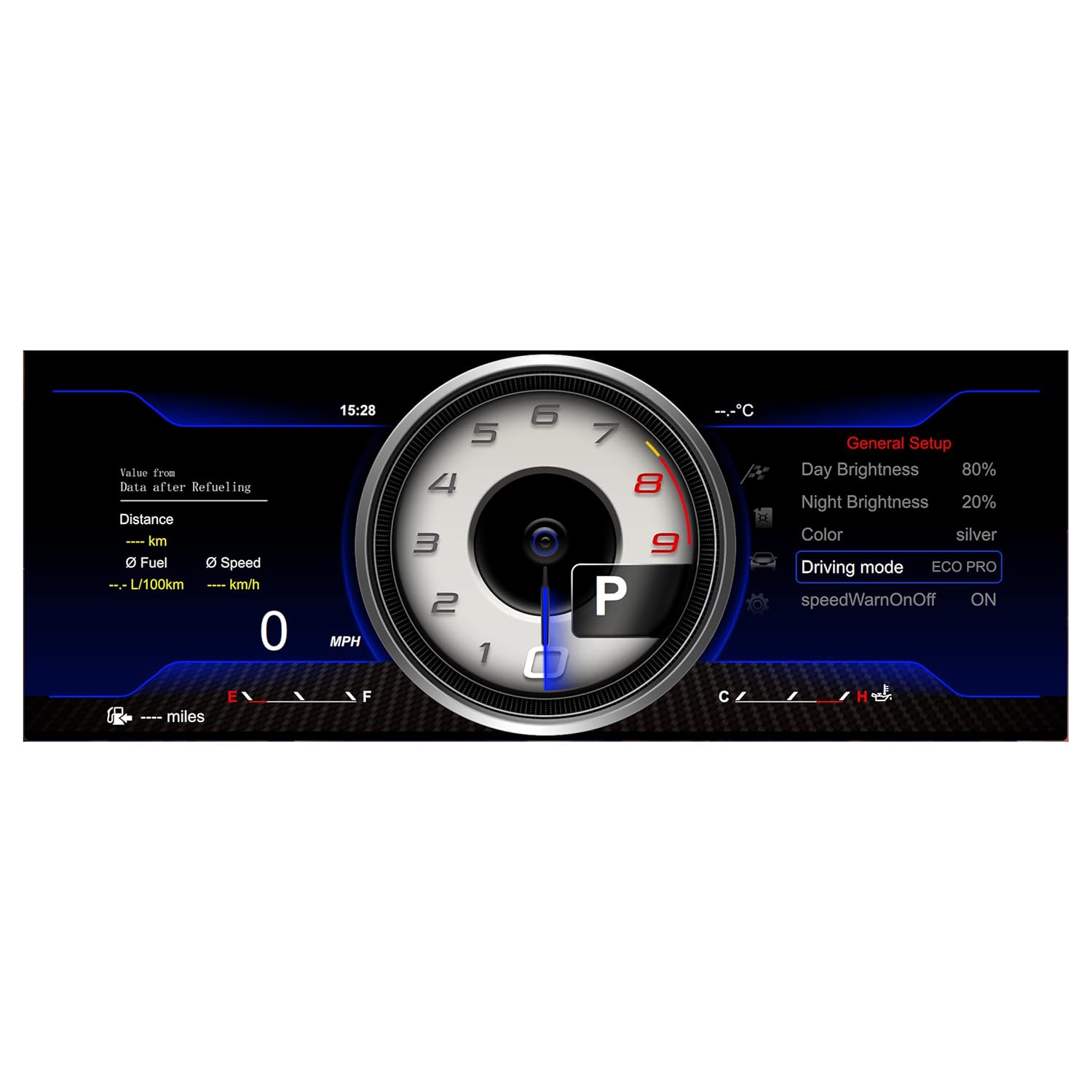
Image: Illustration of the steering wheel controls, indicating the BC button used for menu navigation.
- To scroll through the speedometer's menus and view different information, press the BC button on your steering wheel.
- To select a function or confirm a setting, press and hold the BC button.
Anzeigethemen
The unit offers 3 distinct display themes to customize the appearance of your instrumental cluster.

Image: Display Theme 1, showing a classic speedometer and tachometer layout with real-time vehicle information.

Image: Display Theme 2, featuring a more modern layout with system settings and real-time data.

Image: Display Theme 3, offering a different aesthetic with general setup options visible.
Allgemeine Einstellungen
Access the general setup menu to adjust various display parameters, including brightness, color, driving mode, and speed warnings.

Image: Screenshot of the General Setup menu, showing options for Day Brightness, Night Brightness, Color, Driving Mode, and Speed Warning.
Wartung
The TAFFIO Digital Instrumental Cluster Speedometer requires minimal maintenance.
- Reinigung: Use a soft, dry, anti-static cloth to clean the screen. Avoid abrasive cleaners or solvents.
- Software-Updates: The unit supports software updates via the provided USB cable. Periodically check the official TAFFIO webWebsite für verfügbare Firmware-Updates, um optimale Leistung und Zugriff auf neue Funktionen zu gewährleisten.
- Umgebungsbedingungen: Operate the unit within the vehicle's standard operating temperature range. Avoid extreme temperatures or direct prolonged sunlight exposure when parked.
Fehlerbehebung
If you encounter any issues with your TAFFIO Digital Instrumental Cluster Speedometer, refer to the following common troubleshooting steps:
- Gerät lässt sich nicht einschalten:
- Check all electrical connections to ensure they are securely seated.
- Prüfen Sie, ob die Fahrzeugbatterie ordnungsgemäß angeschlossen und geladen ist.
- Inspect the fuse related to the instrumental cluster in your vehicle's fuse box.
- Keine oder nur teilweise Anzeige:
- Stellen Sie sicher, dass das Gerät mit Strom versorgt wird.
- Perform a soft reset by turning the vehicle off, disconnecting the battery for a few minutes, and then reconnecting it.
- Incorrect Readings (Speed, RPM, etc.):
- Verify that the unit is correctly configured for your vehicle model and engine type (gasoline/diesel).
- Check for any available software updates that might address calibration issues.
- Error Messages Displayed:
- While the unit is designed to be error-free, if an error message appears, consult your vehicle's diagnostic system or contact customer support with the specific error code.
If the problem persists after attempting these steps, please contact TAFFIO customer support.
Technische Daten
| Besonderheit | Detail |
|---|---|
| Betriebssystem | LINUX system |
| Hauptchip | T507 (CPU 4 core 1.5GHZ) |
| Bildschirmtyp | HD-Bildschirm |
| Auflösung | 1920*720 |
| Kontrollmethode | Lenkradsteuerung |
| Betriebslautstärketage | 9 V bis 16 V |
| Material | Metall, Kunststoff |
| Messgenauigkeit | +/-0.5 |
| Modellnummer | TAFC-1293 |
| GTIN | 04262370644819 |
Lieferumfang
The package for your TAFFIO Digital Instrumental Cluster Speedometer includes the following items:

Image: Contents of the package, showing the Digital Cluster unit, a separate Cluster Cover, and a USB cable (optional for updates).
- 1x TAFFIO Digital Speedometer Unit
- 1x USB Cable (for optional updates)
- 1x Garantiezertifikat
- Note: A cluster cover may be included depending on the specific package.
Garantie und Support
Your TAFFIO Digital Instrumental Cluster Speedometer comes with a 2 Jahr Garantie. Please retain your invoice or proof of purchase for warranty claims.
For technical support, warranty claims, or further assistance, please contact your retailer or the manufacturer directly. Refer to the warranty certificate for specific contact details.