
1. Einleitung
This manual provides detailed instructions for the proper use and maintenance of your Micool DY20PLUS Bluetooth Earpiece. Please read this manual thoroughly before using the product to ensure safe and efficient operation. The Micool DY20PLUS is a single-ear Bluetooth headset designed for clear communication, featuring noise cancellation and extended talk time.
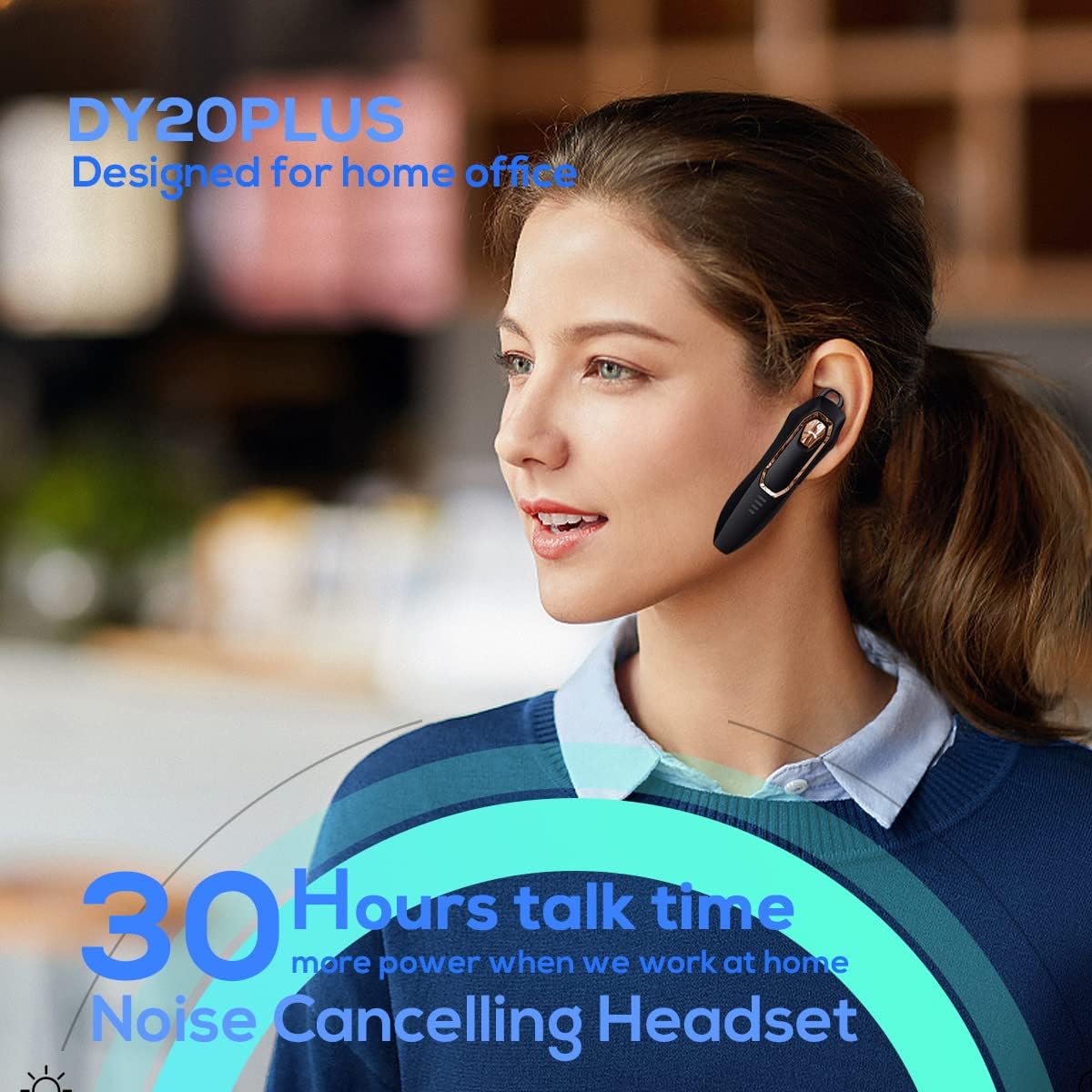
Figure 1: Micool DY20PLUS Bluetooth Earpiece
Video 1: Endeview of Micool Bluetooth Headset features, including noise cancellation and long battery life.
2. Packungsinhalt
Bitte prüfen Sie das Paket auf folgende Artikel:
- Micool DY20PLUS Bluetooth Earpiece
- USB-Ladekabel
- Ear Hooks (various sizes)
- Bedienungsanleitung
3. Produktüberschreitungview
Familiarize yourself with the buttons and indicators on your Micool DY20PLUS earpiece:

Figure 2: Earpiece controls and functions.
- MFB (Multifunktionstaste): Ein-/Ausschalten, Wiedergabe/Pause, Anrufe annehmen/beenden.
- Lauter (+): Lautstärke erhöhen, nächster Titel (langes Drücken).
- Lautstärke runter (-): Lautstärke verringern, vorheriger Titel (langes Drücken).
- Stummschaltfläche: Mute/unmute microphone during a call.
- LED-Anzeige: Zeigt den Strom-, Kopplungs- und Ladestatus an.
- Ladeanschluss: USB-Anschluss zum Aufladen.
4. Einrichtung
4.1 Charging the Earpiece
Before first use, fully charge the earpiece. Connect the provided USB charging cable to the earpiece's charging port and a USB power source. The LED indicator will show charging status and turn off when fully charged. A full charge provides up to 30 hours of talk time.
4.2 Bluetooth-Kopplung
To connect your Micool DY20PLUS earpiece to your mobile phone or other Bluetooth-enabled device:
- Ensure the earpiece is turned off.
- Press and hold the MFB until the LED indicator flashes red and blue alternately, indicating pairing mode.
- Aktivieren Sie auf Ihrem Gerät Bluetooth und suchen Sie nach verfügbaren Geräten.
- Select "DY20PLUS" from the list of devices.
- Sobald die Verbindung hergestellt ist, blinkt die LED-Anzeige langsam blau.
The earpiece supports connecting to two devices simultaneously. After pairing with the first device, disable Bluetooth on it, then pair with the second device. Re-enable Bluetooth on the first device, and both should connect.
Video 2: Demonstrates Bluetooth pairing and setting up the "Speak Caller's Name" function using the RealTTS app.
5. Bedienungsanleitung
5.1 Ein-/Ausschalten
- Einschalten: Halten Sie den Multifunktionsknopf etwa 3 Sekunden lang gedrückt, bis die LED-Anzeige blau blinkt.
- Ausschalten: Halten Sie den Multifunktionsknopf etwa 3 Sekunden lang gedrückt, bis die LED-Anzeige rot blinkt und dann erlischt.
5.2 Anrufmanagement
- Anruf annehmen: Drücken Sie die Multifunktionstaste einmal kurz.
- Anruf beenden: Drücken Sie während eines Anrufs einmal kurz die Multifunktionstaste.
- Anruf ablehnen: Halten Sie die MFB 2 Sekunden lang gedrückt.
- Stummschalten/Stummschaltung aufheben: Short press the dedicated Mute button during a call.
- Switch Call Audio: During a call, you can switch the audio output between the earpiece and your phone. Refer to your phone's call interface for this option.
5.3 Musikwiedergabe
- Abspielen/Pause: Drücken Sie die Multifunktionstaste einmal kurz.
- Nächster Titel: Die Lauter-Taste (+) lange drücken.
- Vorheriges Lied: Die Leiser-Taste (-) lange gedrückt halten.
5.4 Lautstärkeregelung
- Lautstärke erhöhen: Drücken Sie kurz die Lauter-Taste (+).
- Lautstärke verringern: Drücken Sie kurz die Leiser-Taste (-).
5.5 Sprachassistent
Double-tap the MFB to activate your device's voice assistant (Siri, Cortana, Bixby, Google Assistant, etc.). This allows for hands-free control of your connected device.
6. Wartung
- Keep the earpiece dry. Do not expose it to extreme temperatures.
- Clean the earpiece with a soft, dry cloth. Avoid using harsh chemicals.
- Store the earpiece in a cool, dry place when not in use.
- Vermeiden Sie es, den Ohrhörer fallen zu lassen oder starken Stößen auszusetzen.
7. Fehlerbehebung
| Problem | Mögliche Ursache | Lösung |
|---|---|---|
| Einschalten nicht möglich | Schwache Batterie | Charge the earpiece fully. |
| Kopplung mit dem Gerät nicht möglich | Earpiece not in pairing mode; Bluetooth off on device; too far apart. | Ensure earpiece is in pairing mode (flashing red/blue). Turn on Bluetooth on your device. Keep devices within 1 meter during pairing. |
| Kein Ton oder schlechte Tonqualität | Volume too low; earpiece not selected as audio output; interference. | Adjust volume on both earpiece and device. Check device's audio output settings. Move away from sources of interference. |
| Caller's name not announced | RealTTS app not installed or permissions not granted. | Download and install the "RealTTS" app. Ensure Bluetooth and contact access permissions are granted to the app. |
8. Spezifikationen
| Besonderheit | Detail |
|---|---|
| Modellname | DY20PLUS |
| Marke | Micool |
| Bluetooth-Version | 5.0 |
| Drahtlose Reichweite | Bis zu 50 Meter (150 Fuß) |
| Gesprächszeit | Bis zu 30 Stunden |
| Lärmschutz | Active Noise Cancellation (2 Microphones) |
| Gewicht | 12 g (Ultraleicht) |
| Kompatibilität | Bluetooth-enabled devices (phones, laptops, tablets) |
| Material | Plastik |
| UPC | 768399519588 |
9. Garantie und Support
Micool products come with a standard manufacturer's warranty. For specific warranty details, please refer to the warranty card included in your product packaging or visit the official Micool website. If you encounter any issues or require technical assistance, please contact Micool customer support through their official channels.