
Einführung
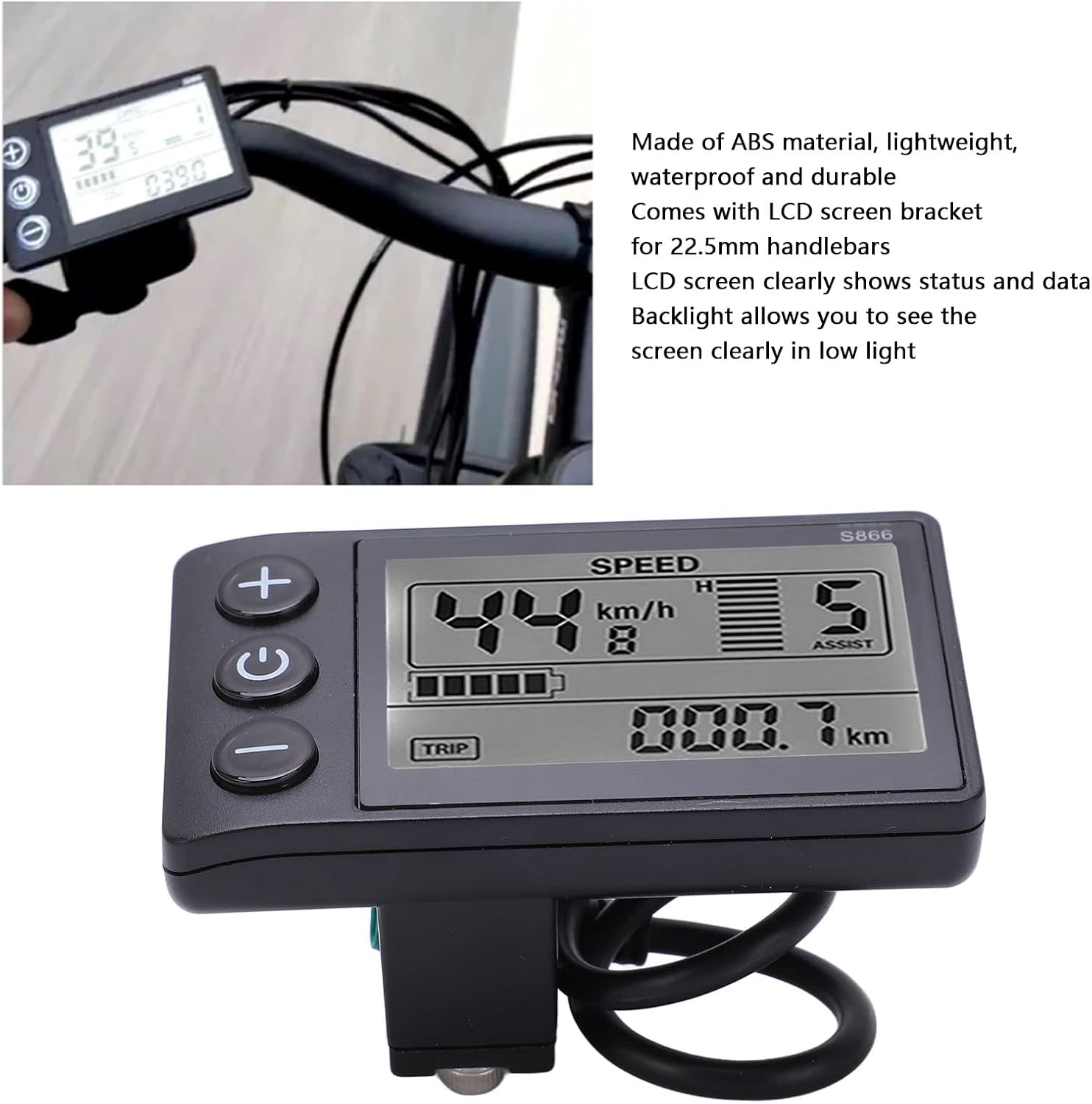
The KIMISS S866 Ebike LCD Display Meter provides essential information for your electric bicycle. This display is engineered for ease of use and durability, ensuring a clear view of your riding data in various conditions.
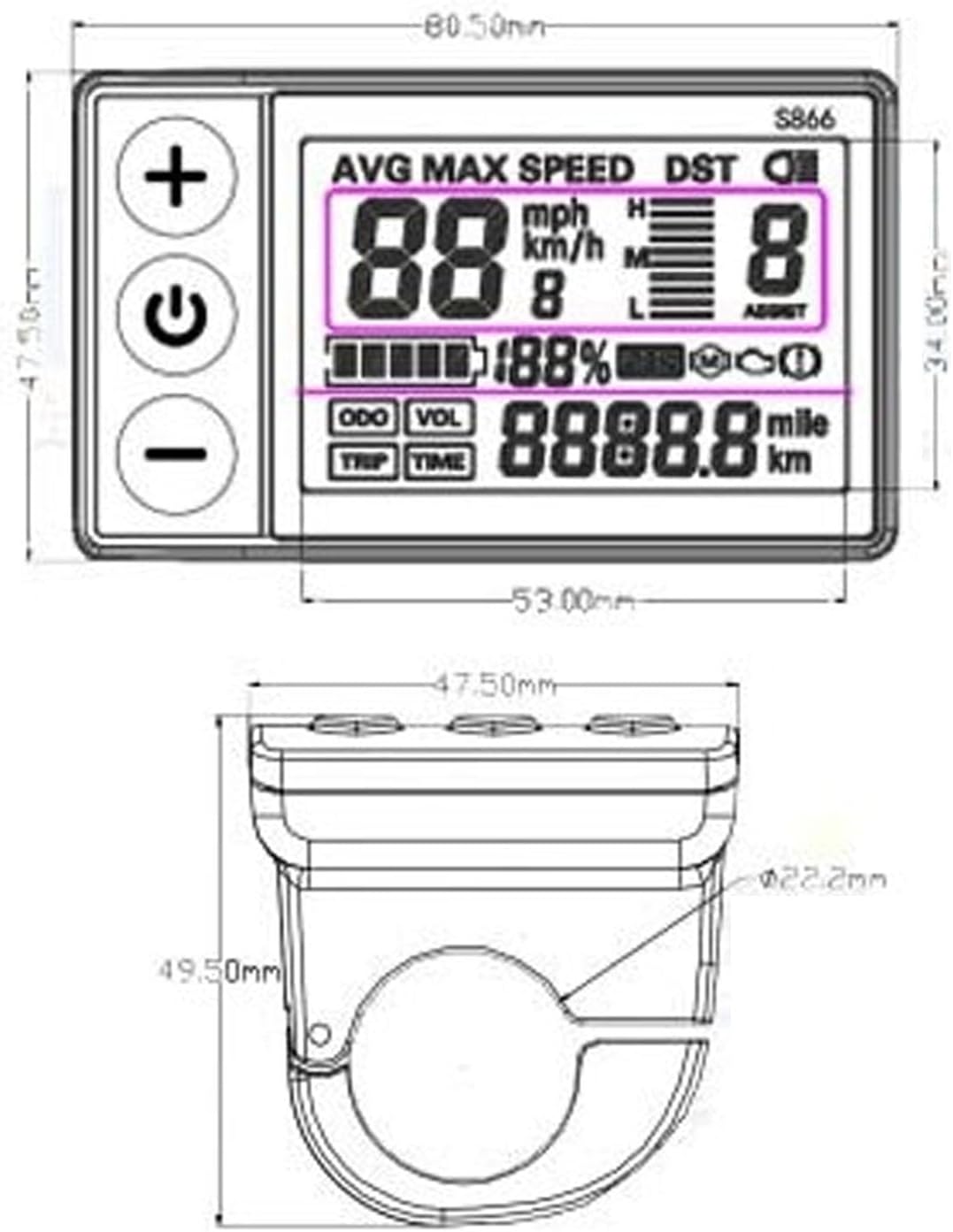
Key features include a lightweight and waterproof ABS construction, a large backlit screen for enhanced visibility, and compatibility with 22.2mm handlebars. It supports 24V, 36V, and 48V electric bicycle systems, offering a reliable interface for your ebike.

Installationsanweisungen
The S866 LCD display is designed for straightforward installation on your electric bicycle.
- Montieren Sie das Display: Attach the display to your bicycle's 22.2mm handlebars using the integrated bracket. Ensure it is securely fastened and positioned for optimal viewwährend Ihrer Fahrt.
- Schließen Sie die Verkabelung an: Locate the waterproof plug on the display cable. Connect this plug to the corresponding port on your ebike's controller. Ensure the connection is firm and fully seated to maintain its waterproof integrity.
- Kommunikationsprotokoll überprüfen: Before initial use, confirm that your ebike's communication protocol matches the display's protocol (Protocol No. 2). Incompatibility may prevent proper function and data display.


Bedienungsanleitung
The S866 display offers intuitive control and clear data presentation for an enhanced riding experience.
- Ein-/Ausschalten: To power on or off the display, press and hold the central power button (marked with a power symbol) for a few seconds.
- Adjust Settings/View Daten: Use the '+' and '-' buttons to navigate through different display modes or adjust settings such as assist levels. The large LCD screen provides an intuitive view of essential data including speed, distance, battery level, and assist mode.
- Hintergrundbeleuchtung: The integrated backlight ensures the screen is clearly visible even in low-light or dark environments, enhancing readability at all times.

Wartung
To ensure the longevity and optimal performance of your KIMISS S866 Ebike LCD Display Meter, follow these maintenance guidelines:
- Reinigung: Wischen Sie den Bildschirm und das Gehäuse mit einem weichen, fusselfreien Tuch ab.amp cloth. Avoid abrasive cleaners, solvents, or harsh chemicals that could damage the ABS material or screen surface.
- Wasserbeständigkeit: The display is IP65 rated for water resistance. While it is protected against splashes and light rain, avoid submerging it in water for extended periods or exposing it to high-pressure water jets.
- Lagerung: Bei längerer Nichtbenutzung sollte das Display an einem trockenen, kühlen Ort, geschützt vor direkter Sonneneinstrahlung und extremen Temperaturen, aufbewahrt werden.
- Verbindungsprüfung: Periodically inspect the waterproof plug connection for any signs of wear, corrosion, or looseness to ensure a reliable connection.
Fehlerbehebung
If you encounter issues with your S866 Ebike LCD Display Meter, refer to the following common troubleshooting steps:
- Bildschirm schaltet sich nicht ein:
- Ensure the display is correctly connected to your ebike's power source.
- Check the battery level of your ebike to confirm sufficient power supply.
- No Data Displayed or Incorrect Readings:
- Verify that the communication protocol between the display and your ebike controller is compatible (Protocol No. 2).
- Check all wiring connections for looseness, damage, or improper seating.
- If applicable, ensure all external sensors (e.g., speed sensor) are properly installed and calibrated according to your ebike's manual.
Sollten die Probleme durch diese Schritte nicht behoben werden können, wenden Sie sich bitte an den Kundendienst.
Technische Daten
| Besonderheit | Detail |
|---|---|
| Produkttyp | LCD Display S866 |
| Material | ABS |
| Farbe | Schwarz |
| Wasserdichtigkeit | IP65 |
| Kommunikationsprotokoll | Protocol No. 2 |
| Kompatible Bdtage | 24V, 36V, 48V |
| Gewicht | Ca. 106 g |
| Handlebar Bracket Diameter | Ca. 22.2 mm (0.9 Zoll) |
| Verpackungsabmessungen | 10.5 x 8 x 6.9 cm |
| Modellnummer | KIMISSbgvgriydc6 |
Garantieinformationen
KIMISS products are typically covered by a standard manufacturer's warranty. Please refer to your purchase documentation, such as the product packaging or retailer's website, for specific warranty terms and conditions, including coverage duration and claim procedures. It is recommended to retain your proof of purchase for any warranty claims.
Kundenservice
For technical assistance, product inquiries, or warranty support regarding your KIMISS S866 Ebike LCD Display Meter, please contact KIMISS customer service. You can typically find contact information through the retailer where you purchased the product or by visiting the official KIMISS webWebsite.