
Einführung
This manual provides essential information for the safe and effective operation and maintenance of your CRAFTSMAN CMMT25166 Rechargeable Aluminum Pen Light. Please read this manual thoroughly before using the product and retain it for future reference. This pen light features a durable aluminum body, USB-C charging, and dual LED brightness modes for versatile illumination.
Sicherheitshinweise
- Augensicherheit: Do not stare directly into the LED light. The high intensity light can cause temporary vision impairment or eye damage.
- Batteriesicherheit: This product contains a Lithium-Ion battery. Do not expose the battery to extreme temperatures, fire, or water. Do not attempt to disassemble or replace the internal battery.
- Laden: Use only the provided USB-C cable or a certified USB-C cable with a compatible power adapter for charging.
- Wasserbeständigkeit: Dieses Gerät ist Nicht wasserfestUm Schäden zu vermeiden, sollte der Kontakt mit Wasser oder hoher Luftfeuchtigkeit vermieden werden.
- Entsorgung: Dispose of the product and its battery responsibly according to local regulations. Do not dispose of in household waste.
Packungsinhalt
Prüfen Sie, ob alle Artikel vorhanden sind:
- CRAFTSMAN CMMT25166 Rechargeable Aluminum Pen Light
- USB-C Charging Cable (included with the product)
Produkt überview
Familiarize yourself with the components of your pen light:

Figure 1: CRAFTSMAN CMMT25166 Pen Light
- LED-Linse: Emits light in either flood or pen mode.
- Netzschalter: Controls power and switches between light modes.
- USB-C-Ladeanschluss: Located under a protective cover, used for recharging the internal battery.
- Taschenclip: Zur sicheren Befestigung an Kleidung oder Ausrüstung.
- Aluminiumkörper: Durable, tri-sided design to prevent rolling.
Aufstellen
Erstladung
Before first use, fully charge the pen light.
- Locate the USB-C charging port, usually covered by a rubber flap for protection.
- Connect the provided USB-C cable to the pen light's charging port.
- Verbinden Sie das andere Ende des USB-C-Kabels mit einer kompatiblen USB-Stromquelle (z. B. Netzteil, USB-Anschluss am Computer).
- The charging indicator light (if present) will show the charging status. Refer to the product packaging for specific indicator light behavior.
- Charging typically takes a few hours. A full charge provides approximately 2-3 hours of runtime.
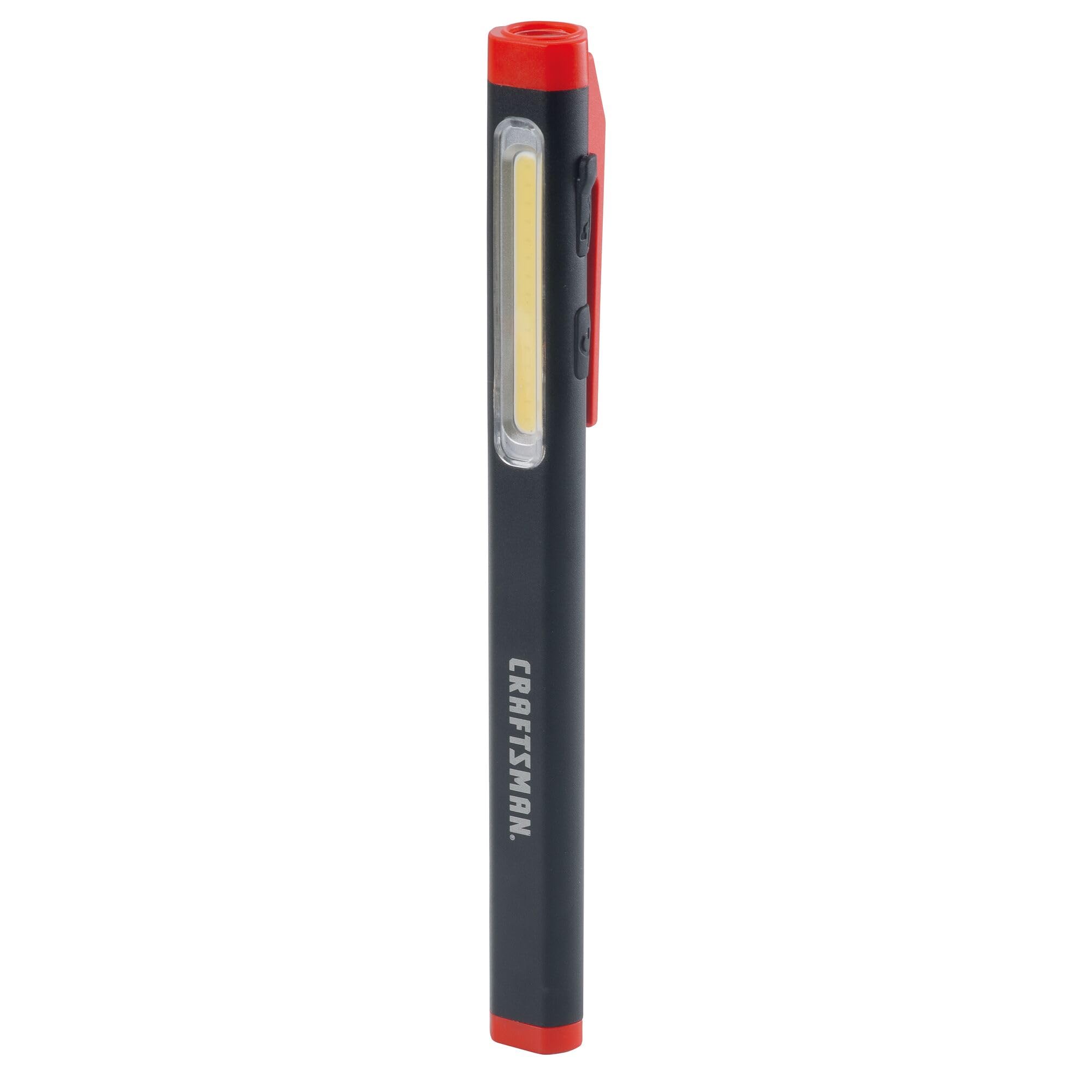
Figure 2: Charging the Pen Light via USB-C
Bedienungsanleitung
Ein-/Ausschalten und Modusauswahl
The pen light features a single power button for all operations.
- Zum Einschalten: Press the power button once. The light will typically turn on in its last used mode or a default mode.
- So wechseln Sie den Modus: While the light is on, press the power button repeatedly to cycle through the available modes: Flood Mode (300 Lumens) and Pen Mode (180 Lumens).
- Ausschalten: Drücken und halten Sie den Ein-/Ausschalter etwa 1-2 Sekunden lang oder schalten Sie alle Modi durch, bis das Licht ausgeht.
Wartung
Reinigung und Lagerung
- Reinigung: Wischen Sie die Stiftlampe mit einem weichen, fusselfreien Tuch ab.amp cloth. Do not use abrasive cleaners or solvents. Ensure the USB-C port cover is closed before cleaning.
- Lagerung: Store the pen light in a cool, dry place away from direct sunlight and extreme temperatures. For long-term storage, ensure the battery is partially charged (around 50%) to maintain battery health.
- Batteriepflege: Recharge the battery regularly, even if not frequently used, to prevent deep discharge and prolong its lifespan.
Fehlerbehebung
| Problem | Mögliche Ursache | Lösung |
|---|---|---|
| Licht geht nicht an. | Batterie ist leer. | Charge the pen light using the USB-C cable. |
| Das Licht ist schwach. | Niedrige Batterieladung. | Laden Sie die Stiftlampe auf. |
| Pen light not charging. | Defektes USB-C-Kabel oder fehlerhafte Stromversorgung. | Versuchen Sie es mit einem anderen USB-C-Kabel oder Netzteil. Stellen Sie sicher, dass das Kabel vollständig eingesteckt ist. |
| Ein Wechsel zwischen den Modi ist nicht möglich. | Falscher Tastendruck. | Ensure you are pressing the power button briefly to cycle modes. |
Technische Daten
| Besonderheit | Detail |
|---|---|
| Modellnummer | CMMT25166 |
| Stromquelle | Batteriebetrieben (Lithium-Ionen) |
| Lichtquellentyp | LED |
| Material | Aluminium |
| White Brightness (Flood Mode) | 300 Lumen |
| White Brightness (Pen Mode) | 180 Lumen |
| Laufzeit | Bis zu 3 Stunden |
| Ladeanschluss | USB-C |
| Wasserbeständigkeit | Nicht wasserfest |
| Artikelgewicht | 3.68 Unzen |
| Artikelabmessungen (L x B x H) | 2.7 Zoll L x 8.9 Zoll B x 1.5 Zoll H |
Garantie
This CRAFTSMAN product is backed by a Vollständige lebenslange Garantie. If the product fails to perform for any reason, it will be replaced. No proof of purchase is required for warranty claims.
To initiate a warranty claim, return the damaged product to a stocking Retail Partner or call CRAFTSMAN customer service at 1-888-331-4569 for details and assistance.
Unterstützung
For further assistance, technical support, or to inquire about other CRAFTSMAN products, please visit the official CRAFTSMAN webWebsite oder wenden Sie sich an den Kundendienst.
CRAFTSMAN Customer Service: 1-888-331-4569
Weitere Informationen und Produkte finden Sie auch unter CRAFTSMAN Store auf Amazon.
