
1. Einleitung
Thank you for choosing the EKSA Wireless Headset H5. This headset is designed to provide clear communication and comfortable wear for various professional environments, including office work, call centers, and trucking. It features AI noise-cancelling technology, dual connectivity options (Bluetooth and USB dongle), and extended battery life. This manual provides detailed instructions for setup, operation, maintenance, and troubleshooting to ensure optimal performance.
2. Packungsinhalt
Bitte überprüfen Sie, ob alle Artikel in Ihrem Paket vorhanden sind:
- EKSA Wireless Headset H5
- USB-Dongle
- Ladestation
- USB-C-Ladekabel
- Bedienungsanleitung
3. Produktüberschreitungview
Familiarize yourself with the components of your EKSA Wireless Headset H5.
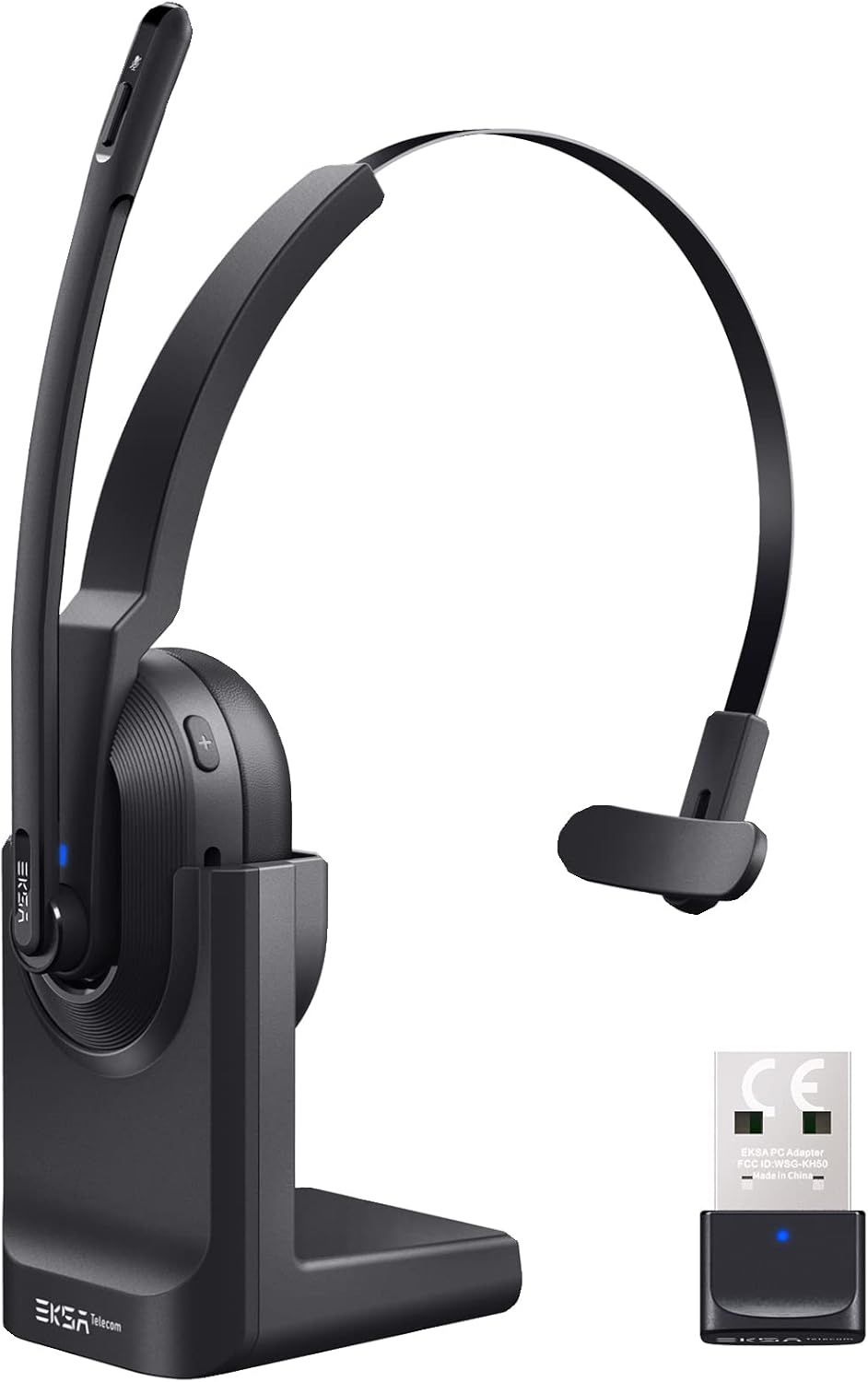

4. Einrichtung
4.1 Aufladen des Headsets
The headset supports two charging methods:
- Direktes Laden: Connect the USB-C charging cable directly to the headset's Type-C port and a power source.
- Ladestation: Place the headset onto the included charging base. Ensure the charging contacts align. Connect the charging base to a power source using the USB-C cable.

A full charge takes approximately 1.5 hours. The headset provides up to 25 hours of talk time and 45 hours of music playback at 70% volume.

4.2 Verbindung über USB-Dongle
For PC and laptop connections, the USB dongle provides a stable wireless link.
- Stecken Sie den USB-Dongle in einen freien USB-Anschluss Ihres PCs oder Laptops.
- The LED indicator on the dongle will turn solid blue when successfully paired with the headset.
- On your PC/laptop, navigate to Einstellungen > Ton.
- Satz EKSA Telecom H5 as both the input and output device.

4.3 Verbindung über Bluetooth 5.0
The headset can connect to mobile phones, tablets, and other Bluetooth-enabled devices.
- Ensure the headset is powered on and in pairing mode (the Bluetooth indicator will flash).
- Gehen Sie auf Ihrem Mobilgerät zu Settings > Bluetooth & other devices.
- Wählen „Bluetooth- oder anderes Gerät hinzufügen“ und suchen Sie nach "EKSA Telecom H5".
- Wählen EKSA Telecom H5 zum Koppeln.
- Once connected, set EKSA Telecom H5 as the input and output device in your device's sound settings.


4.4 Meeting Application Settings
For applications like Zoom or Skype:
- In the application's audio/video settings, select EKSA Telecom H5 as both the microphone and speaker.

5. Bedienungsanleitung
5.1 Grundlegende Bedienelemente
- Ein-/Ausschalten: Halten Sie die Multifunktionstaste gedrückt.
- Lauter/Nächster Titel: Press the '+' button. Hold for next track.
- Lautstärke verringern/vorheriger Titel: Press the '-' button. Hold for previous track.
- Anruf annehmen/beenden: Press the Multi-Function Button during an incoming call or active call.
- Anruf ablehnen: Press and hold the Multi-Function Button during an incoming call.
- Mikrofon stummschalten/Stummschaltung aufheben: Press the Mute Button located on the microphone arm.
5.2 Tragen des Headsets
The headset is designed for comfort and flexibility:
- The microphone arm can be rotated up to 270 degrees, allowing you to wear the headset on either your left or right ear.
- Passen Sie den Kopfbügel für einen sicheren und bequemen Sitz an.

5.3 KI-Mikrofon mit Geräuschunterdrückung
The headset features an AI-powered Environmental Noise Cancelling (ENC) microphone with a Qualcomm chip. This technology intelligently suppresses up to 99.6% of environmental noise, ensuring your voice is clear during calls, even in noisy environments.


6. Wartung
Um die Langlebigkeit und optimale Leistung Ihres Headsets zu gewährleisten:
- Reinigen Sie das Headset regelmäßig mit einem weichen, trockenen Tuch.
- Setzen Sie das Headset keinen extremen Temperaturen, hoher Luftfeuchtigkeit oder direkter Sonneneinstrahlung aus.
- Keine Scheuer- oder Lösungsmittel verwenden.
- Store the headset in a cool, dry place when not in use, preferably on its charging base or in a protective case.
7. Fehlerbehebung
| Problem | Mögliche Ursache | Lösung |
|---|---|---|
| Headset lässt sich nicht einschalten | Schwache Batterie | Charge the headset using the USB-C cable or charging base. |
| Kein Ton/Mikrofon funktioniert nicht | Not connected or incorrect audio settings | Ensure the headset is paired via Bluetooth or dongle. Check your device's sound settings to confirm "EKSA Telecom H5" is selected as input/output. |
| Schlechte Tonqualität/zeitweise Verbindungsabbrüche | Out of range, interference, or low battery | Move closer to the connected device (within 10 meters). Avoid strong electromagnetic interference. Charge the headset. |
| Bluetooth-Kopplung nicht möglich | Headset not in pairing mode or device already connected | Ensure the headset is in pairing mode (flashing indicator). Disconnect from any other devices. Restart Bluetooth on your device. |
| AI Noise Cancelling not effective | Mikrofonposition | Ensure the microphone is positioned correctly near your mouth for optimal voice pickup and noise suppression. |
8. Spezifikationen
| Besonderheit | Detail |
|---|---|
| Modellname | H5 |
| Konnektivitätstechnologie | Drahtlos (Bluetooth 5.0, USB-Dongle) |
| Drahtlose Reichweite | Bis zu 10 Meter |
| Akkulaufzeit (Musik) | Bis zu 45 Stunden (bei 70 % Lautstärke) |
| Akkulaufzeit (Gespräch) | Bis zu 25 Stunden (bei 70 % Lautstärke) |
| Ladezeit | Ca. 1.5 Stunden |
| Lärmschutz | Active Noise Cancellation (AI Environmental Noise Cancelling) |
| Mikrofon | 270° Rotatable, AI ENC |
| Gewicht | Approx. 75g (headset only) / 0.54 kg (packaged) |
| Material | Metall, Kunststoff |
| Im Lieferumfang enthaltene Komponenten | Charging Base, USB Dongle |
| Frequenzbereich | 20 Hz – 20,000 Hz |
9. Garantie und Support
EKSA products come with a standard manufacturer's warranty. For specific warranty details, please refer to the warranty card included in your package or visit the official EKSA website. For technical support, troubleshooting assistance, or any inquiries, please contact EKSA customer service through their official channels. You can find contact information on the EKSA webWebsite oder über Ihre Einkaufsplattform.