
1. Einleitung
This manual provides detailed instructions for the operation and maintenance of your Retekess TR636 Portable CD Player. Please read this manual thoroughly before using the device to ensure proper function and safety.
The Retekess TR636 is a versatile portable audio system designed for ease of use, offering multiple playback options and a clear sound experience. It features a lightweight and portable stereo design with two large speakers for enhanced sound quality and volume. The device includes Bluetooth 5.0 for wireless connectivity, an FM/AM radio tuner, a CD player compatible with various formats, USB playback, and an AUX input. It also offers a convenient sleep timer function and can be powered by either an AC cable or batteries.
2. Packungsinhalt
Bitte überprüfen Sie vor der Einrichtung, ob alle Artikel im Paket enthalten sind:
- 1x Retekess TR636 CD Radio Unit
- 1x AC-Stromkabel
- 1x Fernbedienung
- 1x Bedienungsanleitung (dieses Dokument)

Figure 2.1: Contents of the Retekess TR636 package.
3. Einrichtung
3.1 Stromanschluss
The Retekess TR636 offers two power options:
- Wechselstromversorgung: Connect the included AC power cable to the unit's power input and then to a standard wall outlet. This is recommended for indoor use.
- Batterieleistung: For portable use, insert 4 C-size batteries (not included) into the battery compartment located on the bottom of the unit. Ensure correct polarity.
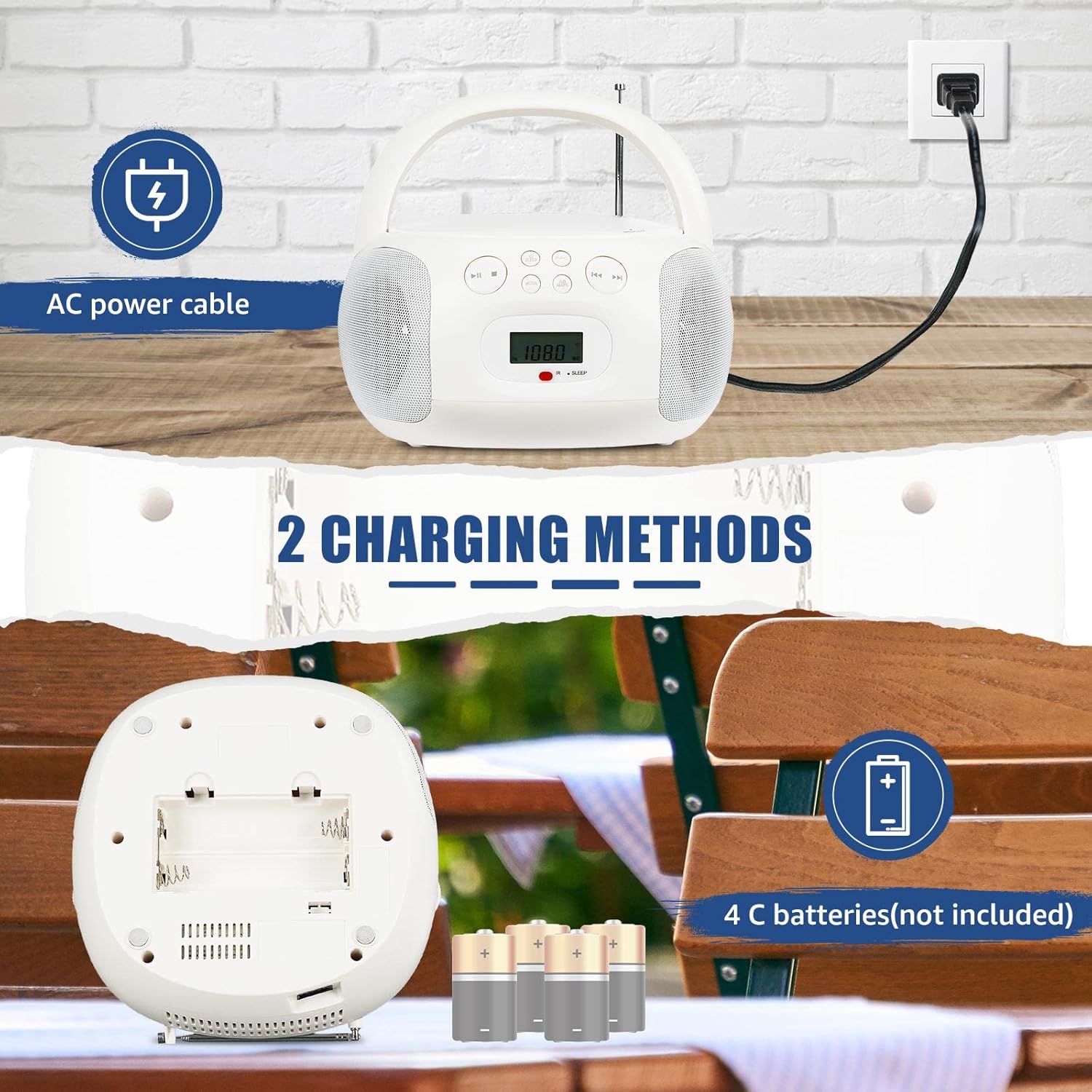
Figure 3.1: Powering the device using AC cable or C-batteries.
3.2 Erstes Einschalten
Drücken Sie die LEISTUNG button on the unit or remote control to turn on the device. The LCD screen will illuminate, displaying the current mode or time.
4. Bedienungsanleitung
The Retekess TR636 features simple operation with clearly marked buttons for easy navigation.

Figure 4.1: Clearly marked buttons for easy operation.
4.1 Bedienung des CD-Players
- Öffnen Sie die Abdeckung des CD-Fachs.
- Place a CD (CD, CD-R, CD-RW, MP3, or WMA format) onto the spindle with the label side facing up.
- Schließen Sie den Deckel des CD-Fachs fest.
- Drücken Sie die MODUS um den CD-Modus auszuwählen.
- Drücken Sie die WIEDERGABE/PAUSE Taste, um die Wiedergabe zu starten.
- Verwenden Sie die ÜBERSPRINGEN Tasten (◀◀ / ▶▶) zum Navigieren zwischen den Titeln.
- Drücken Sie die WIEDERHOLEN Taste zum Wiederholen des aktuellen Titels oder aller Titel.
4.2 FM/AM-Radiobetrieb
- Ziehen Sie die Teleskopantenne für optimalen FM-Empfang aus. Für AM-Empfang drehen Sie das Gerät für besten Empfang.
- Drücken Sie die MODUS Taste zur Auswahl des FM- oder AM-Radiomodus.
- Verwenden Sie die TUNE +/- Tasten zum manuellen Einstellen eines Senders oder zum automatischen Suchen nach dem nächsten verfügbaren Sender durch Gedrückthalten der Tasten.
- Um einen Sender zu speichern, drücken Sie die Taste PROG/SPEICH Taste, dann verwenden Sie die ÜBERSPRINGEN Tasten zum Auswählen einer voreingestellten Zahl und drücken PROG/SPEICH zur Bestätigung erneut.
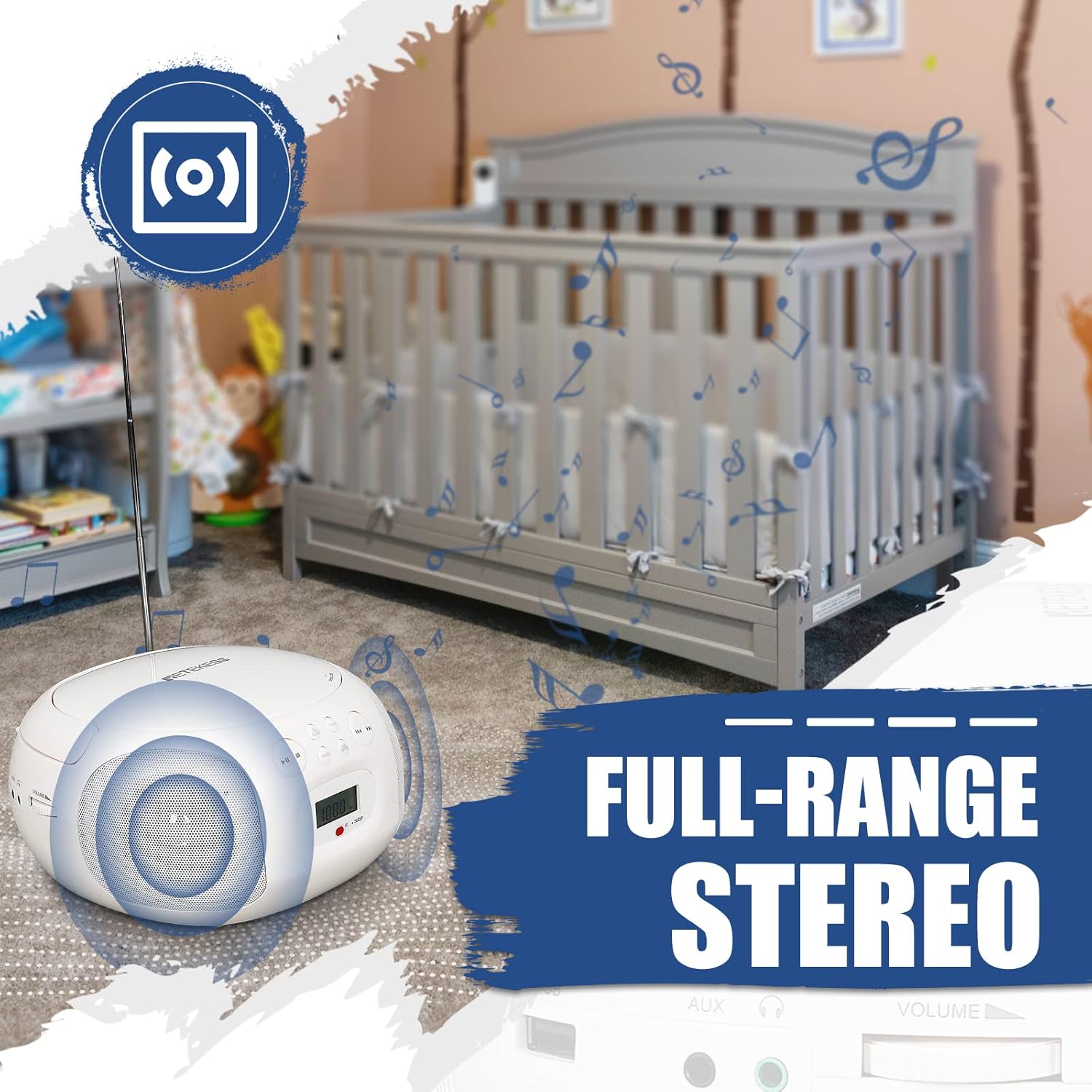
Figure 4.2: Retekess TR636 with extended antenna for radio reception.
4.3 Bluetooth-Funktion
- Drücken Sie die MODUS button to select Bluetooth mode. The LCD screen will show 'BT' and the Bluetooth indicator will flash, indicating it's ready for pairing.
- On your mobile phone or other Bluetooth device, enable Bluetooth and search for 'TR636'.
- Select 'TR636' to pair. Once connected, the Bluetooth indicator will stop flashing.
- You can now play music from your device through the TR636. The Bluetooth 5.0 function also supports hands-free calls.

Figure 4.3: Connecting to the device via Bluetooth.
4.4 USB-Wiedergabe
- Insert a USB flash drive (up to 64GB, not included) into the USB port.
- Drücken Sie die MODUS Taste, um den USB-Modus auszuwählen.
- The device will automatically detect and play MP3/WMA files vom USB-Laufwerk.
- Verwenden Sie die Wiedergabesteuerung (Wiedergabe/Pause, Überspringen), um Ihre Musik zu verwalten.

Figure 4.4: USB port for playing MP3/WMA files.
4.5 AUX-Eingang
Connect an external audio device (e.g., smartphone, MP3 player) to the 3.5mm AUX input jack using an audio cable (not included). Press the MODUS button to select AUX mode, and audio from your external device will play through the TR636 speakers.
4.6 Kopfhöreranschluss
For private listening, plug 3.5mm headphones (not included) into the headphone jack. The speakers will automatically mute.
4.7 Sleeptimer
The sleep timer allows you to set a duration after which the unit will automatically turn off. Refer to the specific instructions in the full manual for setting the sleep timer, typically involving a SCHLAFEN Taste auf der Fernbedienung oder am Gerät.
4.8-Fernbedienung
The included remote control allows convenient adjustment of functions from a distance. Ensure the remote has working batteries and is pointed towards the unit's IR receiver.

Figure 4.5: Multifunctional remote control for easy operation.
4.9 Product Summary Video
Video 4.1: Ein kurzer Überblickview of the Retekess TR636 Portable CD Player's features and functions.
5. Wartung
5.1 Reinigung
To clean the unit, use a soft, dry cloth. Do not use abrasive cleaners or solvents, as they may damage the surface. For the CD lens, use a specialized CD lens cleaner.
5.2 Batteriewechsel
When using battery power, replace all 4 C-size batteries when the unit's performance diminishes. Ensure the unit is powered off and disconnected from AC power before opening the battery compartment.
6. Fehlerbehebung
| Problem | Mögliche Ursache | Lösung |
|---|---|---|
| Kein Strom | Netzkabel nicht angeschlossen; Batterien leer oder falsch eingelegt. | Überprüfen Sie den Netzkabelanschluss; tauschen Sie die Batterien aus oder stellen Sie die richtige Polarität sicher. |
| Kein Ton | Lautstärke zu niedrig; Kopfhörer angeschlossen; Falscher Modus ausgewählt. | Increase volume; Disconnect headphones; Select correct input mode (CD, BT, FM/AM, AUX, USB). |
| CD wird nicht abgespielt | CD falsch eingelegt; CD verschmutzt oder zerkratzt; CD-Fach nicht geschlossen. | Reinsert CD correctly; Clean or replace CD; Ensure compartment is fully closed. |
| Bluetooth stellt keine Verbindung her | Bluetooth not enabled on external device; Device too far; Already connected to another device. | Enable Bluetooth on your device; Move device closer; Disconnect from other Bluetooth devices. |
| Radiostörungen/schlechter Empfang | Antenne nicht ausgefahren; Schwaches Signal; Störungen. | Fully extend FM antenna; Adjust unit position for AM; Move away from electronic devices causing interference. |
7. Spezifikationen
| Besonderheit | Spezifikation |
|---|---|
| Marke | Retekess |
| Modell | TR636 |
| Konnektivitätstechnologie | AUX, Bluetooth, USB |
| Farbe | Weiß |
| Lautsprechertyp | Stereo (2 speakers included) |
| Artikelabmessungen LxBxH | 27.2 x 24.4 x 13.3 cm |
| Stromquelle | Battery Powered (4 C-batteries, not included) / AC Power |
| Kompatible Geräte | Smartphone |
| Stil | Klassiker |
| Artikelgewicht | 1.21 Kilogramm |
| Wastage | 3 Watt |
| Surround Sound-Kanalkonfiguration | 2.0 |
| Unterstützte Standards | MP3, WMA, Bluetooth, 3.5mm AUX |
| Bluetooth-Unterstützung | Ja |
| Unterstützte Audioformate | CD, CD-R, CD-RW, MP3, WMA |
| Audioausgabemodus | Stereo |
| Hersteller | Retekess |
| Im Lieferumfang enthaltene Komponenten | Bedienungsanleitung |
| Ursprungsland | China |
| ASIN | B0C7864V1F |
8. Garantie und Support
Your Retekess TR636 Portable CD Player comes with a standard manufacturer's warranty. For specific warranty details, please refer to the warranty card included in your package or contact Retekess customer support.
For technical assistance, troubleshooting beyond this manual, or to inquire about replacement parts, please visit the official Retekess webBesuchen Sie die Website oder kontaktieren Sie den Kundenservice. Die Kontaktdaten finden Sie in der Regel auf der Produktverpackung oder auf der offiziellen Website der Marke.