
M5Stack C008-C
M5Stack Atom Echo Smart Speaker Dev Kit User Manual
Modell: C008-C
1. Einleitung
The M5Stack Atom Echo is a compact and portable smart speaker development kit designed for voice interaction and AI capabilities. It integrates a microphone and speaker, enabling functions such as voice control and audio playback. This device is ideal for rapid prototyping in various applications including IIoT, home automation, smart retail, and STEM education.
Zu den Hauptmerkmalen gehören:
- Kompakt und tragbar: Measuring only 24 x 24 x 17 mm, it is highly convenient for on-the-go use.
- Voice Interaction and AI Capabilities: Built-in microphone and speaker support voice control, story-telling, and integration with cloud platforms like AWS and Baidu.
- Drahtlose Musikwiedergabe: Utilizes ESP32's BT capabilities for seamless audio streaming from mobile devices.
- Vielseitige Konnektivität: Supports 2.4G Wi-Fi IEEE 802.11b/g/n for reliable wireless connection.
- RGB LED Status Display: An embedded SK6812 RGB LED provides visual indication of the device's operational status.

Figure 1: M5Stack Atom Echo Smart Speaker Dev Kit, a compact and portable device.
2. Produktkomponenten und Abmessungen
The Atom Echo features several key components and a compact design, as detailed below.
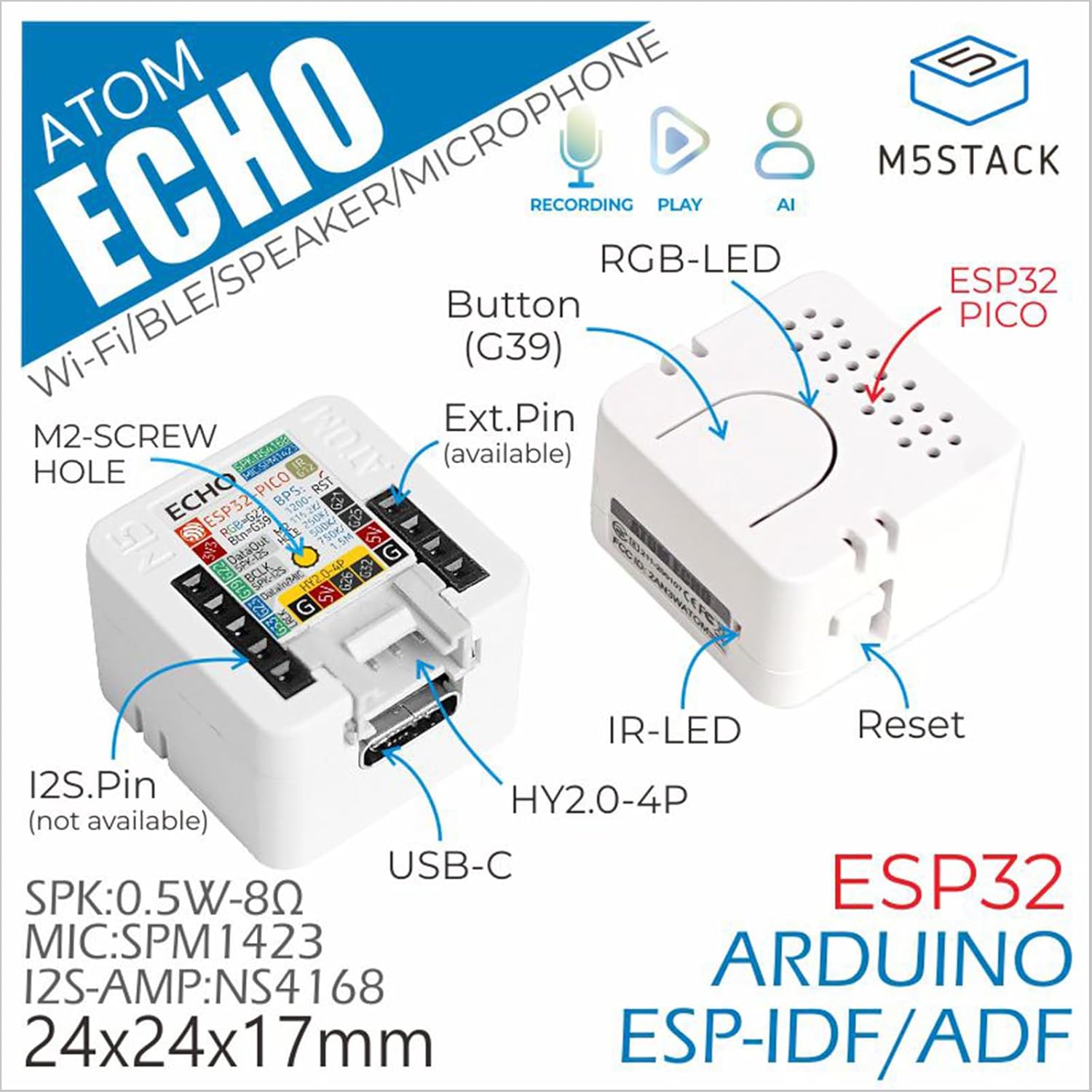
Figure 2: Detailed component diagram of the Atom Echo, highlighting the Button (G39), RGB-LED, ESP32 PICO, IR-LED, Reset button, USB-C port, Extension Pins, M2-screw hole, and I2S.Pin.

Figure 3: Dimensions of the Atom Echo, measuring 24mm (0.94in) in width and depth, and 17mm (0.67in) in height.

Figure 4: Size comparison of the Atom Echo next to a US Quarter, illustrating its compact form factor.
3. Einrichtung und Konnektivität
The Atom Echo is designed for easy setup and versatile connectivity. It supports both Wi-Fi and Bluetooth for communication.
3.1 Einschalten
Connect the Atom Echo to a 5V DC power source using the USB-C port. The device will power on automatically.
3.2 Drahtlose Konnektivität
The device supports 2.4G Wi-Fi (IEEE 802.11b/g/n) and Bluetooth. Specific connection procedures will depend on the firmware loaded onto the device. Refer to the official M5Stack documentation for detailed programming and connection guides.
For detailed tutorials and quick start guides, please visit the official M5Stack webWebsite:
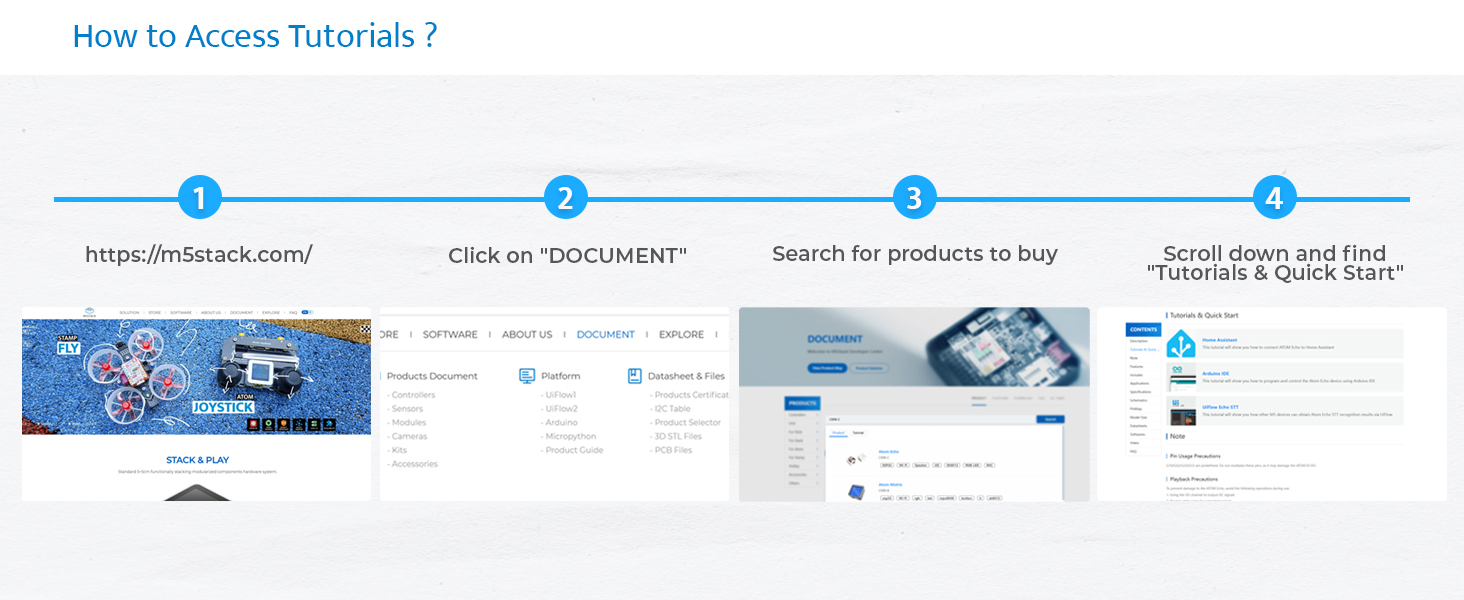
Figure 5: Steps to access tutorials and quick start guides on the M5Stack website (m5stack.com).
4. Operating the Atom Echo
The Atom Echo is primarily operated through its programmable button and voice commands, depending on the loaded application.
4.1 Sprachinteraktion
The built-in microphone allows for voice input. Depending on the programmed functionality, you can use voice commands for control, ask questions, or interact with AI services.
4.2 Audiowiedergabe
The integrated speaker enables audio output. This can be used for playing music wirelessly via Bluetooth, delivering voice responses, or playing system notifications.
4.3 RGB LED Indicator
The RGB LED (SK6812) provides visual feedback on the device's status, such as connection status, active listening mode, or error indications. The specific color patterns and their meanings are defined by the loaded firmware.

Figure 6: Key features of the Atom Echo, including support for STT services, RGB LED status display, compact and lightweight design, and a GROVE expansion interface.
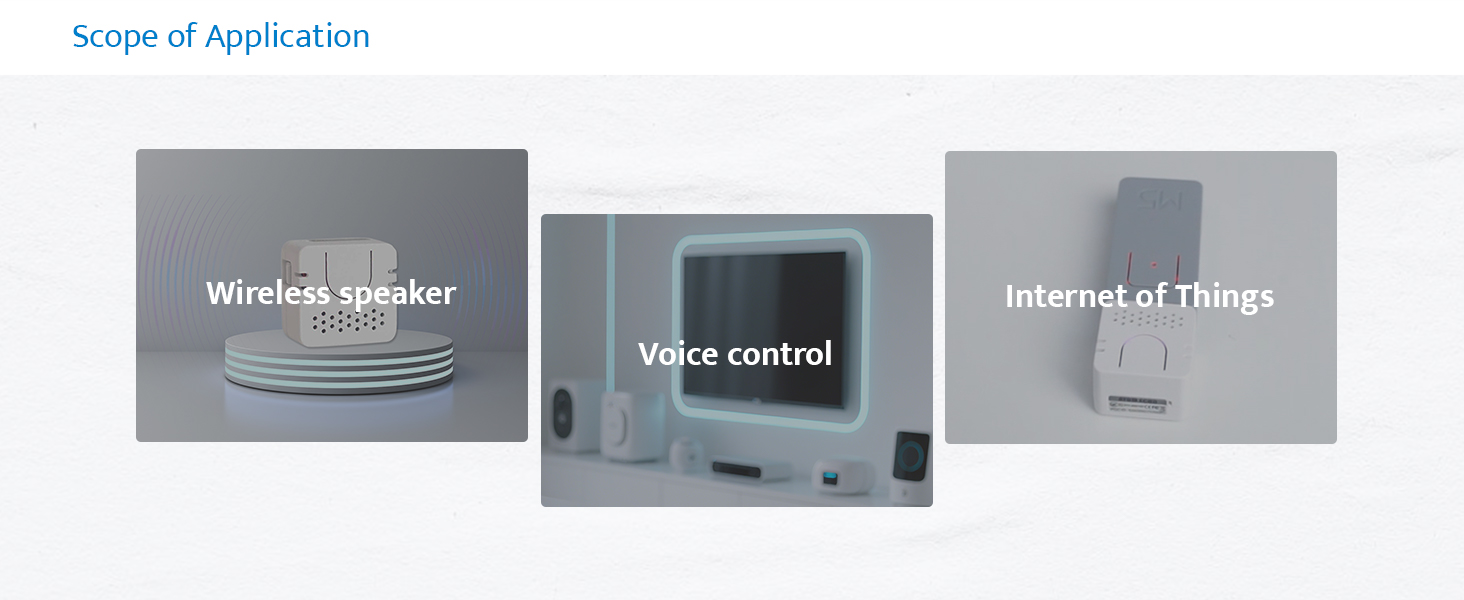
Abbildung 7: Bspamples of Atom Echo applications, including use as a wireless speaker, for voice control, and in Internet of Things (IoT) projects.
5. Wartung
The M5Stack Atom Echo requires minimal maintenance. Keep the device clean and free from dust and moisture.
- Reinigung: Reinigen Sie die Außenseite des Geräts mit einem weichen, trockenen Tuch. Verwenden Sie keine flüssigen Reiniger oder Lösungsmittel.
- Lagerung: Bewahren Sie das Gerät bei Nichtgebrauch an einem kühlen, trockenen Ort auf.
- Umgebungsbedingungen: Setzen Sie das Gerät keinen extremen Temperaturen, direkter Sonneneinstrahlung oder hoher Luftfeuchtigkeit aus.
6. Fehlerbehebung
If you encounter issues with your Atom Echo, consider the following common troubleshooting steps:
- Gerät lässt sich nicht einschalten:
- Ensure the USB-C cable is securely connected to both the device and a working 5V power source.
- Versuchen Sie es mit einem anderen USB-C-Kabel oder Netzteil.
- Keine Audioausgabe:
- Verify that the device is properly programmed to output audio.
- Check the volume settings within your application or connected device.
- Ensure the speaker is not physically obstructed.
- Mikrofon reagiert nicht:
- Confirm that the microphone functionality is enabled and correctly configured in your firmware.
- Ensure there are no physical obstructions covering the microphone.
- Test in a quiet environment, as excessive background noise can affect performance.
- Verbindungsprobleme (WLAN/Bluetooth):
- Ensure the device is within range of your Wi-Fi router or Bluetooth device.
- Verify Wi-Fi credentials or Bluetooth pairing status in your firmware.
- Restart the Atom Echo and your router/Bluetooth device.
- Unerwartetes Verhalten:
- Perform a soft reset using the reset button if available, or by power cycling the device.
- Review your loaded firmware for any programming errors or conflicts.
- Consult the M5Stack official documentation and community forums for specific programming and debugging assistance.
7. Spezifikationen
Detailed technical specifications for the M5Stack Atom Echo:

Abbildung 8: Überview of the Atom Echo's key specifications.
| Spezifikation | Wert |
|---|---|
| Eingangslautstärketage | 5 Volt (DC) |
| Montagetyp | Wandhalterung |
| Material | Plastik |
| Modellname | Atom Echo |
| Lautsprechertyp | Multimedia |
| Besonderheit | Programmierbar |
| Empfohlene Verwendung | Smart Speaker Development Kit |
| Kompatible Geräte | Smartphone, Tablet |
| Einheitenanzahl | 1.0 Anzahl |
| Controllertyp | Taste |
| Surround Sound-Kanalkonfiguration | 2.0 |
| Farbe | Weiß |
| Im Lieferumfang enthaltene Komponenten | 1x ATOM ECHO |
| Technische Daten | 0.94"T x 0.94"B x 0.67"H |
| Altersspanne (Beschreibung) | Alle Altersgruppen |
| Ist wasserdicht | FALSCH |
| Garantietyp | Beschränkt |
| Anzahl der Artikel | 1 |
| Kontrollmethode | Stimme |
| Drahtlose Kommunikationstechnologie | Bluetooth, Wi-Fi |
| Lautsprechergröße | 16 Millimeter |
| Stromquelle | USB-C |
| Woofer-Durchmesser | 40.2 Millimeter |
| Wasserbeständigkeit | Nicht wasserfest |
| Kundenpakettyp | FFP |
| Audiotreibertyp | Dynamischer Treiber |
| Bluetooth-Reichweite | 10 Meter |
| Anzahl der Mikrofone | 1 |
| Subwoofer-Konnektivitätstechnologie | Kabellos |
| Konnektivitätsprotokoll | Bluetooth, WLAN, USB |
| Inklusive MP3-Player? | NEIN |
| Anzahl der Stromkreise | 1 |
| Anzahl der Leistungsstufen | 1 |
| Anzahl der Prozessoren | 1 |
| Hersteller | M5Stack Technology Co., Ltd. |
| Artikelgewicht | 1.13 Unzen |
| Artikelmodellnummer | C008-C |
| Datum der ersten Verfügbarkeit | 12. Juni 2023 |
| Ursprungsland | China |
| Marke | M5Stack |
| Maximale Lautsprecherausgangsleistung | 0.5 Watt |
| Frequenzgang | 240 Hz |
| Konnektivitätstechnologie | Bluetooth, Wi-Fi, USB, IR |
| Audioausgabemodus | Mono |
8. Lieferumfang
The M5Stack Atom Echo package includes the following items:
- 1x ATOM ECHO unit

Figure 9: Visual representation of the Atom Echo unit included in the package.
9. Garantie und Support
The M5Stack Atom Echo comes with a limited warranty. For specific warranty terms and conditions, please refer to the documentation provided with your purchase or visit the official M5Stack webWebsite.
For technical support, additional resources, and community forums, please visit the M5Stack official webWebsite:
Ask a question about this manual
Ask about setup, troubleshooting, compatibility, parts, safety, or missing instructions. Manuals+ will review the question and use this page’s manual context to help answer it.