
secucore 2K HD WiFi Outdoor Security Camera (ASIN: B0C8LRWYD1)
secucore 2K HD WiFi Outdoor Security Camera User Manual
Model: 2K HD WiFi Outdoor Security Camera (ASIN: B0C8LRWYD1)
1. Einleitung
Thank you for choosing the secucore 2K HD WiFi Outdoor Security Camera. This manual provides detailed instructions for the installation, operation, and maintenance of your new security camera. Please read this manual thoroughly before use to ensure proper functionality and to maximize the benefits of your device.
This camera is designed for both indoor and outdoor use, offering high-definition 2K resolution, motion detection, two-way audio, and various recording options to enhance your security.
2. Hauptmerkmale
- 2K HD Resolution (4 Megapixels): Bietet klare und detaillierte Video-Footage.
- Schwenk- und Neigefunktion: Allows horizontal and vertical movement for wide area coverage.
- 2.4 GHz WiFi Connectivity: Ensures stable wireless connection to your network.
- Bewegungserkennung: Benachrichtigt Sie über erkannte Bewegungen innerhalb des Sichtfelds der Kamera. view.
- Farbnachtsicht: Equipped with IR and white LEDs for clear, full-color surveillance even in low-light conditions.
- Zweiwege-Audio: Eingebautes Mikrofon und Lautsprecher ermöglichen Echtzeitkommunikation.
- Automatische Personenverfolgung: The camera can automatically follow detected human figures.
- Programmed Patrols: Set specific routes for the camera to automatically monitor large areas.
- Mehrere Speicheroptionen: Supports cloud storage and local recording via Micro SD card.
- Fernüberwachung: Live zugreifen view and recordings from your smartphone, tablet, or PC.
3. Packungsinhalt
Bitte prüfen Sie das Paket auf folgende Artikel:
- secucore 2K HD WiFi Outdoor Security Camera
- Netzteil
- Befestigungsschrauben und Dübel
- Montagevorlage
- Bedienungsanleitung
Hinweis: Eine Micro-SD-Karte ist nicht im Lieferumfang enthalten und muss separat erworben werden, wenn eine lokale Speicherung gewünscht ist.
4. Installationsanleitung
4.1 Physische Installation
Wählen Sie einen geeigneten Standort für Ihre Kamera, der eine klare Sicht gewährleistet. view of the area you wish to monitor and is within range of your 2.4 GHz WiFi network. The camera can be mounted on a wall or ceiling.
- Verwenden Sie die mitgelieferte Montagevorlage, um die Bohrlöcher auf der gewünschten Oberfläche zu markieren.
- Bohren Sie Löcher und setzen Sie die Dübel ein.
- Befestigen Sie die Kamerahalterung mit den Schrauben an der Oberfläche.
- Befestigen Sie die Kamera an der Montagehalterung.

Image: The secucore 2K HD WiFi Outdoor Security Camera, showing its design and mounting capabilities.
4.2 Stromanschluss
Schließen Sie das Netzteil an den Stromeingang der Kamera an und stecken Sie es anschließend in eine normale Steckdose. Die Kamera schaltet sich ein und startet den Startvorgang.
4.3 Installation einer Micro-SD-Karte (optional)
If you plan to use local storage, insert a Class 10 or higher Micro SD card (up to 128GB, not included) into the designated slot on the camera. Ensure the camera is powered off before inserting or removing the SD card.

Image: Icons representing cloud storage and Micro SD card storage options for the camera.
4.4 App Download and Network Configuration
- Download the official secucore app from your smartphone's app store (iOS or Android).
- Registrieren Sie ein neues Konto oder melden Sie sich an, falls Sie bereits eines besitzen.
- Follow the in-app instructions to add your camera. This typically involves scanning a QR code on the camera or connecting to its temporary WiFi hotspot.
- Ensure your smartphone is connected to a 2.4 GHz WiFi network during the setup process. The camera does not support 5 GHz WiFi.
5. Bedienung Ihrer Kamera
5.1 Live View und Wiedergabe
Once connected, open the secucore app to access the live video feed from your camera. You can view Echtzeit footage and playback recorded events from your Micro SD card or cloud storage.

Image: Demonstrates remote monitoring of multiple camera feeds via laptop and smartphone applications.
5.2 Zwei-Wege-Audio
The camera features a built-in microphone and speaker, allowing you to listen to the camera's surroundings and speak through the camera using the app. This is useful for communicating with visitors or deterring intruders.

Image: Illustrates the two-way audio feature, showing a person communicating through the camera.
5.3 Schwenk-, Neige- und Zoomsteuerung (PTZ)
Nutzen Sie die Steuerelemente innerhalb der App, um die Kamera fernzusteuern. viewing angle. Pan (horizontal rotation) and Tilt (vertical rotation) allow you to cover a wide area. Digital zoom is also available.

Image: Shows the camera's ability to pan and tilt, indicated by red arrows.
5.4 Bewegungserkennung und Benachrichtigungen
Configure motion detection sensitivity and areas within the app. When motion is detected, the camera will record footage und senden Sie sofortige Benachrichtigungen an Ihr Smartphone.
5.5 Nachtsichtmodi
The camera automatically switches to night vision in low-light conditions. It features both infrared (IR) LEDs for standard black-and-white night vision and powerful white LEDs for full-color night vision, which can also serve as a deterrent.

Image: Depicts the camera's color night vision capability, illuminating a scene at night.
5.6 Automatische Personenerkennung
Enable this feature in the app, and the camera will automatically detect and follow human figures moving within its field of view, um eine kontinuierliche Überwachung potenzieller Bedrohungen zu gewährleisten.
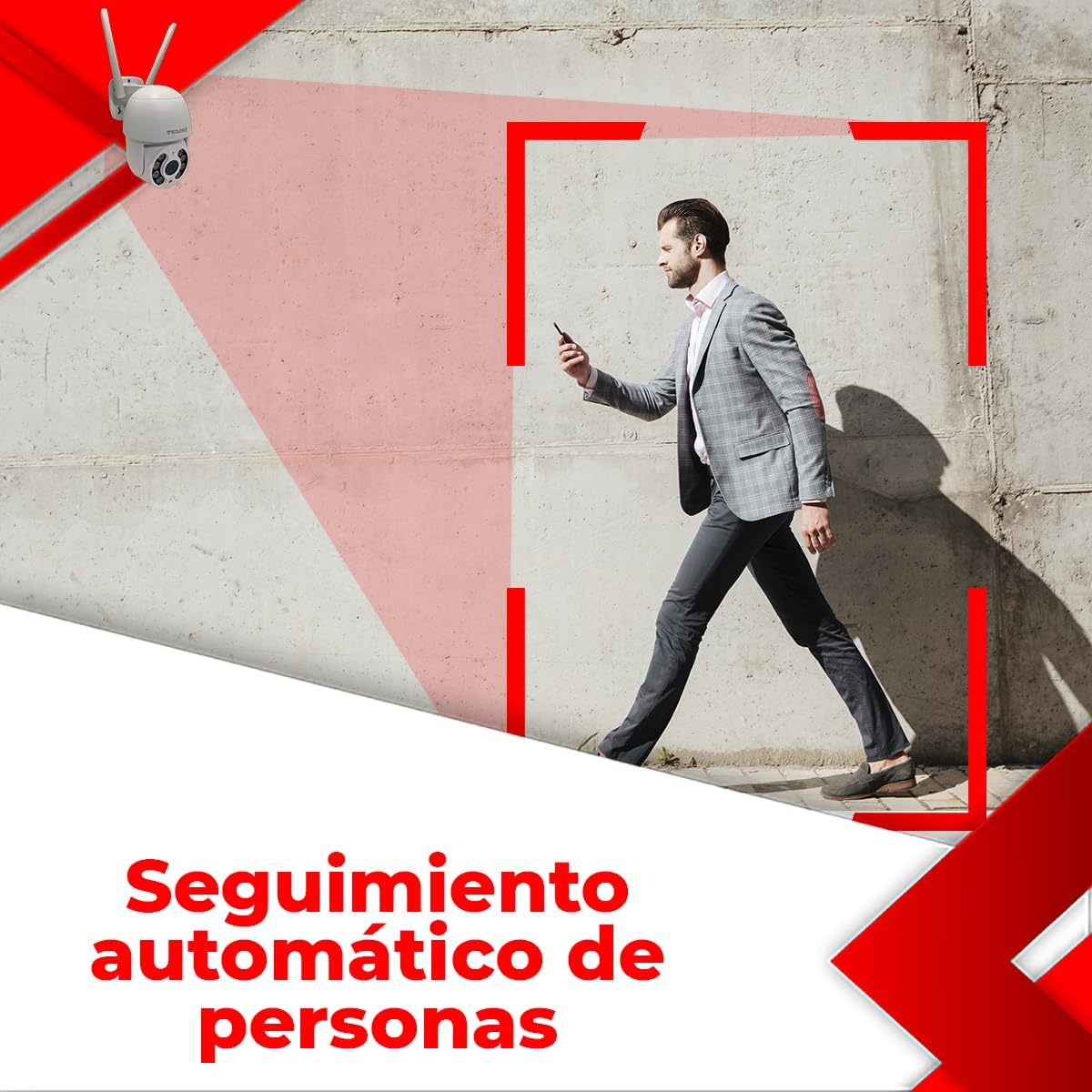
Image: Illustrates the automatic human tracking feature, showing the camera's focus on a moving person.
5.7 Programmed Patrols
Set up specific patrol routes for the camera to automatically scan predefined areas. This is ideal for monitoring large properties or multiple points of interest.

Image: Demonstrates programmed patrol routes, indicating how the camera can cover large areas automatically.
6. Wartung
6.1 Reinigung
Reinigen Sie das Kameraobjektiv regelmäßig mit einem weichen, trockenen Tuch, um eine klare Bildqualität zu gewährleisten. Verwenden Sie keine scharfen Chemikalien oder scheuernden Materialien.
6.2 Firmware-Updates
Prüfen Sie regelmäßig in der App, ob Firmware-Updates verfügbar sind. Durch die Aktualisierung der Kamera-Firmware gewährleisten Sie optimale Leistung, Sicherheit und Zugriff auf neue Funktionen.
6.3 Speicherverwaltung
Bei Verwendung einer Micro-SD-Karte sollten Sie wichtige Daten regelmäßig sichern.tage and format the card periodically to maintain performance. For cloud storage, manage your subscription and storage space through the app.
7. Fehlerbehebung
If you encounter issues with your camera, please refer to the following table for common problems and solutions:
| Problem | Mögliche Ursache | Lösung |
|---|---|---|
| Kamera offline / Keine WLAN-Verbindung möglich | Incorrect WiFi password; Camera too far from router; 5 GHz WiFi network used; Router issues. | Ensure correct 2.4 GHz WiFi password. Move camera closer to router. Restart router. Re-add camera in the app. |
| Schlechte Bildqualität | Verschmutzte Linse; Unzureichende Beleuchtung; Probleme mit der Netzwerkbandbreite. | Clean the camera lens. Ensure adequate lighting or enable color night vision. Check network speed. |
| Recording errors / Cannot view Aufnahmen | Faulty or incompatible Micro SD card; SD card full; Cloud storage issues. | Ensure Micro SD card is Class 10 or higher and formatted correctly. Check if SD card is full and delete old footage or replace. Verify cloud subscription status. |
| Zwei-Wege-Audio funktioniert nicht | Mikrofon/Lautsprecher blockiert; App-Berechtigungen; Lautstärkeeinstellungen. | Ensure nothing is obstructing the microphone or speaker. Check app permissions for microphone access. Adjust volume settings in the app. |
| Bewegungserkennung löst nicht aus | Sensitivity too low; Detection area not set; Environmental factors. | Increase motion detection sensitivity. Define detection zones in the app. Avoid placing camera where trees or shadows cause false alarms. |
If the problem persists after trying these solutions, please contact secucore technical support.
8. Technische Daten
| Besonderheit | Spezifikation |
|---|---|
| Auflösung | 2K (4 Megapixel) |
| Konnektivität | 2.4 GHz WiFi |
| Stromquelle | Wired Electric Cable |
| Material | Plastik |
| Abmessungen (L x B x H) | 19 x 19 x 12 cm (7.5" x 7.9" x 4.8") |
| Gewicht | 500 g |
| Besondere Merkmale | Two-Way Audio, Motion Detection, Color Night Vision, Automatic Tracking |
| Speicheroptionen | Cloud-Speicher, Micro-SD-Karte (bis zu 128 GB) |
| Nutzungsumgebung | Im Freien |
| Montagetyp | Wandhalterung |
9. Garantie und Support
This secucore product comes with a warranty and technical support provided directly by the brand in Mexico. For any warranty claims, technical assistance, or product inquiries, please contact secucore Mexico support. Refer to the product packaging or the official secucore webDie aktuellsten Kontaktinformationen finden Sie auf dieser Website.
We are committed to providing excellent customer service and support for your secucore security camera.
Ask a question about this manual
Ask about setup, troubleshooting, compatibility, parts, safety, or missing instructions. Manuals+ will review the question and use this page’s manual context to help answer it.