
1. Einleitung
Thank you for choosing the Re-Flix Superior Light 4-in-1 Universal Remote Control. This remote is designed for ease of use, coming pre-programmed for your specific device, such as a TV decoder. Simply insert batteries, and it is ready for immediate operation. This manual provides essential information on setup, operation, maintenance, and troubleshooting to ensure optimal performance.
2. Produktüberschreitungview
The Re-Flix Superior Light remote control is a versatile device designed to simplify your home entertainment experience. Its ergonomic design and intuitive button layout provide comfortable and efficient control.
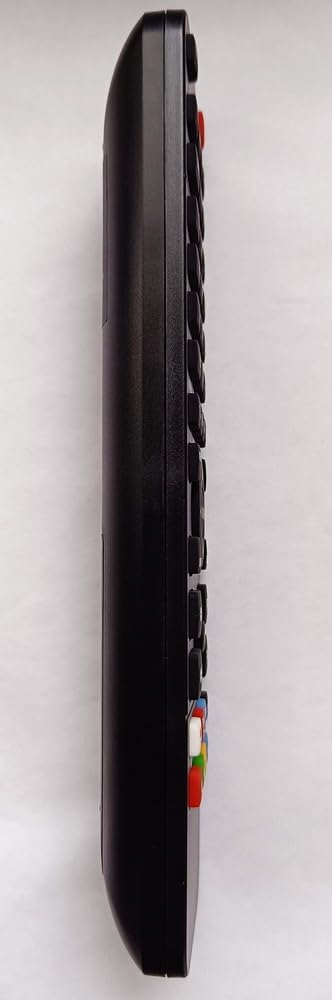
Abbildung 2.1: Seite view of the remote control, highlighting its ergonomic shape and button placement.

Abbildung 2.2: Zurück view of the remote control, displaying the battery cover and the product information label.
3. Einrichtung
3.1 Einlegen der Batterie
Um Ihre Fernbedienung mit Strom zu versorgen, befolgen Sie diese Schritte:
- Suchen Sie das Batteriefach auf der Rückseite der Fernbedienung (siehe Abbildung 2.2).
- Schieben Sie den Deckel des Batteriefachs nach unten oder drücken Sie den Riegel und heben Sie ihn an, um ihn zu öffnen.
- Insert two (2) 1.5V AAA batteries, ensuring the positive (+) and negative (-) terminals align correctly with the markings inside the compartment.
- Setzen Sie die Abdeckung des Batteriefachs wieder ein, indem Sie sie so weit hineinschieben, bis sie sicher einrastet.
Hinweis: Batterien sind nicht im Lieferumfang der Fernbedienung enthalten.
3.2 Erstgebrauch
Your Re-Flix Superior Light remote control is pre-programmed for the device specified at the time of purchase (e.g., GTMEDIA P30M3ST-1 TV Decoder). Once batteries are installed, the remote is ready for immediate use without any additional code entry or setup.
Wichtig:
- Ensure that the model designation of your device or original remote control matches the model indicated in the product description.
- If you wish to program the remote for other devices, a separate USB programmer is required. This programmer is not included with the remote control.
4. Bedienungsanleitung
This remote control operates using infrared (IR) technology. Ensure a clear line of sight between the remote's IR emitter and your device's IR receiver for proper functionality.
4.1 Grundfunktionen
The remote provides standard controls for your compatible TV decoder:
- Netzschalter: Schaltet Ihr Gerät ein oder aus.
- Kanal hoch/runter: Navigates through channels.
- Lautstärke erhöhen/verringern: Regelt die Lautstärke.
- Numerische Tastatur: Für direkten Kanaleingang.
- Menü/Leitfaden: Accesses your device's menu or program guide.
- Navigationsschaltflächen (Pfeile, OK): Zum Navigieren in Menüs und Bestätigen von Auswahlen.
Refer to your device's manual for specific functions corresponding to each button on the remote.
5. Wartung
5.1 Reinigung
Um das Aussehen und die Funktionalität der Fernbedienung zu erhalten:
- Wischen Sie die Oberfläche mit einem weichen, trockenen Tuch ab.
- Bei hartnäckigen Verschmutzungen leicht dampReinigen Sie das Tuch mit Wasser oder einem milden, nicht scheuernden Reinigungsmittel.
- Vermeiden Sie die Verwendung von aggressiven Chemikalien, Lösungsmitteln oder Scheuermitteln, da diese die Oberfläche der Fernbedienung oder interne Komponenten beschädigen können.
5.2 Batteriewechsel
Replace the batteries when the remote's response becomes sluggish or stops working. The remote retains its programming even when batteries are low or removed.
- Befolgen Sie die in Abschnitt 3.1 beschriebenen Schritte zur Installation der Batterie.
- Always replace both batteries at the same time with new 1.5V AAA batteries.
- Entsorgen Sie gebrauchte Batterien verantwortungsvoll gemäß den örtlichen Vorschriften.
6. Fehlerbehebung
Sollten Sie Probleme mit Ihrer Fernbedienung haben, beachten Sie bitte die folgenden gängigen Lösungsansätze:
- Fernbedienung reagiert nicht:
- Prüfen Sie, ob die Batterien richtig eingelegt sind und ausreichend geladen sind. Tauschen Sie sie gegebenenfalls aus.
- Ensure there is a clear line of sight between the remote and your device's IR receiver. Remove any obstructions.
- Stellen Sie sicher, dass Sie sich innerhalb der effektiven Reichweite der Fernbedienung befinden.
- Remote not controlling the intended device:
- Verify that the remote was purchased for the correct device model. This remote is pre-programmed for a specific device.
- If you are attempting to control a different device, remember that a separate USB programmer is required for additional programming.
- Die Schaltflächen klemmen oder reagieren nicht:
- Reinigen Sie die Fernbedienung wie in Abschnitt 5.1 beschrieben.
7. Spezifikationen
| Besonderheit | Detail |
|---|---|
| Marke | Re-Flix |
| Modellnummer | 747516 |
| Konnektivitätstechnologie | Infrarot (IR) |
| Kompatible Geräte | TV Decoder (e.g., GTMEDIA P30M3ST-1) |
| Maximal unterstützte Geräte | 1 (pre-programmed) |
| Batterien erforderlich | 2 x 1.5V AAA (not supplied) |
| Abmessungen (L x B x H) | 21 x 4.7 x 2 cm |
| Gewicht | 89 g |
8. Garantie und Support
This Re-Flix product is covered by a standard manufacturer's warranty. For specific warranty terms and conditions, please refer to the documentation provided at the time of purchase or contact your retailer.
For technical support, troubleshooting assistance beyond this manual, or inquiries regarding additional programming options (e.g., USB programmer), please contact the seller or manufacturer directly. Provide your product model number (747516) and details of your issue for efficient service.